Table of Contents
- What Expert Live Streaming Management Services Actually Deliver
- Corporate Webcasting Best Practices for Flawless Broadcasts
- Technical Requirements for Corporate Webcasting: Infrastructure That Works
- How to Host a Professional AGM Live Stream Without Interruption
- Hybrid and Virtual Event Solutions: Connecting In-Room and Remote Audiences
- Security, Privacy, and Content Ownership in Live Streaming
- Post-Event Analytics and ROI Reporting
- Why Managed Live Streaming Outperforms DIY Approaches
Last Updated: August 28, 2026
What Expert Live Streaming Management Services Actually Deliver
Expert live streaming management services do far more than point a camera at an event. They orchestrate the technical, creative, and logistical infrastructure that separates a flawless broadcast from a disaster. At Webcasting Livestream, we provide professional, end-to-end live streaming solutions designed to deliver a flawless viewing experience for events of any scale.
The core job requires orchestrating bandwidth management, redundant networks, multi-camera switching, audio engineering, real-time monitoring, and fail-safe procedures that activate the moment something goes wrong. Most organisations underestimate what "professional" means. DIY streaming often looks fine during rehearsal on good internet. Then the event happens: the CEO’s microphone cuts out, the camera feed freezes, mobile viewers see pixelation, and the chat fills with complaints. By then, it’s too late.
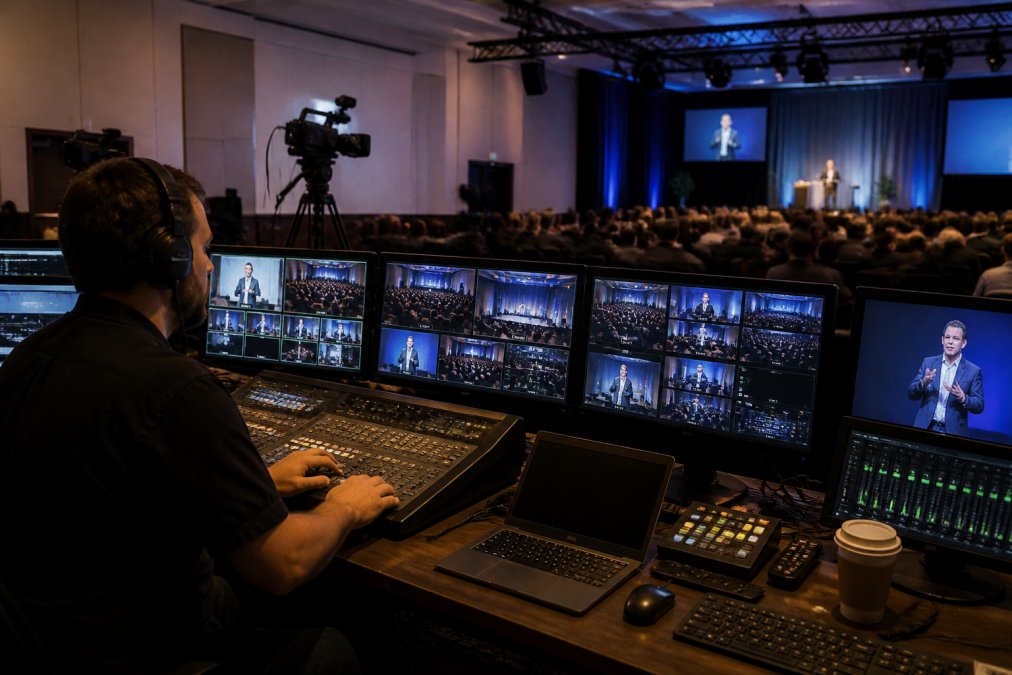
Expert live streaming management services eliminate these failure points. They provide:
- Multi-camera production with professional-grade switching and composition
- Redundant internet connectivity so a single network failure doesn’t end your broadcast
- Real-time audio engineering that catches and fixes issues before viewers hear them
- Content ownership and recording delivered to you immediately after the event
- Audience engagement tools like live chat, Q&A, and interactive polling
- Fail-safe procedures that activate automatically if primary systems fail
- HD quality across all devices, from desktop to mobile to smart TV
The difference between managed services and DIY approaches is the difference between a broadcast that runs flawlessly and one that becomes a liability.
Corporate Webcasting Best Practices for Flawless Broadcasts
Corporate webcasting requires a different mindset than casual streaming. Your audience includes shareholders, employees, regulators, media, and competitors. Every technical glitch reflects directly on your organisation’s competence.
Start with clear objectives: Are you informing, persuading, or building trust? Will viewers need to access the recording later for compliance or training? These questions shape every decision downstream.
Planning begins weeks before the event, not days before. Successful corporate webcasting requires site surveys, internet testing, equipment staging, and rehearsals with speakers and technical teams. The rehearsal is where you catch problems that would otherwise destroy the live broadcast. Test every camera angle, microphone, graphics transition, and contingency procedure.
Audio quality matters more than most organisations realise. Poor audio is actively painful and makes your organisation sound unprofessional. Invest in proper microphone placement, backup audio feeds, and an audio engineer monitoring levels in real-time. Wireless microphones need battery backups and redundant receivers.
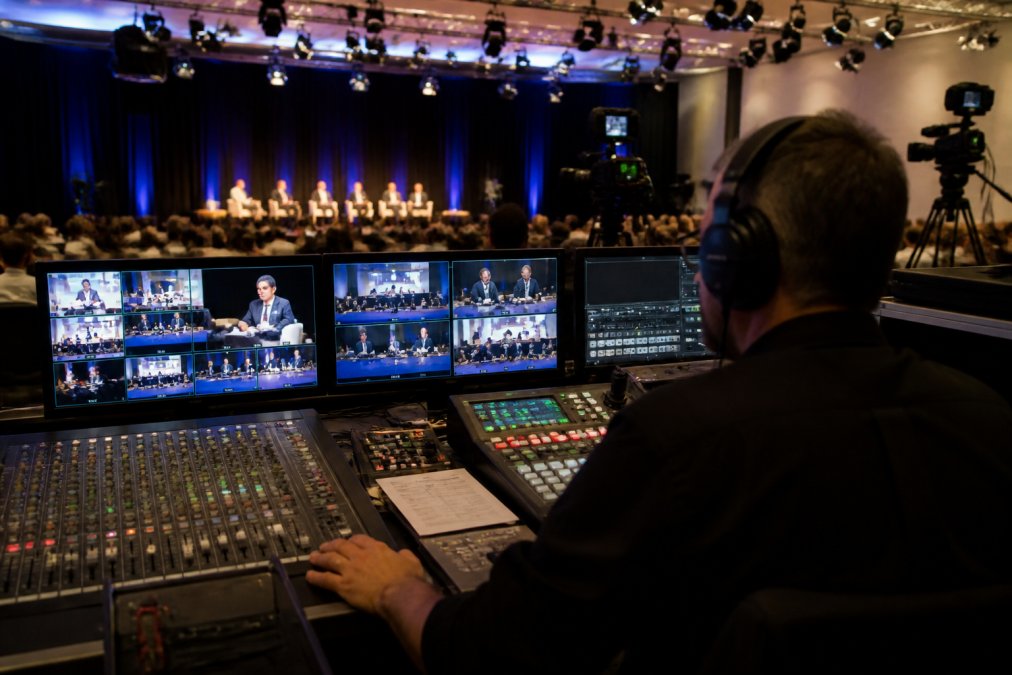
Lighting and camera composition deserve equal attention. Professional lighting eliminates shadows and makes speakers look authoritative. Multiple camera angles, wide shots of the room, medium shots of speakers, close-ups of key moments, keep remote viewers engaged instead of watching a static feed.
Test your internet connection thoroughly and independently. Don’t rely on your IT team to certify that "bandwidth should be fine." Hire a professional to run actual streaming tests from your venue under load. Measure upload speed, latency, packet loss, and jitter. If any metric falls short, arrange redundant connectivity before the event.
Technical Requirements for Corporate Webcasting: Infrastructure That Works
Professional corporate webcasting demands specific technical foundations.
Bandwidth and Network Redundancy
Bandwidth is the most misunderstood technical requirement. Most organisations think "we have 100 Mbps internet, so we’re fine." That’s dangerously wrong. Upload speed matters for streaming, not download speed. A typical corporate connection might have 100 Mbps download but only 10 Mbps upload (fcc.gov). Streaming a single 1080p HD feed requires 4-8 Mbps (peer-reviewed research). Add multiple camera angles and graphics, and you need 12-15 Mbps minimum for reliable HD quality (fcc.gov).
That 15 Mbps can’t be your entire internet connection. Your organisation needs bandwidth for email, video calls, file transfers, and web browsing. Streaming competes with all of that. A single large file download during your broadcast will starve the stream and cause buffering.
The professional solution is bonded internet: two or more independent connections combined into a single, redundant pipe. If one fails, the stream automatically reroutes to the other. This is non-negotiable for events where failure isn’t an option.
Network redundancy extends beyond internet connections. Professional streaming requires:
- Dedicated streaming equipment with backup systems
- Redundant encoders (primary and secondary, auto-failover)
- Backup power supplies and uninterruptible power supplies (UPS)
- Separate network switches for streaming equipment
- Firewall rules that prioritise streaming traffic
- Real-time monitoring of all network metrics with alerts
Multi-Camera Setup and Live Switching
A single static camera is amateur streaming. Professional corporate webcasting uses multiple camera angles, switched in real-time to maintain viewer engagement.
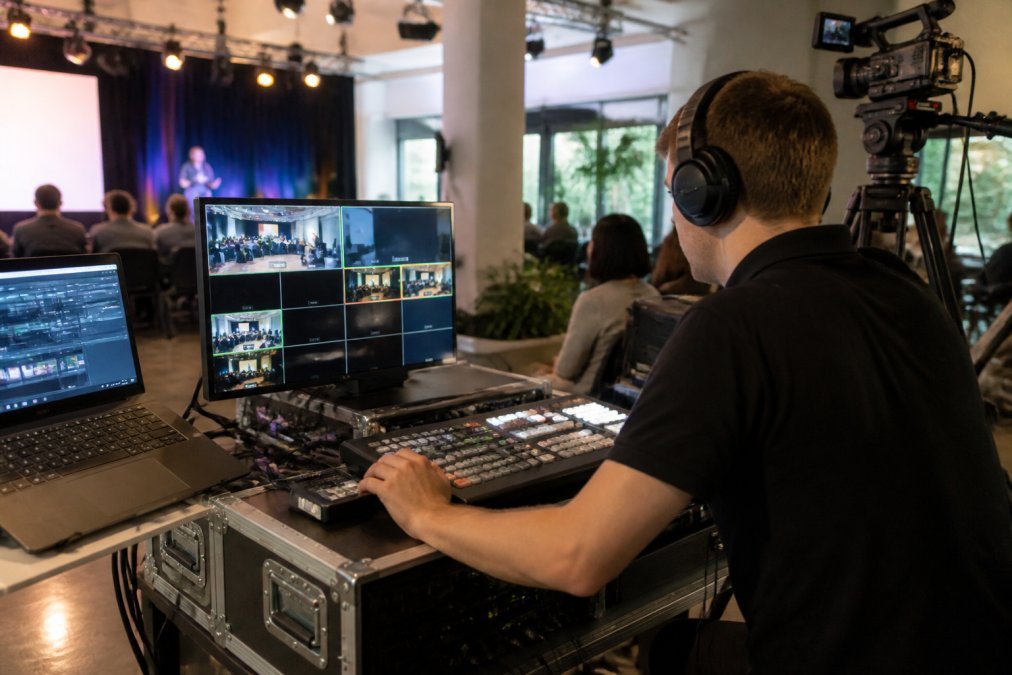
A typical corporate webcast uses three to five cameras: a wide shot of the room, a medium shot of the speaker, a close-up of the speaker’s face, and potentially a camera on slides or presentation screen. Each needs a professional-grade lens, proper mounting, and cable management.
Live switching requires a vision mixer (switcher) that accepts multiple video feeds and outputs a single, switched stream. The operator watches the live event and makes split-second decisions about which camera to show. Professional vision mixers include transitions, picture-in-picture compositing, graphics overlays, and integration with presentation software.
Audio Engineering and Video Transcoding
Professional audio requires:
- Multiple microphone inputs (podium, lapel, audience Q&A, backup)
- A professional audio mixer with faders, EQ, and compression
- Real-time monitoring of audio levels
- Backup audio feeds in case a primary microphone fails
- Proper gain staging so audio is neither too quiet nor distorted
Video transcoding converts high-quality camera feeds into formats suitable for streaming. Professional cameras output high bitrate; streaming requires much lower bitrate. Transcoding reduces resolution, bitrate, and frame rate while maintaining quality. It also creates multiple versions (720p, 480p, 360p) so viewers on slow connections get a watchable experience.
Professional transcoding happens in real-time on dedicated hardware or in the cloud. The encoder monitors network conditions and automatically adjusts quality to match available bandwidth.
How to Host a Professional AGM Live Stream Without Interruption
Annual general meetings are high-stakes events. Shareholders expect professional execution. Regulators may require archival. A failed stream damages investor confidence and creates compliance headaches.
Planning and Pre-Event Testing
Professional AGM streaming starts with planning at least four weeks before the event. Work with your streaming provider to discuss your venue, expected attendance, shareholder questions, and technical constraints. Identify potential problems early: Is the venue’s internet adequate? Do you need redundant connectivity? Are there network security policies that might block streaming?
Schedule a site visit with your streaming team. They’ll assess internet quality, identify optimal camera positions, test audio levels, and confirm power availability. This visit often reveals problems that would otherwise surface during the live event.
Run a full technical rehearsal at least one week before the event. Invite speakers, board members, and participating staff. Test every camera angle, microphone, graphics transition, and contingency procedure. Record this rehearsal and review it for quality issues.
Test your streaming platform independently. Log in as a viewer and watch the test stream on desktop, mobile, and tablet. Verify that captions are accurate, chat or Q&A features work as expected, and viewers can access archived recordings.
Contingency Planning and Fail-Safe Procedures
The difference between a professional broadcast and an amateur one is what happens when something goes wrong. Professionals execute a predetermined contingency plan.
Identify your failure points: What happens if primary internet fails? If a camera stops working? If the audio mixer malfunctions? For each failure point, define a specific response. If primary internet fails, switch to redundant connectivity. If a camera fails, cut to an alternative angle or static graphic. If audio fails, continue streaming video and notify viewers.
Document these procedures and rehearse them. Your streaming team should know exactly what to do without having to think or consult anyone. Professional streaming providers have handled hundreds of events and know every way things can fail. They’ve built procedures and backup systems specifically to handle those failures.
Communicate with your audience if something goes wrong. A brief message like "We’re experiencing temporary audio issues; we’re working to resolve this" is far better than silence.
Hybrid and Virtual Event Solutions: Connecting In-Room and Remote Audiences
Hybrid events combine in-person attendees with remote viewers. They’re more complex than purely virtual events because you’re managing two separate audiences simultaneously.
The technical challenge is capturing the in-room experience and transmitting it to remote viewers while integrating remote participant interaction back into the physical event. Professional hybrid event solutions integrate multi-camera production, audience engagement tools, and real-time interaction. In-room attendees see large screens showing remote participants asking questions. Remote viewers see the in-room event with clear camera angles and hear audio from both audiences. Questions from remote viewers are displayed on screens in the room.
This requires dedicated event management software coordinating video feeds, chat, Q&A, polling, and breakout sessions. It also requires a larger technical team: cameras, a vision mixer, audio engineer, chat moderator, and someone managing remote participant interaction.
Virtual event solutions (fully remote) are technically simpler but require attention to engagement. Professional virtual event platforms include interactive features like live chat, polls, breakout sessions, and networking lounges to keep remote participants engaged.
Security, Privacy, and Content Ownership in Live Streaming
Corporate events often involve sensitive information requiring security measures that prevent unauthorised access or recording.
Professional streaming services provide:
- Private streaming URLs with password protection
- Geographic restrictions to limit viewing to specific countries or regions
- Watermarking of recordings to deter unauthorised distribution
- Access logs showing who watched and when
- Content encryption so streams can’t be intercepted
- Disable download options so viewers can’t save copies without permission
Content ownership is equally important. You create the content; you should own it. Some streaming providers claim ownership of recordings or restrict reuse. Professional providers like Webcasting Livestream deliver all recordings to you immediately after the event with no restrictions. You own the content outright.
This matters for compliance, training, and archival. Many organisations need to retain recordings for regulatory purposes or reuse them for employee training.
Post-Event Analytics and ROI Reporting
A professional stream generates valuable data about viewer engagement. Who watched? How long did they stay? Which segments did they rewatch? What questions did they ask?
Professional streaming platforms provide analytics dashboards showing:
- Total viewers and peak concurrent viewers
- Average watch duration and drop-off points
- Geographic distribution of viewers
- Device types (desktop, mobile, tablet, smart TV)
- Engagement metrics (chat messages, poll responses, questions asked)
- Replay views and watch-through rates
This data informs future events. If viewers consistently drop off at a certain point, that segment needs redesign. If mobile viewers have poor engagement, your video quality on mobile needs improvement.
ROI reporting ties streaming metrics to business outcomes. Did the AGM result in increased shareholder confidence? Did the product launch generate media coverage? Did the training webinar improve employee performance? Professional providers can help connect streaming data with business metrics.
Why Managed Live Streaming Outperforms DIY Approaches
The gap between managed services and DIY streaming is enormous. DIY approaches work for casual, low-stakes events. For anything where failure has consequences, they’re a liability.
DIY streaming requires your internal team to become experts in video production, network engineering, audio engineering, and streaming software. That’s unrealistic for most organisations. Your IT team manages your network. Your marketing team creates content. Neither has the specialised knowledge required for professional streaming.
Managed services like Webcasting Livestream bring specialised expertise, professional equipment, redundant systems, and proven procedures. We’ve handled thousands of events across every scenario imaginable. We know what fails and how to prevent it. We have backup equipment for every component. We monitor streams in real-time and intervene the moment something goes wrong.
The cost difference is often smaller than organisations expect. When you factor in your team’s time, the risk of a failed broadcast, and the value of professional quality, managed services are frequently the most cost-effective option.
More importantly, managed services let you focus on your event instead of worrying about technical execution.
When your AGM, product launch, or corporate announcement requires flawless execution, managed live streaming is the only reliable choice. Webcasting Livestream provides end-to-end expert live streaming management services with a no-drop-off guarantee, professional fail-safe procedures, and HD quality across all devices. Your content belongs to you, and all recordings are delivered immediately after your event at no extra cost. Learn more about professional streaming solutions for corporate events. Get a quote today and ensure your next broadcast delivers the professional results your audience expects.
Frequently Asked Questions
What exactly is included in professional live streaming management services?
Expert live streaming management services cover end-to-end production: multi-camera setup, live mixing and switching, professional audio engineering, real-time monitoring, HD encoding and transcoding, simultaneous multi-platform distribution, and full event recording. The service provider handles all technical aspects, allowing you to focus on content delivery. Most managed services guarantee no drop-off through bonded internet and redundant systems, ensuring uninterrupted broadcast regardless of venue location or audience size.
What are the key technical requirements for corporate webcasting to work reliably?
Reliable corporate webcasting requires adequate bandwidth (minimum 5-10 Mbps upload for HD), redundant internet connectivity (bonded connections or backup mobile), professional-grade cameras and audio equipment, and a stable streaming platform with load balancing. Network engineering and latency management are critical for real-time delivery. Venue infrastructure must support camera placement, lighting, and equipment staging. Professional services handle all technical requirements, testing connectivity before the event and monitoring throughout to catch issues before they affect viewers.
How do you guarantee no drop-off during a live stream?
No-drop-off guarantees rely on multiple layers of redundancy: bonded internet connections combining multiple carriers, automatic failover systems that switch to backup connectivity instantly, real-time monitoring throughout the broadcast, and experienced technical teams standing by to address issues before viewers notice. Professional services also conduct pre-event network testing and have contingency plans for equipment failure. These fail-safe procedures ensure your stream stays live even if primary systems encounter problems.
Do we own the recordings, and are there extra fees to download them later?
With expert live streaming management services, you own your content outright. All recordings are captured in HD during the broadcast and delivered to you after the event with no additional download or storage fees. This allows you to repurpose the recording for training, marketing, on-demand viewing, or archival purposes. Ownership is a core principle of managed services, ensuring your investment in the event translates to lasting assets you can use indefinitely.
This article was written using GrandRanker