Table of Contents
- What Is Secure Live Video Streaming for Business?
- Key Security Features to Look for in Live Streaming Platforms
- Best Practices for AGM Live Streaming
- How to Protect Corporate Live Streams from Cyber Threats
- Managing Access Control for Virtual Town Halls
- Compliance Standards for Business Live Streaming
- Top Secure Live Video Streaming Platforms for Business
- Platform Comparison Table
Last Updated: August 21, 2026
What Is Secure Live Video Streaming for Business?
Secure live video streaming for business is the real-time broadcast of video content over the internet with encryption, access controls, and authentication measures that protect sensitive communications from unauthorised viewing. Security isn’t an afterthought, it’s foundational. When streaming an AGM, product launch, or internal town hall, audiences expect both a flawless viewing experience and assurance that their participation is private.
Secure live video streaming combines end-to-end encryption, tokenised access (temporary, unique viewer credentials), domain restrictions, and audit logging. These layers ensure only authorised people see your broadcast. The cost of a breach, leaked earnings calls, intercepted training sessions, exposed shareholder meetings, creates legal liability, damages competitive advantage, and erodes trust. Secure streaming platforms address these risks by design.
Key Security Features to Look for in Live Streaming Platforms
When evaluating secure live video streaming, focus on technical controls that prevent unauthorised access. Generic password protection isn’t enough. Real security requires multiple layers working together.
Encryption and Transport Layer Security
End-to-end encryption scrambles video data during transmission from encoder to platform to viewer device. Transport Layer Security (TLS) creates an encrypted tunnel for all communication, preventing network interception. Look for platforms supporting AES-256 encryption (stored recordings) and TLS 1.3 (transmitted data). Modern platforms use HLS (HTTP Live Streaming) over secure connections, which is both more reliable and secure than older RTMP protocols. Demand platforms that encrypt the entire session, not just the video payload, metadata leakage can reveal timing, connection patterns, and viewer counts to network monitors.
Access Control and Authentication
Multi-factor authentication (MFA) adds a second verification step beyond passwords, making it non-negotiable for sensitive broadcasts. Single sign-on (SSO) integration with your corporate directory (Azure AD, Okta, Google Workspace) gives centralised control: revoke access instantly across all systems when someone leaves.
Token-based access generates unique, time-limited tokens for each viewer that expire after the stream ends, eliminating credential reuse risks.
Content Protection and Digital Rights Management
Digital Rights Management (DRM) prevents viewers from downloading, screen-recording, or sharing your stream. Watermarks embed viewer information or timestamps, making unauthorised sharing traceable. Domain restriction limits playback to devices on your company’s network or VPN, making external access virtually impossible even with valid credentials.
Best Practices for AGM Live Streaming
An AGM is high-stakes. Shareholders expect professionalism, regulators expect compliance documentation, and competitors would pay for early access to announcements. Secure streaming requires both technical controls and operational discipline.
Run a full technical rehearsal with the same encoding setup, network connection, and platform features you’ll use live. Test from multiple locations and devices to verify video quality, audio clarity, and access controls. Isolate your streaming infrastructure from your general IT network where possible, if your stream server is compromised, you don’t want attackers pivoting into corporate systems.
Assign one person to manage access controls during the broadcast, monitoring the viewer list and removing unauthorised participants. Record locally and securely as a backup, giving you control over long-term storage and encryption keys.
How to Protect Corporate Live Streams from Cyber Threats
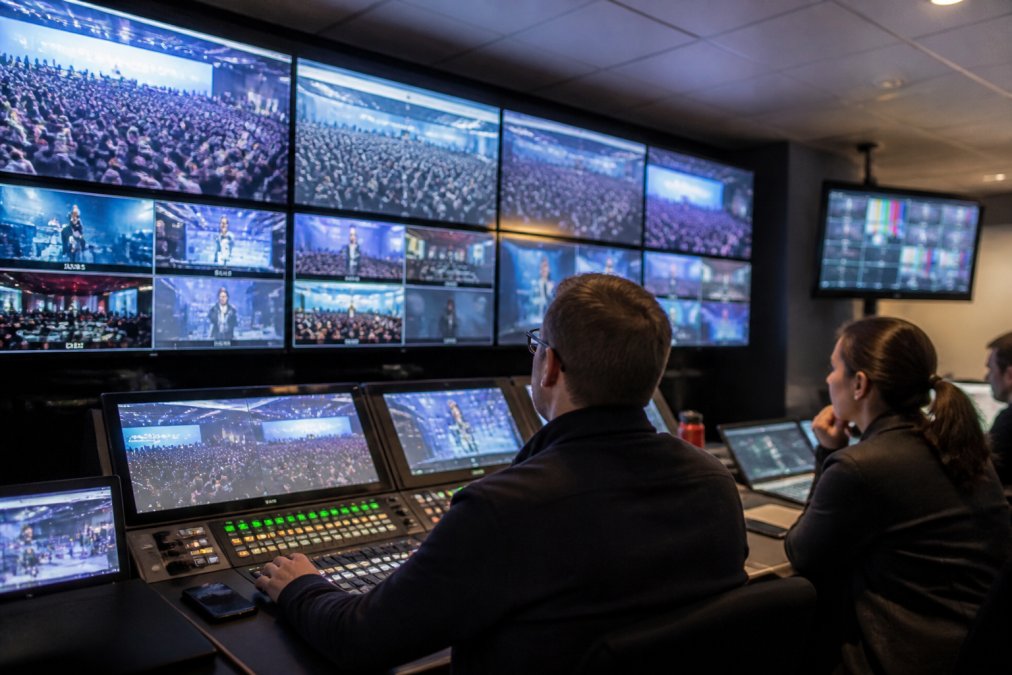
Corporate live streams face DDoS attacks (flooding with traffic), man-in-the-middle attacks (intercepting traffic), and credential stuffing (using leaked passwords). Each requires different defences.
DDoS protection comes from your hosting provider’s infrastructure. Platforms with global content delivery networks (CDNs) absorb DDoS traffic across multiple data centres. Use RTMPS (RTMP Secure) or SRT (Secure Reliable Transport) instead of unencrypted RTMP to encrypt the connection between your encoder and platform.
Implement IP whitelisting on your encoder, only allow connections from specific IP addresses. Monitor stream ingestion in real time for anomalies: unexpected connection locations, bitrate fluctuations, or unusual metadata signal potential compromise. After your broadcast, review access logs for patterns indicating credential sharing or unauthorised access attempts.
Managing Access Control for Virtual Town Halls
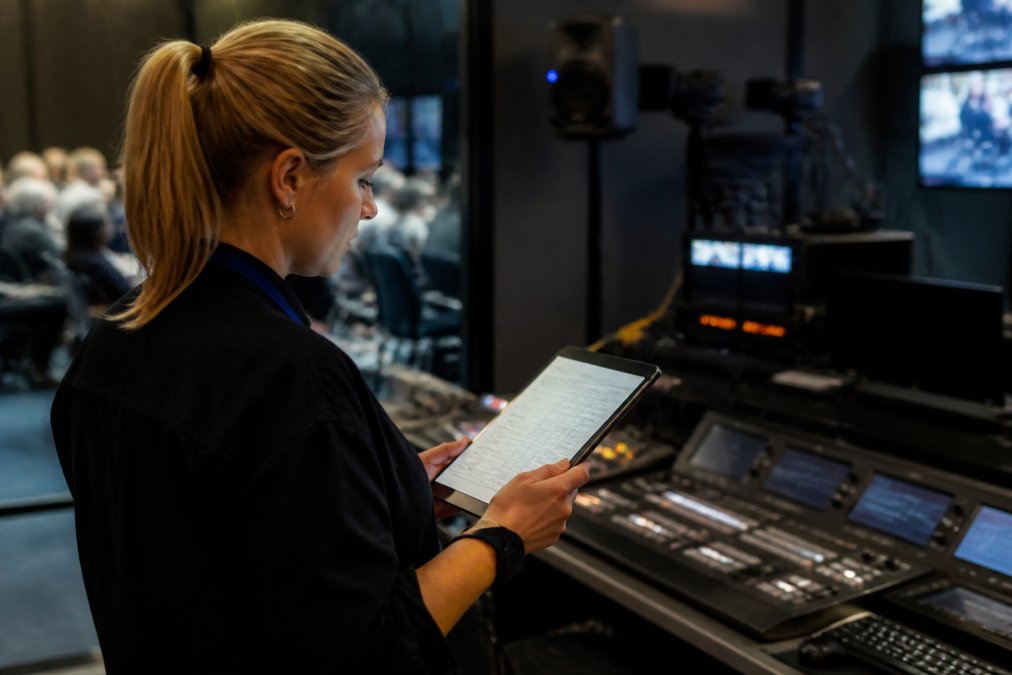
Town halls are larger and more open than AGMs, yet still require control. Use tiered access: employees get standard SSO access, contractors get temporary tokens valid for that day only, external presenters get presenter-level access allowing them to speak but not see chat or Q&A responses.
Pre-register attendees where possible to verify identities and catch duplicate registrations. Monitor the attendee list actively during broadcast. Implement waiting rooms where a moderator approves each participant before they enter the main broadcast. For Q&A and chat, require advance submission or moderator filtering to prevent information leakage or inflammatory content.
Compliance Standards for Business Live Streaming
Regulatory compliance isn’t optional for many industries. SOC II Type II certification verifies that platforms have controls for security, availability, processing integrity, confidentiality, and privacy. GDPR applies if streaming to or recording viewers in the EU, you must have a lawful basis for processing data, provide privacy notices, and give viewers rights to access or delete their data ([EXTERNAL_LINK: EU General Data Protection Regulation | europa.eu]).
The Privacy Act 1988 governs Australian organisations’ handling of personal information collected during broadcasts. For healthcare organisations streaming patient-related content, compliance with the Privacy Act 1988 and its Australian Privacy Principles (APPs) is crucial, requiring strong data security, audit logs, and specific access controls for sensitive health information. Financial services may require compliance with relevant ASIC regulations for record retention; government agencies often mandate adherence to the Australian Government Information Security Manual (ISM) alignment.
Before choosing a platform, identify which standards apply to your industry and verify the platform meets them. Ask for SOC II reports, compliance certifications, and documentation of how they handle your specific regulatory requirements.
Top Secure Live Video Streaming Platforms for Business
1. Webcasting Livestream: Managed End-to-End Security
Webcasting Livestream is purpose-built for organisations that can’t afford broadcast failures or security lapses. The platform handles the entire production chain, multi-camera capture, encoding, delivery, and recording, with fail-safe procedures guaranteeing seamless connection nationwide.
The standout feature is the no drop-off guarantee. If your primary connection fails, the platform automatically switches to bonded internet (multiple simultaneous connections) without interrupting the stream. Content ownership is non-negotiable: you own all recordings with no licensing fees or reuse restrictions. Security is handled by their expert team end-to-end, reducing your IT burden and eliminating configuration errors. For enterprise-scale events, they offer multi-camera production packages with professional audio and on-site technicians.
Best for: Corporations hosting critical events (AGMs, earnings calls, product launches), government agencies requiring compliance documentation, and educational institutions needing reliable, secure delivery. [EXTERNAL_LINK: Managed Security Services | cybernews.stealth-iss.com].
Pros:
- No drop-off guarantee with automatic failover to bonded internet
- Full content ownership with HD quality across all devices
- Comprehensive recording services included
- Managed end-to-end service reduces internal technical burden
- Professional on-site support available
Cons:
- Pricing is per-event based on scale (contact for quote)
- Less suitable for organisations needing self-service, always-on streaming
2. Stream National Group: Interactive and Scalable
Stream National Group offers secure, reliable streaming with emphasis on audience engagement. Their platform scales from small internal meetings to nationwide broadcasts, handling encoding, CDN delivery, and failover automatically. Interactive features include live Q&A with moderation, polling, and closed captions. Security is solid with SOC II compliance and audit logs, though you handle some configuration (encoder setup, access rules) while they manage platform infrastructure.
Best for: Large organisations hosting interactive events (town halls, conferences, webinars) needing engagement tools alongside security, and government agencies requiring transparent, auditable broadcasts.
Pros:
- Strong interactive features (Q&A, polling, captions) that engage audiences
- Scalable to handle events from dozens to thousands of concurrent viewers
- SOC II compliance and audit logging for government use
- Secure and reliable broadcasts with professional-grade infrastructure
Cons:
- Pricing requires custom quote
- Requires more internal technical setup than fully managed services
- Less emphasis on failover redundancy compared to fully managed alternatives
3. Vimeo Enterprise: Advanced Customisation and DRM
Vimeo Enterprise is ideal for organisations needing deep customisation, advanced DRM, and integration with existing marketing or compliance systems. You can brand the player, restrict playback to specific domains, apply watermarks, and embed analytics into workflows. DRM capabilities prevent downloads, restrict screen-recording, geo-block content, and set expiration dates on viewing links.
Advanced analytics track viewer engagement: which sections they rewound, where they paused, drop-off points. This integrates with your CRM or marketing automation system. Security includes SSO integration (SAML, OKTA, Azure AD), multi-factor authentication, and audit logs. The trade-off is complexity, customisation requires technical resources.
Best for: Large enterprises with complex security requirements, marketing teams needing advanced analytics, and organisations integrating video streaming into existing corporate systems.
Pros:
- Comprehensive DRM prevents unauthorised downloads and screen-recording
- Advanced analytics track viewer engagement and behaviour
- Deep customisation options for branding and user experience
- SSO and MFA integration with corporate identity systems
- Audit logs and compliance documentation for regulated industries
Cons:
- Pricing starts at approximately AU$6,000+ annually
- Significant complexity requires dedicated internal resources
- Steep learning curve for organisations new to enterprise video platforms
4. Cisco Webex Events: Enterprise-Grade Reliability
Cisco Webex Events is built on Cisco’s global infrastructure, ensuring reliability and scalability. For organisations already using Cisco Webex for video conferencing, Webex Events is a natural extension with familiar single sign-on, calendar integration, and meeting controls.
Security is enterprise-grade: SOC II Type II certification, and GDPR-ready architecture. Cisco’s infrastructure includes DDoS mitigation, encryption, and redundancy across multiple data centres. Interactive features include live Q&A, polling, breakout sessions, and networking lounges. For hybrid events, Webex handles both on-site and remote attendees seamlessly. Pricing is transparent: Webex Suite starts at AU$35.00 per user per month with annual billing.
Best for: Organisations already invested in Cisco Webex, enterprises hosting hybrid events, and government or healthcare organisations requiring strong data privacy and security.
Pros:
- Enterprise-grade reliability backed by Cisco’s global infrastructure
- Seamless integration with Cisco Webex video conferencing
- SOC II Type II compliance for regulated industries
- Transparent, predictable pricing with no hidden per-attendee fees
- Strong interactive features for engagement
Cons:
- May be overkill for small, informal events
- Pricing for dedicated ‘Events’ plans beyond Webex Suite requires sales contact
- Feature complexity can overwhelm simple use cases
5. OnAIR by EventsAIR: Integrated Event Management
OnAIR is EventsAIR’s all-in-one platform for virtual, hybrid, and in-person events. Unlike point solutions focused solely on streaming, OnAIR integrates registration, attendee engagement, networking, analytics, and sponsor management into a single system. This integration matters for large, complex events requiring coordination across registration, content delivery, and analytics.
Unlimited registrations with no per-attendee fees mean predictable costs regardless of event size. Security includes enterprise SSO, audit logging, and compliance documentation. For government and educational organisations, the integrated approach simplifies compliance, all event data flows through a single auditable system. The learning curve is steeper due to extensive features, making it better suited for organisations running dozens of events annually.
Best for: Large organisations managing complex, multi-day events with networking, sponsorships, and detailed attendee tracking; educational institutions hosting conferences and congresses.
Pros:
- Comprehensive all-in-one platform eliminates tool-switching and data silos
- Unlimited registrations and no per-attendee fees for predictable costs
- Strong focus on attendee engagement and networking features
- Integrated analytics across registration, attendance, and interaction
- Enterprise-grade security with SSO and audit logging
Cons:
- Pricing requires custom quote
- Significant learning curve due to extensive feature set
- May be over-engineered for small or simple events
Platform Comparison Table
| Platform | Starting Price | Best For | Key Strength | Security Focus |
|---|---|---|---|---|
| Webcasting Livestream | Contact for quote | Critical events requiring failover | No drop-off guarantee with managed service | End-to-end managed security |
| Stream National Group | Contact for quote | Interactive, scalable broadcasts | Live Q&A and polling with secure delivery | SOC II compliance and audit logs |
| Vimeo Enterprise | AU$6,000+/year | Enterprises needing DRM | Advanced analytics and customisation | DRM, watermarking, geo-blocking |
| Cisco Webex Events | AU$35/user/month | Hybrid events and existing Webex users | Seamless integration and reliability | SOC II Type II and GDPR compliance |
| OnAIR by EventsAIR | Contact for quote | Complex multi-day events | All-in-one event management | Enterprise SSO and audit logging |
Choosing a secure live video streaming platform requires balancing technical security, operational reliability, and feature depth. For organisations hosting critical events where failure creates legal or financial liability, Webcasting Livestream’s managed approach and no drop-off guarantee eliminate that risk. For organisations needing integration with existing systems or complex event logistics, Vimeo Enterprise or OnAIR offer customisation justifying the complexity. For government and healthcare organisations, Cisco Webex Events delivers compliance documentation and enterprise-grade reliability that regulators expect. The right choice depends on your event criticality, internal technical resources, and compliance requirements. Get a quote from Webcasting Livestream to see how their managed, fail-safe approach compares to self-service alternatives, their expert team handles technical complexity so your organisation focuses on the event itself.
Frequently Asked Questions
What makes a live video stream secure for corporate use?
Secure live video streaming combines end-to-end encryption, access control, and authentication to protect content from unauthorised viewing. Encryption protects data in transit using protocols like TLS and AES. Multi-factor authentication and single sign-on (SSO) ensure only authorised employees access the stream. Additional layers include domain restrictions, geo-blocking, and audit logs that track who viewed the stream and when. For sensitive communications, digital rights management (DRM) prevents unauthorised downloading or sharing.
What are the best practices for AGM live streaming?
Secure AGM live streaming requires planning ahead: test all equipment and internet connectivity 24 hours before the event, use a bonded or redundant internet connection to prevent drop-offs, and implement password protection or tokenised access to limit viewers to shareholders only. Record the entire broadcast and store recordings securely. Brief speakers on what can and cannot be said on camera. Use a professional managed service if possible to reduce technical burden on your team. Ensure your platform complies with relevant privacy and corporate governance standards.
How do I prevent unauthorised access to my live corporate event?
Prevent unauthorised access by using multiple authentication layers: require passwords, implement multi-factor authentication, and use single sign-on (SSO) integrated with your corporate directory. Restrict access by domain so only employees with company email addresses can join. Set up tokenised access links that expire after the event. Enable geo-blocking if your event is only for staff in specific regions. Monitor access logs in real time and disable access for anyone who should not be watching. Choose a platform with audit logging so you have a record of all viewers.
Do I need end-to-end encryption for internal business webcasts?
End-to-end encryption is essential for any webcast containing confidential or sensitive business information, such as financial results, strategic plans, or personnel matters. It ensures data cannot be intercepted during transmission. For less sensitive internal communications, transport layer security (TLS) is the minimum standard. Check your industry’s compliance requirements: healthcare, finance, and government sectors often have strict encryption mandates. If you are unsure, use end-to-end encryption as standard practice, the security benefit outweighs any minor performance cost.
This article was written using GrandRanker