Table of Contents
- Live Streaming Service Pricing: What Changed in 2026
- Comparing Live Streaming Production Packages
- Corporate Event Live Streaming Cost Breakdown
- The Hidden Technical Costs in Your Quote
- DIY vs Professional: The Real Trade-Offs
- Best Practices for Corporate Live Streaming
- Measuring ROI: Why Cheap Streams Cost More
- Conclusion: Match the Package to the Event
- Frequently Asked Questions
Last Updated: September 6, 2026
Live Streaming Service Pricing: What Changed in 2026
The market for professional live streaming service pricing in 2026 is more fragmented than ever, costing businesses real money. Search results range from consumer apps to professional production quotes, with almost nothing explaining why the gap exists. This guide from Webcasting Livestream separates those two distinct markets so you can budget accurately for a broadcast that will not fail.
Professional live streaming service pricing is determined by production complexity, technical redundancy, and crew calibre, not the platform. A single-camera, fixed-position webcast of a talking head will always cost a fraction of a multi-camera production with graphics overlays, bonded internet, and a dedicated director. The mistake most organisers make is comparing a consumer subscription tier against a fully managed event production and assuming the difference is pure markup.
Below, we break down what each package includes, where the hidden costs live, and how to match the spend to the stakes of your event, and why the cheapest quote is frequently the most expensive stream you will ever buy.
Comparing Live Streaming Production Packages
The first decision is whether you need a self-service platform or a fully managed production. Consumer platforms exist to deliver broadcast channels to households, not to produce your corporate event. For business use, live streaming production packages generally fall into three tiers quoted across the Australian market.
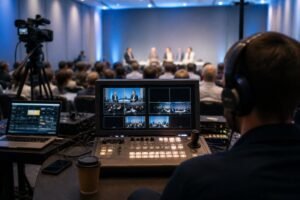
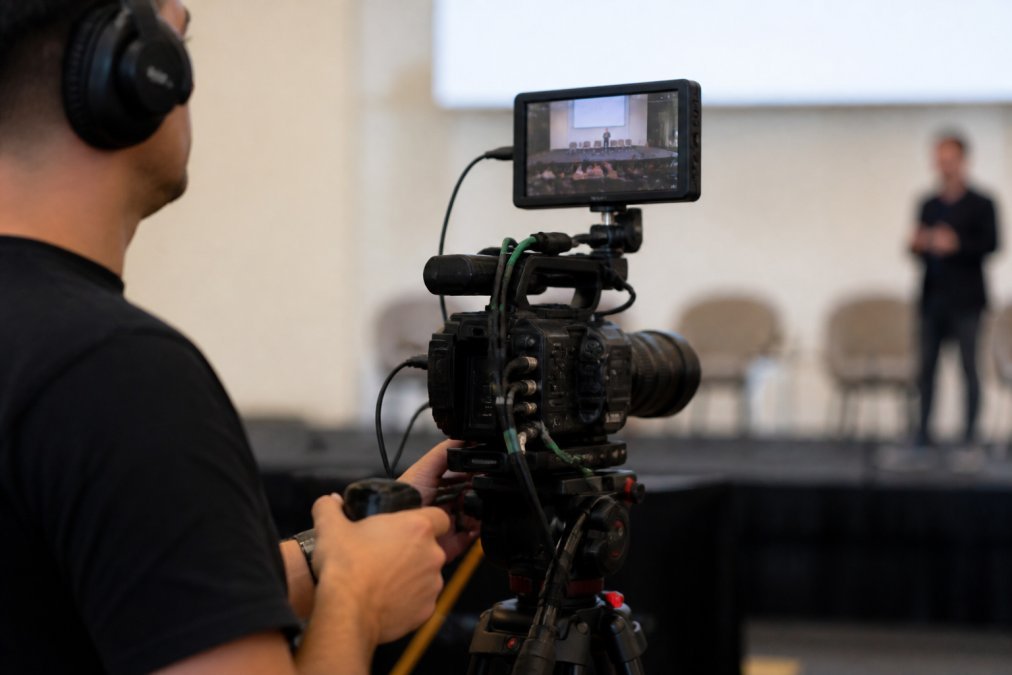
Basic webcast packages cover a single camera, fixed framing, and a straightforward platform stream. These suit internal town halls and training sessions where production polish matters less than reliable delivery. Standard production packages add a multi-camera setup, a vision switcher, graphics overlay, and a dedicated technical director. Premium packages include everything above plus bonded internet failover, redundant encoders, a full rehearsal day, and audience management tools for concurrent viewers in the thousands.
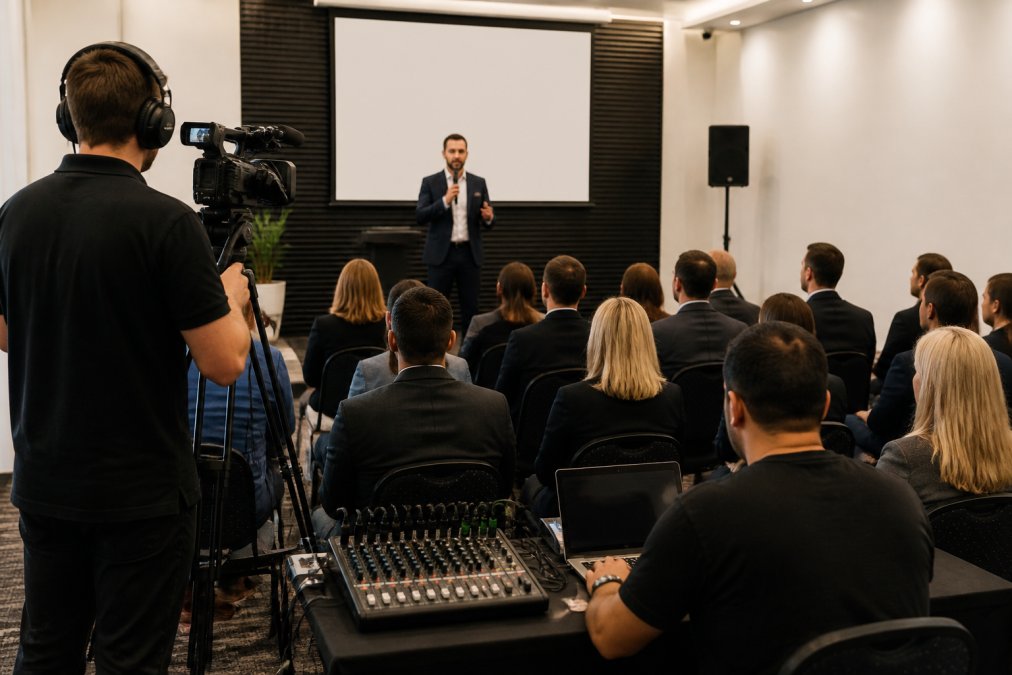
The table below summarises how these tiers typically compare, so you can see where your event fits before requesting quotes.
| Package Tier | Typical Setup | Best For | Key Inclusions |
|---|---|---|---|
| Basic Webcast | Single camera, fixed position | Town halls, training | Platform stream, basic support |
| Standard Production | Multi-camera, vision switcher | Product launches, AGMs | Graphics, director, HD output |
| Premium Managed | Multi-camera plus redundancy | High-stakes corporate events | Bonded internet, failover, rehearsal |
Pricing varies widely depending on crew size, equipment, and duration, so request itemised quotes rather than relying on advertised starting prices. A professional provider should explain exactly what each line item delivers on the day.
Corporate Event Live Streaming Cost Breakdown
Understanding the corporate event live streaming cost means examining the line items that drive the total. Professional quotes for a standard half-day corporate event vary depending on the production complexity. These figures assume a metro venue; regional events add travel and accommodation costs.
Crew labour is the largest single component, scaling with the number of cameras and technical complexity. A typical standard production crew includes a producer, two camera operators, a vision switcher operator, and a streaming engineer. Crew labour costs vary depending on the number of personnel required. Premium productions add a dedicated director, a graphics operator, and a redundancy engineer.
Equipment hire forms the second major cost block. Multi-camera setups require cameras, lenses, tripods, a vision switcher, audio gear, and monitoring equipment, all transported, configured, and tested on site. Equipment hire costs vary depending on the specific gear required. Audio equipment, lapel microphones, a mixing desk, and speakers, is frequently itemised separately.
Platform and delivery costs cover the streaming infrastructure itself, including the content delivery network that distributes your broadcast to concurrent viewers. Professional platforms typically charge a per-event fee or an annual licence rather than a per-viewer rate. Platform and delivery costs cover the streaming infrastructure itself, including the content delivery network that distributes your broadcast to concurrent viewers. Professional platforms typically charge a per-event fee or an annual licence rather than a per-viewer rate, with options for audience analytics, password protection, and live chat moderation tools. Bandwidth requirements scale with both resolution and audience size: a 1080p stream to 5,000 viewers consumes far more capacity than the same stream to 200. According to guidance on live streaming infrastructure from the Australian Communications and Media Authority, reliable broadcast delivery depends on adequate bandwidth and network planning, which is why professional quotes include dedicated connectivity rather than relying on venue Wi-Fi.
A detailed quote should separate these three cost blocks, crew, equipment, and platform, so you can see where your money goes. If a provider gives a single lump-sum figure without a breakdown, ask for an itemised version listing crew numbers, specific equipment, the platform licence, and any travel or accommodation costs. This lets you compare like-for-like across providers and identify where a cheaper quote is cutting corners.
For a half-day corporate event in a metro venue, pricing depends on the level of service required, from a reliable single-camera webcast to a premium event with full redundancy and a rehearsal day. These ranges reflect typical market rates for professional production companies.
The Hidden Technical Costs in Your Quote
The most common reason a corporate stream fails is not the platform, it is the internet connection feeding it. A single venue connection can drop, degrade, or run out of upload bandwidth mid-broadcast, which is why professional productions use bonded internet to combine multiple connections into one resilient uplink. If your quote does not mention redundant connectivity, you carry the risk of a dropped stream.
Video encoding and latency management are further hidden costs that separate professional delivery from a basic platform stream. Professional encoders convert your camera feed into the correct format, and the hardware must match your target resolution and bitrate. Low latency configurations, which matter for interactive sessions, require different infrastructure than a standard broadcast.
Graphics overlays, lower thirds, and audience management tools are frequently itemised separately in production quotes. These require design time, dedicated operators, and software licences, adding to both preparation and on-day cost. A clear scope of work specifying exactly which inclusions sit in your package prevents surprise add-ons on the final invoice. aerial videography pricing.
The cheapest quote often omits bonded internet and redundant encoders. When your AGM stream drops at minute 12 with 2,000 shareholders watching, the savings disappear instantly. Always confirm failover procedures are included in writing before you sign.
DIY vs Professional: The Real Trade-Offs
The DIY approach appeals because the upfront cost looks negligible. A consumer platform subscription, a decent camera, and a laptop with encoding software can produce a watchable stream for a small event with a tolerant audience. The trade-off emerges when you factor in your team’s time, the technical risk, and what happens when something goes wrong mid-broadcast.
To make the decision concrete rather than emotional, use the following decision matrix. It weighs the factors that matter most when choosing between a software-only DIY setup and a fully managed professional production.
| Decision Factor | DIY (Software-Only) | Professional Managed Service |
|---|---|---|
| Upfront cost (estimated) | Varies (subscription-based) | Varies (per event) |
| Internal staff time | 20-40 hours setup, testing, and on-day support | Minimal, provider handles all technical work |
| Technical redundancy | None unless you build it yourself | Bonded internet, redundant encoders, failover procedures |
| Audience capacity | Limited | High capacity |
| Video quality | Dependent on your camera and laptop encoding | Guaranteed HD or 4K with professional encoding hardware |
| Failure risk | High, no backup if venue internet drops | Low, fail-safe procedures built into the production |
| Best suited for | Internal training, small team meetings, low-stakes webinars | AGMs, product launches, shareholder communications, high-visibility events |
Your internal team is already stretched, and a live event does not forgive mistakes the way a recorded video does. There is no second take for a product launch or an AGM. Professional production teams bring fail-safe procedures that guarantee streams do not fail, assurance a DIY setup cannot offer when the stakes are high.
The hidden cost of DIY is the opportunity cost of your staff. While your IT team configures encoders and monitors bandwidth, they are not doing their core work. For a one-off internal session with a small audience, DIY can be perfectly adequate. For a shareholder meeting, a major product launch, or any event where a failed stream means reputational damage, the professional route is the lower-risk financial decision.
Scalability pricing models matter here too. A DIY platform subscription may appear cheaper for a single event, but when you scale from 100 to 10,000 concurrent viewers, consumer platforms either cap your audience or charge per-viewer fees that erode the savings. Professional providers typically price per event or per production day, not per viewer, keeping costs predictable regardless of audience size. If you regularly host events for audiences in the thousands, the professional model becomes more cost-effective than per-viewer overage charges.
Before choosing DIY, calculate the full internal cost: staff time at their loaded hourly rate, the cost of a backup internet connection, and the value of your reputation if the stream fails. Most organisations find that a single failed high-stakes event costs more than the difference between DIY and a professional production.
Best Practices for Corporate Live Streaming
Best practices for corporate live streaming start with a technical rehearsal on the actual day and in the actual venue. Testing cameras, audio, and connectivity in the space where the event will run catches problems no planning document can predict. Professional productions build a full rehearsal into the schedule, and you should insist on this regardless of provider.
Resolution and streaming quality must be matched to your audience’s devices. A stream that looks excellent on desktop can fail on mobile if encoding settings are wrong, which is why HD quality streaming across all devices requires configuration testing rather than assumption. Confirm your provider tests on phones, tablets, and laptops before the live date.
Security matters more than many organisers realise, particularly for internal communications and sensitive announcements. Professional platforms offer access controls that keep your broadcast private, and your provider should be able to confirm these protections in writing. According to the Office of the Australian Information Commissioner’s guidance on data security, organisations are responsible for protecting sensitive information they transmit, which extends to live video content.
Ask your provider how many concurrent viewers their platform handles and what happens at the limit. If you are expecting 5,000 viewers for a product launch, you need a platform with proven capacity, not a hopeful estimate.
Measuring ROI: Why Cheap Streams Cost More
The return on a professional live stream is measured in what did not go wrong, which makes it difficult to quantify until you have experienced a failure. A dropped AGM stream triggers regulatory and reputational consequences that dwarf the cost of a professional production. The ASX Corporate Governance Council’s recommendations on shareholder communication emphasise clear and timely communication with shareholders, and a failed webcast directly undermines that obligation.
Conversion metrics matter for commercial events. A product launch stream that reaches 5,000 concurrent viewers with flawless quality generates leads and sales a glitchy broadcast cannot match. When viewers struggle with buffering or a dropped feed, they leave, and rarely return to finish watching a recording.
Scalability pricing models are worth examining when you host events regularly. A provider offering consistent pricing across multiple events and locations becomes more cost-effective than sourcing a new supplier for every broadcast. Content ownership is another factor: if the recording belongs to you at no extra cost, you can repurpose it for training and marketing long after the live event ends.
Conclusion: Match the Package to the Event
The right professional live streaming service pricing model depends entirely on the stakes of your event, not on finding the cheapest platform subscription. A low-stakes internal session may justify a basic webcast package, while an AGM, product launch, or shareholder meeting demands the redundancy and failover that only a managed production provides.
At Webcasting Livestream, we deliver end-to-end live streaming solutions with a no-drop-off guarantee, fail-safe procedures, and full content ownership, including recordings provided at no extra cost. Our professional managed services handle everything from multi-camera shoots to secure delivery across all devices, so your team can focus on the event rather than the technology.
Get a quote from Webcasting Livestream and match your next broadcast to a production package built for reliability.
Frequently Asked Questions
What factors influence the cost of professional live streaming services?
The main factors are event duration, production complexity, and technical requirements. A single-camera corporate update costs less than a multi-camera conference with graphics overlays and audience management. Location matters too: regional venues may need extra bandwidth or bonded internet setups. Resolution also plays a role. For an accurate figure, request a quote based on your specific event details.
How much should a business budget for a corporate live stream in 2026?
Corporate event live streaming cost depends on your production level, not just the platform. A basic single-camera webcast with minimal branding sits at the lower end, while a multi-camera production with graphics, audience management, and a dedicated technical support team costs more. The key is to budget for the full service package: pre-event planning, on-site crew, fail-safe procedures, and post-event recording. Contact a provider directly for a quote tailored to your event’s scale and quality expectations.
What is the difference between basic webcasting and premium production services?
Basic webcasting typically involves a single camera, minimal setup, and limited interactivity. Premium production services include a multi-camera setup, graphics overlay, live video encoding, and a dedicated production crew. You also get bonded internet for reliability and technical support throughout the broadcast. Premium packages often include post-event recording at no extra cost. For corporate events where a dropped stream is unacceptable, the fail-safe measures in premium packages justify the higher investment.
Are there hidden costs in professional live streaming quotes?
Hidden costs often appear in areas like post-event recording, which some providers charge extra for. Others add fees for graphics creation, audience management tools, or higher resolution streaming. Check what the package inclusions cover: ask about multi-camera setups, bandwidth costs, and whether technical support is included for the full event duration. A reputable provider will confirm that content belongs to you and that recordings are provided without additional charges.
Do professional live streaming packages include post-event recording?
Not always. Some providers charge separately for recording and delivery, while others include it as a standard part of the package. When comparing live streaming production packages, confirm that the full event is recorded and that you receive the files without hidden fees. Professional providers typically include this as a core deliverable, giving you content you can repurpose for training, on-demand viewing, or internal communications after the live broadcast ends.