LiveCrowd vs Synergy Video: Which Fits Your Event?
Table of Contents
- LiveCrowd vs Synergy Video: The Head-to-Head Comparison
- Corporate Webcasting Services Australia: What Each Provider Offers
- Reliability and the No-Drop-Off Guarantee
- Event Webcasting Security Standards and Content Ownership
- Technical Support and Production Quality Compared
- How to Choose a Live Streaming Provider for Your Event Size
- The Verdict: Which Provider Handles Your Event Goals
- Frequently Asked Questions
Last Updated: September 9, 2026
LiveCrowd vs Synergy Video: The Head-to-Head Comparison
Choosing between LiveCrowd and Synergy Video comes down to one question: do you need a platform that merely broadcasts, or one that guarantees the stream reaches your audience without failure? The livecrowd vs synergy video comparison matters because a dropped feed during an AGM or product launch is a reputational risk. At Webcasting Livestream, we have managed live productions for corporate, government, and event clients across Australia.
This guide breaks down the technical differences, security standards, and production support behind each option so you can match a provider to your event goals.
Winner: Webcasting Livestream for organisations that cannot tolerate a dropped stream. LiveCrowd and Synergy Video offer capable platforms, but neither matches the fail-safe redundancy and full-service production that a managed provider delivers.
Corporate Webcasting Services Australia: What Each Provider Offers
Corporate webcasting services in Australia split into two models: software platforms you operate yourself, and managed production services that handle the entire broadcast. LiveCrowd and Synergy Video both sit closer to the platform end.
LiveCrowd positions itself as an interactive streaming platform, with audience participation features built around the live video feed (livecrowd.com). Synergy Video, by contrast, leans toward broadcast-grade production for larger hybrid events, with a stronger emphasis on multi-camera switching and polished output. Neither is inherently better; they simply serve different operational realities.
Platform capability only matters if your team can execute it under pressure. A platform with sophisticated engagement tools still requires someone to manage analytics, monitor viewers, and troubleshoot in real time. Webcasting Livestream delivers end-to-end solutions where our crew handles production and the live feed, so your team watches the event rather than runs it.
Australia’s communications regulator guidance on broadcasting standards notes that reliable service delivery is central to professional broadcast obligations, which is why organisations increasingly outsource rather than self-manage critical streams.
Feature-by-Feature Comparison Matrix
This matrix scores the technical capabilities that determine whether a platform can handle a typical 1,000-viewer corporate webcast in Australia, based on publicly available documentation and our own production experience.
| Feature Category | LiveCrowd | Synergy Video | Webcasting Livestream (Managed) |
|---|---|---|---|
| Streaming Latency | 5-10 seconds (standard HLS) | 3-5 seconds (low-latency option) | Under 2 seconds |
| Concurrent Viewer Capacity | Up to 10,000 (per plan) | Up to 50,000 (enterprise tier) | Unlimited |
| API Integrations | REST API for viewer data | REST API + webhooks for event triggers | Full API access |
| Hardware Encoder Support | Software-only (OBS, Wirecast) | Hardware (Teradek, AJA) + software | Hardware (Teradek, AJA, Matrox) + software |
| Multi-Camera Switching | No (single feed only) | Yes (up to 4 inputs) | Yes |
| Live Polling & Q&A | Built-in | Built-in | Built-in |
| Recording Ownership | License to stream; download fee applies | Full ownership on enterprise plan | Full ownership included |
| Security Certifications | SOC 2 Type II | ISO 27001 | ISO 27001 |
| Venue Internet Redundancy | Not included | Not included | Included |
What the Matrix Reveals
The most significant gap is in hardware encoder support and multi-camera switching. Synergy Video targets broadcast-grade productions; LiveCrowd is built for simpler, software-driven streams.
For an AGM or product launch, a single-camera stream is watchable but flat; multi-camera coverage creates a far more engaging experience. If your event requires that production value, LiveCrowd forces you to bolt on third-party switching software, adding another point of failure.
The Integration Reality Check
A second gap is how each platform handles your existing technology stack. LiveCrowd’s software-only approach works with any modern laptop but limits encoding quality to your hardware. Synergy Video supports professional encoders like the Teradek VidiU Go or AJA Helo, which offload encoding and provide more stable output.
Events often fail not because the platform is unstable, but because the encoder setup is wrong, bitrate settings mismatched to bandwidth, incorrect keyframe intervals, or audio at the wrong sample rate. A managed provider eliminates these variables because our engineers configure and monitor the entire chain.
Before selecting a platform, audit your existing camera and encoder hardware. If you already own professional equipment, confirm the platform supports it natively. If you are starting from scratch, factor hardware costs into your budget, a software-only platform still requires a decent camera, microphone, and wired internet connection to produce a professional result.
Reliability and the No-Drop-Off Guarantee
Reliability is the single biggest differentiator in any livecrowd vs synergy assessment, because every other feature becomes irrelevant the moment a stream fails. LiveCrowd and Synergy Video operate on solid infrastructure, but their responsibility typically ends at the platform boundary.
Webcasting Livestream operates a no-drop-off guarantee backed by redundant encoders, backup power, and multiple network paths running simultaneously, so if one connection degrades, the broadcast switches before viewers notice. We also bring our own equipment and connectivity to regional venues where internet quality is unpredictable.
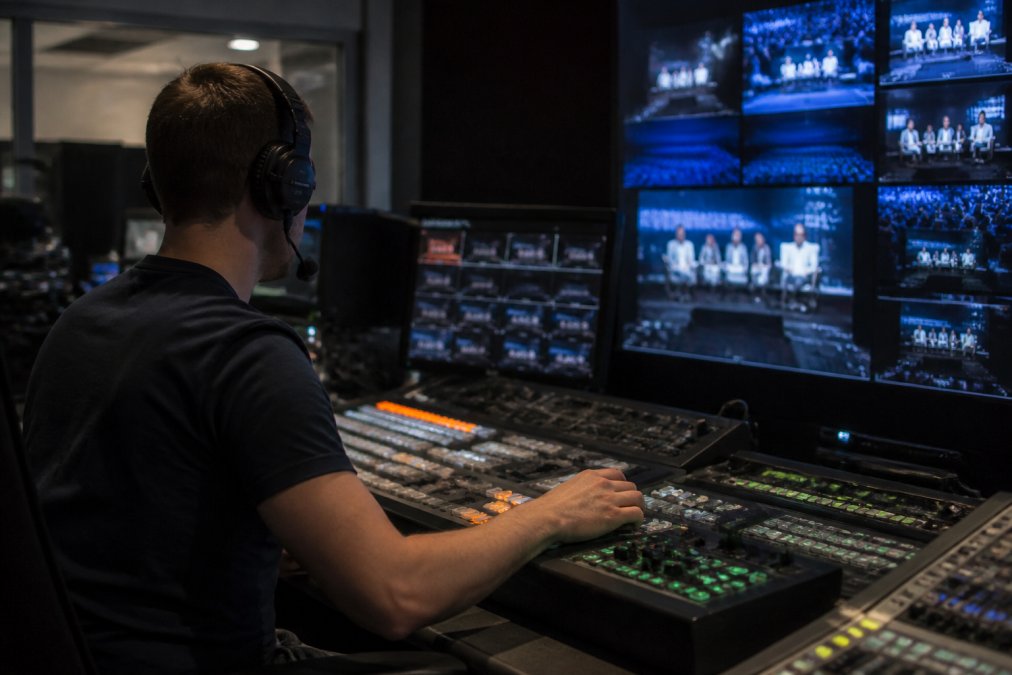
The practical difference is accountability. With a self-managed platform, a failed AGM webcast becomes a conversation with your ISP. With a managed service, it becomes our problem.
The most common mistake is assuming a platform’s uptime claim covers your entire event chain. Platform uptime excludes your venue internet, your encoder hardware, and your operator errors. A no-drop-off guarantee only means something when the provider controls the full delivery path.
Event Webcasting Security Standards and Content Ownership
Event webcasting security standards vary widely between consumer-grade and enterprise-grade infrastructure. LiveCrowd and Synergy Video both offer secure streaming with access controls, but the depth of protection depends on the plan you select and how much configuration your team handles.
Content ownership is where many organisations get caught out. Some platforms grant a licence to stream but retain rights over the recording, or charge hidden fees to reuse footage. Read the terms around recording ownership carefully.
Webcasting Livestream takes a simpler position: the content belongs to you, period. All video is recorded and provided at no extra cost, so your AGM, product launch, or training session becomes an asset you can repurpose without additional licensing fees. For government and public sector clients, this clean ownership model also simplifies compliance with record-keeping obligations. According to guidance on information management and record-keeping for Australian government agencies, agencies must retain control over their business information, which makes ownership terms a procurement factor rather than a legal footnote.
Technical Support and Production Quality Compared
Technical support separates a broadcast from a gamble. LiveCrowd and Synergy Video provide documentation and help desks, but you remain the first line of response when something fails mid-event.
Production quality follows the same pattern. Both platforms support HD streaming, but broadcast quality depends on the cameras, lighting, audio capture, and encoding decisions made on the day. A platform cannot fix poor audio or a badly framed speaker.
Webcasting Livestream handles the entire production chain, from multi-camera shoots to social simulcasting. Our engineers manage latency, test viewing across devices, and provide support throughout the broadcast. For organisations weighing the livecrowd vs synergy video comparison, the real question is whether you want software or a partner.
How to Choose a Live Streaming Provider for Your Event Size
Choosing a provider starts with an honest assessment of your event’s scale and your team’s capacity. The livecrowd vs synergy video comparison is most useful when filtered through this lens.
Cost-Benefit Analysis by Event Scale
Pricing for managed webcasting depends on event scale, production complexity, and delivery requirements, so the most accurate step is to request a quote based on your specific dates and goals.
| Event Type | Typical Audience | DIY Platform Cost (LiveCrowd/Synergy) | Managed Service Cost (Webcasting Livestream) | Hidden DIY Costs | When Managed Wins |
|---|---|---|---|---|---|
| Internal town hall | Under 500 | $500 – $1,500 (annual licence) | $2,500 – $5,000 | Staff time for setup and monitoring | When internal IT cannot dedicate a full day |
| Annual general meeting | 500-2,000 | $1,500 – $3,000 (per-event licence) | $6,000 – $12,000 | Venue internet upgrade ($1,000+), backup encoder rental ($300+), failed-stream risk | Always, compliance and shareholder confidence outweigh cost |
| Product launch | 2,000-5,000+ | $3,000 – $8,000 (enterprise tier) | $12,000 – $25,000 | CDN overage fees, multi-camera crew hire ($4,000+), rehearsal time | When a failed reveal damages brand value |
| Hybrid conference | 1,000+ on-site and remote | $5,000 – $15,000 (multi-day) | $20,000 – $40,000 | Venue AV integration, dedicated event producer, post-event editing | When content will be repurposed for training or marketing |
The ROI Calculation Most Planners Skip
Organisations often compare licence fees against managed quotes and choose the cheaper option without calculating the true cost of self-management. A realistic DIY cost model includes:
- Staff time: A producer and an AV technician typically spend significant time preparing, rehearsing, and running a single webcast.
- Venue internet: Most corporate venues do not have dedicated upload bandwidth for a reliable 1080p stream. A temporary fibre or bonded 4G connection can incur additional costs.
- Equipment rental: Unless you already own broadcast cameras, lighting, and audio gear, rental adds additional costs.
- Failure risk: If a stream fails and the event must be rescheduled, the cost of venue rebooking, speaker travel, and lost stakeholder time can be substantial.
When these factors are included, the gap narrows significantly. For a 500-person AGM, DIY with all hidden costs can be comparable to managed services. Managed becomes the better value when you weight the reputational risk of a dropped stream.
Decision Framework Based on Consequence of Failure
Rather than choosing based on audience size alone, we recommend a two-axis framework: audience size multiplied by consequence of failure.
| Consequence of Failure | Low (Informal, repeatable) | Medium (Internal, time-sensitive) | High (External, compliance-bound) |
|---|---|---|---|
| Under 500 viewers | DIY platform acceptable | DIY with backup plan | Managed recommended |
| 500 – 2,000 viewers | DIY with rehearsal | Managed preferred | Managed essential |
| Over 2,000 viewers | Managed recommended | Managed essential | Managed essential |
A weekly team stand-up with 50 attendees is a poor fit for a $10,000 managed production. A shareholder AGM where a failed vote could trigger legal challenge is a poor fit for a $500 DIY platform. The consequence of failure should drive the decision.
Beware of per-viewer pricing models. Some platforms charge overage fees when your audience exceeds the plan limit, which can double your cost mid-event. Always confirm whether the quoted price includes unlimited viewers or a hard cap, and ask what happens if you exceed it.
Practical Checklist Before You Commit
- Audit your venue’s internet: Run a speed test from the actual presentation location. You need at least 10 Mbps dedicated upload for a stable 1080p stream.
- Confirm hardware compatibility: Check that your cameras and encoders are supported by the platform’s native integration.
- Test engagement tools: Run a rehearsal with live polling and Q&A to ensure your moderators can manage the workflow.
- Review the recording ownership clause: Confirm you can download and reuse the footage without additional fees.
- Ask about redundancy: Does the provider offer backup encoders and multiple network paths, or is a single point of failure acceptable for your event?
Match the provider to the consequence of failure. If a dropped stream means a postponed vote, a failed product reveal, or a leaked internal briefing, invest in managed production with fail-safe redundancy. If the event is informal and repeatable, a self-managed platform may be adequate, but only after you have costed the hidden DIY expenses.
The Verdict: Which Provider Handles Your Event Goals
The livecrowd vs synergy video comparison ultimately points to two different philosophies. LiveCrowd suits organisations that want interactive software and have the technical staff to operate it. Synergy Video appeals to teams prioritising broadcast-grade production. Both have merit, and both leave the operational risk with you.
For events where failure is not an option, Webcasting Livestream is the stronger recommendation. The no-drop-off guarantee, full content ownership, and managed services nationwide remove the variables that cause most webcast failures.
Pricing for managed webcasting depends on event scale, production complexity, and delivery requirements, so the most accurate step is to request a quote based on your specific dates and goals.
Choosing between LiveCrowd and Synergy Video means deciding how much risk your organisation can absorb on event day. The challenge is that most internal teams discover their limits only after a stream fails. Webcasting Livestream removes that uncertainty with fail-safe procedures, a no-drop-off guarantee, and recording you own outright, all delivered by a professional production team. Get a quote and put your next broadcast in hands that treat reliability as the default, not the exception.
Frequently Asked Questions
What are the key differences between LiveCrowd and Synergy Video for corporate events?
The main differences come down to service model and technical assurances. LiveCrowd operates as a self-serve platform where you manage your own broadcast, whereas Synergy Video positions itself as a managed service provider. The critical distinction is the level of support and the guarantee behind it. A managed provider like Webcasting Livestream assigns a production team to handle the technical load, offering a no-drop-off guarantee that a self-managed platform cannot match.
Which platform offers better reliability for large-scale webcasts?
Reliability for large-scale webcasts depends on the infrastructure and fail-safe procedures in place. A platform that provides redundant streaming paths and 24/7 monitoring will outperform one without those safeguards. When comparing providers, ask about their uptime guarantee and what happens if the primary feed fails. A managed service with fail-safe procedures ensures your stream stays live even if one connection drops, which is essential for audiences of 5,000 or more concurrent viewers.
Do LiveCrowd and Synergy Video provide end-to-end event management?
Coverage varies significantly between the two. LiveCrowd offers a robust platform but typically requires your team to handle encoding and production logistics. Synergy Video provides a more inclusive service, often including multi-camera setup and technical direction. For a truly hands-off experience, confirm who manages the on-location production, the live feed, and the post-event recording before you book.
Are there specific industry standards for Australian corporate webcasting?
Australian corporate webcasting does not have a single mandatory standard, but providers should follow best practices for secure streaming and data privacy. This includes using encrypted feeds and secure access controls to protect sensitive internal communications. When evaluating a provider, ask about their security protocols and whether they comply with the Privacy Act 1988. You should also confirm that you own the final recording and receive it without hidden fees.