Table of Contents
- Why Virtual Product Launches Need a Different Playbook
- Build Your Virtual Product Launch Checklist Early
- Pre-Launch Campaign: Generate Demand Before the Stream
- Virtual Event Engagement Strategies That Hold Attention
- Technical Setup: Ensure a Flawless Live Stream
- Measuring Virtual Event ROI: Beyond Attendee Counts
- When to Book Live Streaming for Product Launch Success
- Crisis Management: What to Do When Things Go Wrong
- Frequently Asked Questions
Last Updated: September 8, 2026
A virtual product launch lives or dies in the first five minutes. Unlike a physical event, a virtual audience can close a tab in seconds if the opening fails to land. The best practices for virtual product launches have shifted from broadcasting a stream to engineering an entire experience around the product demonstration. The difference between a launch that converts and one that fades comes down to preparation, engagement design, and technical redundancy.
Why Virtual Product Launches Need a Different Playbook
A virtual product launch is not a webinar with a product demo attached. It is a distinct format combining live streaming, digital storytelling, and real-time interaction to create momentum around a new offering.
The core challenge is attendee retention. At a physical launch, social pressure and travel costs keep people in their seats; online, viewers have no such commitment. Engagement drops sharply after the first ten minutes unless content is structured to pull viewers back in at regular intervals.
Technical delivery matters as much as the marketing message. A stream that buffers, drops, or delivers inconsistent audio destroys credibility faster than any scripted misstep. The production quality of your live stream is the product demonstration, because it signals how reliable your organisation is.
Build Your Virtual Product Launch Checklist Early
The most common mistake is treating a virtual launch like a standard internal meeting with higher production values. A dedicated virtual product launch checklist should be drafted at least six weeks before the event date, covering marketing, content, technology, and follow-up in parallel tracks.
A practical checklist should include the following milestones:
- Confirm the launch date, target audience, and core message
- Select the virtual event platform and confirm its capacity limits
- Draft the content script and storyboard for the live stream
- Schedule the pre-launch campaign across email, social, and paid channels
- Recruit beta testers and schedule feedback sessions
- Book the technical production team and conduct a full rehearsal
- Define the post-event analytics and conversion tracking plan
Set Clear KPIs Before You Start
Define what success looks like before you promote a single post. Common KPIs include registration numbers, live attendance rate, average viewing duration, engagement interactions per viewer, and qualified leads generated. Each KPI should map to a specific business outcome, such as pipeline contribution or direct sales.
Plan Your Content Mix: Live vs. Pre-Recorded
A common approach is to pre-record the core product demonstration to guarantee visual quality, then deliver it within a live framework. This hybrid structure gives you the polish of a produced video with the urgency of live interaction.
Pre-Launch Campaign: Generate Demand Before the Stream
The pre-launch campaign is where most of your lead generation happens. If you only start promoting a week before, you will attract a thin audience with low intent. A structured campaign running three to four weeks ahead builds anticipation and qualifies attendees genuinely interested in the product category.
Build Anticipation with Teaser Content
Use a multi-channel approach to distribute short teaser videos, countdown graphics, and early-access announcements. Each piece should hint at a specific problem the product solves without revealing the full solution, creating enough curiosity that your target audience registers for the live event rather than waiting for the on-demand recording.
Run a Beta Test to Refine Your Pitch
Before the public launch, run a beta test with a small group of trusted customers or internal stakeholders. This soft launch validates the product demonstration and tests your messaging. Ask beta testers specific questions about clarity, pacing, and whether they understood the product’s value proposition; their feedback often surfaces objections you can address in the main presentation.
Virtual Event Engagement Strategies That Hold Attention
Passive viewing is the enemy of a successful virtual product launch. Strategies that hold attention all share one trait: they require the audience to participate rather than observe. Participation must be engineered into the event structure with specific interaction mechanics, timed prompts, and platform-native features that reduce friction for the viewer.
Timing matters more than most planners realise. A common pattern among high-retention launches is an engagement touchpoint every three to five minutes during live segments, resetting the attention clock before it runs out. A quick poll, a request for viewers to share their biggest challenge in the chat, or a live Q&A segment all serve this purpose. However, the type of interaction should vary, repeating the same poll format four times in thirty minutes creates its own fatigue.
Use Interactive Polls and Q&A Sessions
Interactive polls serve a dual purpose: they engage the audience in real time and generate valuable data about viewers’ needs and preferences. A poll asking which feature matters most can guide which product capabilities you emphasise in the live demonstration.
The mechanics of the poll matter. Most enterprise platforms (such as Zoom Webinar, ON24, or Brightcove) offer native polling, but question design determines the response rate (support.zoom.com). Single-choice questions with three to four options outperform open-ended ones during a live stream. Keep options mutually exclusive and specific to the product category, a poll asking “Which industry challenge is most pressing for you?” with options like “integration complexity,” “data security,” “user adoption,” and “cost containment” gives you segmentation data for follow-up sales conversations.
Q&A sessions should be moderated and structured. Ask the audience to submit questions throughout the event via a dedicated channel, then have the host or a product expert answer the most relevant ones live. A common mistake is waiting until the end of the presentation, by then, a significant portion of the audience has dropped off. Instead, schedule a mid-event Q&A block after the core demonstration, when curiosity is highest, and a shorter closing Q&A for remaining questions.
Use Chat Prompts and Audience Participation Mechanics
Beyond polls, chat-based prompts create a visible sense of community. Ask viewers to share their role, industry, or biggest challenge with the product category. A moderator should actively read out selected responses and react to them, this validates participation and encourages others to contribute. The chat window becomes a second screen of activity that keeps viewers engaged even during pre-recorded segments.
More advanced mechanics include interactive hotspots within the video player, where viewers can click on a feature during the demonstration to open a detailed specification sheet, or choose-your-own-path segments where the audience votes on which product capability to explore next. These require platform support and additional production planning, but they differentiate a launch from a standard webinar.
Design for Accessibility and Inclusivity
Accessibility is a legal and ethical requirement, not an optional extra. Under the Disability Discrimination Act 1992 (Cth), organisations providing services to the public must ensure those services are accessible to people with disability, and this extends to virtual events (legislation.gov.au). Ensure your live stream includes closed captions or live transcription for viewers who are deaf or hard of hearing, and provide a text-based summary or transcript after the event. These measures expand your audience and demonstrate that your organisation values inclusivity.
Beyond captions, consider the following accessibility measures for your virtual launch:
- Colour contrast and font size: Ensure on-screen text and presentation slides meet WCAG 2.1 AA contrast ratios (at least 4.5:1 for normal text) (w3.org). Avoid low-contrast colour combinations that are difficult for viewers with low vision.
- Audio description: For pre-recorded product demonstration videos, provide an audio description track that narrates key visual elements for viewers who are blind or have low vision.
- Sign language interpretation: For high-stakes launches, booking an Auslan interpreter who appears in a dedicated window or picture-in-picture layout is a growing expectation among Australian enterprise audiences.
- Platform keyboard navigation: Confirm that the event platform supports full keyboard navigation for viewers who cannot use a mouse, and that all interactive elements (polls, chat, Q&A submission) are operable via keyboard only.
- Alternative formats for materials: Offer the product datasheet, presentation slides, and post-event recording in accessible formats, HTML, tagged PDF, or plain text, not just a locked slide deck.
Accessibility is not just compliance, it is audience reach. Captions benefit viewers in open-plan offices who cannot use audio, non-native speakers who read along, and attendees joining from noisy environments. Designing for accessibility from the start costs little; retrofitting it after the event is impossible.
Design for Interaction Fatigue
A final consideration is interaction fatigue. Too many polls, chat prompts, and Q&A interruptions can fragment the presentation and frustrate viewers who want to see the product. The best practice is to alternate between content delivery and interaction: a ten-minute demonstration segment followed by a two-minute poll or chat prompt, then another content segment. This rhythm keeps the event moving while giving viewers regular opportunities to participate without overwhelming them.
Technical Setup: Ensure a Flawless Live Stream
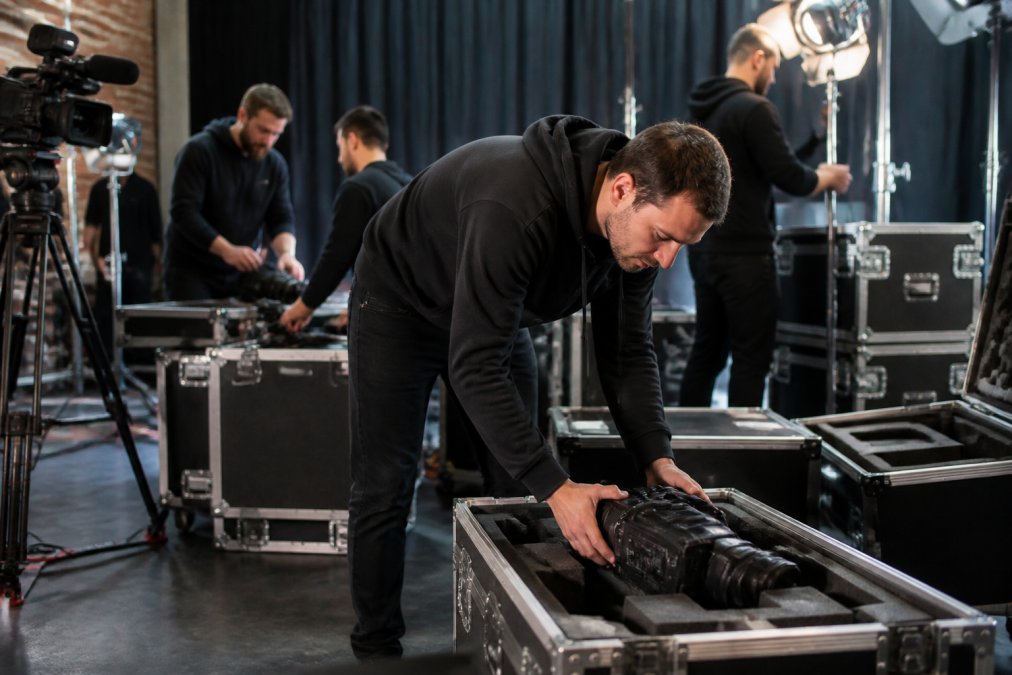
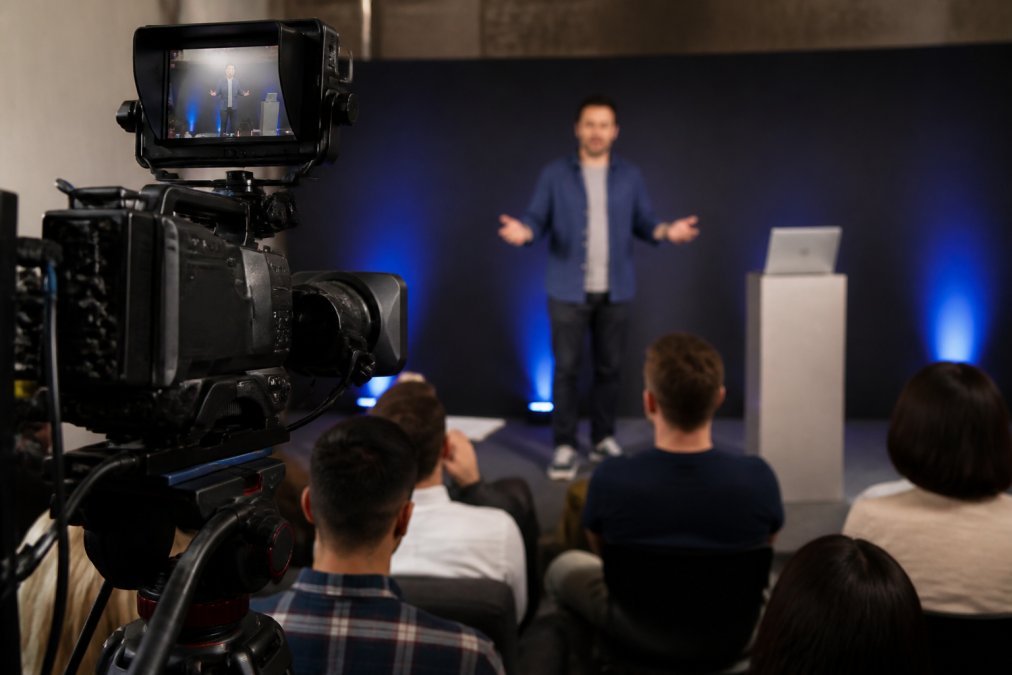
The technical setup is the foundation of the entire event, and it is where many launches fail. Streaming latency, bandwidth limitations, and equipment failure can all disrupt the broadcast. A professional production team manages these variables with dedicated hardware, redundant connections, and fail-safe procedures that ensure the stream does not drop.
The stakes are higher than most internal teams anticipate. Organisations that avoid these failures do not rely on goodwill, they engineer redundancy into every layer of the production.
Choose the Right Streaming Platform for Your Audience Size
Platform selection is a technical decision, not just a procurement one. The major platforms differ significantly in capacity limits, latency profiles, and interactive feature sets:
- Zoom Webinar: Reliable for audiences up to 50,000 view-only attendees, with strong Q&A and polling features. Latency is typically 1-2 seconds, which is acceptable for most launches. Best for B2B launches where the sales team needs attendee data integrated into the CRM.
- ON24: Purpose-built for B2B virtual events, with deep analytics on viewer behaviour, content engagement scoring, and integration with marketing automation platforms like HubSpot and Marketo. Higher cost but stronger lead qualification data.
- YouTube Live or Vimeo Livestream: Cost-effective for public-facing consumer launches where audience size is the primary metric. Latency can be 5-15 seconds on YouTube, which makes live Q&A feel sluggish. Best for brand awareness rather than lead generation.
- Custom HTML5 player with a CDN: For launches expecting over 100,000 concurrent viewers, a custom player distributed through a content delivery network (such as CloudFront or Akamai) provides the most control over the viewing experience. This is the enterprise-grade option used by major technology vendors.
A common pattern among Australian enterprises is to use a webinar platform for the interactive elements (polls, Q&A, registration) while simulcasting the video feed to a public platform like YouTube for broader reach. This hybrid approach captures qualified leads on the interactive platform while maximising total viewership.
Bandwidth and Latency: Prepare for Real-World Conditions
Streaming latency is the delay between what happens in the studio and what the viewer sees. High latency makes live interaction feel awkward, while low latency requires a more stable network connection. Your production team should test the stream under real-world conditions, including the varying internet quality your audience will experience across different regions, to ensure consistent playback.
For Australian audiences, this means testing from multiple locations, not just the studio’s fibre connection. NBN connections vary significantly between metropolitan fibre-to-the-premises (FTTP) and regional fibre-to-the-node (FTTN) services. A viewer in suburban Perth on a 25 Mbps FTTN connection will have a different experience from a viewer in Sydney CBD on a 100 Mbps FTTP connection. Your streaming platform should use adaptive bitrate streaming, which automatically adjusts video quality based on the viewer’s available bandwidth, preventing buffering for low-bandwidth users while delivering full HD to those with faster connections.
The production side requires a dedicated upload connection. A single 1080p stream at 30 frames per second requires approximately 4-6 Mbps sustained upload. Do not share this connection with other office traffic, a colleague uploading a large file during your live event can cause packet loss and frame drops. Professional productions use a dedicated fibre connection or bonded cellular modems (combining multiple 4G/5G connections) for the primary upload.
Build Redundancy into Every Layer
Redundancy is the difference between a minor hiccup and a failed launch. A professional setup should include:
- Dual internet connections: Two independent connections from different providers (e.g., fibre from one provider and 5G from another) so that a single ISP outage does not end the stream.
- Backup encoding: Two encoders running simultaneously, if the primary encoder fails, the backup takes over within seconds. Most professional encoders (such as vMix or Wirecast) support this natively.
- Pre-recorded backup segments: Have the full presentation pre-recorded as a fallback. If the live studio experience fails catastrophically, switch to the pre-recorded version and communicate the change to viewers.
- Secondary streaming destination: Stream simultaneously to a backup platform (e.g., YouTube Live) that is not publicly promoted. If the primary platform fails, share the backup link with registered attendees via email and social channels.
Conduct a Full Technical Rehearsal
A full technical rehearsal is non-negotiable. Run the entire presentation, including live segments, pre-recorded content, and interactive elements, exactly as it will appear on the day. Test the streaming platform, audio levels, camera angles, and backup systems. The rehearsal is the time to discover problems, not the live event.
A comprehensive rehearsal schedule includes:
- Platform walkthrough (two weeks before): Test registration flow, email confirmations, and the attendee interface. Confirm that polls, Q&A, and chat features work as expected.
- Technical dry run (one week before): Full run-through with all presenters, cameras, lighting, and audio. Test the backup systems by deliberately failing the primary encoder and confirming the failover works.
- Audience simulation (three days before): Have 10-15 internal staff join from different locations and devices (laptop, mobile, tablet, different browsers) to test the viewer experience. Collect feedback on audio quality, video clarity, and interactive feature functionality.
- Final line check (2 hours before): Confirm all connections, run a 60-second test stream to the platform, verify audio levels, and check that all presenters have their materials loaded.
Crisis Management: What to Do When Things Go Wrong
Even with thorough preparation, things can go wrong during a live stream. The key is to have a crisis management plan in place before the event starts. This plan should cover the most likely failure scenarios: stream interruption, audio issues, a presenter freezing, or a security breach.
The first rule of live stream crisis management is to communicate. If the stream drops, post a status update on your social channels and the event platform immediately. Tell viewers what happened and when they can expect the stream to return. Silence creates panic; transparency builds trust.
A practical what-if protocol covers the following scenarios:
- Presenter internet failure: The presenter switches to a phone hotspot or dials into the studio audio bridge. The producer switches to a pre-recorded segment while the presenter reconnects.
- Audio feedback or distortion: The audio engineer cuts the affected microphone, switches to the backup microphone, and the host acknowledges a brief technical issue without drawing attention to the cause.
- Stream drops entirely: The producer activates the secondary stream and posts the new link to registered attendees via email and social channels within two minutes. The event resumes from where it stopped.
- Security breach (zoombombing or chat spam): The moderator enables “host-only” chat mode, removes offending users, and enables the waiting room for any rejoin attempts. The host acknowledges the issue briefly and continues.
After the event, review what happened, document the cause, and update your procedures to prevent a recurrence. Every failure is a learning opportunity, organisations that treat post-incident reviews as seriously as the event itself are the ones that improve over time.
Measuring Virtual Event ROI: Beyond Attendee Counts
Measuring the ROI of a virtual product launch requires tracking the audience beyond the live event date. Attendance is a vanity metric if it does not translate into pipeline or revenue. The metrics that matter connect the event to business outcomes, such as conversion rate, qualified leads generated, and revenue attributed to the launch.
Track Post-Launch Conversion Funnels
The virtual event is the top of a conversion funnel, not the end of it. Set up tracking to follow attendees from the live stream to your website, product pages, and sales team. Use unique tracking links and landing pages for the launch so you can attribute conversions directly to the event. A post-launch nurture sequence for registrants who did not attend is also essential for capturing demand.
Analyse Post-Event Analytics and Feedback
Post-event analytics should be reviewed systematically in the days following the launch. Look at average viewing duration to identify which segments held attention and which lost viewers. Review the questions asked during Q&A to understand what the audience cared about most. Send a follow-up survey to attendees and non-attendees to gather qualitative feedback on the event experience and the product itself.
When to Book Live Streaming for Product Launch Success
The decision to book a professional live streaming service should happen early in the planning process, ideally before the content script is finalised. A professional production team influences the format, pacing, and interactive elements, so their input is most valuable before you lock in the creative direction. Booking early also secures your preferred date, as experienced production teams are often booked weeks in advance.
For high-stakes launches where a dropped stream would be damaging, the fail-safe procedures and no-drop-off guarantee offered by a managed service provide essential protection. A professional team handles the technical complexity so your internal staff can focus on the message and the audience.
Crisis Management: What to Do When Things Go Wrong
Even with thorough preparation, things can go wrong during a live stream. The key is to have a crisis management plan in place before the event starts. This plan should cover the most likely failure scenarios: stream interruption, audio issues, a presenter freezing, or a security breach.
The first rule of live stream crisis management is to communicate. If the stream drops, post a status update on your social channels and the event platform immediately. Tell viewers what happened and when they can expect the stream to return. Silence creates panic; transparency builds trust.
A successful virtual product launch is the result of disciplined planning, audience-focused content, and reliable technology. The organisations that get it right treat the launch as a complete campaign, not a single broadcast, and they invest in the production quality that makes their product look as good as it is. Webcasting Livestream provides the end-to-end live streaming infrastructure to make this possible, with HD quality across all devices, secure delivery, and a guarantee that your stream will not drop. Your content belongs to you, and every session is recorded and provided at no extra cost. GET A QUOTE
Frequently Asked Questions
What are the essential phases of a virtual product launch?
A successful virtual product launch typically follows three phases. First, the pre-launch phase focuses on building anticipation through teaser content and beta testing to refine your messaging. Second, the live event itself should prioritise audience engagement with interactive elements. Finally, the post-launch phase is critical for measuring virtual event ROI and nurturing leads through targeted follow-up campaigns. Each phase requires its own set of KPIs to track success.
How do you keep an audience engaged during a virtual product launch?
Engagement requires planning interactive elements into your virtual event engagement strategies. Use live polls to gather instant feedback, host Q&A sessions where the presenter answers questions directly, and consider breakout rooms for smaller discussions. Digital storytelling that connects your product to a relatable problem also holds attention. A skilled presenter who speaks naturally to the camera rather than reading a script makes a significant difference to attendee retention.
What technical requirements are needed for a professional virtual launch?
A professional launch requires reliable, high-bandwidth internet with a wired connection as a backup. You need HD cameras, professional lighting, and broadcast-quality microphones. Your virtual event platform must handle your expected concurrent viewers without latency issues. Always conduct a full technical rehearsal with your presenters to test audio levels, video feeds, and interactive features. A managed service with fail-safe procedures prevents stream drops.
How do you measure the success of a virtual product launch?
Measuring virtual event ROI goes beyond attendance numbers. Track post-event analytics like lead generation quality, conversion rates, and on-demand content views. Monitor engagement metrics such as poll participation and questions asked during the live event. Post-launch, analyse how many attendees moved into your conversion funnel and became qualified leads. This data shows which aspects of your launch strategy delivered actual business value.
What are the common pitfalls to avoid when launching a product online?
A common pitfall is treating a virtual launch like a one-way presentation rather than an interactive experience. Failing to rehearse the technical setup is another, leading to streaming latency or dropped connections. Many teams also neglect the post-launch conversion funnel, losing momentum after the event ends. Finally, overlooking accessibility standards excludes potential customers and damages brand reputation. Your virtual product launch checklist should address each of these areas.