Table of Contents
- Why Move Beyond Chorus Call for Live Streaming?
- Managed Webcasting Solutions vs DIY Platforms
- Live Streaming vs Video Conferencing for Business Events
- Key Features to Compare in a Chorus Call Alternative
- Corporate Live Streaming Services Australia: What to Expect
- Self-Service vs Full-Service: Which Model Fits Your Event?
- Make the Switch Without Disrupting Your Event Workflow
- Frequently Asked Questions
Last Updated: September 5, 2026
Why Move Beyond Chorus Call for Live Streaming?
Chorus Call built its reputation on reliable audio conferencing, but the expectations for corporate events have shifted decisively toward broadcast-quality video. A chorus call alternative for live streaming must deliver more than a stable connection: modern audiences expect HD visuals, real-time interaction, and a viewing experience that rivals television production.
At Webcasting Livestream, we understand the common frustration clients experience with the gap between audio-first platforms and the polished video experiences their stakeholders now demand. The question is not whether to upgrade, but which model of live streaming platform fits your event workflow.
Managed Webcasting Solutions vs DIY Platforms
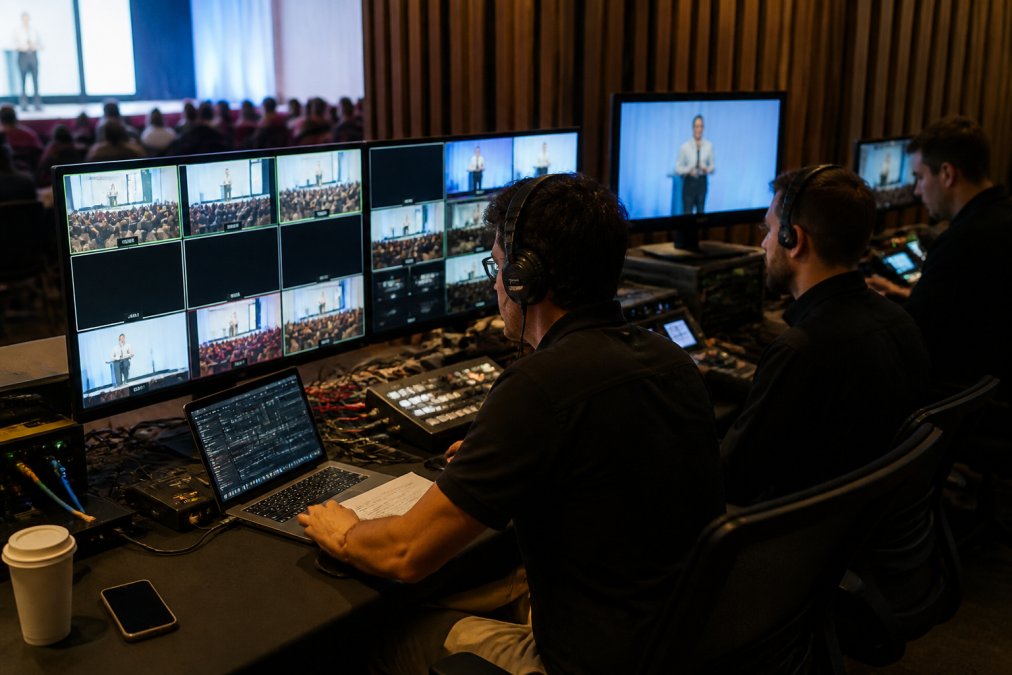
A managed webcasting solution is a full-service production offering where a provider handles the technical infrastructure, camera operation, encoding, and delivery of your live stream, whereas DIY platforms require your internal team to manage every element themselves. The distinction matters because it determines how much of your staff’s time the event consumes.
For a corporate AGM or product launch, the trade-off is straightforward. DIY platforms feel cost-effective until your team spends days configuring streams, troubleshooting bandwidth, and fielding support calls during the broadcast. Managed providers assume that risk entirely, with fail-safe procedures and redundant connections that keep the stream alive even if primary infrastructure fails.
Most organisations that run more than two or three significant events per year find that managed webcasting solutions deliver better reliability per dollar once the hidden labour costs are counted. Your team should be greeting attendees and managing content, not monitoring bitrates.
Live Streaming vs Video Conferencing for Business Events
Live streaming is a one-to-many broadcast designed for large audiences, while video conferencing is built for interactive collaboration among smaller groups. Choosing the wrong model is the most common strategic error we see in corporate live streaming services Australia.
Video conferencing platforms cap participant counts and degrade quality as attendees join. Live streaming platforms push a single high-quality feed to thousands of concurrent viewers without that degradation. For town halls, conferences, and investor briefings, a live streaming architecture is the only option that scales.
The exception is small internal meetings where two-way dialogue is the core purpose. If your session genuinely needs twenty people talking to each other, a video conferencing tool remains appropriate. For everything else, treat the event as a broadcast with audience interaction layered on top.
Key Features to Compare in a Chorus Call Alternative
When you evaluate a chorus call alternative for live streaming, the feature set determines whether your event feels like a production or a conference call. Beyond the obvious checklist, enterprise buyers should probe deeper into how these features actually function under real-world conditions.
Audience Interaction and Q&A Tools
Audience engagement is the feature that separates a memorable virtual event from a passive viewing session. Look for moderated Q&A where questions are vetted before going live, polls that surface instant feedback, and electronic voting for formal resolutions at AGMs.
A strong interaction layer includes authentication so only registered attendees can participate. The best platforms combine these tools with real-time analytics, letting you see engagement drop-off during your presentation and respond accordingly.
Accessibility Compliance (WCAG 2.1)
Most comparison guides overlook accessibility, yet it is a legal and practical requirement for public-sector clients and large enterprises. Under the Disability Discrimination Act 1992 (Cth), organisations must ensure their events are accessible to people with disabilities (legislation.gov.au). This means the platform must support:
- Live captioning with a visible toggle, not just a hidden setting
- Screen reader compatibility for all interactive elements, including polls and Q&A
- Keyboard navigation for attendees who cannot use a mouse
- High-contrast viewing modes and adjustable text sizing
A common pattern we observe is that platforms claim WCAG compliance but fail when tested with actual assistive technology. Ask for a live demonstration using JAWS or NVDA screen readers before committing. The Australian Human Rights Commission has published guidance on web accessibility that applies equally to virtual event platforms (humanrights.gov.au).
Latency Benchmarks and Real-Time Performance
Stream latency, the delay between what happens in the studio and what the audience sees, is rarely discussed in vendor marketing materials, yet it determines whether your Q&A sessions feel conversational or disjointed. For corporate events, the practical benchmark is:
- Sub-3-second latency for interactive sessions where presenters answer live questions
- Sub-10-second latency for broadcast-style presentations where synchronisation matters less
- Ultra-low latency (under 500ms) for hybrid events where remote presenters interact with an in-room audience
Most enterprise platforms use either HLS (HTTP Live Streaming) or WebRTC-based delivery. HLS offers broader reach and reliability but typically adds 6-30 seconds of latency. WebRTC reduces that to under a second but requires more careful bandwidth management. Ask your provider which protocol they use and what latency they guarantee under load, not just in a controlled demo.
Post-Event Content Repurposing
Few comparison guides address what happens after the live broadcast ends, yet this is where the real return on investment materialises. A professional platform should automatically generate:
- Chaptered recordings with clickable timestamps for each agenda item
- Transcript files in VTT or SRT format for search engine indexing
- Editable master files in broadcast-quality formats, not just compressed web versions
- Clip extraction tools so your marketing team can pull 30-second highlights for social media
A common pattern among leading providers is delivering the full recording within 24 hours, with automatic transcription and chaptering included in the base price. Some platforms charge extra for these deliverables, so confirm what is included before signing.
Integration with Existing Event Workflows
The platform should not force you to rebuild your registration and communication processes. Look for native integrations with:
- CRM systems such as Salesforce or Microsoft Dynamics for attendee tracking
- Marketing automation tools like HubSpot or Marketo for post-event nurture campaigns
- Single sign-on (SSO) via SAML or OAuth for enterprise security policies
- Calendar platforms for automated invite and reminder workflows
A practical test: ask whether the platform can pull attendee data from your existing registration tool and push engagement metrics back automatically. Manual CSV exports and re-imports are a sign of an immature platform that will consume your team’s time.
Security and Authentication Protocols
Corporate live streaming services Australia must protect sensitive content, particularly for internal communications and shareholder meetings. Verify that the platform offers token-based access, single-use registration links, and the ability to restrict viewing by domain or IP range. professional streaming cameras.
Stream encryption during transmission is non-negotiable, as is secure storage for any on-demand playback after the event. Ask specifically about the provider’s security protocols and whether they have experience with regulated content. For ASX-listed companies, confirm that the platform supports the authentication and audit trail requirements your governance team expects.
Corporate Live Streaming Services Australia: What to Expect
The Australian market has matured significantly, and professional corporate live streaming services Australia now offer production quality that was once reserved for television broadcasters. Expect multi-camera setups, graphics integration, and simultaneous distribution across multiple platforms.
A professional provider should also handle the less visible elements: bandwidth management for regional viewers, stream latency optimisation, and technical support throughout the broadcast. When your event spans multiple states with varying internet quality, the provider’s infrastructure must adapt without dropping the feed.
Content ownership is another critical expectation. Your recordings should belong to you, delivered in full after the event for repurposing into training materials or on-demand libraries, without hidden download fees.
Self-Service vs Full-Service: Which Model Fits Your Event?
The choice between self-service and full-service models comes down to your internal capacity and the stakes of the event. But the decision is rarely binary, most organisations operate a hybrid approach once they understand the true cost drivers of each model.
What Self-Service Actually Requires
A self-service platform gives you the tools to produce your own stream. The provider supplies the infrastructure, encoding software, delivery network, and player, but your team handles:
- Camera operation and framing, even a single-camera setup requires someone to monitor composition
- Audio mixing, poor audio is the fastest way to lose an audience, and it cannot be fixed in post-production
- Stream monitoring, watching bitrate, resolution, and connection stability throughout the broadcast
- Troubleshooting, diagnosing and resolving issues when attendees report problems
- Audience management, vetting Q&A questions, managing polls, and handling authentication failures
A realistic estimate is that a one-hour self-service event consumes 6-10 hours of staff time across preparation, rehearsal, and the live broadcast (edx.org). For a team running monthly town halls, that is a manageable commitment. For a quarterly AGM with regulatory implications, it is a significant risk exposure.
The Hidden Costs of Self-Service
The platform subscription is only the visible cost. The hidden costs include:
- Staff time at their loaded hourly rate, which for a senior communications professional can exceed $150 per hour
- Backup infrastructure, if your internet connection drops, do you have a 4G/5G failover router configured?
- Testing time, every event requires a full rehearsal to verify audio levels, camera angles, and stream quality
- Support escalation, when something goes wrong mid-event, who do you call and how quickly do they respond?
What Full-Service Providers Handle
A full-service provider assumes responsibility for the entire technical production. This typically includes:
- Pre-production planning, a technical director reviews your agenda, venue, and content to design the broadcast flow
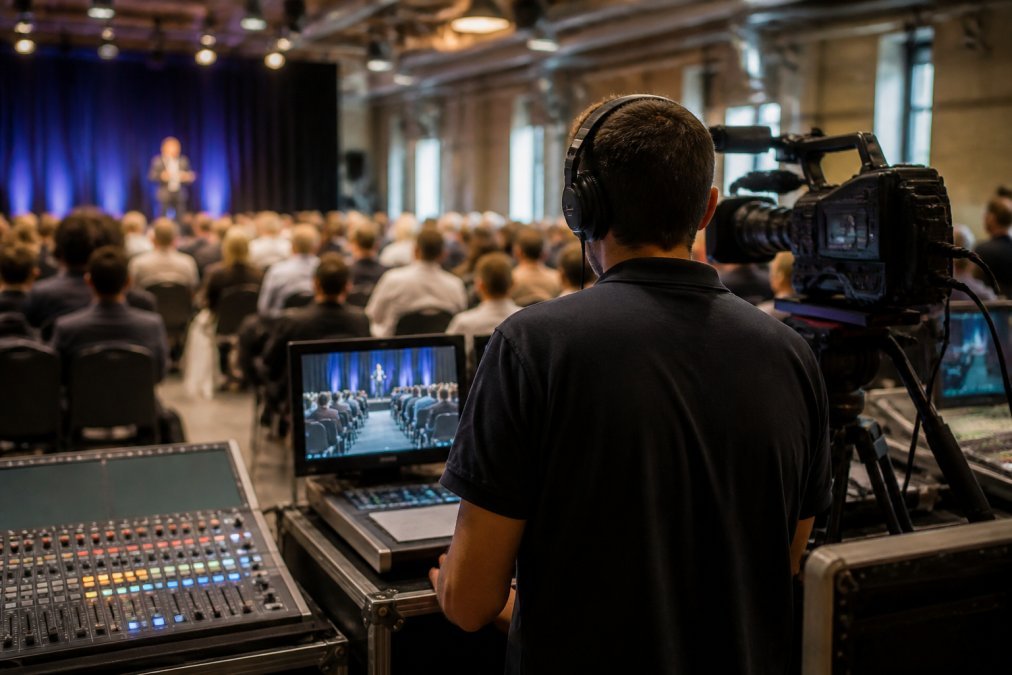
- On-site or remote production crew, camera operators, audio engineers, and a vision switcher who directs the live feed
- Redundant connectivity, bonded cellular connections alongside your venue’s wired internet, with automatic failover
- Real-time monitoring, engineers watching stream health across multiple delivery paths simultaneously
- Dedicated support line, a direct contact who answers immediately during your broadcast window
A common pattern among Australian providers is offering a no-drop-off guarantee as a contractual commitment. This means the provider has engineered their infrastructure to eliminate single points of failure, and they accept the commercial risk if the stream fails.
A Decision Framework Based on Event Criticality
Rather than a simple binary, consider three tiers of production needs:
Tier 1, Low stakes, high frequency
Internal team updates, training sessions, and informal briefings. Self-service is appropriate. The cost of failure is low, and the repetition builds your team’s competence.
Tier 2, Medium stakes, occasional
Client webinars, partner events, and product demonstrations. A hybrid approach works: your team manages content and presentation while the provider handles encoding, delivery, and monitoring. This balances cost with reliability.
Tier 3, High stakes, low frequency
AGMs, investor briefings, regulatory announcements, and major product launches. Full-service is the only defensible choice. The reputational and governance risk of a failed broadcast far exceeds the production cost.
| Event Type | Recommended Model | Key Consideration |
|---|---|---|
| Internal town hall | Self-service | Lower stakes, regular cadence |
| Product launch | Full-service | High visibility, brand impact |
| AGM / shareholder meeting | Full-service | Regulatory and governance risk |
| Training webinar | Self-service | Repeatable, low production needs |
| Hybrid conference | Full-service | Multi-camera, complex logistics |
| Client webinar | Hybrid | Balance cost with professional presentation |
The Transition Path
Organisations rarely move directly from self-service to full-service. The typical progression is:
- Start self-service with a simple platform to understand your baseline requirements
- Add managed support for a single high-stakes event to experience the difference
- Compare outcomes, measure audience feedback, technical incidents, and staff hours consumed
- Adopt a hybrid model where routine events stay self-service and critical events use full-service production
This approach lets you build internal capability while protecting your most important broadcasts. The key is knowing which events fall into which category before you need to make the decision under time pressure.
Make the Switch Without Disrupting Your Event Workflow
Transitioning from an audio-first platform to a professional live streaming provider does not require rebuilding your entire event process. The migration is primarily about changing who handles the technical production, not rethinking your content strategy.
Start with a single event to test the workflow. Provide your existing presentation materials, and let the production team handle encoding, streaming, and audience management. Most providers, including Webcasting Livestream, will manage the full technical load so your internal team focuses on the message rather than the machinery.
The practical shift involves confirming your audience’s access path, testing authentication for registered attendees, and verifying that HD quality holds across mobile devices as well as desktops. A professional provider runs these checks as standard practice before your event goes live.
Choosing a chorus call alternative for live streaming is ultimately a decision about reliability and audience experience. The best approach pairs broadcast-quality video with the security and interaction features your event demands. Webcasting Livestream delivers end-to-end live streaming production across Australia, with a no-drop-off guarantee, fail-safe procedures, and full content ownership included with every broadcast. Get a quote for your next event and let our team manage the technical complexity.
Frequently Asked Questions
What is the best Chorus Call alternative for corporate webcasting?
The best alternative depends on your event’s scale and production needs. For a one-off meeting, a video conferencing tool may suffice. For an AGM, product launch, or hybrid conference, a managed webcasting solution gives you broadcast-quality video, fail-safe redundancy, and a no-drop guarantee. Look for a provider that handles audio-visual production end-to-end and records your event for later use. Compare their support model and security protocols before committing.
How does professional live streaming differ from standard video conferencing?
Video conferencing is built for two-way collaboration among small groups. Professional live streaming is built for one-to-many broadcast to hundreds or thousands of viewers. It offers lower stream latency, higher production values, multi-camera setups, and dedicated technical support. For business events like town halls or investor briefings, live streaming also provides stronger authentication, electronic voting, and audience engagement tools that standard conferencing platforms lack.
What features should I look for in a live streaming service provider?
Prioritise broadcast reliability, scalability, and end-to-end support. Check whether the provider offers a no-drop guarantee, fail-safe procedures, and redundant internet connections. Confirm they handle audio-visual production, audience Q&A moderation, and electronic voting. Ask about security protocols, especially for sensitive internal communications. Verify you own the recording and receive it without extra fees. Finally, confirm their platform delivers consistent HD quality across desktop and mobile devices.
Is it better to use a managed webcasting service or a DIY platform?
A DIY platform suits small, informal events where your team can manage production. A managed webcasting service is better for high-stakes events where a dropped stream is unacceptable. Managed services provide dedicated engineers, fail-safe procedures, and on-site support, so your internal IT team stays focused on other work. If you host events across multiple locations or expect thousands of concurrent viewers, the reliability of a managed service usually justifies the cost.
How do I ensure high-definition quality for large-scale corporate events?
HD quality depends on your production setup, encoding, and the viewer’s connection. A professional provider manages bandwidth and uses adaptive streaming so viewers on slower connections still receive a stable picture. For events with thousands of concurrent viewers, the platform must scale without degrading quality. Ask your provider how they handle regional internet variability and whether they test mobile playback before the event. A no-drop guarantee indicates they have the redundancy to maintain quality.