
Last Updated: October 25, 2026
Quick Summary
An AGM live broadcast setup usually takes four to eight hours on site for a single-room hybrid meeting, and one to two days for a multi-camera annual general meeting with a remote audience. That range covers rigging, audio, vision, network testing and rehearsal, but not planning, which happens weeks earlier.
- Setup breaks into four phases: equipment, venue access, audio and video test, and full rehearsal.
- A livestream audio and video test should take 45 to 90 minutes for a typical AGM room.
- Budget 60 to 120 minutes for a hybrid AGM technical rehearsal the day before.
- Book your AGM live broadcast setup window at least four weeks out with a one-hour buffer.
- Same-day setups only work for single-room meetings with one camera and a tested network.
Table of Contents
- The AGM Live Broadcast Setup Timeline: What Happens Before You Go Live
- Your AGM Livestream Setup Checklist, Stage by Stage
- How Long a Livestream Audio and Video Test Should Take
- Running a Hybrid AGM Technical Rehearsal the Day Before
- What Stretches an AGM Live Broadcast Setup Beyond the Estimate
- Building an AGM Streaming Contingency Plan Before Setup Day
- Same-Day Setups: When They Work and When They Don’t
- Booking Your AGM Live Broadcast Setup Window
- Frequently Asked Questions
The AGM Live Broadcast Setup Timeline: What Happens Before You Go Live
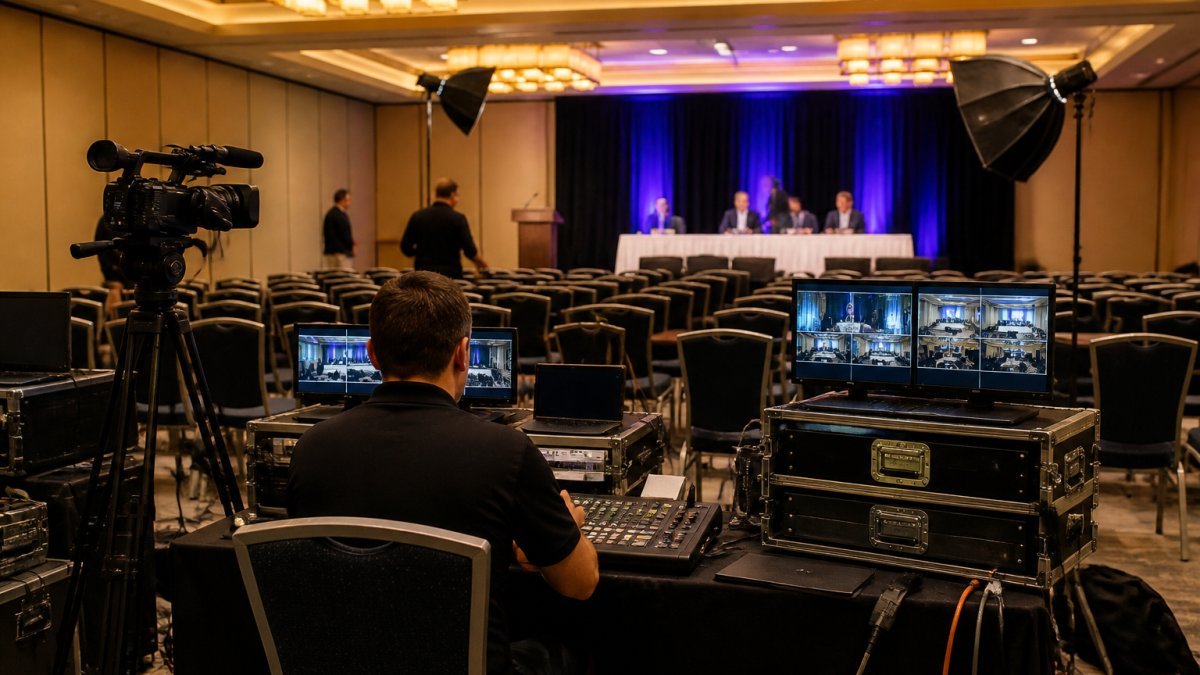
An AGM live broadcast setup usually takes four to eight hours on site for a single-room hybrid meeting, and one to two days for a multi-camera annual general meeting with a remote audience. That range covers rigging, audio, vision, network testing and rehearsal. It does not cover planning, which happens weeks earlier.
At Webcasting Livestream, we plan every annual general meeting broadcast around one rule: the setup window is set by the riskiest element, not the average one. A camera takes twenty minutes to place. A network path that nobody has tested can eat three hours.
Most guides treat setup as a single block of time. It isn’t. It breaks into four distinct phases, and each one has its own clock.
| Phase | Typical Duration | What Decides It |
|---|---|---|
| Equipment and connections | 1-2 hours | Camera count, cable runs |
| Venue access, power, network | 1-3 hours | Building access rules, upload speed |
| Audio and video test | 45-90 minutes | Room acoustics, mic count |
| Full technical rehearsal | 1-2 hours | Speaker count, remote presenters |
Below, we break down each phase, show you where the hours actually go, and explain how to build a setup window you can defend to your board.
Your AGM Livestream Setup Checklist, Stage by Stage
A workable AGM livestream setup checklist runs in five stages: confirm equipment, secure venue access, test power and network, run audio and video checks, then rehearse end to end. Each stage has a clear finish line. Skip one and the next stage inherits the problem.
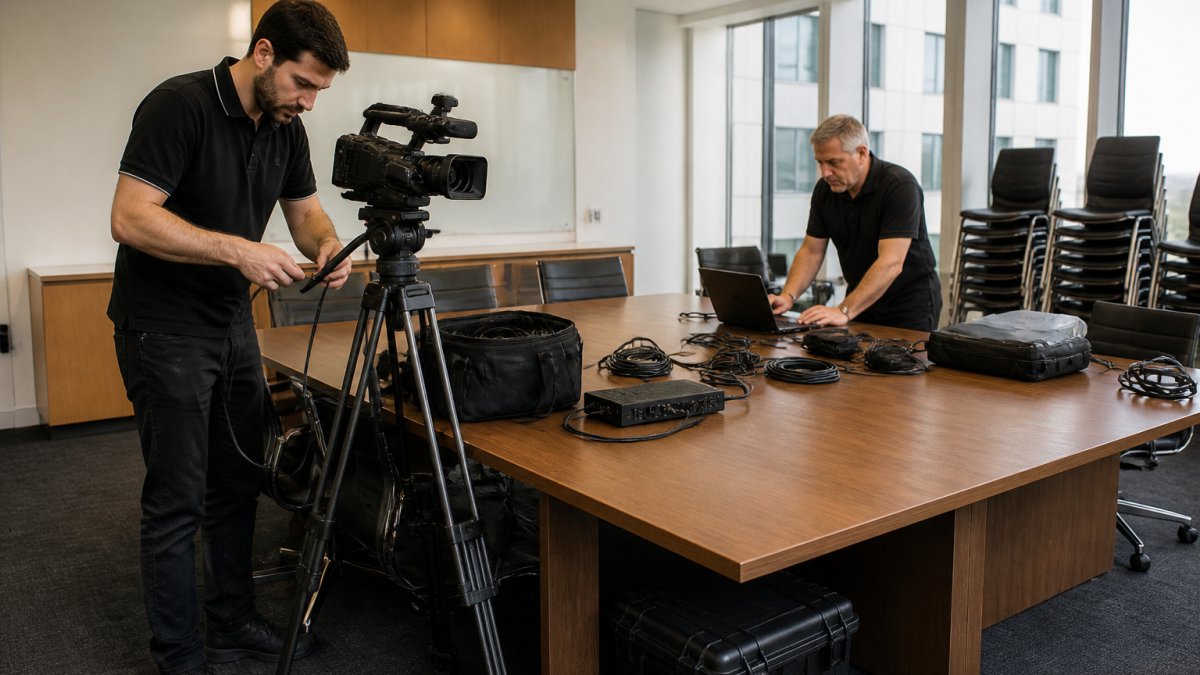
Here is the order we use:
- Stage 1: Equipment inventory and connection plan
- Stage 2: Venue access, power drops, network survey
- Stage 3: Audio and video signal test
- Stage 4: Full rehearsal with presenters
- Stage 5: Contingency check and sign-off
Equipment and Connections to Confirm Before Crew Arrival
Confirm every camera, microphone, encoder and cable before the crew leaves the depot. A missing adaptor costs minutes. A missing encoder costs a day.
Build a packing list tied to the room, not the event. Count microphones per speaker, not per session. Check that each camera position has a clear sightline and a power point within cable reach.
The most common mistake is assuming the venue’s AV rack will talk to your kit. Test that assumption in advance, not on the morning.
Venue Access, Power and Network Checks
Venue access is the phase that quietly wrecks schedules. Loading dock bookings, lift access and after-hours security sign-in can each add an hour before a single cable is run.
Power deserves the same scrutiny. Ask for dedicated circuits, not shared ones. Confirm where the distribution board sits and who can reset it.
Then test the network. Upload speed matters more than download for a broadcast. A wired connection beats venue Wi-Fi every time. If the building’s connectivity is uncertain, plan a bonded cellular backup before setup day, not during it.
How Long a Livestream Audio and Video Test Should Take
A livestream audio and video test should take 45 to 90 minutes for a typical AGM room. That window covers microphone checks, camera framing, colour balance, lip-sync and a full signal path test to the streaming platform.
Rushing this phase is the most expensive shortcut in the whole setup. Audio faults are the number one complaint from remote attendees, and they are almost always fixable in the room before the meeting starts.
Run the test in this order:
- Check each microphone individually
- Set gain levels and test for feedback
- Frame each camera and lock focus
- Balance colour across cameras
- Confirm lip-sync end to end
- Push a test stream to the live platform
Watch out: testing only the local feed and skipping the platform test is how broadcasts go live with a delay or an encoding fault nobody caught.
Running a Hybrid AGM Technical Rehearsal the Day Before
A hybrid AGM technical rehearsal should run the full meeting once, start to finish, with every remote presenter and every slide in place. Budget 60 to 120 minutes. Rehearse the day before, not the morning of.
The rehearsal is where you find the problems that no equipment test reveals. Remote speakers who can’t hear the room. Slide transitions that stall the encoder. A chair who clicks the wrong window and drops the presentation feed.
Give each presenter a short briefing before they rehearse:
- Where to look and which camera is live
- How to mute and unmute
- What to do if they lose connection
- Who to signal if something fails
Run the rehearsal in the actual room with the actual lighting. A rehearsal in a bright empty room tells you nothing about how the setup behaves with an audience.
What Stretches an AGM Live Broadcast Setup Beyond the Estimate
Three things stretch an AGM live broadcast setup past its estimate: untested venue connectivity, late changes to the running order, and building access delays. Each one adds hours, and each one is preventable with a pre-event survey.
The connectivity problem is the big one. Many venues quote a headline speed that nobody has tested with a live encoder pushing a stream. Ask for a wired test on site before you commit to the room.
Late running-order changes are the second culprit. A new remote presenter added the week before means new testing, new briefing and new rehearsal time. Lock the order early.
Watch out: treating the venue’s AV team as your technical support. They manage the building, not your broadcast. Clarify who owns what before setup day.
The failures that stretch a schedule are predictable. Our guide to technical failures you can avoid with AGM live streaming services covers the ones that show up most often.
Building an AGM Streaming Contingency Plan Before Setup Day
An AGM streaming contingency plan is a written set of fallbacks for connection loss, encoder failure, audio dropout and presenter absence. Build it before setup day, and test each fallback during the rehearsal.
The plan should answer four questions in advance:
- What happens if the primary connection drops?
- Who switches to backup, and how fast?
- What does the audience see during a failover?
- Who tells the chair, and when?
Fail-safe procedures matter more at an AGM than at any other event. Shareholders are voting. A dropped stream during a resolution is a governance problem, not just a technical one.
Our approach at Webcasting Livestream is to build redundancy into the signal path itself, so a single failure never reaches the audience. You can see the uninterrupted broadcast technology for events that this contingency plan is built around. That is what our no drop-off guarantee is designed around.
Same-Day Setups: When They Work and When They Don’t
Same-day setups work for a single-room meeting with one camera, one presenter and a tested network. They fail for multi-camera AGMs with remote speakers and voting. The difference is complexity, not confidence.
A same-day setup can succeed when:
- The room has been surveyed in advance
- The network has been tested with an encoder
- There is one camera and one audio source
- No remote presenters are involved
- A backup connection is ready
It will not work when the event needs multiple camera angles, remote participation, live voting or a hybrid audience. Those events need a rehearsal day.
The honest answer to “can we set up on the morning?” is usually no for an AGM. The stakes are too high and the moving parts too many.
Booking Your AGM Live Broadcast Setup Window
Book your AGM live broadcast setup window at least four weeks out, and confirm venue access times in writing two weeks before. The setup window should cover every phase plus a buffer of at least one hour.
Work backwards from the meeting start time:
- Lock the rehearsal day
- Book venue access for setup and rehearsal
- Confirm power and network with the building
- Schedule crew arrival and load-in
- Add a buffer before doors open
If you are deciding who runs the setup, our comparison of streaming specialists and AV partners sets out the trade-offs. For the pre-live technical work itself, our team provides technical support for hybrid event streaming across the whole window. And if you want a ready-made structure for your own run sheet, start with our guide to creating a virtual event production checklist.
Frequently Asked Questions
How long does it take to set up an AGM livestream?
Most AGM live broadcast setups take two to six hours on the day, depending on venue access, crew size and how much redundancy you want. A single-camera online-only meeting in a small boardroom can be ready in about two hours. A hybrid AGM with multiple cameras, slide capture, a chaired room and a backup encoder typically needs four to six hours. Add a separate technical rehearsal the day before, which usually runs one to two hours.
How early should a broadcast crew arrive before an AGM?
Plan for the crew to arrive at least three hours before the scheduled start for a hybrid AGM, and two hours for a simple online-only meeting. That window covers load-in, cable runs, camera positioning, the livestream audio and video test, and a final check with the chair. If your venue only grants access an hour before, tell your provider in advance so they can pre-build racks and reduce on-site work.
Does a hybrid AGM take longer to set up than an online-only meeting?
Yes, usually by two to three hours. A hybrid AGM adds in-room audio capture, multiple camera angles, a vision mixer, and a link between the physical room and remote viewers. You also need a hybrid AGM technical rehearsal so the chair, speakers and remote participants all know how questions and voting will work. Online-only meetings skip most of that, which is why they can be ready in about two hours.
What can delay an AGM broadcast setup on the day?
The most common delays are late venue access, unavailable loading docks, missing power outlets near camera positions, and slow or restricted venue networks. Last-minute changes to the run sheet, extra speakers, or a room layout change also push the timeline out. A written AGM streaming contingency plan, confirmed access times and a pre-site visit reduce most of these risks before the crew arrives.
An AGM broadcast leaves no room for a setup that runs long. Webcasting Livestream plans every window around fail-safe procedures, a no drop-off guarantee, and HD streaming across all devices, with all video recorded and provided at no extra cost. Get started with Webcasting Livestream and lock in a setup window your board can rely on.