Table of Contents
- Why Technical Support Matters for Hybrid Event Streaming
- Essential Live Streaming Equipment Checklist
- Hybrid Event Streaming Best Practices
- Troubleshooting Hybrid Event Connectivity Issues
- On-Site Technical Support and Remote Assistance
- Accessibility and Security in Hybrid Broadcasts
- Post-Event Analytics and ROI Tracking
- Conclusion
Last Updated: August 28, 2026
Why Technical Support Matters for Hybrid Event Streaming
Technical support for hybrid event streaming isn’t a luxury, it’s the difference between a flawless broadcast and catastrophic failure. When streaming to thousands of virtual attendees while managing an in-person audience, a single point of failure can derail the entire event. Internet drops, audio desync, camera malfunctions, or platform crashes erode audience trust and waste your investment.
What separates seamless hybrid events from technical nightmares is preparation, redundancy, and expert oversight. This guide covers the technical foundations, equipment that matters, best practices that prevent failure, and contingency planning that keeps your stream alive when things go wrong.
Hybrid event streaming requires end-to-end technical management across video, audio, networking, and platform layers. Without proper support infrastructure, you’re betting your event on a single point of failure.
Essential Live Streaming Equipment Checklist
Your equipment stack is the foundation of broadcast quality. Choosing the right gear and configuring it properly determines whether your stream is broadcast-grade or unwatchable.
Cameras and Vision Equipment
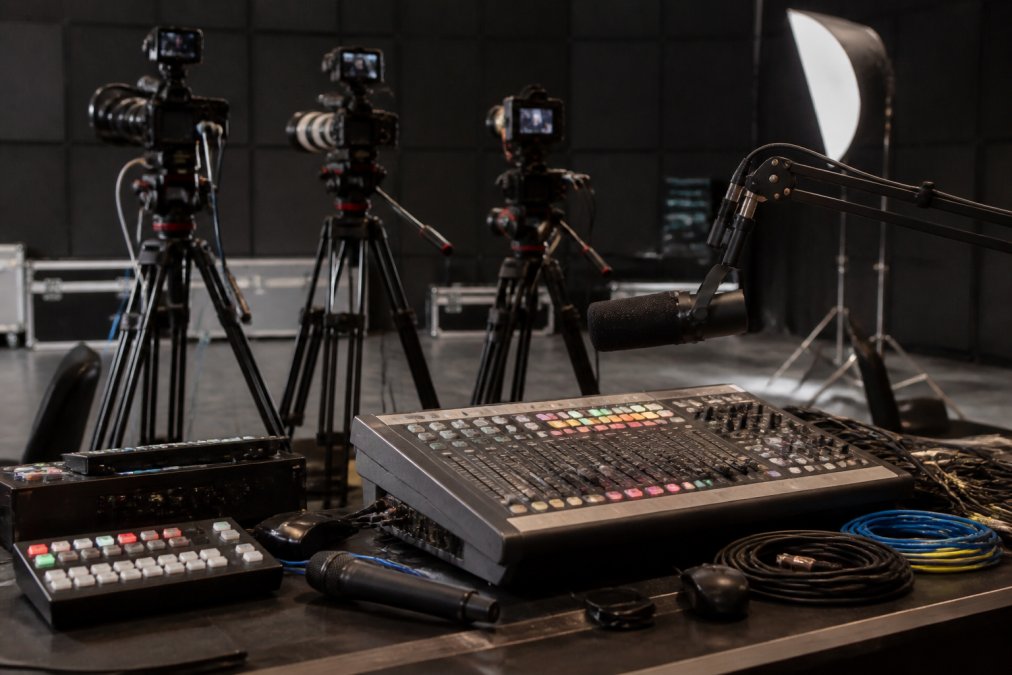
Broadcast-quality cameras are non-negotiable for professional hybrid events. For hybrid event streaming, you’ll need:
- Primary camera(s): Full-frame mirrorless or dedicated broadcast cameras (4K capable). Brands like Sony FX30, Canon R5C, or Panasonic S1H are industry standard.
- Confidence monitor: A secondary display showing the broadcast feed so presenters and technicians verify what the remote audience sees.
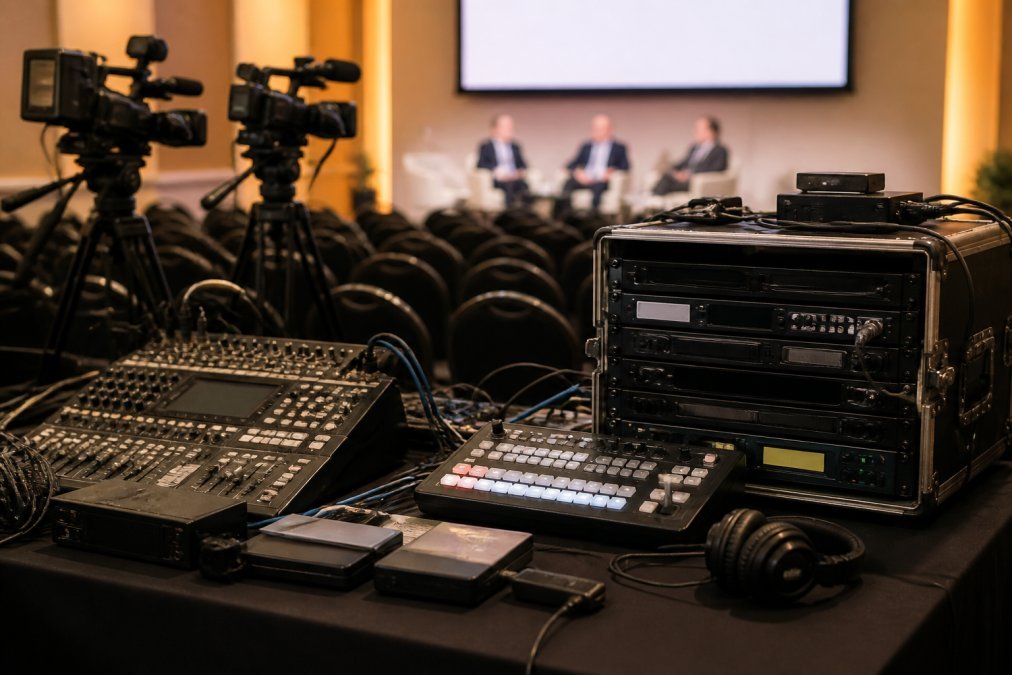
- Vision mixing hardware: A dedicated switcher handling multiple camera inputs, graphics overlays, and real-time transitions. Hardware mixers like Blackmagic ATEM provide the reliability software cannot match during live broadcast.
- Tripods and mounting hardware: Professional fluid-head tripods prevent jerky pans and ensure stable framing.
Use manual focus on at least one camera during hybrid events. Autofocus can hunt for focus during critical moments, leaving you with blurry footage. Manual focus gives you control when it matters most.
Audio Setup and Microphones
Poor audio kills engagement faster than poor video. Your audio stack should include:
- Wireless microphone system: Frequency-agile systems (not fixed-frequency) avoid interference in crowded RF environments. Shure ULXD or Sennheiser EW-D systems are reliable choices.
- Lavalier and handheld mics: Backup options for interviews, Q&A sessions, or audience participation.
- Mixing console: A dedicated audio mixer gives you independent control over each audio source. Behringer X32 or similar mid-range consoles handle most hybrid events competently.
- Audio monitoring headphones: Professional closed-back headphones so your audio technician detects issues before the remote audience hears them.
- Backup audio inputs: HDMI or USB audio interfaces that feed remote presenter audio directly into your mixing console, bypassing video conferencing software limitations.
Relying on the video conferencing platform’s audio handling for remote presenters is a common mistake. Platform audio is compressed, delayed, and subject to network jitter. Capture audio separately and mix it into your master feed for superior quality.
Networking and Internet Infrastructure
Bandwidth isn’t your only concern; stability and redundancy are. A single internet connection is a single point of failure.
Essential networking infrastructure includes:
- Primary internet connection: Dedicated fibre or business-grade broadband with minimum upload speed of 10 Mbps for 1080p60 streaming, 25 Mbps for 4K (peer-reviewed research).
- Bonded backup connection: A secondary internet link (mobile hotspot, alternative ISP, or satellite) that activates if your primary connection fails.
- Network switch and router: Enterprise-grade equipment configured for QoS to prioritise streaming traffic.
- Ethernet cabling: Hardwired connections for all critical devices. WiFi introduces latency and dropout risk that live broadcast cannot tolerate.
- UPS (uninterruptible power supply): Backup power for at least 30 minutes covering your critical streaming infrastructure.
Relying on a single internet connection for hybrid event streaming is a critical risk. Redundant connectivity is not optional for professional events, it’s mandatory.
Hybrid Event Streaming Best Practices
Technical excellence requires discipline, planning, and real-time decision-making under pressure.
Pre-Event Technical Rehearsal
The rehearsal is where you catch problems before they become disasters. Your rehearsal should cover:
- Full end-to-end streaming: Record a complete 30-minute test broadcast to your streaming platform to expose encoding issues, platform compatibility problems, and latency glitches.
- Remote presenter integration: Have your remote speakers connect via video conferencing at their actual remote location. Test their audio, video, and screen-share quality.
- Graphics and overlays: Run through every lower-third graphic, title card, and transition effect you’ll use during the broadcast.
- Failover procedures: Deliberately disconnect your primary internet link and verify that your backup connection activates automatically.
- Audience interaction tools: Test live chat, polls, or Q&A features under load and confirm moderators can manage them without distraction.
A 2-hour rehearsal that catches a critical problem is worth infinitely more than a 15-minute "quick check" that misses it.
Multi-Camera Setup and Vision Mixing
Professional hybrid events use multiple cameras to create visual interest and adapt to event flow. Your vision mixing workflow should be:
- Plan shot sequences before the event. Document which cameras you’ll use during each segment and brief your camera operators and vision mixer.
- Automate transitions where possible. Use your mixing console’s macro buttons to execute complex transitions with a single button press.
- Monitor vision quality in real-time. Your vision mixer should have a confidence monitor showing the broadcast feed and a preview monitor showing the next shot.
Real-Time Monitoring and Engagement
During the broadcast, your technical team’s job is to monitor, not manage. Real-time monitoring includes:
- Stream health metrics: Bitrate, dropped frames, encoder CPU load, network latency. Watch for trends indicating network congestion.
- Audio levels: Your audio technician watches the mixing console and remote audio feeds continuously, riding levels to prevent distortion.
- Audience engagement tools: A dedicated moderator monitors live chat or Q&A and flags important questions for the speaker.
- Technical backup channels: Your technical team communicates via a private channel so they can troubleshoot without the audience hearing them.
Each person should have a specific role: vision mixer, audio technician, streaming platform monitor, technical director. Clear roles prevent confusion and ensure someone is always watching each critical system.
Troubleshooting Hybrid Event Connectivity Issues
Problems happen. The difference between a minor glitch and catastrophic failure is how quickly you identify and resolve the issue.
Bandwidth and Upload Speed Problems
Insufficient bandwidth is the most common cause of stream degradation. Symptoms include pixelation, stuttering, dropped frames, or complete disconnection.
Diagnostic steps:
- Run a speed test immediately. Use Ookla Speedtest to confirm your actual upload speed and compare it against your streaming platform’s minimum requirements.
- Isolate streaming traffic. Confirm that your streaming encoder is the only device consuming significant bandwidth.
- Check for network congestion. If your upload speed tests well but your stream still degrades, contact your ISP to confirm they’re not throttling your traffic.
- Reduce bitrate temporarily. If bandwidth is limited, lower your streaming bitrate to match available capacity. A stable 720p stream is better than a 1080p stream with constant dropout.
Always test your upload speed during the same time of day as your event. ISP bandwidth varies throughout the day.
Audio-Visual Synchronisation Failures
Lip-sync problems, where audio and video are out of sync, are deeply distracting to viewers. Common causes and fixes:
- Encoding delay: Use a single encoder for both audio and video, or manually sync them if drift is significant.
- Platform latency: Video conferencing platforms introduce 500ms to 2 seconds of latency. Capture remote presenter audio separately from their video feed and mix it locally.
- Network jitter: Increase your encoder buffer slightly to absorb jitter, or use a bonded connection to smooth out latency variations.
Internet Failure Contingency Planning
Your primary internet connection will fail at some point. Plan for it.
Contingency procedures should include:
- Automatic failover to backup connection. Configure your network equipment to detect primary connection loss and automatically switch to your secondary link within 5-10 seconds.
- Pre-recorded fallback content. If both internet connections fail, have a 5-10 minute pre-recorded video ready to broadcast with a message: "We’re experiencing technical difficulties. Your stream will resume shortly."
- Communication protocol. Have a backup communication channel ready: email, SMS, or social media to notify attendees if your stream goes down.
- Rapid diagnostics. Your technical director should have a checklist for diagnosing connectivity problems: check primary modem status, verify backup connection is active, confirm encoder is still running, check for ISP outages.
Most internet failures are temporary. Seventy percent of connectivity issues resolve within 2-3 minutes if you’ve got redundancy in place (the CDC).
On-Site Technical Support and Remote Assistance
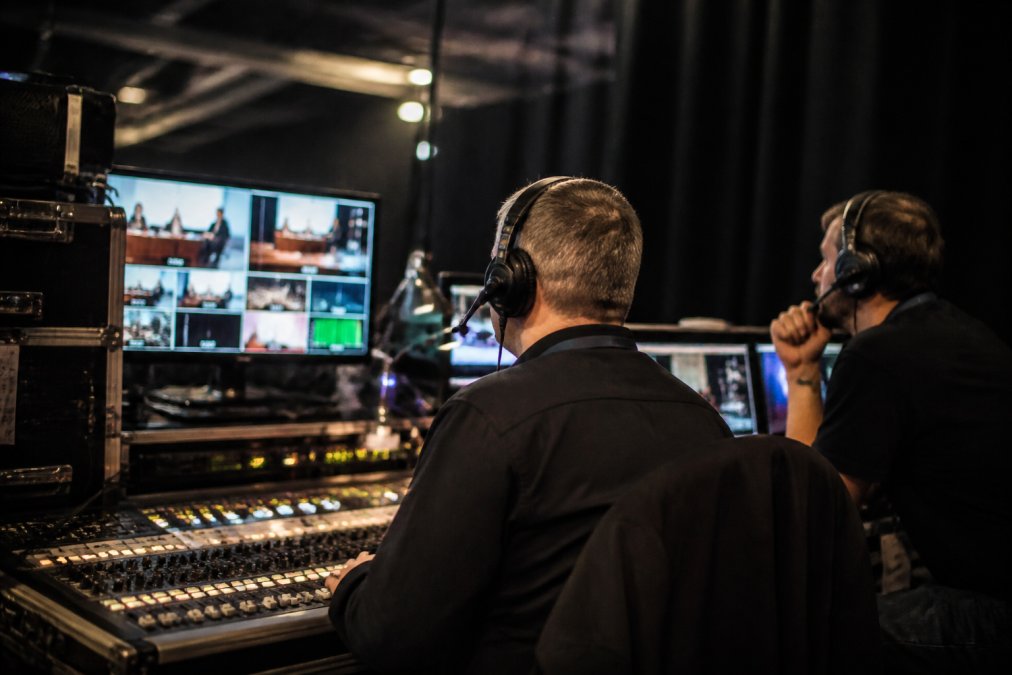
Professional hybrid event streaming requires both on-site technicians and remote support. On-site staff handle physical setup, camera operation, and immediate troubleshooting. Remote support provides backup expertise and monitoring.
Your technical support structure should include:
- On-site technical director: Oversees all technical aspects of the broadcast and makes real-time decisions about camera angles, graphics, and troubleshooting.
- Camera operators: Run the cameras and follow the shot sequence planned during rehearsal. Typically 2-3 operators for a multi-camera hybrid event.
- Audio technician: Manages the mixing console, monitors audio levels, and troubleshoots audio issues.
- Remote monitoring team: Watches stream health metrics, platform performance, and audience engagement from a remote location and alerts the on-site team to problems.
Communication between on-site and remote teams is critical. Use a dedicated radio channel or private messaging platform so the teams can coordinate without the audience hearing them.
For organisations hosting hybrid events regularly, Webcasting Livestream provides end-to-end technical support that handles both on-site production and remote platform management. Their fail-safe procedures ensure your stream stays live even if individual components fail, and their professional team manages the technical complexity so your internal staff can focus on event content and audience experience.
Accessibility and Security in Hybrid Broadcasts
Technical excellence extends beyond video and audio quality. Accessibility and security are non-negotiable components of professional hybrid event streaming.
Captioning and WCAG Compliance
Live captioning is a legal and ethical requirement. Captions serve deaf and hard-of-hearing viewers, non-native speakers, and viewers in noisy environments. They also improve SEO and engagement for on-demand content.
Captioning approaches for hybrid events:
- Live CART (Communication Access Realtime Translation): A professional stenographer or speech-to-text service provides real-time captions during the broadcast. Services like VITAC or CaptionMax integrate directly with most streaming platforms.
- Automated speech recognition: AI-powered captioning (Google Live Captions, Microsoft Subtitle Editor) is faster and cheaper than CART but less accurate, especially with technical terminology or heavy accents.
- Post-event captions: If live captions aren’t feasible, caption your recording within 24 hours and publish it alongside the on-demand video.
Web Content Accessibility Guidelines (WCAG) 2.1 Level AA compliance requires captions for all video content (w3.org). This is increasingly a legal requirement for organisations in regulated industries or receiving government funding.
Data Security and Privacy for Virtual Attendees
Virtual attendees’ data is vulnerable to interception, unauthorised access, and misuse. Security measures for hybrid broadcasts include:
- Encrypted streaming: Use HTTPS (TLS 1.2 or higher) for all streaming connections.
- Access controls: Restrict streaming access to authorised viewers using password protection, IP whitelisting, or single sign-on (SSO).
- Data retention policies: Define how long you’ll retain viewer data and delete data outside your retention window.
- Privacy disclosures: Inform attendees that their viewing activity is being recorded and analysed.
- Recording consent: Obtain explicit consent from attendees before recording the broadcast for on-demand distribution.
For organisations streaming sensitive content, encryption and access controls are mandatory. Webcasting Livestream’s secure end-to-end solutions include encryption, access management, and compliance with privacy regulations.
Post-Event Analytics and ROI Tracking
The broadcast ends, but the data doesn’t. Post-event analytics reveal what worked, what didn’t, and whether your hybrid event achieved its objectives.
Key metrics to track:
- Viewership: Total viewers, peak concurrent viewers, average watch duration, drop-off points.
- Engagement: Chat messages, poll responses, Q&A questions, social media mentions.
- Technical performance: Bitrate stability, dropped frames, buffering events, average latency.
- Audience demographics: Geographic distribution, device types, operating systems.
- Conversion metrics: If your event had a business objective, track how many attendees converted.
Most streaming platforms provide basic analytics dashboards. Use post-event analytics to inform your next hybrid event. If viewers dropped off during a long keynote, plan shorter presentations next time. If mobile viewers experienced buffering, increase your bitrate for mobile-optimised streams. Data-driven iteration improves your hybrid events over time.
Hybrid event streaming is complex, but it’s manageable when you approach it systematically. Start with solid equipment, add professional technical support, plan for failure, and measure your results. The organisations that master hybrid events aren’t the ones with the fanciest gear; they’re the ones with the most rigorous processes and experienced technical teams.
If managing this complexity in-house feels overwhelming, that’s exactly why professional streaming services exist. Webcasting Livestream handles the technical infrastructure, redundancy, and real-time support so your team can focus on content and audience experience. Their no-drop-off guarantee and fail-safe procedures mean you can host your hybrid event with confidence, knowing that technical excellence is handled by experts who’ve managed thousands of broadcasts.
Frequently Asked Questions
What are the key technical requirements for hybrid event streaming?
Hybrid event streaming requires stable internet connectivity with upload speeds of at least 5-10 Mbps for HD quality, multi-camera equipment, professional audio capture, vision mixing capability, and platform management software. You'll also need redundancy measures such as bonded internet or failover connections to prevent stream interruption. Pre-event technical rehearsal and end-to-end system testing are essential to identify single points of failure before your broadcast goes live.
How do you ensure stable internet connectivity for hybrid event streaming?
Stable connectivity depends on multiple factors: use wired Ethernet connections rather than Wi-Fi where possible, test bandwidth at least 48 hours before the event, and implement network redundancy such as dual ISP connections or bonded internet lines. Monitor upload speed and latency in real time during the broadcast. Have a contingency plan ready, such as switching to a mobile hotspot or backup connection, to maintain stream continuity if your primary internet fails.
What is the role of an on-site technician during a hybrid event?
An on-site technician manages camera operation, audio levels, lighting adjustments, and real-time troubleshooting during the broadcast. They monitor equipment performance, coordinate with remote presenters, manage the vision mixing and switching between camera feeds, and respond immediately to technical issues that could affect stream quality. They also ensure audio-visual synchronisation remains stable and can pivot quickly to contingency procedures if problems arise, keeping the broadcast on air without interruption.
What happens if your internet connection fails during a hybrid event stream?
A robust contingency plan includes network redundancy (dual internet connections or bonded lines), automatic failover systems that switch to backup connectivity instantly, and pre-positioned mobile hotspots as a last resort. Many professional streaming providers offer fail-safe procedures and real-time monitoring to detect connection issues before they impact your broadcast. Post-event, you'll have a complete recording of your stream regardless of temporary connectivity hiccups, ensuring no content is lost.
This article was written using GrandRanker