Professional Streaming Equipment for Business: Choosing Right

Last Updated: November 14, 2026
Quick Summary
Choosing streaming equipment for business starts with what the event must achieve, including audience size, broadcast length and whether a recording is needed. Match cameras, audio and internet to that event, and always plan a backup for each critical part.
- Define the audience size, location, broadcast length and whether a recording is needed before buying anything.
- A 200-person town hall needs far less bandwidth and fewer cameras than a 5,000-person multi-state launch.
- Single-camera setups suit simple formats, while multi-camera production suits product launches and multi-speaker events.
- Take audio from a direct mixing desk feed and test it with presenters speaking at normal volume.
- Upload speed sets the ceiling on stream quality, so aim well above the stream’s bitrate and test a backup connection.
Table of Contents
- How to Choose Professional Streaming Equipment for Business: Start With Your Event
- Business Live Streaming Setup: Choosing the Right Configuration
- Live Streaming Camera for Business: Choosing Lenses, Sensors and Autofocus
- Microphones, Audio Mixers and Lighting for Clear Broadcast
- Encoders, Capture Cards and Streaming Software
- Live Streaming Internet Requirements: Upload Speed, Latency and Redundancy
- Live Streaming Equipment Checklist, Budget Tiers and Total Cost of Ownership
- Booking Managed Webcasting Support for Your Next Event
- Frequently Asked Questions
How to Choose Professional Streaming Equipment for Business: Start With Your Event
Choosing professional streaming equipment for business starts with one question: what does the event need to achieve? A quarterly AGM has different demands from a product launch or a training session. Get that answer right and the equipment list largely writes itself. The same planning sequence applies across corporate, government, education and not-for-profit events.
Write down the audience size, location and broadcast length. A 200-person town hall needs far less bandwidth and fewer cameras than a 5,000-person multi-state launch. Decide whether the content is live only or needs a recording, since that changes your storage and capture requirements.
Next, identify the people involved: presenters, a camera operator, an audio technician and a moderator each affect the setup. A small team with no broadcast experience usually needs a simpler configuration than an in-house AV team. A common mistake is buying equipment before defining these roles, then finding nobody is trained to run it.
Finally, plan for failure. Ask what happens if the main internet connection drops mid-event. Your own planning should include a backup connection and a named person monitoring the stream. Equipment choices only matter once you know what a failed broadcast would cost.
Business Live Streaming Setup: Choosing the Right Configuration
A live streaming setup is the chain of devices that takes sound and pictures from the room to the viewer: cameras, audio, a video switcher or encoder, internet connection and the streaming platform. Each stage can fail, so match the configuration to the event’s risk level, not just its budget.
Single-camera setups suit simple formats such as a fixed presenter or a static panel shot. They are cheaper to run and have fewer points of failure. Learn how to keep a broadcast running without interruption when designing the overall setup.
Match the configuration to the event type. An AGM with a single speaker and slides often works with one camera, a clean audio feed from the venue’s sound system and a tested backup. A product launch with demonstrations usually justifies two or three cameras and a dedicated switcher. Ask your event team which moments need a different angle, then count the cameras accordingly.
Watch out: venue-supplied audio is often mixed for the room, not for the stream. Ask for a direct feed from the mixing desk before the event, and test it with the presenters speaking at normal volume.
Live Streaming Camera for Business: Choosing Lenses, Sensors and Autofocus
Camera choice affects how clear and professional your broadcast looks, but more expensive is not always better. For most business events, the key specifications are sensor size, lens quality, autofocus reliability and the ability to output a clean HD signal.
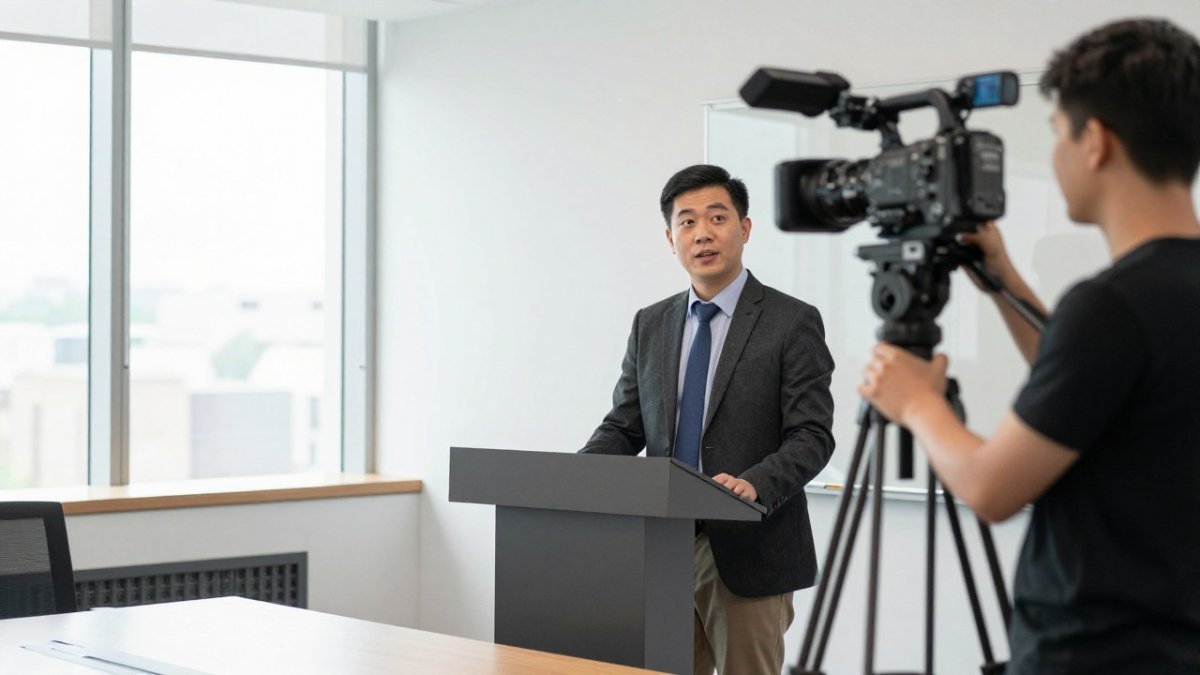
Start with the use case, not the spec sheet. A recurring internal town hall viewed on laptops has different camera demands from a product launch streamed to customers, or a hybrid training session where the presenter moves between a whiteboard and a demonstration bench.
Sensor size matters most in low light. Event venues are often dimmer than a studio, and a larger sensor gives a cleaner picture without heavy lighting.
Autofocus deserves close attention. Continuous autofocus keeps a moving presenter sharp, but it can hunt or drift in a busy shot. For keynote speakers standing still at a lectern, manual focus locked after a rehearsal is often more reliable.
Plan for the camera to fail, because it is the component most likely to be moved, knocked or left with a flat battery.
Accessibility should influence camera choice too.
Microphones, Audio Mixers and Lighting for Clear Broadcast
Audio problems cause more viewer complaints than poor pictures. Viewers will tolerate a slightly soft image, but they will leave quickly if the sound is distorted, too quiet or full of echo.
Lapel microphones suit presenters who move around. A clean feed depends as much on understanding gain staging and signal flow as on the equipment itself, so weigh those fundamentals before investing in professional gear like Drip & Rip.
Redundancy is where business audio differs from creator audio.
Accessibility belongs in the audio plan, not as an afterthought. Spoken content should be clear enough for captions to be generated accurately, which means controlling background noise and keeping levels consistent between speakers.
Lighting is the other half of the picture. Even light from the front, placed slightly above the presenter’s eye line, flatters faces and reduces shadows. A key light and a soft fill light work well for most business settings.
Finally, treat audio and lighting as part of the same rehearsal as the video and network checks. Run a full signal test with the presenters, the venue desk, the backup recorder and the captions switched on, and note the levels and settings that worked.
Encoders, Capture Cards and Streaming Software
An encoder converts the video and audio signal into a format the streaming platform can receive. Hardware encoders are dedicated boxes built for reliable live output. Software encoders run on a computer and are cheaper, but they depend on the computer’s performance and the stability of its operating system during the event.
A capture card links a camera to a computer when a software encoder is used. Choose a card that supports the camera’s output format and resolution, and check that its drivers work with your operating system. The cheapest card often causes dropped frames during long events.
Streaming software combines inputs, adds graphics and manages the output. It should let you switch sources, adjust audio levels and monitor the stream’s health in real time. Do a full rehearsal with the same encoder, cable and connection you will use on the day.
Live Streaming Internet Requirements: Upload Speed, Latency and Redundancy
Most live streaming problems start with the upload connection, not the download speed most people test. A stream sends data out of the venue, so upload speed sets the ceiling on picture quality and stability. Aim for upload capacity well above the stream’s bitrate, leaving headroom for other devices on the same network.
Latency is the delay between something happening in the room and viewers seeing it. For a one-way AGM, a delay of several seconds is rarely a problem. For a live Q&A where remote viewers ask questions, lower latency matters more, and that changes which platform and settings suit the event.
Redundancy means having a second route for the stream if the first fails. A common approach is a wired primary connection with a mobile or secondary connection ready to take over. Test the failover before the event.
Watch out: sharing a venue’s Wi-Fi with a large audience can saturate the connection. Ask the venue whether the broadcast can use a dedicated line.
The table below summarises the main internet requirements for a reliable live stream.
| Factor | What to check | Why it matters |
|---|---|---|
| Upload speed | Well above the stream’s bitrate | Sets the ceiling on picture quality and stability |
| Latency | Delay between room and viewer | Several seconds is fine for a one-way AGM |
| Redundancy | Second route ready to take over | Keeps the stream running if the first fails |
| Venue Wi-Fi | Shared with a large audience | Can saturate the connection; ask for a dedicated line |
Live Streaming Equipment Checklist, Budget Tiers and Total Cost of Ownership
Use this checklist to confirm you have covered the essentials before any event:
- Camera or cameras, with batteries or power and spare media
- Lenses and tripods or mounts suited to the venue
- Microphones with cables, and a direct audio feed from the mixing desk
- Mixer or audio interface with level monitoring
- Lighting with stands and diffusion where needed
- Encoder or capture card, with cables and adaptors
- Streaming software or platform access, tested in advance
- Primary and backup internet connections, tested at the venue
- Recording storage, with a backup copy
- A named person monitoring the live stream throughout
Budget tiers help set expectations. A basic setup for small internal broadcasts uses existing devices and a single camera. A mid-range setup adds dedicated cameras, proper audio and a hardware encoder for regular external events. A premium setup adds multi-camera production, professional lighting and redundant connections for high-stakes launches.
Total cost of ownership is often larger than the purchase price. Include maintenance, software licences, staff training, insurance, repairs, storage for recordings and the cost of each event’s setup and teardown. Equipment that sits unused between events still needs servicing and secure storage. Pricing depends on event size, duration and delivery requirements, so request a quote from Webcasting Livestream or check its pricing page for current information.
Booking Managed Webcasting Support for Your Next Event
Many organisations find that owning and operating broadcast equipment does not suit how often they stream. If events are occasional, or your IT team is already stretched, a managed service can take on the technical load. Webcasting Livestream provides end-to-end live streaming with HD delivery across devices, a no drop-off guarantee, and fail-safe procedures designed to keep the stream running.
Clients also keep ownership of their content. All video is recorded and provided at no extra cost, so you can reuse recordings for training or internal records afterwards. Ask the team to confirm the details for your event, including audience size, location and the internet conditions at the venue.
Ready to plan your next broadcast? Get a quote from Webcasting Livestream and we will map out the right setup for your event.
Frequently Asked Questions
What equipment do businesses need for professional live streaming?
A professional business stream usually needs a camera or two, a microphone system with a mixer, a key light and fill light, a video switcher or encoder, a capture card if you use a computer, and a reliable wired internet connection with enough upload speed. The exact mix depends on how many presenters you have, whether the audience is internal or public, and how long the event runs. Build a checklist from the event format first, then choose each item. Keep spare cables, a backup power source and a second internet connection where the event is critical.
How do I choose a camera for business live streaming?
Choose a camera based on the number of camera angles you need, the lighting conditions in the room and whether the camera supports clean HDMI or SDI output for your encoder. Autofocus that tracks a moving presenter matters more than raw resolution for most corporate events. Test the camera with your actual lighting before the event, and check the frame rate and zoom range on the lens. A live streaming camera for business should also hold its settings when the feed is running so the picture does not shift during the broadcast.
What internet speed is needed for a reliable business live stream?
Upload speed matters more than download speed for live streaming. For a typical HD stream, plan for a stable upload speed well above the stream bitrate, with headroom for other traffic on the network. Wired ethernet is strongly preferred over Wi-Fi, and a secondary connection such as a 4G or 5G backup adds protection against drops. Test your upload speed and latency at the venue on the day, not just in the office. Regional venues often have weaker upload capacity, so check those locations early.
Should a business use a professional streaming service or build its own setup?
Building your own setup gives you control and lower ongoing costs, but it puts the technical risk and the on-site work on your team. A managed webcasting service handles equipment, encoding, monitoring and recording, which suits AGMs, product launches and other events where a failed stream is costly. Compare the total cost, including staff time and the equipment you would need to buy, against the price of a managed service. For a quote tailored to your event, contact Webcasting Livestream directly.