How to Host High Quality Webinars: 2026 Guide
Table of Contents
- What You’ll Need Before You Start
- Choosing the Right Platform for High Quality Webinars
- Technical Setup for Flawless Live Streaming
- Webinar Engagement Strategies That Keep Viewers Watching
- Webinar Script Template and Duration Best Practices
- Running a Technical Rehearsal and Managing Live Q&A
- Post-Webinar Follow-Up and Content Repurposing
- Accessibility and Inclusivity Standards
- Frequently Asked Questions
Last Updated: September 10, 2026
What You’ll Need Before You Start
Hosting high quality webinars starts with preparation, not the broadcast button. At Webcasting Livestream, the groundwork matters more than the gear.
Before you schedule anything, lock in these essentials:
- A defined outcome: one clear action you want attendees to take
- A topic that solves a specific problem for your audience
- A platform that matches your scale and security needs
- Your slide deck, script, and supporting assets drafted
- A registration page with a single, obvious call to action
- A rehearsal slot booked with your full presenter lineup
Teams that skip the outcome definition end up with webinars that inform but never convert.
Never schedule a live webinar before confirming your platform’s concurrent viewer limit and your upload bandwidth. Discovering either limit mid-broadcast is the fastest way to lose an audience.
Choosing the Right Platform for High Quality Webinars
The right platform for high quality webinars balances reliability, interactivity and security against your actual audience size, feature lists matter less than whether it holds up under load.
Match the Platform Type to the Job
Most platforms fall into one of four categories, and picking the wrong category is the most common and most expensive mistake:
| Platform type | Best for | Trade-off to accept |
|---|---|---|
| Webinar-first SaaS | Marketing webinars, lead gen, on-demand libraries | Limited production control; branding is constrained |
| Video conferencing | Small internal sessions, workshops under ~50 people | Not built for one-to-many scale; weaker registration and analytics |
| Enterprise streaming | Large internal comms, all-hands, regulated content | Higher cost and setup lead time; needs an operator |
| Fully managed broadcast | High-stakes external events, multi-camera productions | Least hands-on control; you rely on the provider’s crew |
A common pattern: a marketing team buys a conferencing tool already in the stack, then discovers at 300 attendees that breakout rooms and gallery view are not a broadcast. Decide the category before comparing vendors.
Do the Capacity Maths Before You Commit
Concurrent viewer limits usually bite first. Work out your realistic peak, not your average:
- Take your largest expected live audience and add 20-30% headroom for a spike from a partner, a press mention or an internal all-staff push.
- Check whether the limit applies to concurrent viewers or registered attendees, they are different numbers and vendors quote the flattering one.
- Confirm what happens at the ceiling: does the platform queue late joiners, degrade video quality, or drop the stream entirely?
- Test the platform’s performance in the regions your audience actually joins from, not just your head office.
The Criteria That Actually Decide It
Corporate buyers should prioritise uptime guarantees, concurrent viewer capacity, recording ownership and security controls. Consumer-grade tools look cheaper until you hit a viewer ceiling or a privacy requirement.
Ask these questions before you commit:
| Criterion | What to check | Why it matters |
|---|---|---|
| Concurrent capacity | Maximum simultaneous viewers, and behaviour at the limit | Prevents crashes at scale |
| Recording rights | Who owns the file, and whether you can download the raw source | Protects your reusable content |
| Security | Access controls, encryption in transit and at rest, data residency | Essential for internal comms and regulated sectors |
| Support model | Managed crew or self-service, and response times on event day | Determines your IT workload and your risk |
| Regional reliability | Performance in your audience’s locations | Regional audiences need stable delivery |
| Accessibility | Native live captions, transcript export, screen-reader support | Meets growing corporate and public-sector expectations |
Pricing and Procurement Realities
Platform pricing depends on viewer numbers, event frequency and support level, so request a quote rather than relying on list prices. Three traps:
- Per-attendee pricing that punishes success. A model that charges per registrant can make a viral event cost more than it returns. Ask for the price at 2x and 5x your expected audience.
- Overage fees. Some contracts bill a premium for viewers above the plan ceiling. Get the overage rate in writing.
- Annual lock-in on a seasonal need. If you run four events a year, an annual seat licence may be poor value against a per-event arrangement.
If your IT team is stretched, a fully managed provider removes the technical burden, but confirm who owns the recording and whether you get the raw file, not just a replay link.
Never schedule a live webinar before confirming your platform’s concurrent viewer limit and your upload bandwidth. Discovering either limit mid-broadcast is the fastest way to lose an audience.
Australian Cyber Security Centre small business guidance
Technical Setup for Flawless Live Streaming
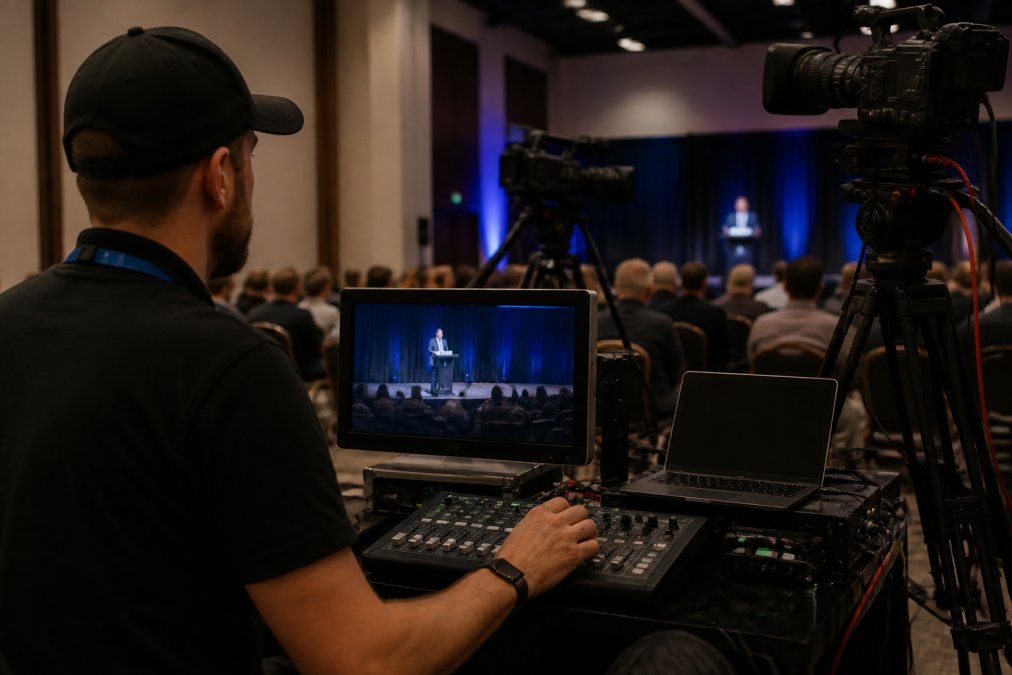
Flawless live streaming depends on stable bandwidth, quality audio and a rehearsed signal path. Video gets the attention, but audio problems lose audiences faster than a soft picture.
Equipment and Bandwidth Checklist
Run through this before every event:
- Hard-wired internet connection for the presenter, never Wi-Fi alone
- Upload bandwidth tested at your target resolution with headroom to spare
- External microphone or lapel mic, tested for echo and background noise
- HD-capable camera positioned at eye level
- Backup connection (mobile hotspot) ready to switch over
- Lighting checked for harsh shadows and screen glare
What most guides miss is the redundant path. A hard-wired primary line plus a tested backup turns an outage into a two-second blip, and providers with fail-safe procedures build this in.
Webinar Engagement Strategies That Keep Viewers Watching
The best webinar engagement strategies treat attention as something you earn every few minutes, not once at the start. Viewers decide whether to stay within the first few minutes, then re-decide constantly.
The Psychology Behind Audience Retention
Audiences stay when they feel progress and participation. Two levers do most of the work: momentum (the session is building somewhere) and agency (they can influence what happens).
Use these tactics to pull both levers:
- Open with the single most valuable insight, not housekeeping
- Run an interactive poll every 8-10 minutes to reset attention (blog.hubspot.com)
- Name attendees who ask questions to reward participation
- Signpost what’s coming next so viewers know there’s a payoff
- Keep the moderator active in chat so no question sits unanswered
A dedicated moderator handles the Q&A session and chat while the presenter stays focused, keeping the attendee experience smooth.
Poll results make excellent live content. Share the results on screen and react to them in the moment, which turns a passive slide into a conversation and lifts attendee retention.
Webinar Script Template and Duration Best Practices
A strong webinar script template gives you structure without turning the session into a monotone read, a skeleton you speak around, not a transcript.
Here’s a fill-in-the-blank template you can adapt:
[Hook – 2 min] “By the end of this session, you’ll know exactly how to [specific outcome].”
[Credibility – 1 min] Who you are, and one proof point that you can deliver.
[Agenda – 1 min] The three things you’ll cover, and when the Q&A opens.
[Core content – 20-30 min] Three teaching blocks, each ending with a quick recap.
[Interactive break] Poll or live question at the midpoint.
[Call to action – 2 min] One clear next step, repeated once.
[Q&A – 10-15 min] Moderated questions, answered in batches.
How Long Should Your Webinar Run?
The ideal webinar length is 45-60 minutes for most corporate and educational sessions, enough to teach something substantial while respecting the audience’s calendar (blog.hubspot.com).
Adjust by purpose:
- Short updates or product demos: 30 minutes
- Standard training or thought leadership: 45-60 minutes
- Deep workshops with live exercises: 75-90 minutes
Longer isn’t better. A tight 45-minute session that respects the audience beats a rambling 90-minute one every time.
Running a Technical Rehearsal and Managing Live Q&A
A technical rehearsal is a full dry run of the broadcast, not a quick equipment check, it catches problems that would otherwise surface live.
Schedule the rehearsal at least two days before the event, and run it end to end:
- Test every presenter’s audio, video, and screen share
- Confirm the slide deck advances correctly and links work
- Walk through the Q&A and moderator workflow
- Check the recording is capturing cleanly
- Simulate a connection drop and practise the failover
On the day, manage the Q&A session with a clear rhythm: the moderator groups questions, the presenter answers in batches, and unanswered questions get a written follow-up, keeping the session moving and ensuring no one is ignored. improving conversion rates.
The rehearsal is where high quality webinars are actually made. If the dry run feels smooth, the live event almost always does too.
Post-Webinar Follow-Up and Content Repurposing
The work after the broadcast is where most of the return gets captured. A webinar that ends and disappears wastes the audience you just assembled, so here is the workflow that turns one live session into a month of content.
The First 24 Hours
Send your follow-up within 24 hours, while the session is still fresh:
- A thank-you email with the recording link and a clear expiry or availability note
- The slide deck and any promised resources
- A single, clear call to action, not three competing ones
- A short post-webinar survey (three to five questions maximum)
Segment the list before you send: attendees who stayed, attendees who left early, no-shows and on-demand viewers each need a different message. A no-show who gets the recording plus a ‘here is what you missed’ hook converts far better than a generic blast.
The Repurposing Workflow: One Webinar, Five Assets
Treat the recording as raw material and run it through a repeatable pipeline:
- On-demand webinar. Publish the edited recording behind a short form on your registration page. Trim the dead air, housekeeping and technical stumbles first.
- Transcript and blog post. A cleaned-up transcript becomes a long-form article that captures search traffic for the questions you answered live. Add headings and internal links so it reads as an article, not a transcript dump.
- Short-form clips. Pull three to five 30-60 second moments, the sharpest insight, the best audience question, the strongest poll reaction, for social and email.
- Quote graphics and carousel posts. Lift the most quotable lines and the poll results into static assets. Poll data in particular is underused and highly shareable.
- Internal training asset. The same recording often answers onboarding or compliance questions, so file it where your team can find it.
One 60-minute webinar should yield at least five distinct pieces of content. If it does not, the session was probably too thin on specifics.
Build the Nurture Sequence
A nurture sequence built from these pieces keeps your webinar funnel working long after the live date. A workable structure:
- Day 0: recording, slides, thank-you
- Day 2: the blog post version, for people who prefer to read
- Day 5: a short clip with a soft call to action
- Day 10: a related resource or a teaser for the next session
- Day 14: a direct offer or booking link
Measure What Matters
Track attendee retention, conversion rate and survey scores to see what to improve. The two most useful numbers are the drop-off curve (where people left) and the on-demand view count in the fortnight after the live date, which shows whether the content has a life beyond the event.
When you own the recording outright, none of this repurposing costs you extra. If your platform only gives you a hosted replay link, you are renting your own content back.
Schedule the repurposing work into the calendar before the webinar happens. Teams that plan the five assets during the rehearsal actually produce them; teams that plan to ‘do it later’ rarely do.
Accessibility and Inclusivity Standards
Accessible webinars reach more people and meet a growing expectation from corporate and public-sector audiences. Build it in from the start rather than retrofitting later.
Cover the essentials:
- Live captions or subtitles for every session
- A transcript published alongside the recording
- High-contrast slides with readable font sizes
- Verbal descriptions of any visual content
- A platform that works across devices and connection speeds
Accessibility is also a reliability issue. When your stream degrades gracefully on slower connections, mobile viewers get a usable experience instead of a broken one.
Most organisations underestimate how much of a webinar’s success is decided before the cameras roll, and how much value is left on the table once they stop. Getting the platform, rehearsal and follow-up right separates a forgettable broadcast from one that keeps working for months. Webcasting Livestream handles the technical side end to end, with a no-drop-off guarantee, fail-safe procedures, HD streaming across all devices, and full recordings at no extra cost so the content stays yours. Get a quote from Webcasting Livestream and deliver a flawless viewing experience for your next event.
Frequently Asked Questions
What equipment is essential for hosting high quality webinars?
You need a 1080p webcam or camcorder, a USB or lavalier microphone, wired headphones to prevent echo, and lighting that faces the presenter rather than sitting behind them. A hard-wired ethernet connection matters more than any camera upgrade, because bandwidth stability decides whether your stream holds. For larger corporate events, a dedicated encoder and a second laptop as backup give you redundancy if the primary machine fails mid-session.
How long should a professional webinar be to maintain viewer interest?
Aim for 45 to 60 minutes of content, including 10 to 15 minutes for live Q&A. Webinar duration best practices favour shorter sessions with a clear agenda over 90-minute marathons, because attendee retention drops sharply after the 45-minute mark. If your material genuinely needs more time, split it into a series rather than one long broadcast. Always publish the running time on the registration page so viewers can plan around it.
How do you ensure high-definition broadcast quality across all devices?
Stream at 1080p with an adaptive bitrate so the feed adjusts to each viewer’s connection instead of buffering. Test on phones, tablets and desktops during your technical rehearsal, since mobile viewers often see a different result to desktop. Use a hard-wired internet connection at the source, keep upload bandwidth at least double your target bitrate, and record locally as a backup. A managed production partner can monitor the feed in real time and switch sources if quality drops.
What are the best practices for engaging an audience during a webinar?
Open with a specific promise in the first 90 seconds, then deliver on it in clear segments. Use interactive polls every 10 to 12 minutes, ask viewers to type questions in chat rather than saving them all for the end, and assign a moderator to surface the best ones. Name attendees when you answer, vary your voice and pacing, and use visual storytelling instead of dense slide decks. These webinar engagement strategies keep attention high and reduce drop-off.