Securing Live Event Broadcasts: Best Practices That Work
Quick Summary
Securing live event broadcasts starts with a written threat model that lists what you are protecting and who might target it. Restrict viewing to authenticated attendees rather than relying on shared links, protect stream keys, enforce multi-factor authentication on every operator account, and settle recording ownership and retention before the event begins.
- Use a threat model with four columns: asset, threat, likelihood and control.
- Restrict viewing to authenticated attendees, because shared links get forwarded.
- Rotate stream keys after each event and issue them only to named operators.
- Enable multi-factor authentication on all streaming and encoder accounts.
- Assign incident roles and a platform escalation contact before the event starts.
Table of Contents
- Why Live Event Broadcasts Need a Security Plan
- Building a Threat Model for Your Broadcast
- Private Live Stream Access Control: Limiting Who Can Watch
- Live Streaming Security Best Practices for Production Teams
- Protecting Live Stream Content, Privacy and Recording Governance
- Common Security Vulnerabilities in Live Streaming
- Live Stream Security Checklist and Responding to an Incident
- Frequently Asked Questions
Live event broadcasts carry more risk than most organisers expect. A private AGM or internal product launch can expose confidential content to strangers, competitors or disruptive viewers if the stream is poorly protected. The practices below are the ones that matter most when the content is sensitive. Australian Cyber Security Centre guidance on securing online services
Why Live Event Broadcasts Need a Security Plan
A live stream is a public-facing service the moment its link leaves your organisation.
A security plan turns that exposure into decisions made in advance: who can watch, how the stream is protected in transit, what gets recorded, and what happens when something goes wrong mid-event.
Watch out: sharing a stream link on a public registration page or in a forwarded calendar invite is one of the most common ways a private event reaches uninvited viewers.
Building a Threat Model for Your Broadcast
A threat model is a short written list of what you are protecting, who might target it, and how. Start with the content: a board presentation, unreleased product detail or staff personal data?
A practical structure has four columns: asset, threat, likelihood, and control. Fill it in before the event and keep it with the run sheet, because it becomes the reference your team uses when a decision has to be made in seconds rather than hours.
Step 1: Inventory the assets
List everything the broadcast touches, not just the video feed. Typical assets include:
- The live video and audio itself, including any pre-recorded segments.
- The stream key and encoder credentials.
- The platform account, including admin and moderator logins.
- The registration list and attendee email addresses.
- Chat, Q&A and poll data captured during the event.
Each asset has a different loss profile. A leaked registration list is a privacy problem; a leaked stream key is a content-integrity problem; a lost recording is a governance problem. Treating them as one lump misallocates controls.
Step 2: Name the threats in your own terms
Generic threat lists are less useful than threats written for your event type. A common pattern for corporate and government broadcasts includes:
- Unauthorised viewing, someone watches content they were not invited to see.
- Link forwarding, an invited viewer shares the join link with people outside the audience.
- Stream hijacking, a leaked or guessed stream key lets an attacker push their own content into your feed.
- Chat and Q&A abuse, spam, harassment or disruptive messages during the broadcast.
- Account takeover, a compromised operator or admin login is used to change settings, download recordings or end the stream.
Write each threat as a sentence a non-specialist can act on. “An invited attendee forwards the join link to a journalist” is more useful than “information disclosure”.
Step 3: Score likelihood and impact
A simple high/medium/low score for each is enough. The point is not precision; it is forcing the team to agree on which threats deserve budget and rehearsal time.
Watch out: teams often score likelihood from their own perspective rather than an attacker’s. A threat that seems unlikely to staff who know the attendees may be the most likely one once the link is in a forwarded calendar invite.
Step 4: Map controls to the top threats
For each high-scoring threat, name the control that addresses it and the person responsible. A workable mapping looks like this:
- Link forwarding → authenticated viewing, single sign-on, or per-attendee registration with unique links.
- Stream hijacking → stream key rotation, restricted key holders, multi-factor authentication on the encoder account.
- Chat and Q&A abuse → moderation enabled before doors open, named moderators, slow mode and banned-word lists.
- Account takeover → individual operator accounts, multi-factor authentication, least-privilege roles.
- Recording exposure → agreed storage location, access list, retention period and deletion date.
Step 5: Tier the event and scale the controls
Not every broadcast needs the same treatment. A three-tier model keeps effort proportionate:
- Tier 1, Public: open registration, moderated chat, standard recording retention. Controls focus on abuse and availability.
- Tier 2, Restricted: authenticated viewers, unique links, named moderators, recording access limited to a project group. Controls focus on access and content integrity.
- Tier 3, Confidential: single sign-on or invitation-only access, named stream key holders, rehearsal with incident drill, recording retention agreed in writing and deleted on schedule. Controls focus on all of the above plus incident response.
Document the tier, threats and controls in one page, and have the event owner sign it off. That page is what you hand to the platform vendor to confirm their side of the controls, and what you review after the event to see which assumptions held.
Private Live Stream Access Control: Limiting Who Can Watch
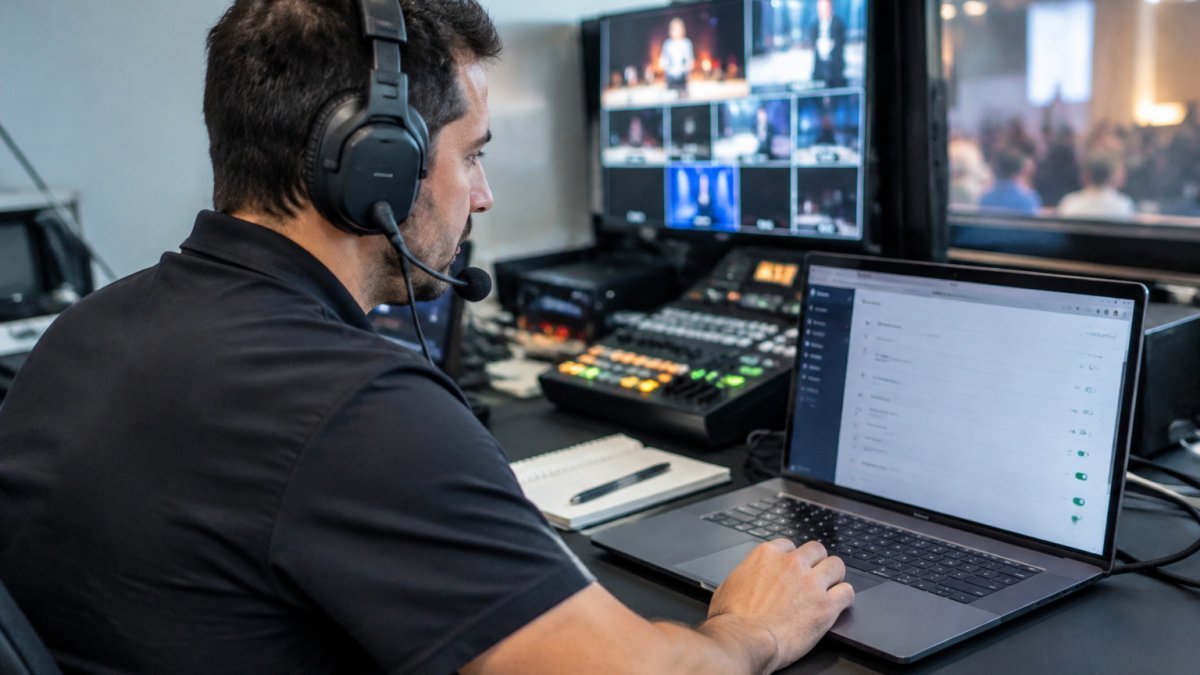
Access control is the most effective single measure for a sensitive broadcast. Restrict viewing to authenticated attendees rather than relying on a secret link alone, because links get forwarded.
Stream Keys, Credentials and Encryption
Stream keys are the credentials that let a broadcaster send video to a platform. Treat them like passwords: never paste them into shared documents, rotate them after each event, and limit who holds them.
Encryption protects the video while it travels between your encoder and the viewer. Confirm the platform uses encrypted delivery and that your contact channel to the vendor is also secured.
Platform and Vendor Evaluation
Before committing to a platform, ask specific questions. Can viewers be restricted by login or single sign-on? Are access tokens time-limited? Can recordings be controlled and deleted on request?
A short evaluation scorecard helps. Apply the same written scrutiny to any camera feeds used in the production, where secure remote access helps keep monitoring within approved boundaries.
Live Streaming Security Best Practices for Production Teams
Production teams are where many breaches start, through shared logins, unsecured laptops and informal messaging. Set clear rules before the rehearsal, not during the event.
- Use individual accounts for every operator, never a shared login.
- Enable multi-factor authentication on all streaming and encoder accounts.
- Keep encoder software and firmware updated before the event, not on the day.
- Run a rehearsal that includes a moderator and chat controls.
- Hold stream keys in a password manager, not in email or chat threads.
A common mistake is assuming the platform’s default settings are secure. Review each default, particularly chat permissions, recording options and whether the stream is publicly discoverable.
Protecting Live Stream Content, Privacy and Recording Governance
Recordings often outlast the event by years, so their governance matters as much as the live feed. Decide in advance who owns the recording, who may access it, how long it is kept, and how it is deleted.
Privacy obligations apply when attendees, speakers or staff appear on camera or in chat. Tell participants that the event is being streamed and recorded, and obtain consent where the content is personal.
Common Security Vulnerabilities in Live Streaming
Several weaknesses appear repeatedly in live broadcasts:
- Publicly shared links that were meant to stay private.
- Chat moderation left off, allowing spam or abusive messages.
- Unrotated stream keys reused from previous events.
- Single points of failure, such as one internet connection with no backup.
- Recordings stored on personal devices or unrestricted cloud folders.
Each of these is preventable with the controls described above. Reviewing them in your rehearsal checklist catches most problems before they reach the audience.
Live Stream Security Checklist and Responding to an Incident
Use this checklist in the final week before the event:
- Threat model documented and signed off
- Viewer access restricted to authenticated attendees
- Stream keys issued to named operators only and rotated after the event
- Multi-factor authentication enabled on all accounts
- Chat moderation and recording settings confirmed
- Backup internet connection tested
Assign incident roles before the event
An incident is easier to handle when the roles are already named. At minimum, agree on:
- Incident lead, the person who decides whether to pause, end or continue the stream.
- Platform contact, the person who holds the vendor support case number and can reach escalation.
- Comms owner, the person who prepares a holding message for attendees and, if needed, a statement for stakeholders.
- Scribe, the person who records times, actions and decisions in a single log.
Small events can combine roles, but the names should be written down. Under pressure, teams default to whoever is loudest, which is rarely the right person.
Scenario playbooks
The response differs by scenario. These are the ones most commonly encountered in live broadcasts.
Abusive or disruptive chat. Put chat into moderated mode, remove the offending messages, and mute or remove the accounts involved.
Account takeover. If an operator or admin account appears compromised, revoke its sessions, reset the password, and confirm multi-factor authentication is enforced.
Watch out: the most common mistake in an incident is acting before logging.
Decide on notification early
Once the immediate incident is contained, assess whether personal information was exposed. If attendee details, chat data or recordings may have been accessed without authorisation, the event owner and your privacy contact should assess whether notification obligations apply. The Office of the Australian Information Commissioner publishes guidance on assessing and notifying eligible data breaches, and the Australian Cyber Security Centre publishes incident reporting guidance.
Review after the event
Within a week of the broadcast, hold a short review against the threat model. Confirm which controls worked, which were bypassed under pressure, and which assumptions about the platform turned out to be wrong. Update the checklist and tier assessment so the next event starts from a better baseline.
The article sets out specific response steps for the most common live-stream incidents, which can be summarised as follows.
| Incident | First action | Follow-up |
|---|---|---|
| Stream hijacking or leaked key | End stream from encoder | Revoke and rotate key, check audit log |
| Leaked or forwarded join link | Remove uninvited attendees | Re-issue unique links to registered attendees |
| Abusive or disruptive chat | Switch chat to moderated mode | Keep copies of messages and account IDs |
| Account takeover | Revoke sessions and reset password | Check recording settings, access lists and billing |
| Availability loss | Switch to backup connection or encoder | Post holding message; follow failover plan |
Frequently Asked Questions
How do you secure a live event broadcast?
Start with a threat model, then restrict access with unique passcodes or single sign-on, keep stream keys out of shared documents, encrypt delivery where the platform allows it, and rehearse your response to disruption. Assign one person to own security decisions before the event. Review access lists again on the day, because staff changes and forwarded links are a common source of exposure. Keep a record of who had access so you can audit the broadcast afterwards if something goes wrong.
How can I prevent unauthorised viewers from accessing a live stream?
Use private streams with expiring access tokens or unique viewer links rather than a single public URL. Require registration and verify attendees against a list before issuing credentials. Avoid posting the stream link in open channels, and rotate or disable links once the event ends. Where the platform supports it, enable single sign-on so only authenticated staff or invited guests can join. Test the access flow yourself from an outside device before the event goes live.
What should a live stream security checklist include?
A useful checklist covers credential handling, including stream key storage and rotation; access settings such as private links, passcodes and sign-on; encryption and secure delivery; a backup connection and backup encoder; recording and redistribution rules; a named incident owner; and a post-event review. Add a rehearsal step that confirms each control works in practice. Tick each item off with a name and time, so the checklist doubles as an audit record for future events.
How should organisers respond if a live broadcast is compromised?
Stop the stream first, then revoke or regenerate the stream key and access tokens so the intruder cannot rejoin. Notify your incident owner and the platform provider, and preserve logs and recordings for review. Send a short, factual message to legitimate attendees explaining the interruption and the next steps. If personal information was exposed, assess your privacy obligations, and seek legal advice where needed.