7 Benefits of Cloud-Based Broadcast Redundancy Systems
Last Updated: November 20, 2026
Quick Summary
Cloud-based broadcast redundancy delivers fewer dropped streams because failover happens before viewers notice, lower infrastructure spend since you rent capacity instead of owning duplicate hardware, faster setup for multi-site events, elastic capacity during viewer spikes, cleaner recordings, less pressure on your IT team, and predictable recovery from tested failover. It is best treated as an architecture decision first and a technology purchase second.
- Two encoders in the same room on the same switch are not redundant because they fail together.
- Active-active carries the stream on multiple paths at once but you pay for duplicated capacity on every event.
- Geographic failover puts primary ingest in one cloud region and standby in another to survive region-level outages.
- Set recovery time objective and recovery point objective before the event, not during it.
- Run a failover drill before every major event and log the timings against your stated RTO.
Table of Contents
- What Cloud-Based Broadcast Redundancy Actually Means
- The Benefits That Matter Most for Live Production
- How Live Streaming Failover Works in Practice
- Building a Redundant Live Streaming Workflow
- Broadcast Disaster Recovery: Planning for the Worst Case
- Broadcast Redundancy Testing Before You Go Live
- What Redundancy Costs and What It Saves
- Get a Quote for a Fail-Safe Broadcast Setup
- Frequently Asked Questions
What Cloud-Based Broadcast Redundancy Actually Means
Cloud-based broadcast redundancy is the practice of running your live production and delivery across multiple cloud-hosted paths so that no single failure takes the stream down. It is best treated as an architecture decision first and a technology purchase second. Most outages we hear about trace back to a single point of failure nobody mapped: one encoder, one network route, one origin server.
The distinction matters because “redundant” gets used loosely. Two encoders in the same room on the same switch are not redundant. They fail together.
Cloud redundancy versus a backup stream
A backup stream is a second feed you switch to after something breaks. Cloud redundancy is a design where the second path is already running, already synced, and takes over without a human scrambling for a cable. The first is a safety net. The second is a system.
The Benefits That Matter Most for Live Production
The benefits of cloud based broadcast redundancy systems come down to several practical gains for live production teams:
- Fewer dropped streams because failover happens before viewers notice
- Lower infrastructure spend since you rent capacity instead of owning duplicate hardware
- Faster setup for multi-site and multi-state events
- Elastic capacity when viewer numbers spike
- Cleaner recordings because the feed that survives is the feed that gets archived
- Less pressure on your IT team when managed services handle monitoring
- Predictable recovery because you have tested the failover, not hoped for it
That third and seventh point carry the most weight in practice. A redundant live streaming workflow is only as good as the people who can run it under pressure.
How Live Streaming Failover Works in Practice
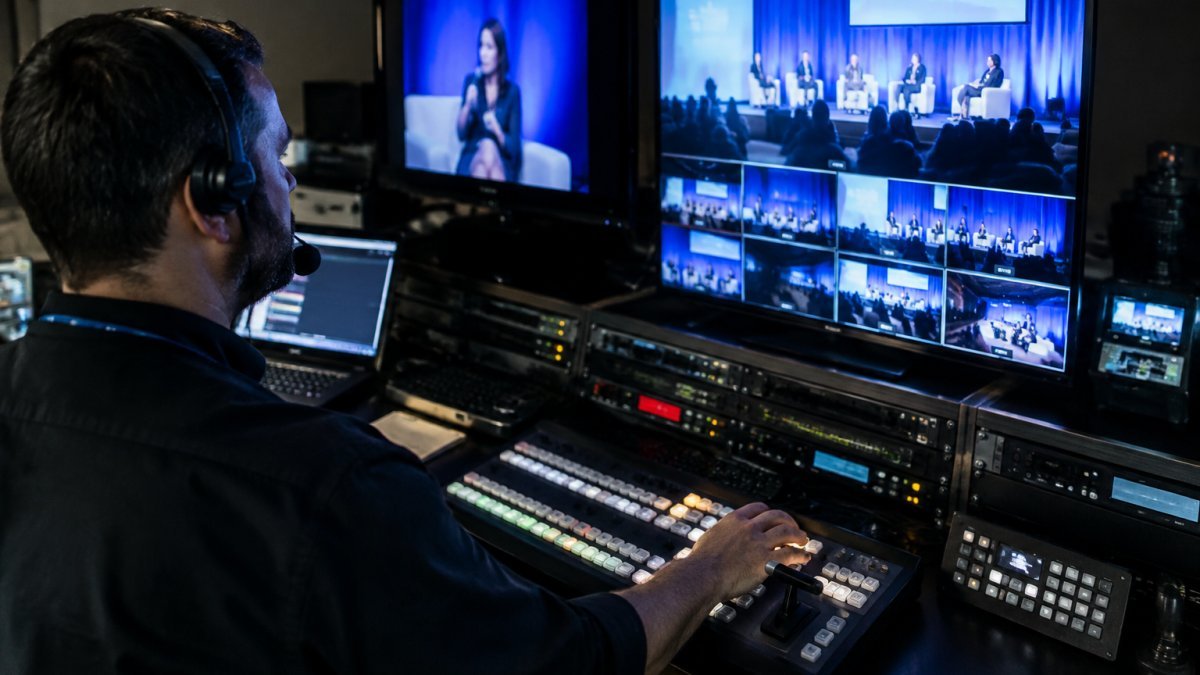
Live streaming failover is the automatic switch from a primary signal path to a secondary one when the primary degrades or fails. The switch should happen in seconds, not minutes, and the design question is which failover architecture you are actually running.
The four architectures worth knowing
- Active-active: two or more paths carry the stream simultaneously and the platform selects or blends the healthiest. Failover is effectively instantaneous because there is no cold start, but you pay for duplicated encode, ingest and egress capacity on every event.
- Active-passive: the secondary path is warm but not carrying the primary feed until a health check trips. Cheaper to run, but recovery time depends on how fast the standby can be promoted and how recently it was synchronised.
- Geographic failover: primary ingest and processing sit in one cloud region and the standby in another, so a region-level outage does not take both down. This is the architecture that protects against the failure mode most teams forget to plan for.
- Redundant contribution paths: separate encoders, separate carriers and separate ingest endpoints, so no single encoder, router or ISP link is a shared dependency. Two encoders in the same rack on the same switch are not redundant; they fail together.
Map failure scenarios to recovery objectives
Before choosing an architecture, write down what you are protecting against and how fast you must recover. Two targets do the work: recovery time objective (RTO), the maximum acceptable outage, and recovery point objective (RPO), the maximum acceptable gap in the recording or archive.
| Failure scenario | Typical RTO | Typical RPO | Practical recovery procedure |
|---|---|---|---|
| Encoder failure | Seconds to under a minute | None if both encoders run continuously | Secondary encoder already pushing to the standby ingest; platform promotes it automatically |
| Single network path loss | Seconds | None | Secondary carrier or bonded link takes over; confirm both ingest paths stay live |
| Cloud region failure | One to several minutes | None if storage is replicated across regions | Orchestration promotes the standby region; verify player and CDN origin switch together |
| Operator error (wrong source, wrong scene) | Seconds to minutes | Depends on archive cadence | Rollback to last known-good configuration; name one person empowered to make the call |
| Distribution or CDN issue | Minutes | None | Shift traffic to a second delivery path; check last-mile playback, not just ingest health |
Those targets are planning figures, not guarantees. Most practitioners set RTO by asking what the audience will tolerate: for a corporate broadcast, an outage longer than about a minute is usually treated as a failure, so the architecture and the runbook have to deliver recovery inside that window.
The synchronisation problem nobody warns you about
In a cloud setup, the encoder pushes to two ingest points and the platform monitors both. When the primary drops below a quality threshold, the secondary takes over and viewers stay on the same player. What most guides miss is timing: if the two paths drift apart, the failover creates a visible jump in audio or video.
Watch out: a failover that works in testing but has never been triggered under real load is a guess, not a guarantee.
For teams building this properly, our guide to best practices for redundant internet for events covers the connectivity side in more detail.
Building a Redundant Live Streaming Workflow
A redundant live streaming workflow has four layers, and each one needs its own backup:
- Capture: two cameras or two encoders where the event justifies it
- Connectivity: separate internet paths, ideally different carriers
- Ingest and processing: dual cloud ingest points with automatic switching
- Delivery: a content distribution network with multiple edge locations
The common mistake is overbuilding one layer and ignoring the rest. Two encoders mean nothing if both sit behind the same router. Map the full signal path before you buy anything.
Cloud workflows also let you reconfigure quickly. If a venue’s connectivity is weaker than expected, you can shift processing load to the cloud rather than rebuilding on site.
Broadcast Disaster Recovery: Planning for the Worst Case
Broadcast disaster recovery is the plan for when redundancy itself fails: a venue loses power, a carrier goes down across a region, or a key operator is unavailable.
Set those targets before the event, not during it. For most corporate broadcasts, losing the stream for more than a minute is unacceptable, so the recovery objective should reflect that.
Events in regional or remote locations need extra planning. Our guide to reliable webcasting for regional areas covers the connectivity risks specific to those setups.
Broadcast Redundancy Testing Before You Go Live
Broadcast redundancy testing is the deliberate process of breaking your own setup to prove the backup works. Do it before every major event, not once a year, and treat the drill as a rehearsal of the runbook rather than a box-ticking exercise.
A repeatable failover drill
- Confirm both ingest paths are live, synced and reporting healthy in monitoring.
- Pull the primary connection and time the failover against your stated RTO.
- Check audio and video sync, and measure path drift, after the switch.
- Verify the recording captured the full session with no gap against your RPO.
- Repeat on a secondary device and a second network to check delivery quality, not just ingest health.
- Roll back to the primary path deliberately and confirm the system returns cleanly.
- Log the result, the timings and anything that surprised you.
Validate the alerts, not just the switch
A failover nobody is told about is only half a system. During the drill, confirm that the right people receive the alert, that it names the failed component rather than a generic error, and that it reaches whoever is on call at that hour. A common pattern is an alert that fires correctly but routes to a mailbox nobody checks during an evening broadcast.
Write the runbook around decisions
The runbook should name who is authorised to declare an incident, who makes the call to switch or roll back, the escalation path if the first responder is unavailable, and the phone number for every link in the chain, including carriers and the cloud provider. Keep it short enough to follow under pressure and store it somewhere reachable when the production network is down.
Close the loop after every incident
After any real failover or drill, run a short post-incident review: what failed, how long recovery took against the RTO, whether the archive gap met the RPO, and which single change would most reduce the risk next time. Feed that back into the architecture and the runbook so the next drill tests the fix.
Watch out: testing failover during a rehearsal is fine. Testing it for the first time during a live AGM is not.
If your team lacks the capacity to run these checks, technical support for hybrid event streaming can take that off your plate.
What Redundancy Costs and What It Saves
Pricing for cloud redundancy depends on event scale, duration, and how many paths you run. For current prices and a quote for your event, visit the Webcasting Livestream pricing page.
On-premises redundancy means buying duplicate encoders, switches, and backup power, then maintaining all of it year-round for events that happen a few times a year. Cloud redundancy turns that into operating cost you scale up for event day and scale down after.
The savings show up in maintenance and staff time as much as hardware.
Get a Quote for a Fail-Safe Broadcast Setup
The real challenge is not choosing redundancy features. It is proving your setup works when it counts, under load, with an audience watching.
Webcasting Livestream provides fail-safe procedures, HD streaming across all devices, and recordings of your event provided at no extra cost. You retain ownership of your content.
If you want to see what a resilient setup looks like for your next event, explore our live streaming services and request a quote.
A dropped stream during a live AGM or product launch costs more than the broadcast itself.
Frequently Asked Questions
What is a cloud-based broadcast redundancy system?
It is a setup where your live stream runs across more than one cloud-hosted path at the same time, so if an encoder, server or network link fails, another takes over without the audience noticing. Rather than relying on a single on-premises rack, the encoding, playout and delivery functions sit in cloud infrastructure with duplicate instances ready to pick up the feed. The result is broadcast redundancy that scales with your event instead of being capped by the hardware in your building.
How does cloud redundancy prevent a live stream from going offline?
Cloud redundancy uses health checks and automatic failover. The system constantly polls each ingest point and delivery node; when one stops responding, traffic reroutes to a healthy instance within seconds. Because the backup runs in a separate availability zone or region, a local power cut or internet outage at your venue does not take the whole stream down. Pair this with a redundant live streaming workflow, where the encoder also sends a second signal, and a single failure has nowhere to cascade.
How can you test a redundant broadcast system before an event?
Run broadcast redundancy testing at least a week out. Simulate failures deliberately: pull the primary encoder’s network cable, disable one ingest URL, and throttle bandwidth to mimic a poor regional connection. Confirm the switchover happens within your target recovery time and that audio and video stay in sync. Repeat the test with the backup as primary, then write the results into a runbook so your operator knows exactly what to expect on event day.
Can cloud-based redundancy reduce broadcast infrastructure costs?
It often does, because you rent capacity for the event rather than buying duplicate hardware that sits idle most of the year. Maintenance, power, cooling and refresh cycles for on-premises equipment disappear from the budget. That said, total cost depends on how much redundancy you run and for how long. Request a quote from Webcasting Livestream to compare costs for your event before committing.