Best Practices for Redundant Internet for Events
Last Updated: November 18, 2026
Quick Summary
Redundant internet is a secondary connectivity path that keeps a live broadcast running when the primary line fails, so it must fail independently of your primary line. Pair a fixed-line primary with 4G/5G cellular, satellite, or a point-to-point link from a second provider, then test failover under full load before doors open.
- Two connections sharing one fibre entry, provider, or duct are one connection wearing two invoices.
- Failover keeps one path in standby, while load balancing spreads traffic across both paths at once.
- Point health checks at a real external endpoint, not just link status, to catch upstream failures.
- Require sustained loss across several probes before switching, then a longer stable period before switching back.
- Test from the actual broadcast position and pull the primary line while the encoder runs at full bitrate.
Table of Contents
- Why Redundant Internet Decides Whether Your Event Stays Live
- Live Streaming Internet Requirements: Sizing Bandwidth and Capacity
- Backup Internet for Events: Choosing Your Secondary Paths
- Event Internet Failover: Configuring 4G/5G, Fixed-Line and Load Balancing
- Event Internet Connectivity Testing Before Doors Open
- Network Segmentation, Security and Spectrum Compliance
- Book a Redundancy Review for Your Next Broadcast
- Frequently Asked Questions
Why Redundant Internet Decides Whether Your Event Stays Live
Redundant internet is a secondary connectivity path that keeps a live broadcast running when the primary line fails. A dropped stream is not a technical inconvenience.
The real cost of a dropped stream rarely appears on an invoice. It shows up as a stalled annual general meeting, a product launch that flatlines mid-demo, or a town hall where the minister’s address cuts out.
Most organisers plan for bandwidth and ignore failure paths. That is the wrong order.
Live Streaming Internet Requirements: Sizing Bandwidth and Capacity
Live streaming internet requirements come down to three numbers: upload throughput, concurrent users, and total data usage across the event window.
Start with upload. Your encoder needs a stable outbound path sized well above the stream bitrate, with headroom for retransmission and burst. A 1080p feed at a healthy bitrate leaves little room on an undersized line, so plan capacity, not the minimum.
Concurrent Users, Throughput and Data Usage
Separate your audience from your production traffic. Viewer traffic hits the streaming platform’s edge network, not your venue link, but on-site attendees, exhibitors, and crew all share the venue’s bandwidth.
Then estimate data usage across the full run: rehearsals, doors, live show, and teardown. Cellular plans with hard data caps are a common trap. A backup path that throttles halfway through a three-day conference is not redundancy.
Backup Internet for Events: Choosing Your Secondary Paths
Backup internet for events only counts if it fails independently of your primary line.
The practical mix for most venues is a fixed-line primary paired with 4G/5G cellular, satellite, or a point-to-point link from a second provider.
| Secondary path | Best for | Watch out for |
|---|---|---|
| 4G/5G cellular | Fast deployment, metro venues | Congestion, data caps, variable latency |
| Satellite internet | Remote and regional sites | Higher latency, weather sensitivity |
| Second fixed-line | Permanent venues | Shared physical entry points |
| Point-to-point wireless | Temporary outdoor sites | Line-of-sight requirements |
If you are weighing satellite against cellular for a remote site, our comparison of satellite versus 5G for remote live events goes deeper on which path suits which venue.
Event Internet Failover: Configuring 4G/5G, Fixed-Line and Load Balancing
Event internet failover is the automatic switch from a failed primary path to a working secondary one. Configure it deliberately, because failover and load balancing solve different problems and are often confused in event planning.
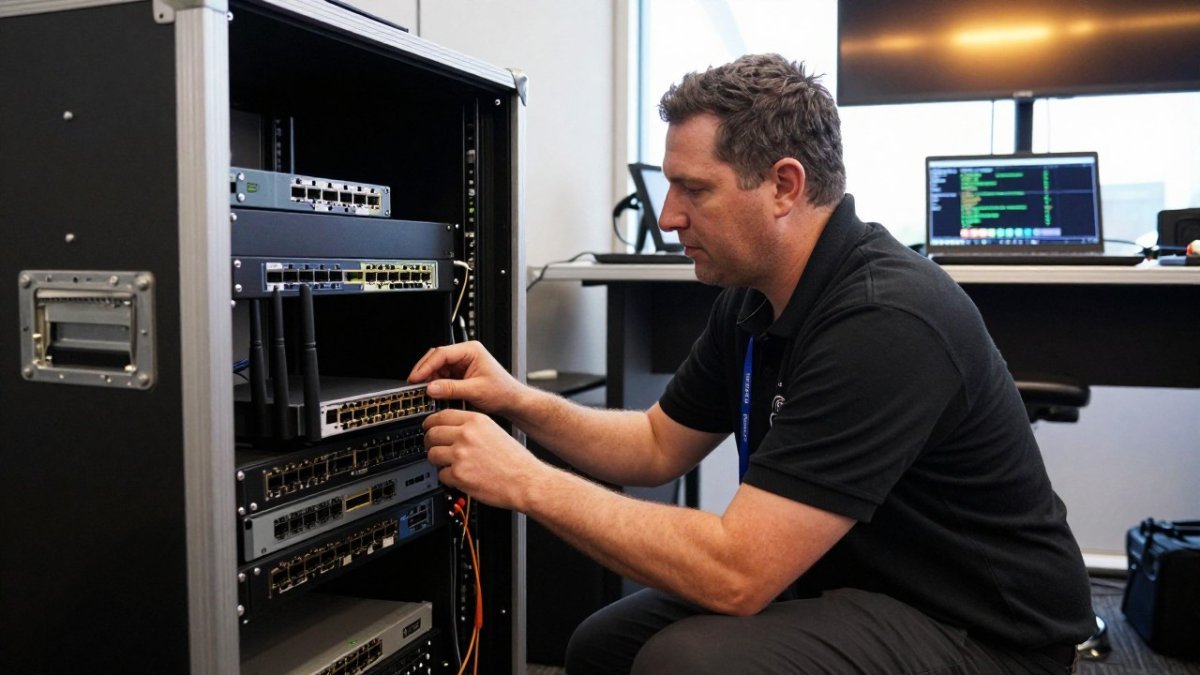
Failover keeps one path active and holds the other in standby, switching only when the primary degrades past a threshold. Load balancing spreads traffic across both paths at once.
Designing Health Checks That Actually Detect Failure
A health check that only pings the gateway will happily report “up” while the upstream provider is dropping packets. Probe a real external endpoint instead, a public DNS resolver, a streaming ingest host, or a small file on a known-good server, and measure round-trip time and packet loss, not just reachability.
A common pattern is to run two checks at different layers: an ICMP or DNS probe for basic reachability, and an HTTP or RTMP probe against the actual ingest endpoint. The second catches the failure mode that matters most to a broadcast: the line is up, but the path to the streaming platform is not.
Tuning Thresholds, Hysteresis and Flapping
Failover thresholds decide how much degradation triggers a switch. Set them too tight and a brief burst of packet loss during bump-in will bounce the stream onto cellular for no reason. Set them too loose and the encoder keeps pushing through a dying line while viewers see artefacts.
A workable starting point is to require sustained loss or latency breach across several consecutive probes before switching, then to require a longer stable period before switching back.
Configuring the Paths
- Set the primary fixed-line as the default route and the cellular modem as the standby, with the modem powered and registered on the network before doors open, a cold SIM that has to attach mid-show adds seconds you cannot spare.
- Point health checks at a real external endpoint, not just link status.
- Tune failover thresholds and hysteresis so brief packet loss does not trigger a needless switch.
- Enable Quality of Service rules that prioritise the encoder’s outbound stream over attendee traffic on both paths.
- Confirm the encoder reconnects automatically after a switch, without a manual restart or a re-login to the streaming platform.
- Log every failover event for post-event review.
For cellular standby, watch the data cap and the plan’s throttling behaviour. A backup path that throttles halfway through a three-day conference is not redundancy.
Watch out: testing failover only by unplugging the primary cable. That proves the switch works, not that the backup path can carry the stream. Pull the primary while the encoder is running at full bitrate and confirm the stream recovers on the secondary.
Where SD-WAN Fits
Most event guides stop at basic failover. SD-WAN goes further by steering traffic per application across multiple paths, so the encoder’s stream can be pinned to the healthiest link while attendee traffic uses the rest. For multi-day conferences with several production feeds, that application-aware steering is the difference between a blunt switch and a graceful one. The trade-off is complexity: SD-WAN needs configuration and testing time that a single-stream event may not justify.
Event Internet Connectivity Testing Before Doors Open
Event internet connectivity testing is the step most teams skip, and it is the one that catches problems while you can still fix them.
Test under realistic load. Run the encoder at full bitrate, simulate concurrent users on the Wi-Fi, and watch latency, jitter, and packet loss rather than raw throughput.
- Speed test both paths at the event’s peak hour
- Confirm failover triggers within your tolerance
- Verify encoder reconnects without a manual restart
Watch out: testing only on the day of the event. Venue networks behave differently once exhibitors and attendees arrive, so validate during bump-in.
Network Segmentation, Security and Spectrum Compliance
Network segmentation separates your broadcast traffic from public and exhibitor networks so a crowded Wi-Fi SSID cannot degrade the stream. Put production on its own VLAN, apply client isolation on public SSIDs, and use a captive portal for guest access. That much is standard advice. The gap most event guides leave open is what happens on the public-facing side, where a temporary high-density network is at its most exposed.
Segmenting Production from the Crowd
Treat the broadcast as its own security zone. The encoder, production laptops and any control devices sit on a dedicated VLAN with no route to the guest network.
On the public SSIDs, enable client isolation so one attendee device cannot reach another. In a crowded venue, client isolation is as much a performance measure as a security one, it stops peer-to-peer chatter and mDNS noise from flooding the access points.
Hardening the Public-Facing Network
Security matters when you stream sensitive internal communications, but the public network needs its own protections.
Encrypt the feed, restrict access, and keep production devices off the public network entirely. If you are weighing protected delivery against an open broadcast, our guide to secure streaming versus standard broadcasting explains the difference.
Watch out: leaving the access point management interface reachable from the guest VLAN. Change default credentials and put management on the production VLAN before the network goes live.
Spectrum Compliance and Interference
Spectrum compliance is the angle most guides ignore. Wireless equipment in Australia operates under the radiocommunications framework administered by the Australian Communications and Media Authority, which sets which bands and power levels you may use.
Compliance is only half the job. Crowded event spaces are radio-hostile: hundreds of phones, exhibitor hotspots and neighbouring events all compete for the same bands.
Book a Redundancy Review for Your Next Broadcast
The final step is the one that turns planning into confidence: a redundancy review before your next event.
Webcasting Livestream’s offering includes fail-safe procedures, a no drop-off guarantee, recording of every feed provided at no extra cost, and HD quality streaming across all devices. You can see the full scope of our live streaming and webcasting services and how we manage redundancy end to end.
Get started with Webcasting Livestream and put a tested redundancy plan behind your next broadcast.
A dropped stream is a decision you make months earlier, when you choose a single internet path and hope. Build the second path, test the switchover, and let the show run.
Frequently Asked Questions
What does redundant internet mean for an event?
Redundant internet means having at least two independent ways for your event traffic to reach the internet, so a single failure does not stop the stream. Typically that is a fixed-line service plus a 4G or 5G cellular path, ideally from a different provider and entering the venue by a different route. A router or SD-WAN appliance watches the primary link and switches traffic when it drops. Redundancy protects against cable damage, carrier outages and congestion, but only if the secondary path is tested and sized for the load.
How do you set up backup internet for a live event?
Start with a site survey and a speed test at the venue, then order a primary fixed-line circuit and a separate cellular or fixed-wireless service. Configure the router so the secondary link takes over automatically, and set QoS rules that prioritise the encoder’s upload traffic over guest Wi-Fi. Run a full rehearsal with both links active, then pull the primary cable to confirm the switch works. Keep the cellular modem on a plan with enough data for the whole broadcast, and check signal strength in the exact position it will sit on the day.
What is the best internet failover option for events?
For most events, a fixed-line primary with a 4G or 5G cellular secondary gives the best balance of cost and resilience. Where the venue has fibre and a second carrier can deliver a separate circuit, dual fixed-line with SD-WAN is stronger still. Satellite works as a last resort for regional sites but adds latency, which matters for interactive streams. The deciding factor is independence: two connections from the same carrier or the same duct are not true redundancy, because one fault can take both down.
How much bandwidth does an event need for live streaming?
Work backwards from the encoder. A 1080p stream at 4.5 Mbps needs roughly 5.5 Mbps of stable upload once you allow headroom, and you should double that if you are sending a backup feed or streaming to multiple platforms. Add guest and production Wi-Fi on top, then add 30 to 50 percent headroom for peaks. Measure actual throughput with a speed test at the venue rather than trusting the venue’s quoted figure, and check upload speed specifically, since most venue circuits are asymmetric.
How should you test event internet before going live?
Test in three stages. First, a site survey weeks out to confirm signal, carrier coverage and circuit availability. Second, a full dress rehearsal with the real encoder, cameras and bitrate, running for at least as long as the event’s longest session. Third, a failover drill where you physically disconnect the primary link and time how long the stream takes to recover. Log latency, jitter, packet loss and throughput throughout, and keep a written contingency plan with contact numbers for each carrier.
Can 4G or 5G be used as backup internet at an event?
Yes, and it is the most common secondary path for events. Cellular works well as a backup because it does not share a cable or duct with the venue’s fixed line, so a digger or a building fault will not take both down. Two caveats apply. First, check congestion: a packed venue can saturate local mobile towers, so test at event time, not at 9am on a Tuesday. Second, use an external antenna and a business-grade modem rather than a phone hotspot, and confirm the data plan covers the full broadcast.
How do you prevent Wi-Fi congestion at a large event?
Separate your traffic. Put the encoder and production equipment on their own wired or dedicated wireless network, and give guests a different SSID with client isolation and traffic shaping so one heavy user cannot starve the room. Use enterprise-grade access points sized for concurrent users, not consumer routers, and plan channel allocation to avoid overlap. For high-density rooms, more access points at lower power beats fewer access points at high power. Monitor throughput during the event and be ready to throttle guest bandwidth.
What should an event internet contingency plan include?
A written contingency plan should list every connection, its provider, the account number and a 24-hour support contact. Include the failover sequence, who authorises the switch, and how the encoder is reconfigured if needed. Add a fallback for the stream itself, such as a lower bitrate profile or an audio-only option, plus a recorded backup in case the live feed fails entirely. Note the venue’s power setup too, since a UPS on the network rack matters as much as the second internet line.