Table of Contents
- Why Basic Live Streaming Platforms Fall Short
- Professional Live Streaming Platforms for Corporate Events
- Corporate Live Streaming Platforms: Features That Matter
- Private Live Streaming Platform Options for Sensitive Content
- Live Streaming Platform Comparison: What to Evaluate
- Multistreaming and Distribution Capabilities
- Frequently Asked Questions
Last Updated: October 19, 2026
Why Basic Live Streaming Platforms Fall Short
Basic live streaming platforms often fail when organisations need reliability, content ownership, or advanced audience engagement, and teams discover why live streaming platform alternatives matter mid-event, when it’s too late.
The core problem isn’t missing features: basic platforms are built for casual creators, not organisations where a dropped connection during your AGM is a crisis.
Organisations that switch to professional live streaming platforms often report relief from technical scrambling, ownership confusion, or mobile buffering.
Professional Live Streaming Platforms for Corporate Events
Professional live streaming platforms are built for organisations running events where failure isn’t an option, prioritising reliability, security, and content control over feature volume or low cost.
Corporate events demand thousands of concurrent viewers without degradation, included recording, audience authentication, and meaningful analytics.
A professional platform can pay for itself through reduced technical risk and reusable recordings for training, compliance, or future reference, content ownership alone can justify the move.
Corporate Live Streaming Platforms: Features That Matter
When evaluating corporate live streaming platforms, focus on features that directly reduce risk and increase control. Not every feature matters equally.
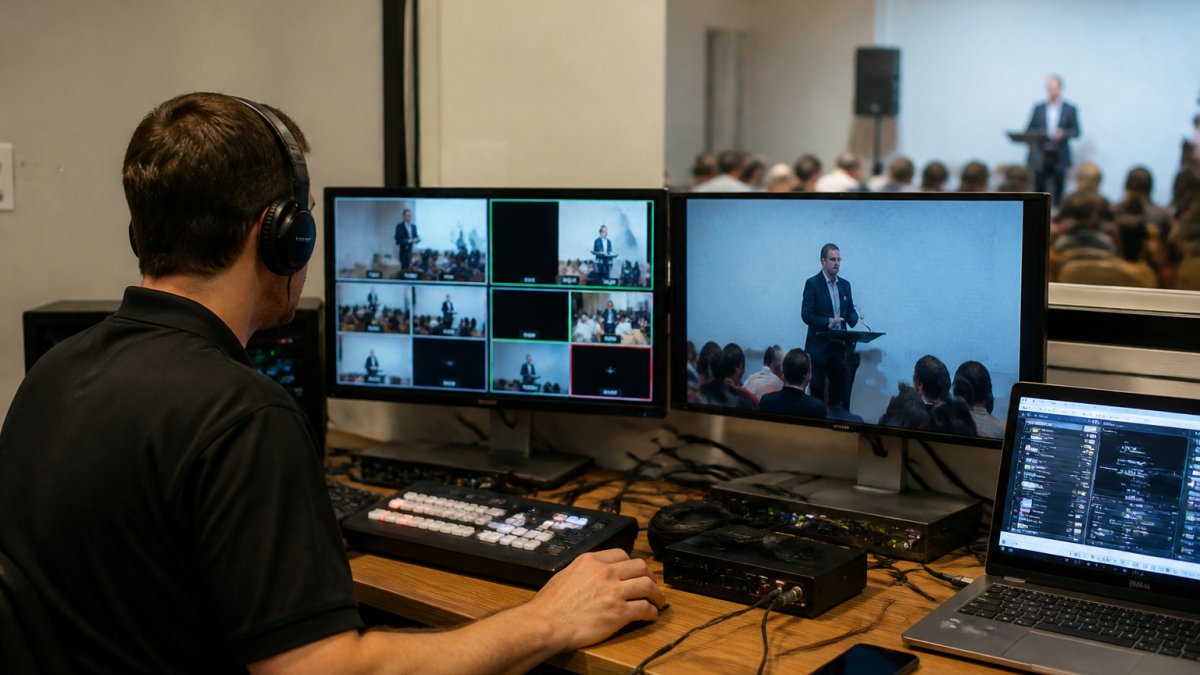
The non-negotiable features for corporate use are:
- No-drop-off guarantee: Your stream stays live. If something fails on the platform’s side, you have documented recourse and support.
- Content ownership: You own the recording. You decide how it’s distributed, archived, or reused. No licensing restrictions, no hidden fees to download.
- HD across all devices: Desktop, tablet, mobile, the same quality everywhere. This matters because your audience isn’t all on high-speed connections.
Secondary features like custom branding and detailed analytics add value but aren’t dealbreakers if the core features are solid. Focus on what prevents failure, not marketing appeal.
Private Live Streaming Platform Options for Sensitive Content
Organisations handling confidential information, board meetings, internal communications, sensitive training, need a private live streaming platform with genuine security controls, not just a “private” checkbox.
A truly private platform means:
- Restricted access with authentication (only invited participants can view)
- No public discoverability or accidental leaks through search engines
- Encryption during transmission and storage
A password option isn’t the same as a platform designed for sensitive content, which keeps your stream off public-facing infrastructure, controls every access point, and provides audit trails.
This matters for compliance, legal risk, and trust. If you regularly stream sensitive communications, a platform built for that use case is worth the investment.
Live Streaming Platform Comparison: What to Evaluate
Choosing between live streaming platform options requires a clear framework: how platforms behave under load, what they cost once you add extras, and how much control you keep over your audience and recordings. The table below covers the criteria that matter, followed by the cost and technical detail generic lists leave out.
| Evaluation Criteria | What to Check | Why It Matters |
|---|---|---|
| Uptime guarantee | Does the platform publish uptime %, and is it backed by an SLA with remedies? | A failed stream during your event is unrecoverable. You need documented guarantees, not marketing claims. |
| Content ownership | Do you own the recording, or does the platform? | You may need to reuse, archive, or distribute content later. Ownership determines what you can do. |
| Concurrent viewer limit | What’s the maximum simultaneous viewers on your plan, and what happens at the limit? | Exceeding this limit causes buffering or crashes. Know your expected attendance and the overage behaviour. |
| Recording included | Is recording automatic and included in pricing, or billed per hour or per download? | Extra charges for recordings add up. Automatic capture prevents accidental loss. |
| HD across devices | Is quality consistent on mobile, tablet, desktop, and at what bitrate? | Poor mobile experience means your audience gets a worse product than desktop viewers. |
| Support availability | Is live support available during your event, and at what tier? | Technical issues don’t follow business hours. You need someone available when you’re live. |
| Authentication options | Can you restrict access to invited viewers only, with SSO or email verification? | Public streams and private events require different controls. |
| Data handling | Where are recordings stored, and what is the retention and deletion policy? | Some industries require local data storage or specific compliance controls. |
| Migration and export | Can you export recordings, captions, and audience data in standard formats? | This determines whether you can leave without losing your content library or contact list. |
A Needs-Based Shortlist
Rather than comparing every platform against every criterion, shortlist by the job you need done:
- Branded public events and product launches: prioritise custom branding, high concurrent viewer ceilings, and multistreaming to your own site and social channels.
- Paid events, memberships, and ticketed webinars: prioritise built-in payment handling, registration workflows, and attendee analytics. Check transaction fees carefully, as they often exceed the subscription cost at scale.
- Internal and sensitive communications: prioritise authentication, encryption, audit trails, and data residency controls over engagement features.
Total Cost Scenarios
Headline subscription prices are rarely the real cost. Build a scenario for your expected usage and compare like for like. A low entry price may exclude recording storage, charge per extra streaming hour, or bill per registrant above a threshold.
Ask each provider for a written quote covering base subscription, included streaming hours and overage rate, recording storage and download fees, registration or transaction fees, live-event support tier, and multistreaming charges.
Technical Requirements to Confirm
Technical criteria are where basic tools most often fall short, and they’re rarely prominent in feature-led roundups. Confirm the following before you commit:
- Latency: understand the difference between standard latency (typically tens of seconds, suitable for large broadcasts) and low-latency modes (a few seconds, suitable for interactive Q&A). Ask which mode applies to your plan.
- Bitrate and resolution: confirm the platform accepts your encoder’s output and transcodes to multiple renditions so viewers on slower connections get a stable stream.
- Encoding and ingest: check supported protocols (RTMP and SRT are common) and whether the platform provides a backup ingest URL for encoder failover.
Reliability and Uptime Guarantees
Your platform’s uptime determines whether your event succeeds or fails. A 99.5% uptime guarantee sounds good until you realise it allows 3.6 hours of downtime per year.
Look for platforms that publish their uptime percentage, back it with an SLA, and document what happens if they miss it.
Uptime is only one part of reliability. You also need platform redundancy and geographic distribution so regional internet issues don’t affect your stream.
Content Ownership and Recording Access
Ownership of your recording determines what you can do after the event. If the platform owns the content, expect restrictions on downloading, retention, or internal sharing.
True ownership means downloading without limits, storing indefinitely, and using the recording for training, compliance, or future reference without permission or extra fees.
Ask directly: Do I own the recording, or does the platform? Can I download it in a standard format? Are there storage limits?
Audience Engagement and Interactivity
Live chat, Q&A, polls, and other engagement features keep audiences active, but not all are equal: some offer basic chat that’s hard to moderate, while others provide tools designed for professional events.
For corporate events, consider whether the platform supports:
- Moderated chat (so you can filter inappropriate comments)
- Q&A queues (so questions are submitted and answered systematically rather than lost in chat)
- Polls and surveys (useful for real-time feedback)
Engagement features matter most when your audience is large or you need to control the conversation: basic chat may suffice internally, but public-facing events need sophisticated tools to prevent chaos.
A useful test is to ask each provider for a written total-cost quote for your busiest event, plus a demonstration of failover and export.
Multistreaming and Distribution Capabilities
Many organisations want to broadcast simultaneously to their website, YouTube, LinkedIn, or Facebook. Multistreaming (also called simulcasting) avoids managing separate streams for each platform.
Built-in multistreaming sends your single stream to multiple destinations automatically, reducing complexity and ensuring consistency.
Multistreaming also matters for reach: some viewers prefer YouTube, others LinkedIn, and streaming to multiple platforms meets your audience where they already are.
How Multistreaming Works in Practice
Most platforms implement multistreaming by accepting a single ingest from your encoder and re-pushing that stream to each destination using its stream key. In practice:
- You configure each destination once, typically by pasting a stream key or authorising the platform through OAuth.
- The platform transcodes your stream into the formats each destination expects, which is why quality can vary between destinations.
- Chat and comments usually stay on each destination rather than consolidating, so moderation effort multiplies with each platform you add.
- If one destination rejects the stream (for example, a key expires or a policy check fails), the others should continue, but you need to confirm that behaviour with the provider.
Check whether the platform supports the specific services you use (YouTube, LinkedIn, Facebook, your own website), whether there are additional costs per destination, and whether quality is maintained across all streams. Ask about destination limits per plan, because some platforms cap the number of simultaneous outputs.
Distribution Beyond Social Platforms
Multistreaming is only one distribution path. Consider whether you also need:
- Embedded player on your own site: keeps the viewing experience branded and keeps you closer to the audience relationship.
- On-demand publishing: automatic publishing of the recording to a library or portal after the event.
- Private distribution: authenticated links or portal access for internal or paid audiences.
- Audio-only or podcast distribution: useful for audiences who consume content on the move.
Migration Guidance: Moving Without Losing Your Audience
Most roundups stop at choosing a platform. The harder question is how to switch without losing your content library, audience relationships, or workflow. Before you migrate, confirm the following with both providers:
- Recording export: can you download every recording in a standard format, and is there a bulk export option? Check whether downloads are rate-limited or billed.
- Captions and transcripts: are these exported with the recordings, or do they stay behind?
- Audience data: can you export registrant lists, attendee reports, and contact details in a standard format such as CSV? This is the difference between owning your audience relationship and renting it.
- Embedded links and integrations: inventory every page, LMS, or intranet where your current player is embedded, and confirm the new platform provides replacement embed codes and redirect options.
Do not cancel your existing platform until you have confirmed that recordings, captions, and audience data have been exported and verified. Retention policies vary, and some providers delete content shortly after cancellation.
Ownership, Privacy, and Control
Distribution decisions affect who owns the audience relationship. Streaming only to third-party social platforms gives you reach but limits viewer data access; streaming through your own embedded player, or a platform with attendee-level analytics and exportable contact data, keeps the relationship with you. For regulated industries, confirm where stream data and recordings are stored, who can access them, and the deletion policy, questions rarely covered in feature-led comparisons but decisive for post-event control.
Frequently Asked Questions
What is the difference between a basic and professional live streaming platform?
Basic live streaming platforms typically offer simple broadcast tools but lack reliability guarantees, content ownership clarity, and fail-safe procedures. Professional live streaming platforms provide managed services, no drop-off guarantees, automatic recording, HD quality across all devices, and dedicated technical support. For corporate events, webinars, or sensitive communications, professional platforms ensure your stream won’t fail and your content remains secure and owned by you.
How do I choose the right live streaming platform for my corporate event?
Evaluate platforms based on uptime guarantees, content ownership policies, audience size capacity, security features, and recording access. Consider whether you need multistreaming to social channels, regional reliability across varying internet quality, and live chat or engagement tools. For sensitive internal communications, prioritise platforms with private streaming options and encryption. Request demonstrations and check whether the provider offers managed services rather than self-service only.
Can I stream corporate events privately on a live streaming platform?
Yes, professional live streaming platforms offer private streaming options with authentication controls, password protection, and restricted access. This ensures sensitive internal communications, AGMs, or confidential product launches remain secure. Verify that the platform supports private broadcast settings, doesn’t require public visibility, and provides encryption. Confirm the provider’s security measures and whether they guarantee content won’t be accessible to unauthorised viewers or competitors.
What happens if a live streaming platform fails during my event?
Basic platforms often have no accountability if streams fail. Professional platforms offer no drop-off guarantees backed by fail-safe procedures and technical redundancy. Ask potential providers about their uptime commitment, what happens if a failure occurs, and how they prevent issues. Managed service providers typically have dedicated technical teams monitoring your stream in real-time and can intervene immediately if problems arise.