Table of Contents
- Define Your Audience and Webcast Objectives
- Select the Right Webcast Platform and Technology
- Plan Your Webcast Agenda and Content Structure
- Managed Webinar Services: Handling Technical Delivery
- Corporate Live Streaming Best Practices for Engagement
- Webcast Production Checklist: Pre-Event and Live Setup
- Post-Webcast Follow-Up and Lead Nurturing
- Frequently Asked Questions
Last Updated: August 19, 2026
Define Your Audience and Webcast Objectives
Hosting professional corporate webcasts begins with clarity about who you’re speaking to and what you want them to do afterward. Too many organisations launch webcasts without this foundation, explaining why attendance drops mid-session and follow-up conversions flatline.
Identify your core audience segments: internal employees, external clients, prospective customers, or a mix. Each group needs different messaging and engagement strategies. Define objectives with measurable outcomes: lead generation, brand awareness, product education, internal knowledge sharing, or compliance training.
Document expected attendance to determine platform capacity and bandwidth requirements. A 200-person internal training webcast has different technical demands than a 5,000-person product launch. Consider time zone challenges; recording and on-demand access become critical when geographic spread is significant.
Establish success metrics before the event: registration rates, attendance, engagement (polls, Q&A participation), and post-webcast actions. These numbers guide platform selection and justify investment in professional services.
Define your audience segments in writing before selecting a platform. This single step eliminates 80% of platform mismatches and prevents costly pivots mid-project.
Select the Right Webcast Platform and Technology
The webcast platform you choose determines whether your event delivers professional results or becomes a technical nightmare. Evaluate platforms against three core criteria: reliability, feature set, and managed service options.
Reliability is non-negotiable; a dropped stream during a live AGM or product launch destroys credibility. Look for platforms offering failsafe procedures, redundant systems, and transparent uptime guarantees.
Feature requirements depend on your webcast type. Interactive elements like live polling, Q&A sessions, screen sharing, and chat engagement keep audiences attentive. Recording capabilities matter significantly; ensure HD quality recordings are delivered automatically. Mobile optimisation is essential; your audience will watch on phones, tablets, and desktops simultaneously.
Confirm the platform handles your expected attendance without degradation. Consider whether you need managed webinar services; organisations with stretched IT teams often benefit from outsourcing technical delivery to specialists.
Data security and privacy compliance are mandatory. Verify the platform encrypts streams end-to-end and complies with relevant Australian privacy standards. Confirm you own all recordings; some platforms retain content ownership, creating complications for internal reuse.
Compare platform options using a decision matrix: list must-haves (reliability, HD streaming, recording) and nice-to-haves (interactive polling, custom branding). Webcasting Livestream specialises in professional corporate webcasts with no drop-off guarantee, HD quality across all devices, and comprehensive recording services included. Their fail-safe procedures ensure streams remain live even during technical issues, and you retain full ownership of all content.
Platform selection determines 60% of your webcast success. Invest time evaluating reliability, feature set, and whether managed services fit your technical capacity.
Plan Your Webcast Agenda and Content Structure
Structure your webcast with clear segments: opening (2-3 minutes), main content (20-30 minutes), interactive engagement (10-15 minutes), closing call to action (2-3 minutes). This rhythm keeps audiences attentive and provides natural breakpoints for technical adjustments.
Assign a moderator who controls pacing and manages Q&A sessions. The moderator’s role is critical; they maintain energy, redirect off-topic questions, and ensure content flows logically.
Keynote speakers should understand webcast delivery differs from in-person presentations. Encourage shorter, punchier segments rather than lengthy monologues. Audiences tolerate 20-minute presentations on webcasts; anything longer requires exceptional content and delivery.
Plan interactive elements strategically. Polling questions work best after content segments and break monotony. Q&A sessions should be moderated; unmoderated Q&A invites off-topic or hostile questions that derail the event. Screen sharing demonstrates products or processes effectively, but keep demos brief and test them thoroughly beforehand.
Build in 10-15 minutes of buffer time. Technical issues, speaker delays, or unexpected questions consume time. Better to finish early than rush content or cut Q&A short.
Create a detailed speaker brief including timing, technical setup, slide transitions, and interaction cues. Test your agenda with a dry run: have speakers present their segments, time each component, and identify rough spots. This rehearsal reveals timing issues, audio problems, and awkward transitions before the live event.
Managed Webinar Services: Handling Technical Delivery
Professional corporate webcasts demand technical expertise most organisations lack internally. Managed services handle complete technical delivery: platform setup, audio-visual configuration, failover procedures, real-time monitoring, and troubleshooting during the live event.
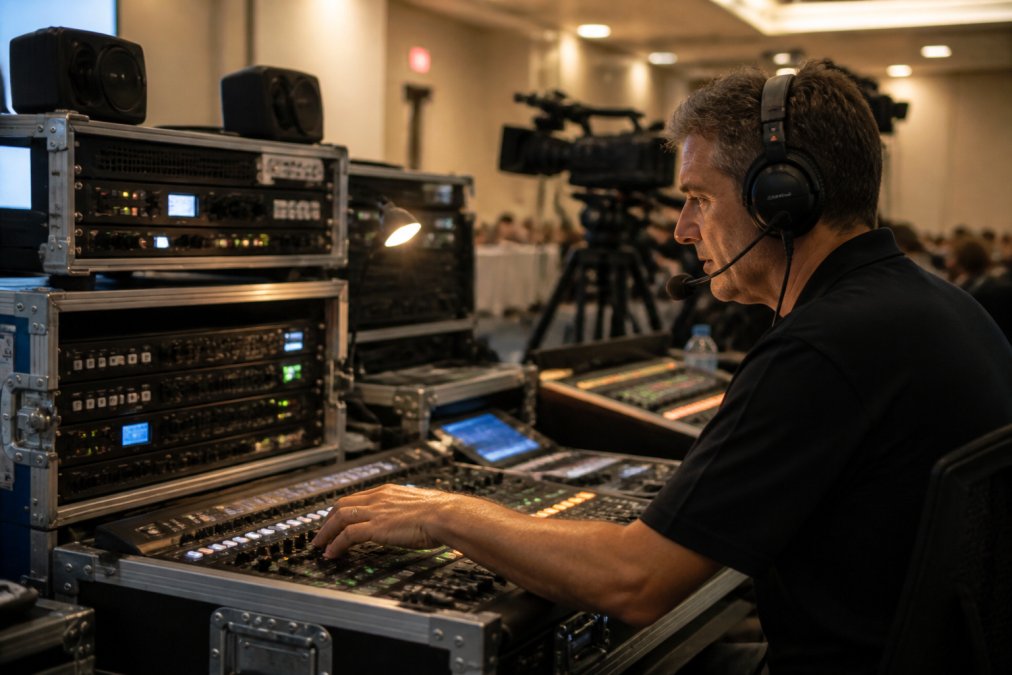
The technical setup process begins 2-3 weeks before your event. The managed service provider conducts a discovery call to understand your requirements, audience size, content type, and technical constraints. They design a custom setup tailored to your specific needs.
A week before the event, conduct a full technical rehearsal with speakers, moderators, and the technical team. Test screen sharing, speaker audio levels, camera positioning, and slide transitions. This rehearsal prevents 90% of live-event technical failures.
The managed service provider handles bandwidth optimisation, ensuring HD quality streaming across all devices regardless of viewer location. They monitor network performance and adjust stream quality automatically if bandwidth constraints emerge.
Failover procedures are the real value proposition of managed services. If the primary stream fails, automated systems switch to backup infrastructure within seconds. Audiences experience no interruption. Without failover procedures, a single technical failure crashes your entire webcast.
During the live event, the technical team monitors audio levels, video quality, chat moderation, and platform performance in real-time. Recording happens automatically during the broadcast. Professional services deliver HD recordings within hours, and you own all recordings for repurposing.
A single dropped stream during a corporate AGM or product launch damages credibility permanently. Without managed services and failover procedures, you’re gambling with your event’s success. The cost of managed services is insurance against catastrophic failure.
Corporate Live Streaming Best Practices for Engagement
Hosting professional corporate webcasts successfully means keeping audiences actively engaged throughout the broadcast. Passive viewing creates invisible audiences who register but don’t attend, or attend but don’t participate. plan a successful corporate event.
Engagement begins before the webcast starts. Send email reminder sequences 1 week, 3 days, and 24 hours before the event. Include the registration link, agenda, speaker bios, and technical requirements. Reminder emails increase show-up rates significantly.
During the webcast, open with a strong hook. The first 60 seconds determine whether audiences stay or multitask. Start with a surprising statistic, compelling question, or clear value statement.
Use polling strategically to break content segments and gather audience data. Ask 2-3 polling questions during a 45-minute webcast. Keep polls simple and display results immediately. Audiences feel heard when their input influences the conversation.
Chat moderation requires active management. Designate a team member to monitor chat, answer questions, and highlight valuable comments for the moderator. Moderated chat creates a sense of community and interaction.
Q&A sessions work best when structured. Ask the moderator to select questions in advance from the chat, group related questions, and allow speakers time for thoughtful answers. Screen questions to prevent off-topic or hostile content from derailing the event.
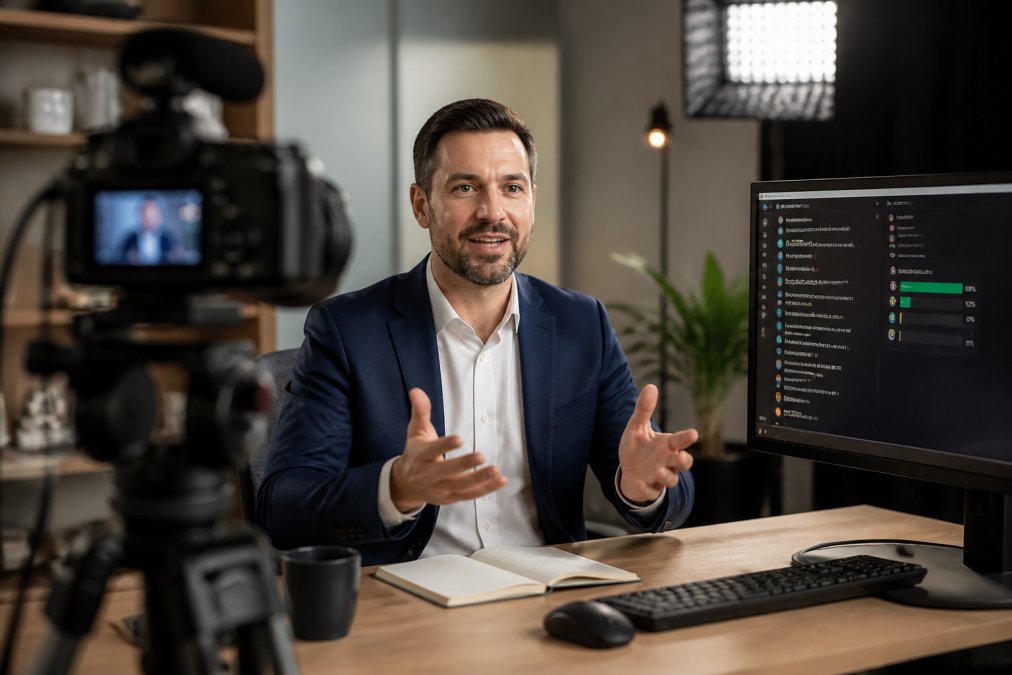
Encourage audience participation by asking direct questions throughout the presentation. “What’s your biggest challenge with this topic?” prompts mental engagement even if audiences don’t respond verbally.
Vary speaker delivery. Multiple speakers prevent monotony better than a single presenter. Rotate between speakers every 10-15 minutes.
Maintain professional audio-visual quality throughout. Poor audio quality frustrates audiences more than any content issue. Ensure speakers use quality microphones and test audio levels during rehearsal. Video quality should be HD across all devices.
Build in strategic pauses. Allow 10-15 seconds of silence after asking questions or making important points. This gives audiences time to process and respond.
Close with a clear call to action. Tell audiences exactly what you want them to do next: download a resource, schedule a consultation, complete a survey, or register for a follow-up event.
Webcast Production Checklist: Pre-Event and Live Setup
Professional corporate webcasts require systematic preparation. A detailed checklist prevents oversights that become problems during the live broadcast.
Pre-Event Checklist (3-4 weeks before):
- Define audience, objectives, and success metrics
- Select webcast platform and confirm capacity for expected attendance
- Book speakers and confirm availability
- Create agenda with timing for each segment
- Design registration page with clear value proposition
- Plan email reminder sequence (1 week, 3 days, 24 hours before)
Technical Setup Checklist (2 weeks before):
- Conduct discovery call with technical team (if using managed services)
- Test platform features: polling, chat, screen sharing, recording
- Confirm bandwidth requirements and network capacity
- Arrange speaker technical requirements (camera, microphone, lighting)
- Create speaker brief with timing, technical setup, and interaction cues
- Design slide deck with consistent branding and readable fonts
Rehearsal Checklist (1 week before):
- Conduct full technical rehearsal with speakers and moderator
- Test speaker audio levels, camera positioning, slide transitions
- Test screen sharing functionality and demo content
- Verify recording setup and confirm recordings are captured
- Time each segment and identify timing issues
- Test backup systems and failover procedures
- Brief speakers on webcast delivery (shorter segments, direct eye contact with camera)
24 Hours Before Checklist:
- Send final reminder email with registration link and technical requirements
- Confirm all speakers are available and prepared
- Verify platform is functioning and accessible
- Test all interactive features (polls, chat, Q&A)
- Confirm backup internet connection is active
- Brief moderator on timing, question selection, and engagement strategy
Live Event Checklist:
- Start technical team 30 minutes before scheduled start
- Verify all speakers are online and audio/video working
- Confirm recording is active before going live
- Monitor chat and moderate incoming messages
- Track timing and signal speakers about remaining time
- Monitor platform performance and audience connection quality
- Manage Q&A session and select questions for moderator
- Monitor engagement metrics (polling, chat activity, attendance)
Post-Event Checklist:
- Confirm recording has been captured in full
- Send thank you email to attendees within 24 hours
- Share on-demand recording link within 48 hours
- Distribute post-webcast survey to gather feedback
- Analyse attendance, engagement, and conversion metrics
- Document lessons learned for next webcast
- Follow up with leads generated during the event
Organisations hosting 3+ webcasts annually. The checklist becomes routine, execution improves, and results compound across events.
Post-Webcast Follow-Up and Lead Nurturing
The webcast doesn’t end when you go offline. Post-event follow-up determines whether you convert attendee interest into actual business results.
Send a thank you email within 24 hours. Include the on-demand recording link, speaker slides, and relevant resources. This email reinforces the value attendees received and provides access for people who missed the live event.
Implement a post-webcast survey asking attendees about content quality, speaker effectiveness, technical experience, and interest in next steps. Keep surveys brief (5-7 questions) to maximise completion rates.
Segment attendees into nurture campaigns based on engagement level and company profile. Attendees who watched the entire webcast and participated in Q&A show higher purchase intent than passive viewers.
For lead generation webcasts, implement immediate follow-up for high-intent leads. If someone registered, attended, and asked a question during Q&A, they warrant a personal email from your sales team within 48 hours.
Use on-demand recording strategically. Share the recording with non-attendees who registered but didn’t show up. Many will watch the recording and convert.
Repurpose webcast content across other channels. Extract key quotes for social media, create blog posts from transcript content, develop email sequences around webcast topics, and reference the webcast in future marketing campaigns.
Track conversion metrics from webcast attendees. Monitor how many attendees download resources, schedule consultations, or become customers. Compare conversion rates between attendees and non-attendees to quantify webcast ROI.
Schedule follow-up webcast events. Successful webcast topics warrant deeper dives. Announce follow-up sessions during your closing remarks to capture audience interest while attention is high.
Hosting professional corporate webcasts successfully requires systematic planning, technical expertise, and active audience engagement. The difference between a webcast that delivers results and one that wastes time is preparation, platform selection, and post-event follow-up.
Webcasting Livestream provides end-to-end managed services for professional corporate webcasts, handling technical delivery so your team focuses on content and engagement. Their no drop-off guarantee, HD streaming across all devices, and comprehensive recording services eliminate technical risk. For organisations serious about webcast ROI, professional managed services aren’t an expense, they’re insurance against failure. Get a quote to discuss your webcast requirements and discover how managed services transform your virtual event strategy.
Frequently Asked Questions
What is the difference between a webinar and a corporate webcast?
A webinar is typically smaller, interactive, and focused on education or training with active audience participation. A corporate webcast is a larger-scale broadcast event designed for one-way or limited two-way communication, often used for AGMs, product launches, town halls, or press conferences. Webcasts handle higher concurrent viewer counts and emphasise professional production value and reliability. Both require careful planning, but webcasts demand more robust technical infrastructure and managed webinar services to handle the scale and complexity.
How do you ensure high-quality audio and video for professional corporate webcasts?
Start with professional-grade microphones and cameras positioned strategically in your venue. Test all equipment 24 hours before the event. Ensure adequate lighting to eliminate shadows and improve video clarity on mobile devices. Use a reliable internet connection with sufficient bandwidth, ideally a hardwired connection rather than Wi-Fi. Select a webcast platform that delivers HD quality across all devices and supports adaptive bitrate streaming. Work with managed webinar services providers who monitor technical quality in real-time and have redundant systems to prevent stream drops. Always conduct a full technical rehearsal with your speakers and presenters.
How can you increase audience engagement during a corporate webcast?
Incorporate interactive elements such as live polling, Q&A sessions, and chat functionality to encourage participation. Structure your agenda with varied content, mix presentations with expert panels, testimonials, or live product demonstrations. Use clear calls to action throughout the webcast to guide viewers toward next steps. Encourage speakers to address audience questions by name when possible. Keep presentation segments concise (no longer than 15-20 minutes) to maintain attention. Promote the webcast beforehand through email reminder sequences so attendees know what to expect. Follow corporate live streaming best practices by ensuring your moderator is skilled at managing audience interaction smoothly without disrupting the broadcast flow.
What happens if your webcast platform fails during a live event?
A professional webcast provider implements fail-safe procedures and redundancy systems to prevent stream drops. This includes backup internet connections, failover servers, and real-time monitoring by a dedicated technical team. Before choosing a platform, verify their uptime guarantee and ask specifically about their no-drop-off guarantee and what happens if technical issues occur. Request details on their incident response protocol and whether they provide live support during your event. Reputable managed webinar services providers will have documented procedures and should be able to demonstrate their reliability track record. Always conduct a full technical rehearsal and have a contingency plan in place, such as a backup streaming method or communication channel to notify viewers if issues arise.
This article was written using GrandRanker