Table of Contents
- What End-to-End Live Streaming Solutions Actually Cover
- Live Streaming Hardware Requirements for Professional Events
- Live Streaming Software for Business: What to Look For
- Best Practices for Live Event Broadcasting
- Multistreaming, Hybrid Events, and Audience Engagement
- How to Choose the Right Live Streaming Solution for Your Event
- Conclusion
Last Updated: August 15, 2026
What End-to-End Live Streaming Solutions Actually Cover
End-to-end live streaming solutions are integrated systems that manage every stage of a broadcast, from pre-production planning through to post-event content delivery, within a single managed framework. Most streaming failures happen at handoff points between stages, not within any single stage itself.
At Webcasting Livestream, we see this pattern constantly: organisations invest in good cameras and encoders, then lose the stream because nobody planned network failover or post-event recording workflows. True end-to-end solutions close those gaps by design.
Below, we break down what each stage involves, what live streaming hardware requirements look like for professional events, and how to choose the right approach for your situation.
Pre-Production: Planning and Infrastructure
Pre-production determines whether a broadcast is reliable or not. Network topology, encoder configuration, content delivery network selection, and redundancy planning must be decided before a camera turns on.
A proper pre-production phase covers:
- Site survey and connectivity assessment: Testing upload speeds, identifying interference sources, and confirming bandwidth headroom above the required bitrate
- Run-of-show documentation: Scripted timing for transitions, graphics, presenter cues, and interactive segments
- Platform and protocol selection: Whether the stream uses RTMP ingest with HLS delivery depends on audience size and latency requirements
- Backup systems: Bonded 4G connections, secondary encoders, and failover routing configured before go-live
Skipping these steps is how organisations end up with dropped streams during their AGM. The planning phase is not overhead; it is the product.
Live Broadcast and Real-Time Transmission
Real-time transmission converts the camera signal into a compressed data stream and distributes it to concurrent viewers at scale. Low latency requirements vary by use case: an internal town hall with live Q&A needs sub-10-second latency to feel interactive, while a product launch to thousands can tolerate 20-30 seconds for one-way engagement.
Key variables include bitrate stability, adaptive bitrate streaming configuration, and CDN edge node coverage. For audiences across regional areas with varying connectivity, adaptive bitrate streaming is essential to keep the stream watchable when bandwidth fluctuates.
Post-Event Content and Repurposing Workflows
The broadcast ending is not the end of the content’s value. Post-event workflows convert a single live stream into multiple assets: edited recordings for on-demand access, highlight clips for social media, training modules, and transcripts for accessibility compliance.
A genuinely end-to-end solution includes full video recording delivered to the client at no extra cost, becoming the source material for every downstream asset.
| Asset Type | Source | Primary Use |
|---|---|---|
| Full recording (unedited) | Live capture | Archive, compliance, internal training |
| Edited highlight reel | Post-production cut | Social media, internal comms |
| Chapter-marked VOD | Timestamped recording | On-demand viewing portal |
| Transcript | Audio-to-text processing | Accessibility, searchable content |
| Short clips (60-90 sec) | Edited highlights | LinkedIn, email campaigns |
Live Streaming Hardware Requirements for Professional Events
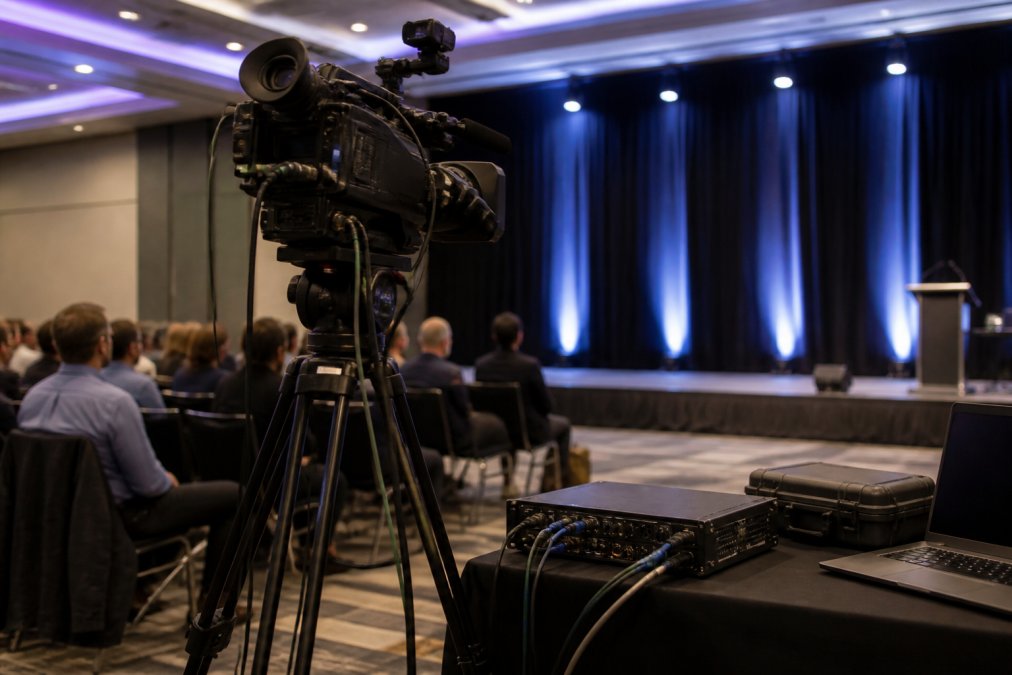
Professional live streaming hardware goes well beyond a single camera and laptop. The equipment stack determines broadcast quality, stream stability, and recovery capability when failures occur mid-event.
Cameras, Encoders, and Connectivity
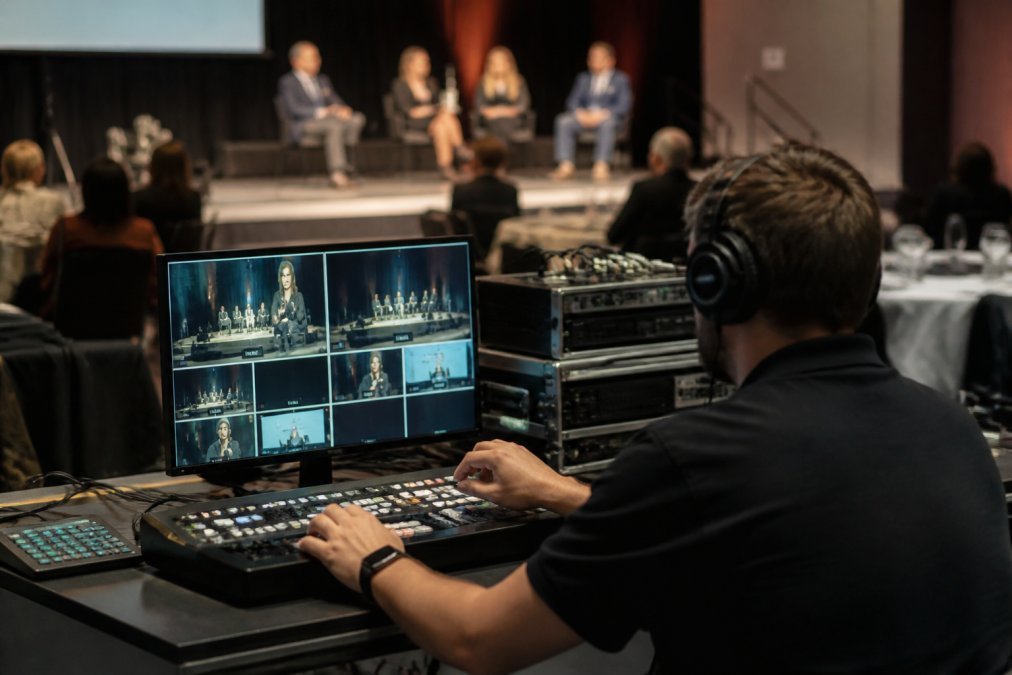
Broadcast-grade cameras capture footage at the resolution and frame rate required for HD output across all devices. For corporate events, this typically means PTZ cameras for fixed angles and shoulder-mounted cameras for roving coverage, with a vision mixer handling multi-camera switching.
Hardware encoders offer more reliability than software encoders running on general-purpose laptops, because they do not compete with other processes for CPU resources. Software encoders on dedicated hardware can match hardware encoder performance but require more discipline.
Connectivity is where many corporate setups fail. A single wired connection is a single point of failure. Professional setups use bonded 4G alongside a primary wired connection, so if venue internet drops, the stream continues over cellular without interruption.
Redundancy and Failover: Why Single Points of Failure Are Unacceptable
The most expensive streaming failure happens during your AGM, product launch, or government press conference. Redundancy is not a premium add-on; it is a baseline requirement for any event that cannot be rescheduled.
Redundancy applies at every layer:
- Dual encoders: If the primary encoder fails, the secondary takes over without visible dropout
- Bonded cellular backup: Maintains transmission when venue internet fails
- Redundant ingest points: Multiple RTMP ingest endpoints prevent a CDN node failure from taking down the stream
- Monitoring: A dedicated technical producer watching stream health metrics in real time
According to ACMA’s broadcasting technical standards guidance, broadcast reliability is a regulatory expectation for certain public-facing transmissions. For corporate events, the business case is simpler: a failed stream costs credibility that no apology email recovers.
Relying on venue-provided internet as your only connectivity is one of the most common mistakes in corporate live streaming. Venue networks are shared infrastructure and can degrade unpredictably. Always bring bonded cellular backup.
Live Streaming Software for Business: What to Look For
Live streaming software for business sits on a spectrum from self-service browser-based tools to fully managed platforms with dedicated technical support. The right choice depends on your team’s technical capacity, event complexity, and tolerance for risk.
Key Features That Separate Professional Platforms from Basic Tools
The gap between consumer-grade and professional live streaming software is not primarily about video quality; most modern tools output 1080p. The real differences are in reliability architecture, security controls, and audience management capabilities.
Features that matter for corporate and enterprise use:
- Adaptive bitrate streaming: Automatically adjusts stream quality to viewer bandwidth
- White-label delivery: Streams embedded on your own domain, not a third-party platform
- Audience analytics: Real-time data on concurrent viewers, drop-off points, and geographic distribution
- Interactive features: Moderated Q&A, live polls, and social media feeds integrated into the viewing experience
- Security controls: Password protection, domain restriction, and IP whitelisting for sensitive communications
- Scalability: Confirmed concurrent viewer capacity tested before the event
According to Cisco’s annual internet report on video traffic, live video now accounts for a substantial share of total internet traffic, making CDN capacity and stream stability genuine competitive differentiators between platforms.
DIY Software vs. Managed Live Streaming Solutions
The DIY vs. managed decision comes down to one question: what happens when something goes wrong during the event?
With self-managed software, your team resolves it. That requires encoder configuration knowledge, CDN troubleshooting experience, and real-time problem diagnosis while the event continues. For organisations with dedicated AV or IT teams who stream regularly, this is viable.
For most corporate events, quarterly town halls, AGMs, product launches, government briefings, a managed service is more reliable. A managed provider brings dedicated technical producers, pre-tested equipment, and established failover procedures.
When evaluating managed providers, ask specifically what happens during a stream failure. A provider with genuine fail-safe procedures will have documented escalation paths and a technical producer monitoring the stream throughout.
Best Practices for Live Event Broadcasting
Bandwidth, Bitrate, and Adaptive Streaming
Best practices start with getting the numbers right before the event. Bitrate determines both stream quality and bandwidth consumption; a 1080p stream at 6 Mbps requires consistent upload bandwidth well above that figure to account for network overhead.
The calculation for minimum upload bandwidth is: target bitrate × 1.5 as a safety margin. For a 6 Mbps video stream with 192 Kbps audio, you need at least 10 Mbps of stable upload capacity.
Adaptive bitrate streaming addresses viewer-side problems. Rather than delivering a fixed-quality stream that buffers on slower connections, it serves multiple quality renditions and switches automatically based on available bandwidth. For events with audiences across varied connectivity environments, this is the single most impactful technical decision for viewer experience.
Security and Compliance for Corporate Streams
Security operates at two levels: access control and content protection.
Access control determines who can watch. For internal communications, executive briefings, and sensitive product previews, password protection is minimum, with IP whitelisting or single sign-on for higher-security requirements.
Content protection covers the stream itself. Secure end-to-end encryption prevents interception in transit. For organisations handling personal data under the Australian Privacy Act 1988, the streaming platform’s data handling practices are a compliance consideration. The Office of the Australian Information Commissioner’s guidance on privacy in digital communications provides the relevant framework.
For government and public sector clients, data sovereignty considerations apply regarding whether stream data and recordings are stored within Australian jurisdiction.
Multistreaming, Hybrid Events, and Audience Engagement
Multistreaming broadcasts a single live stream simultaneously to multiple platforms, YouTube Live, LinkedIn, Facebook, and a private web portal, from a single production source. For organisations with audiences distributed across platforms, this extends reach without proportionally increasing production cost.
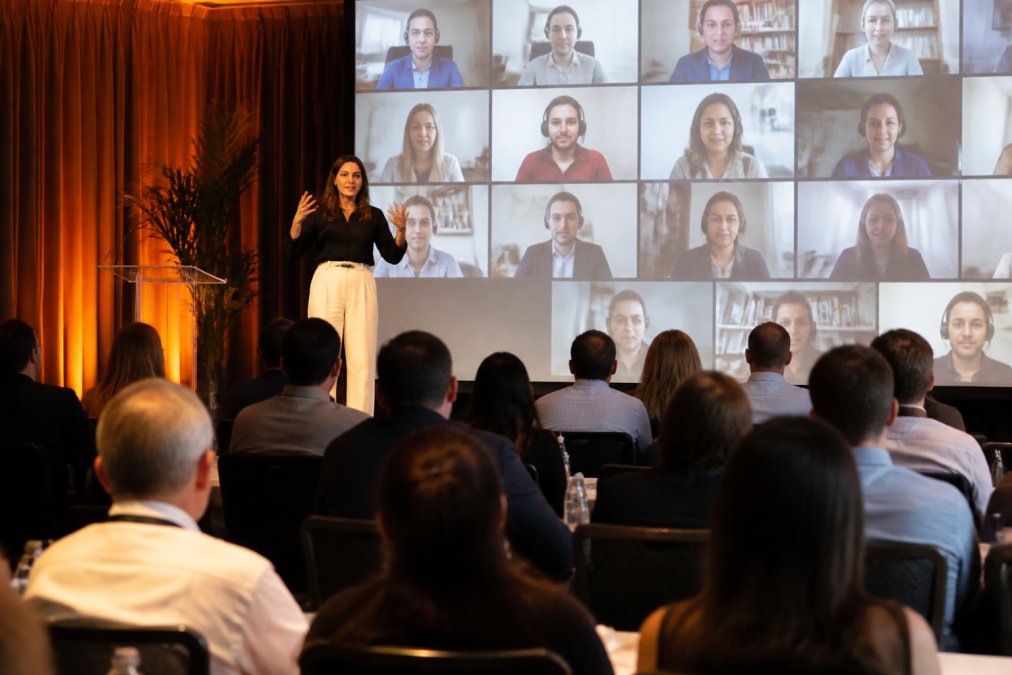
Hybrid events add complexity that multistreaming alone does not address. A hybrid event has a live in-room audience and remote audience participating simultaneously, and production must serve both. Remote attendees need lower latency for Q&A participation. In-room attendees need remote participants visible and audible without disrupting event flow.
Virtual engagement tools, moderated Q&A, live polling, real-time analytics, social media feeds, separate passive broadcasts from interactive events. Audiences who can ask questions and see responses are more engaged and more likely to stay for the full duration.
The practical framework for hybrid event success:
- Designate a separate technical producer for the remote audience experience
- Test remote participant audio and video integration during rehearsal
- Configure interactive tools with a moderation layer to filter inappropriate content
- Monitor concurrent viewer counts and drop-off rates in real time
How to Choose the Right Live Streaming Solution for Your Event
Choosing between live streaming solutions requires mapping your event’s specific requirements against each solution’s actual capabilities.
Start with these five criteria:
1. Audience size and scalability. Confirm the platform’s tested concurrent viewer capacity, not its theoretical maximum.
2. Interactivity requirements. A one-way broadcast to 10,000 viewers has different requirements than a 200-person interactive workshop with live Q&A.
3. Security and access control. Internal communications and government briefings require password protection and potentially IP whitelisting.
4. Technical support model. Self-service platforms suit teams with streaming experience and low-stakes events. High-stakes events warrant a fully managed service with a dedicated technical producer on-site.
5. Content ownership and post-event access. Confirm who owns the recording, how it is delivered, and whether there are additional fees for download or reuse.
Webcasting Livestream is built for organisations where streaming failure is not acceptable. The service covers the full production lifecycle: pre-production site surveys, multi-camera broadcast, bonded 4G failover, HD delivery across all devices, and full recording provided at no extra cost. For corporate, government, and educational clients who need certainty, that architecture is the difference that matters.
For a detailed breakdown of costs for your specific event format and audience size, a direct conversation is most useful. Pricing varies based on event complexity, duration, and production requirements.
The Interactive Advertising Bureau Australia’s guidelines on digital video standards provide useful benchmarks for video quality and delivery standards that corporate broadcasters should consider when specifying streaming requirements.
The most important decision in choosing a live streaming solution is whether you have the technical capacity to manage a failure mid-event. If the answer is no, a managed service is the correct choice regardless of cost difference.
Choosing the right approach to live streaming is consequential for high-stakes events. A dropped stream during an AGM, a security breach on a sensitive internal broadcast, or poor mobile viewing experience on a product launch all carry real costs. Webcasting Livestream provides professional, managed live streaming solutions with fail-safe procedures, HD quality across all devices, bonded 4G redundancy, and full recordings delivered at no extra cost, so your team focuses on the event, not the technology. Get a quote from Webcasting Livestream and confirm your next event is covered from pre-production through to post-event delivery.
Frequently Asked Questions
What components are included in an end-to-end live streaming solution?
A complete live streaming solution covers every stage: pre-production planning, camera and encoder setup, internet connectivity with redundancy, video encoding and transmission via protocols such as RTMP or HLS, a content delivery network for reaching concurrent viewers, interactive features like Q&A and polls, and post-event recording. Managed providers handle all of this for you, whereas self-service platforms require you to assemble and operate each component independently.
How do I choose the best live streaming platform for my business?
Start with your audience size, event type, and technical capacity. A corporate AGM with 5,000 concurrent viewers demands different infrastructure than a weekly internal webinar. Evaluate whether the platform supports adaptive bitrate streaming, offers audience analytics, provides failover redundancy, and gives you ownership of your recordings. For sensitive communications, confirm the security controls meet your organisation's requirements. If your team lacks broadcast expertise, a fully managed service removes that burden entirely.
What is the difference between streaming software and a streaming platform?
Streaming software, such as a browser-based studio or desktop encoder, handles the production side: mixing cameras, adding graphics, and encoding video for transmission. A streaming platform receives that signal and distributes it to viewers via a content delivery network. End-to-end live streaming solutions combine both layers, often adding audience engagement tools, analytics, and recording. Many business events require both components working together, which is why managed services bundle them into a single offering.
What security measures should I expect for corporate live streaming?
Corporate live streaming should include password-protected or token-gated access, encrypted transmission, and the ability to restrict viewing to specific domains or authenticated users. For sensitive internal communications such as board meetings or AGMs, confirm that streams are not indexed publicly and that recordings are stored securely. Under the Privacy Act 1988, organisations handling personal data must also ensure any viewer registration data collected during events is managed in accordance with the Australian Privacy Principles.
This article was written using GrandRanker