Table of Contents
- What Is a Webcast Live Stream?
- Webinar vs Webcast Comparison
- Corporate Live Streaming Services: What You Need
- Technical Requirements for Streaming
- Webcast Production Best Practices
- Archived Meetings and On-Demand Access
- End-to-End Streaming Solutions for Business
- Frequently Asked Questions
Last Updated: September 18, 2026
What Is a Webcast Live Stream?
A webcast live stream is a real-time digital broadcast transmitted over the internet to reach a distributed audience simultaneously. Unlike traditional television, which requires expensive infrastructure and licensing, a webcast live stream delivers video and audio feeds directly to viewers’ devices, computers, tablets, and smartphones, without geographical limitations.
The core distinction lies in distribution. A webcast uses internet bandwidth and content delivery networks to push one-to-many broadcasts to thousands or millions of concurrent viewers. This makes it ideal for corporate communications, educational seminars, product launches, and hybrid events where physical attendance isn’t possible or practical.
The technology itself is straightforward: an encoder captures your video and audio, compresses it for internet delivery, and streams it through a cloud-based platform. What separates a professional webcast live stream from a amateur attempt is reliability, scalability, and the ability to handle real-world network conditions without dropping viewers.
Most organisations underestimate the technical complexity until something goes wrong mid-broadcast. A poorly configured bitrate causes buffering. Latency issues desynchronise audio and video. Mobile users see degraded quality because the adaptive streaming isn’t tuned correctly. These aren’t minor annoyances, they damage credibility during critical communications.
Webinar vs Webcast Comparison
The terms are often used interchangeably, but they serve different purposes. Understanding the distinction shapes how you approach your event.
A webinar is an interactive online seminar. It prioritises two-way engagement: attendees ask questions in real-time, participate in polls, and interact with presenters through chat or Q&A sessions. Webinars typically involve smaller audiences (50-500 people) and emphasise education or sales conversations. The host needs immediate feedback and audience participation to succeed.
A webcast live stream, by contrast, is a one-to-many broadcast designed for scale. Interactivity is optional and secondary. A corporate AGM, product launch, or town hall broadcast to thousands of employees doesn’t require every attendee to ask questions, it requires flawless delivery, HD quality across all devices, and the ability to handle concurrent viewers without technical failure.
| Aspect | Webinar | Webcast Live Stream |
|---|---|---|
| Audience Size | 50-500 typical | 500 to 100,000+ |
| Primary Purpose | Education, sales, dialogue | Broadcast, announcement, scale |
| Interactivity | Essential (Q&A, polls, chat) | Optional (may include chat only) |
| Presenter Control | Responsive to audience | Focused on delivery |
| Recording Use | Often one-time event | Typically archived for on-demand access |
| Technical Tolerance | Moderate latency acceptable | Must be fail-safe, no drops |
The choice determines your platform requirements. A webinar platform emphasises participant tools and engagement features. A webcast live stream platform prioritises reliability, scalability, and content ownership, which is why organisations handling sensitive internal communications or large-scale broadcasts choose dedicated webcast solutions.
Corporate Live Streaming Services: What You Need
Professional webcast live stream services handle the technical complexity so your team can focus on content and messaging. A full-service provider manages encoding, content delivery, security, and recording, eliminating the need for your IT department to build and maintain infrastructure.
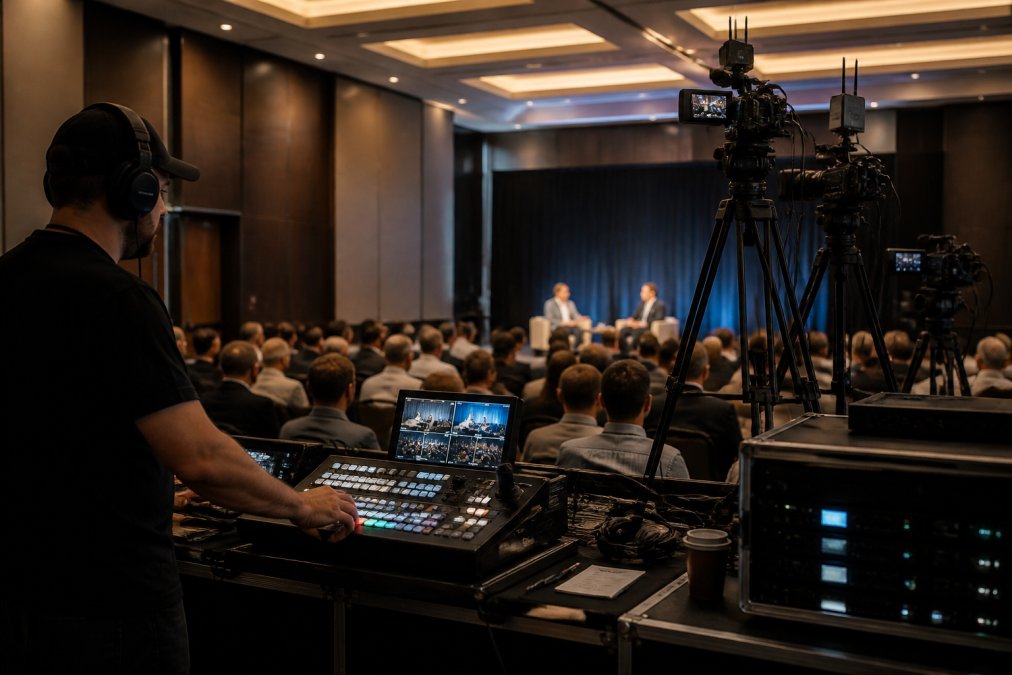
High-fidelity broadcast standards now extend beyond the boardroom to include specialized real estate video services that capture architectural detail with the same technical precision required for live corporate events.
The core service stack includes live broadcast delivery, fail-safe redundancy to prevent stream drops, HD encoding across adaptive bitrates for mobile and desktop viewing, and comprehensive recording with immediate access to archived files. Many organisations assume they can use free or consumer tools for business-critical events. This assumption fails spectacularly when your AGM broadcast stutters, your product launch stream drops during the key announcement, or your training webcast becomes inaccessible to regional employees on slower connections.
A professional webcast live stream service provides what consumer platforms don’t: guaranteed uptime, priority support during your event, content encryption for sensitive broadcasts, and the ability to scale from 100 to 100,000 concurrent viewers without degradation.
Scalability and Concurrent Viewer Capacity
Your platform must handle your actual peak load, not your hoped-for load. Undersizing causes cascading failures: some viewers connect successfully while others see error messages, buffering, or complete disconnection.
Content delivery networks distribute your stream geographically. A viewer in Melbourne connects to a CDN edge server closer to them, not to your origin server. This reduces latency and ensures consistent bitrate delivery across regional variations in internet quality. Professional webcast live stream platforms automatically scale CDN capacity based on real-time viewer count, adjusting on the fly.
The architecture matters more than the headline numbers. A platform claiming to handle 100,000 concurrent viewers using a single origin server will collapse under load. One using distributed CDN infrastructure with regional redundancy will deliver consistent quality across that full capacity.
Security and Encryption Protocols
Sensitive internal communications, board meetings, strategic planning sessions, confidential training, require encryption and access controls. A webcast live stream carrying proprietary information must be encrypted in transit and restricted to authorised viewers only.
HTTPS encryption protects the stream during transmission, preventing interception. However, many organisations also require additional layers: token-based authentication so only invited attendees can view, geographic restrictions to prevent overseas access, and IP whitelisting to limit viewing to corporate networks. Some broadcasts require end-to-end encryption.
Access control is equally critical. Your webcast live stream platform should support role-based permissions: some employees view live only, others can access the archived recording, and administrators manage viewer lists and access revocation. This prevents unauthorised sharing and ensures compliance with internal data governance policies.
Recording security matters too. Archived files should be encrypted at rest, stored in compliant data centres, and accessible only to authorised users. Many organisations require audit logs showing who accessed the recording and when, essential for regulatory compliance and internal security reviews.
Technical Requirements for Streaming
A reliable webcast live stream depends on three foundational elements: adequate bandwidth, appropriate encoding settings, and compatible hardware.
Upstream bandwidth is your first constraint. If you’re broadcasting from an office with a 10 Mbps upload connection, you can stream at roughly 8 Mbps (leaving headroom for network fluctuations). This supports 1080p at 30 frames per second, which is acceptable for most corporate content. If you’re broadcasting 4K or high-motion content (sports, live music), you need 15-25 Mbps upstream. Regional venues with poor connectivity may only support 720p or lower bitrates.
Encoding converts your video and audio into a compressed format suitable for internet delivery. An encoder device (hardware) or software application reads your video source, applies compression algorithms, and outputs a stream to your webcast live stream platform. The encoder must support adaptive bitrate streaming: automatically adjusting quality based on each viewer’s available bandwidth, so mobile users on 4G see lower resolution while office viewers on corporate networks see HD.
Your broadcast source matters. Professional-grade cameras with HDMI or SDI outputs feed into encoders. Laptop-based broadcasts using screen capture work for webinars but lack the production quality expected in corporate announcements. Audio quality is often overlooked, poor microphone placement, background noise, or unbalanced levels damage credibility faster than video quality issues.
Network stability during the broadcast is non-negotiable. A wired ethernet connection is always preferable to Wi-Fi for the encoder. Even brief disconnections cause stream interruption. Webcasting Livestream uses redundant connections: if your primary encoder connection drops, an automatic failover maintains the stream without viewer interruption.
Webcast Production Best Practices
Successful webcast live stream broadcasts require planning before the encoder starts. Most failures trace back to inadequate rehearsal, poor audio setup, or unclear communication between production team members.
Schedule a technical rehearsal at least 48 hours before the live event. Run through your entire broadcast using the actual venue, equipment, and internet connection.
Interactive Features and Audience Engagement
A webcast live stream carrying one-way announcements requires minimal interactivity. A corporate town hall where employees ask questions, or a training session where participants engage with content, needs interactive features built into your platform.
Post-Production and Analytics
Your webcast live stream doesn’t end when the broadcast finishes. Archived recordings are often more valuable than the live event itself: employees who couldn’t attend watch on-demand, training content is reused repeatedly, and product announcements remain accessible for months.
Archived Meetings and On-Demand Access
Recording your webcast live stream creates a permanent asset. Unlike a live broadcast that exists only in the moment, an archived recording serves training, compliance, and reference purposes indefinitely.
End-to-End Streaming Solutions for Business
A complete webcast live stream solution handles every aspect of your broadcast, from pre-event planning through post-broadcast analytics. This eliminates the need for your IT team to integrate multiple tools or troubleshoot technical issues during your event.
Frequently Asked Questions
What is the difference between a webcast and a live stream?
A webcast is a one-to-many broadcast where content flows in one direction to many viewers, often with limited interaction. A live stream typically emphasises real-time engagement and two-way interaction. Webcasts suit large corporate events, AGMs, and formal presentations where control and professional delivery matter most. Live streams work better for interactive content where audience participation is central. Both use internet broadcast technology and video feeds, but the audience experience and engagement model differ significantly.
What equipment and bandwidth do I need for a professional webcast live stream?
Professional webcasting requires a camera, microphone, encoder or streaming software, and stable internet connection. Bandwidth depends on video quality and viewer count. HD streaming typically needs 2.5-5 Mbps upload speed per stream. For corporate events with thousands of concurrent viewers, a content delivery network (CDN) distributes the load across multiple servers to prevent buffering and latency issues. Your streaming platform should handle encoder setup and bitrate management automatically. IT infrastructure varies by event scale, so discuss your specific needs with your service provider.
How can I ensure my webcast is secure and accessible to the right audience?
Secure webcasting uses encryption protocols to protect your video feed and restrict access to authorised viewers. Password protection, IP whitelisting, and role-based access controls prevent unauthorised viewing. End-to-end encryption ensures sensitive corporate communications remain private. For compliance and accessibility, choose a platform that ensures all audience members can participate fully. Always verify that your provider stores recordings securely and gives you full ownership of your content.
What happens if the stream drops during my event?
Reliable webcasting services use fail-safe procedures and redundant systems to prevent stream failure. This includes backup internet connections, failover encoders, and continuous monitoring. A no-drop guarantee means your provider commits to uninterrupted broadcast or compensation if technical failure occurs. Before committing, ask about their specific failover protocols, support response times, and what happens if an issue does arise. Professional managed services handle all technical troubleshooting so your team can focus on content delivery.