Is Post-Event Video Editing Worth the Investment?
Last Updated: November 8, 2026
Quick Summary
Post-event video editing is worth the investment when you have substantial recorded footage and an audience that will keep watching after the event ends. Editing turns raw recordings into finished clips, highlight reels and replays, and the value depends on how well the editing and distribution are done.
- Decide based on how much footage you have, who will watch it, and how long it needs to keep working.
- Agree a timeline with the editing team before the event so priorities are clear.
- Keep a high-bitrate master file and compress it separately for each destination.
- Provide captions and transcripts for accessibility and better search indexing.
- Assign one owner to a staggered publishing calendar so each clip gets room to perform.
Table of Contents
- What Post-Event Video Editing Involves
- The End-to-End Event Video Editing Workflow, Step by Step
- Selecting Key Moments and Building an Event Highlight Video
- Platform Export Specifications and Accessibility Requirements
- Setting Up Event Video on Demand Access
- Planning an Event Video Distribution Strategy
- Booking Post-Event Editing and Distribution With Webcasting Livestream
- Frequently Asked Questions
Post-event video is one of the most underused assets a business can own. A single webcast, AGM or product launch can be cut into a dozen clips, a highlight reel and a replayable archive. But whether it is worth paying for depends on how the editing and distribution are actually done. The decision usually comes down to three things: how much footage you have, who will watch it, and how long the content needs to keep working.
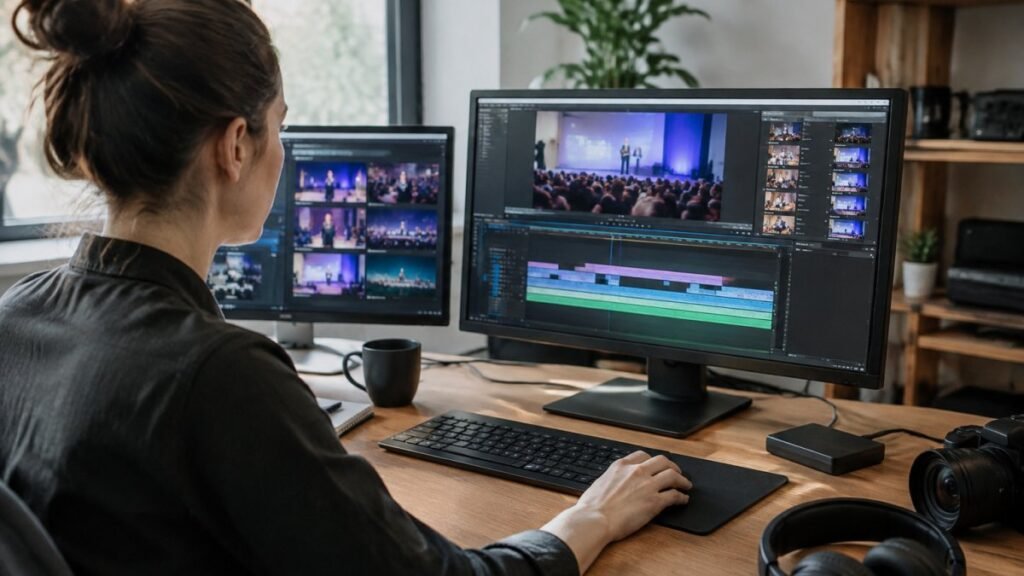
Post-event video editing is the process of turning raw recorded footage into finished, publishable video. It covers trimming, cutting, titles, captions, audio clean-up and file exports for each platform. Distribution is the separate step of getting those finished files in front of the right audience.
What Post-Event Video Editing Involves
Raw event footage is rarely usable as it comes. A live recording includes pauses, technical checks, Q&A dead air and camera movements that look fine in the room but tire a viewer online.
Editing typically covers:
- Trimming the start and end of the recording
- Removing dead air, false starts and technical interruptions
- Adding titles, lower thirds and speaker names
- Creating captions or subtitles
- Balancing audio levels across speakers and slides
- Exporting versions for different platforms and purposes
The End-to-End Event Video Editing Workflow, Step by Step
A clear workflow keeps the project from stalling. Most event edits follow the same sequence:
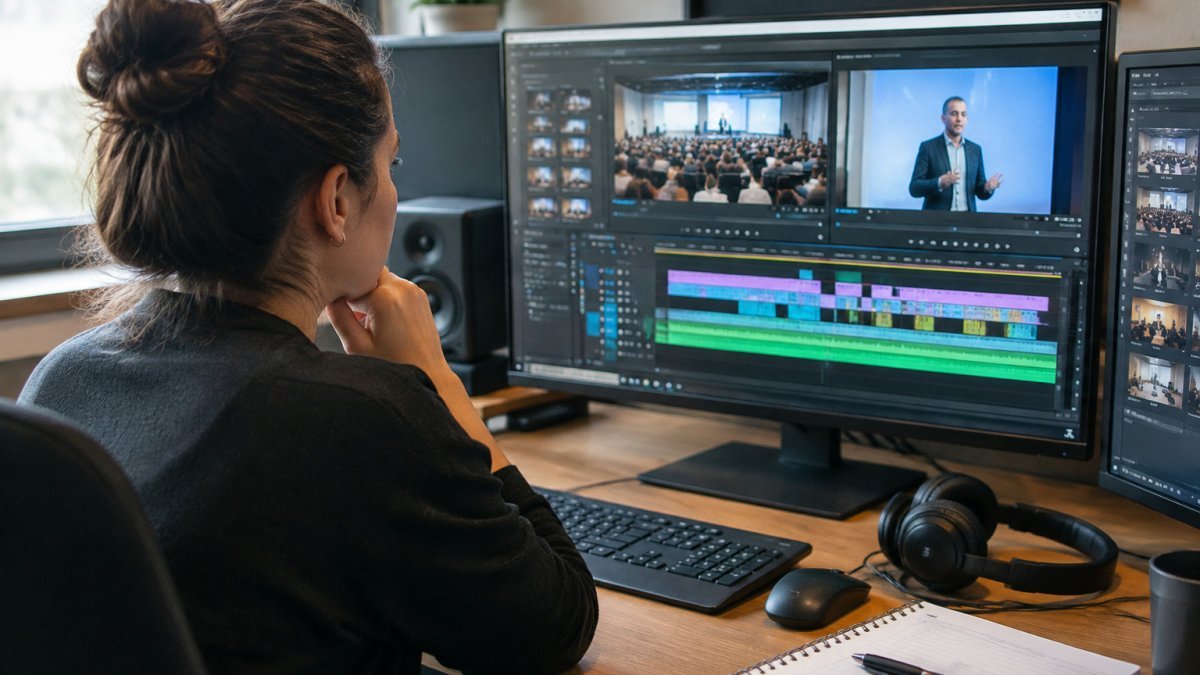
- Secure the source files. Confirm you have the full recording, slides and any separate audio before the event team packs up.
- Log the content. Note the timestamp of every key speech, question and transition.
- Build a rough cut. Remove obvious dead time and technical breaks so the event runs in a logical order.
- Pull highlights. Select the strongest moments for short clips and social posts.
- Add graphics and captions. Apply branding, speaker titles and subtitles.
- Review with the client. Share a draft and collect one round of consolidated feedback.
- Export and deliver. Produce each required format and store the masters.
Timelines From Recording to Publication
Turnaround depends on the length of the event, the number of deliverables and how fast feedback comes back. Agree a timeline before the event, not after, so the editing team knows what to prioritise.
Selecting Key Moments and Building an Event Highlight Video
An event highlight video is a short edit, usually 60 to 180 seconds, that captures the most useful or memorable parts of an event. It is the piece most likely to be shared, so it needs careful selection.
Good highlight moments tend to be:
- A clear, quotable statement from a leader or speaker
- A result, announcement or number the audience cares about
- A moment of audience reaction, such as applause or a question that sparked discussion
- Visual variety, such as a product demo or a shot from a different camera angle
Avoid building a highlight reel by simply playing the first few minutes of each session. Viewers lose interest fast, so every clip should earn its place.
Platform Export Specifications and Accessibility Requirements
Each platform expects different file formats, aspect ratios and lengths. A single 16:9 export will look wrong on a vertical social feed, and a file that plays cleanly on a desktop browser may stall on a phone.
Confirm current specifications with each platform before publishing, because requirements change and a platform’s own help centre is always the final authority.
| Destination | Aspect ratio | Typical resolution | Container and codec | Suggested duration | Captions |
|---|---|---|---|---|---|
| Full-length webcast archive / video on demand | 16:9 | 1920×1080 | MP4 (H.264) | Full session | Sidecar SRT or VTT, plus burned-in option |
| Presentation or intranet use | 16:9 | 1280×720 | MP4 (H.264) | Full session or chaptered | SRT or VTT |
| Social feed (landscape) | 16:9 | 1920×1080 | MP4 (H.264) | 30-90 seconds | Burned-in captions |
| Social feed (square) | 1:1 | 1080×1080 | MP4 (H.264) | 15-60 seconds | Burned-in captions |
| Short-form vertical (stories, reels, shorts) | 9:16 | 1080×1920 | MP4 (H.264) | 15-60 seconds | Burned-in captions |
| Audio-only podcast or transcript feed | n/a | n/a | MP3 or M4A | Full session | Transcript as text or VTT |
A few practical rules sit behind that table:
- Keep a high-bitrate master. Export a mezzanine file at the highest quality your storage allows, then compress down for each destination. Re-exporting from a compressed social clip degrades quality fast.
- Match frame rate to the source. If the event was recorded at 25 fps, export at 25 fps rather than converting to 30 fps, which introduces judder.
- Normalise loudness. Most platforms target around −14 LUFS for stereo web playback; check the platform’s guidance and aim for consistency across clips rather than maximum volume.
- Name files predictably. A convention such as
event-date-session-platform-versionsaves hours when a client asks for a re-export months later.
Accessibility Requirements
Accessibility improves the experience for every viewer. The Web Content Accessibility Guidelines (WCAG) are the reference standard many public sector bodies work to. In practice that means:
- Captions for all pre-recorded video with audio, including speaker names and relevant sound effects. Provide a sidecar caption file (SRT or WebVTT) where the platform supports it, and burned-in captions where it does not.
- Transcripts that identify speakers and include meaningful non-speech audio. Transcripts also improve search indexing and let viewers skim.
- Audio description where visual information is essential and not conveyed by the narration, such as a product demonstration or a slide with key figures.
- Colour contrast in titles and lower thirds of at least 4.5:1 for normal text.
- No flashing content that could trigger photosensitive reactions, and no auto-playing audio.
Setting Up Event Video on Demand Access
Event video on demand lets people watch the recording after the live session ends. It is often the most valuable form of post-event content because it keeps working for months.
When setting up access, decide:
- Whether the video is public, members-only or restricted to staff
- How long the replay stays available
- Whether viewers must register or sign in
- Where the archive will be hosted and who controls it
For sensitive internal communications, restricted access matters most. Confirm who can view the recording before you share the link.
Planning an Event Video Distribution Strategy
An event video distribution strategy answers a simple question: where will each version of the video go, who needs to see it, and how will you know it worked? Most organisations stop at the first question. The value comes from answering all three before the event happens. Planning distribution before the event also clarifies which moments deserve emphasis in the edit, while choices such as lighting shape how clearly those moments come across, a consideration Rakis Productions connects to the wider production plan.
Build a Publishing Calendar, Not a To-Do List
A common pattern is to treat distribution as a burst of posts in the week after the event, then let the content go quiet. A more effective approach staggers the releases so each asset has room to perform:
- Day 0-1: publish the full recording on the event page or video on demand library, and email registrants the replay link.
- Day 1-3: post the 60-90 second highlight reel on the main social channels.
- Day 3-7: release individual speaker or session clips, one per day, each with its own caption and a link back to the full recording.
- Week 2-4: publish a written recap or blog post that embeds the clips, and share it through newsletters and internal channels.
- Week 4 onward: repurpose evergreen segments into training modules, sales follow-up sequences or onboarding material.
Assign one owner for the calendar. When publishing is split across marketing, events and communications without a single owner, clips sit in a shared drive and never go out.
Match the Asset to the Channel
Not every clip belongs everywhere. A useful rule of thumb:
- Event page and video on demand: the full recording, chaptered by session, with the agenda and speaker materials alongside it.
- Email and newsletters: a single strong clip or a thumbnail linked to the replay, not a wall of embedded video.
- Social channels: short, captioned, vertical or square clips sized for the feed, with the first two seconds carrying the hook.
- Internal channels: staff intranets, learning portals and all-hands pages, where restricted access and longer durations are acceptable.
- Sales follow-up: clips shared with prospects who registered but did not attend, or who asked about a specific topic covered on the day.
Measure What Matters
Vanity metrics flatter a distribution plan without proving it works. Define a small set of KPIs against the event’s original objectives before publishing, and agree who will report on them.
| Objective | KPI | Where to find it |
|---|---|---|
| Reach | Views, unique viewers, impressions | Platform analytics, video on demand dashboard |
| Engagement | Watch time, average view duration, completion rate | Platform analytics |
| Retention of message | Clip shares, saves, comments | Social analytics |
| Lead generation | Replay requests, form fills, registrations for the next event | CRM and landing page analytics |
| Internal value | Staff views, training completions | Intranet or LMS reporting |
Attribution is rarely perfect. A common approach is to use UTM-tagged links on every replay and clip so that traffic from video can be separated from other channels in web analytics, and to ask a simple question on registration forms about how the person heard about the event. Neither is exact, but together they show direction.
Rights, Consent and Privacy
Distribution decisions carry legal and reputational risk that is easy to overlook. Before publishing any footage:
- Confirm that the recording notice given to attendees covered the intended uses, including public social media and marketing.
- Check that speaker permissions extend to on-demand replay and clip reuse, not just the live session.
- Verify music and third-party content licensing for any clips that will be published publicly.
- Review the organisation’s privacy obligations under Australian privacy law, particularly where footage includes members of the public or sensitive information.
- Remove or blur any content that was shown under an expectation of confidentiality, such as draft financials or internal discussion.
Watch out: a highlight reel that includes an attendee who did not consent to public use can turn a successful event into a complaints process, so build the consent check into the review step rather than the publishing step.
Booking Post-Event Editing and Distribution With Webcasting Livestream
Webcasting Livestream provides the full recording of events and content stays with the client. Local teams can also review live streaming services in Sydney if you need someone nearby.
For a clear view of what editing and distribution would cost and involve for your event, request a quote from Webcasting Livestream.
Pricing depends on quantity, dates and delivery, so the best next step is to get a quote from Webcasting Livestream for your event and find out whether post-event editing is worth it for your audience. If you are weighing providers, a direct Livecrowd and Synergy Video comparison sets out how their offerings differ.
BUTTON: Get a Webcasting Livestream quote
CARD_TITLE: Is your event worth more after it ends?
CARD_TEXT: Webcasting Livestream records your event and provides the footage at no extra cost, ready for editing.
Frequently Asked Questions
What does post-event video editing involve?
Post-event video editing covers everything between the raw recording and a finished file. An editor reviews the full recording, logs key moments, trims dead air, cuts sections together, adds titles and captions, and balances audio levels. The output is usually a full-length edited session, a shorter highlight cut and any formatted versions needed for other channels.
How soon should an event video be published after the event?
Publishing speed depends on the audience and the purpose of the video. Agree on a publishing date during planning, and allow time for stakeholder review.
Where should you distribute post-event videos?
The right channels depend on who you need to reach. A full session usually works best on a password-protected or on-demand page for registered attendees, while short highlight clips suit company websites, LinkedIn and other social platforms. Each channel has its own aspect ratio, length and file requirements.