Table of Contents
- Start With Your Event Requirements, Not the Platform
- The Technical Checks That Decide Whether a Live Streaming Provider Can Deliver
- Build a Provider Evaluation Scorecard Before You Shortlist
- Understand Live Streaming Service Cost Australia Buyers Actually Pay For
- Professional Webcast Recording and Archiving: Who Owns the Footage?
- Corporate Event Webcasting Best Practices for Reliability and Security
- Contingency Planning, Accessibility and the Questions to Ask Before Booking
- Frequently Asked Questions
Last Updated: October 20, 2026
Start With Your Event Requirements, Not the Platform
Most organisers pick a platform first and then discover it cannot handle their event. The smarter path is to define your requirements before you speak to a single live streaming provider.
A live streaming provider is a company that handles the technical delivery of your event video to remote viewers, from encoding and hosting to support on the day.
Get these on paper first:
- Expected peak concurrent viewers, not total registrations
- Whether the event is fully virtual, hybrid or in-person with a remote audience
- Whether viewers need chat, polls, Q&A or live captions
That short brief will filter out half the market before you shortlist anyone.
Map Audience Size, Format and Interactivity
Audience size drives everything else. A 200-person town hall and a 5,000-viewer product launch need very different infrastructure.
Ask yourself:
- What is the realistic peak, and what is the worst case?
- Will viewers join from desktops, phones or both?
- Do you need moderated Q&A, live polling or breakout rooms?
Interactivity adds risk. Every live feature is another thing that can fail. If your audience only needs to watch, keep it simple.
Match the Provider to Your Event Format
Different formats suit different providers. A corporate AGM has different needs from a conference with multiple stages.
- Corporate communications and AGMs: security, access control and reliable recording matter most
- Conferences and seminars: multi-session scheduling and speaker transitions
- Hybrid events: one team managing both the room and the remote feed
Tell each provider your format up front. A supplier that specialises in conferences may struggle with a locked-down internal broadcast, and vice versa.
The Technical Checks That Decide Whether a Live Streaming Provider Can Deliver
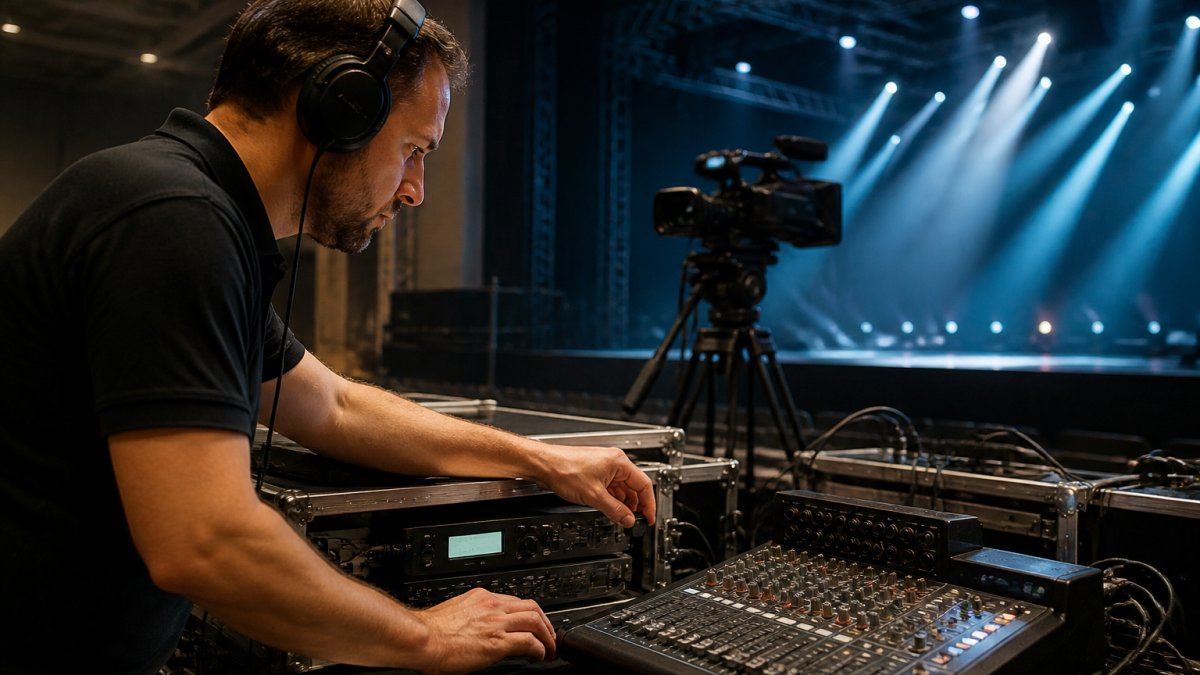
Technical capability is where cheap quotes fall apart. A provider can promise HD quality, but the venue’s internet connection and production setup decide whether that promise holds.
Run these checks before you book:
- Ask for the minimum sustained upload speed they require at the venue, not the peak
- Confirm whether they bring their own encoder, backup encoder and backup connection
- Ask how they handle a venue with weak, shared or captive-portal Wi-Fi
If a provider cannot answer these clearly, that is your answer.
Upload Speed, Bandwidth and Venue Connectivity
Bandwidth is the most common cause of a failed stream.
A practical approach:
- Test the venue’s upload speed at the same time of day as the event, not during a quiet site visit
- Ask the provider to supply a dedicated wired connection or a bonded cellular backup
- Confirm the sustained upload speed needed for your target quality, allowing headroom for audio and overhead
As a rule of thumb, standard HD streaming typically needs a stable upload in the low single-digit megabits per second, and higher-quality HD or multi-bitrate ladders need materially more.
For events across multiple locations, ask whether the provider has delivered reliably in regional and remote areas, not just metro venues.
Equipment, Encoders and Mobile Streaming Options
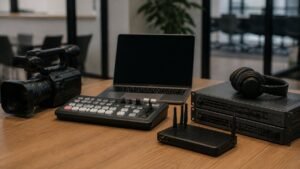
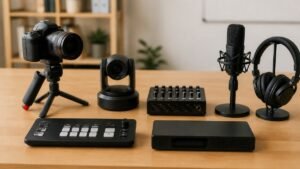
Production quality depends on the kit behind the camera. A professional setup typically includes cameras, microphones, an audio mixer, a video switcher, an encoder and a monitoring position.
Common encoder software includes OBS Studio, Streamlabs OBS and XSplit, though managed providers usually bring their own hardware encoders for redundancy.
Mobile streaming is fine for a simple broadcast from a smartphone.
Never rely on venue Wi-Fi alone for a live broadcast. Shared networks drop under load, and a dropped stream during an AGM or product launch is very hard to recover from.
Ask the provider to run a short test stream from the venue on the actual connection at least a week before the event. A provider confident in its setup will welcome the test; one that resists is telling you something.
Build a Provider Evaluation Scorecard Before You Shortlist
A scorecard turns a vague comparison into a defensible decision. Score each provider from 1 to 5 on the criteria that matter to your event, then weight them.
Here is a scorecard we would use:
| Criterion | What to Check | Weight |
|---|---|---|
| Reliability | Fail-safe procedures, backup connections, no-drop commitments | High |
| Technical support | Dedicated support on the day, response times, rehearsal included | High |
| Recording and archiving | Full recording supplied, ownership terms, reuse rights | High |
| Security | Access control, private streams, data handling | High |
| Accessibility | Live captions, mobile quality, inclusive viewing | Medium |
| Pricing clarity | Itemised quote, total cost of ownership, no hidden fees | Medium |
| Post-event analytics | Viewer numbers, engagement data, content reuse | Low |
Score honestly. A provider that scores well on price but poorly on reliability is a false economy for a high-stakes event.
Ask every shortlisted provider to run a full rehearsal on your actual venue connection. A provider confident in its fail-safe procedures will welcome the test. One that resists it is telling you something.
Understand Live Streaming Service Cost Australia Buyers Actually Pay For
Pricing for a live streaming service in Australia depends on scope, not a flat rate. Quotes vary with audience size, production complexity, venue count, support hours and recording requirements. Most competitors stop there. The useful move is to understand the pricing models behind the quote so you can compare like for like and spot where costs will land after the event.
The Common Pricing Models
Most providers price using one or a blend of these models:
- Per-event or per-day production fee: a fixed fee for crew, equipment and delivery for a defined window. Simple to compare, but check what happens if the event runs long.
- Per-viewer or per-hour platform fee: a charge based on peak concurrent viewers or streamed hours. Cheap for small audiences, expensive at scale.
- Platform subscription plus production add-ons: a recurring platform licence with production, rehearsal and support billed separately.
Ask which model each quote uses. A per-viewer quote and a per-event quote can look similar at 200 viewers and diverge sharply at 5,000.
What Should Be Itemised
Check whether each quote covers, and at what rate:
- Pre-event planning and rehearsal
- On-site crew, travel and equipment
- Backup connectivity and fail-safe procedures
A cheap quote that excludes recording, support or rehearsal is not cheap. It just moves the cost to the day your stream fails.
Watch for Overage and Hidden Costs
The costs that surprise buyers are rarely the headline fee. They are the extras:
- Viewer overage: a spike above the quoted concurrent viewer cap billed at a per-viewer rate
- Duration overage: an event that runs past the booked window
- Travel and after-hours loading: crew travel to regional venues or weekend and evening rates
Ask each provider to state their overage rates in writing and to confirm what triggers them. A provider that cannot explain its overage structure is a budgeting risk.
Build a Total Cost of Ownership Comparison
Rather than chasing the lowest headline figure, build a like-for-like total cost of ownership for each shortlisted provider. Include the base fee, rehearsal, support, recording, expected overage and any platform fees, then compare the totals against the same event brief.
Because pricing depends on your specific event, request an itemised quote and compare line by line. Ask directly what is included, what is billed separately and what happens if your audience is larger than forecast.
Judge live streaming quotes on total cost of ownership, not the headline price. Reliability, support, recording rights and clear overage terms are worth more than a small saving on the day.
Professional Webcast Recording and Archiving: Who Owns the Footage?
Ownership of the recording is one of the most overlooked contract terms. Professional webcast recording and archiving should leave you with the full footage, not a temporary link.
Ask three questions before signing:
- Do we receive the complete recording, and in what formats?
- Is there any fee to download or reuse the footage later?
- Can we use the recording for training, marketing or internal libraries?
Many organisations want to reuse a webcast for onboarding or compliance training months later. If the contract limits that, the value of the recording drops sharply.
All video is recorded and provided at no extra cost, and the content belongs to you.
Corporate Event Webcasting Best Practices for Reliability and Security
Reliability and security are the two areas where corporate event webcasting best practices separate serious providers from casual ones. Sensitive internal communications cannot be left on a public link.
On security, confirm:
- Whether streams can be private and access-controlled
- How viewer data is stored and who can see it
- Whether the provider supports password or single sign-on access
On reliability, confirm:
- Fail-safe procedures and redundant connections
- A named support contact for the day
- What happens if something goes wrong mid-stream
Our approach is built around fail-safe procedures designed to keep the stream running, with HD quality across all devices. For internal communications, that reliability is the whole point.
For sensitive broadcasts, ask for a private, access-controlled stream and confirm in writing who owns the viewer data. Public links are convenient but a poor fit for internal or regulated content.
Contingency Planning, Accessibility and the Questions to Ask Before Booking
Contingency planning is what you buy when you choose a managed provider. No stream is risk-free, but a good provider has a plan for the moment something fails.
Build your contingency plan around:
- A backup internet connection, ideally a different network
- A rehearsal on the real venue setup
- A named technical contact and escalation path
Accessibility deserves equal attention. Confirm live captions, mobile playback quality and inclusive viewing options. Ask how the stream performs on a smartphone, because that is where much of your audience will watch.
Before booking, ask these questions:
- What are your service-level commitments if the stream drops?
- Can you guarantee HD quality across all devices, including mobile?
- How many concurrent viewers can you handle at peak?
A provider with no clear answer on service levels or contingency is a risk you are taking on. Get commitments in writing before you sign.
If you want a partner that handles the technical risk end to end, we provide managed, secure webcasting with fail-safe procedures and full recording ownership.
Frequently Asked Questions
What technical requirements should I look for in a live streaming provider?
Check four things before anything else: upload speed and bandwidth handling at your venue, redundancy in the encoding setup, the range of devices the stream reaches, and whether technical support is on site or remote. Ask how the provider tests connectivity during rehearsal and what happens if the venue network fails. A provider that only quotes a resolution and bitrate is not telling you how the stream stays up when conditions change. Request a rehearsal on the actual venue network, not a demo link from their office.
What is the difference between a DIY streaming setup and a professional provider?
A DIY setup using a free streaming platform and a smartphone or OBS Studio on a laptop can work for a small internal webinar. It struggles with multi-camera production, ticketed access, regional venue connectivity and redundancy. A professional provider manages encoding, audio, backup connections and support during the event, and records the broadcast for later use. For AGMs, product launches or anything with sensitive content, the cost of a failed stream usually outweighs the saving.
How do I evaluate the reliability of a live streaming company?
Ask for their fail-safe procedure in writing, not just an uptime claim. Confirm what backup encoding or network path they run, whether they staff the event on site, and what their service-level commitment covers if the stream drops. Ask for references from events similar in size and location to yours. A provider with a no drop-off guarantee should be able to explain exactly how it is delivered, and what happens if something goes wrong mid-broadcast.
How do I ensure my live stream is secure and complies with Australian privacy standards?
Ask how the stream is access-controlled, whether it is public or gated, and where recordings are stored. If you are streaming sensitive internal communications, confirm who can view the footage and how long it is retained. For personal information collected from attendees, your obligations sit under the Privacy Act 1988 and the Australian Privacy Principles, so ask the provider how they handle attendee data and whether it is stored onshore. Get these answers in the contract, not just in a sales call.
A live stream that drops during an AGM or product launch costs more than any quote difference. The fix is choosing a provider that plans for failure before it happens.
At Webcasting Livestream, we handle the technical delivery end to end, with fail-safe procedures, HD quality across all devices, and full recordings provided at no extra cost. You keep the content; we keep the stream running.
Get a quote from Webcasting Livestream and lock in a viewing experience your audience can rely on.