Table of Contents
- Why Live Streaming a Product Launch Drives Real Results
- Virtual Product Launch Best Practices That Maximise Conversions
- Choosing the Right Platform for Your Live Streaming Product Launch
- Live Streaming Production Services: What a Professional Team Delivers
- Live Stream Event Production Cost: DIY vs Managed Services
- How to Book Live Streaming for a Product Launch: Step-by-Step
- Conclusion
Last Updated: August 15, 2026
Live streaming a product launch has become the primary launch strategy for many marketing teams, reaching thousands of simultaneous viewers across multiple platforms with real-time engagement that in-person events cannot match. At Webcasting Livestream, we work with corporate teams, event organisers, and government agencies to plan and execute live streaming for product launches that convert viewers into customers. This guide covers platform selection, technical setup, live commerce compliance, and post-event analytics.
A dropped stream, poor audio, or buffering video during a product reveal can undo months of pre-launch work. Below, we break down what separates a forgettable broadcast from a launch event that drives measurable results.
Why Live Streaming a Product Launch Drives Real Results
Live streaming a product launch broadcasts a product reveal or demonstration to an online audience in real time, combining the urgency of a live event with the reach of digital distribution. A viewer can watch a demonstration, ask a question in live chat, and complete a purchase within the same session.
A physical launch event caps attendance at venue capacity. A live stream has no such ceiling. Brands that add a live streaming component consistently report broader geographic reach, higher lead generation volumes, and recorded content they can repurpose for months afterward.
The real value is real-time feedback. Audience questions in live chat reveal objections your sales team will face. Poll responses show which product features resonate. That data feeds directly into your digital marketing strategy.
According to Interactive Advertising Bureau Australia’s digital video research, live and on-demand video consumption continues to grow year-on-year across Australian audiences, making video a central pillar of brand awareness and lead generation campaigns.
Virtual Product Launch Best Practices That Maximise Conversions
A successful virtual product launch follows a structure that builds anticipation, sustains engagement during the broadcast, and captures momentum afterward.
Pre-Event Promotion and Building Pre-Launch Buzz
Pre-launch buzz is the difference between a live stream that attracts 200 viewers and one that attracts 2,000. Start promotion at least three weeks out. Effective pre-event promotion includes:
- A dedicated registration or RSVP page with a countdown timer
- Teaser content across social media channels
- Email sequences to your existing database with early-access incentives
- Influencer collaboration where product category influencers preview the launch
- Paid social ads targeting lookalike audiences based on existing customers
The registration page builds your lead generation list before the event and gives you a committed audience to send reminder notifications to.
Send three reminder emails: one week out, one day out, and one hour before the broadcast. The one-hour reminder consistently delivers the highest attendance lift for virtual events.
Keeping Viewers Engaged During the Broadcast
Audience retention drops sharply in the first five minutes if the broadcast does not deliver immediate value. Open with the product’s core benefit statement, not a lengthy company introduction.
Engagement tactics that work during a live product launch broadcast:
- Live chat moderation: Assign a dedicated moderator to surface the best questions and filter spam.
- Polls and Q&A: Real-time polls give viewers a reason to stay and participate.
- Countdown to key moments: Tease the product reveal with a countdown so viewers hold their attention.
- On-screen call-to-action: Display a persistent CTA with a purchase link or discount code throughout the broadcast.
- Guest presenters: A credible co-host or industry expert adds production value and breaks monotony.
Live commerce works because it is interactive. Build in pauses for questions, acknowledge viewer comments by name, and respond to chat in real time.
Post-Event Follow-Up, Analytics and Content Repurposing
The broadcast ending is not the end of the campaign. Within 24 hours, your team should:
- Send a replay link to all registrants who did not attend live
- Email attendees with the promised discount code or next-step CTA
- Pull the audience analytics report from your streaming platform
Audience analytics reveal peak viewership moments, drop-off points, chat volume spikes, and geographic distribution. This data tells you which segments held attention and which lost it.
A single live stream generates:
- A full-length replay for your website or YouTube channel
- Short-form clips for social media (30-90 seconds each)
- A transcript for blog content and SEO
- Audio stripped for a podcast episode
- Screenshots for sales collateral
According to Content Marketing Institute’s B2B content repurposing guidance, repurposing long-form video content into multiple formats extends its reach and reduces per-asset production cost significantly.
Post-event analytics and content repurposing are the two most under-utilised elements [of a](/category/live-events/) product launch live stream. The broadcast creates the asset; what you do with it afterward determines the return.
Choosing the Right Platform for Your Live Streaming Product Launch
The right platform depends on your audience size, technical capability, and whether you need multi-platform streaming or a controlled, branded environment.
Self-Managed Platforms: DIY Streaming Tools
StreamYard is browser-based, requires no software installation, and supports multistreaming to multiple social media platforms simultaneously. It includes custom branding, on-screen guests, and screen sharing. Pricing starts at A$58.50/month (billed annually) on the Basic plan, which includes 1080p recording quality. StreamYard branding appears on broadcasts at the Basic tier, and recording hours are capped by plan level.
Restream broadcasts to over 30 platforms including YouTube, LinkedIn, Instagram, and TikTok from a single dashboard. Its Standard plan starts at A$24/month billed annually. The free plan includes a watermark.
Vimeo suits brands that want an ad-free, privacy-controlled environment with Q&A, polls, and analytics built in. Its Starter plan begins at A$18/month billed annually. Bandwidth limits on lower tiers can become a cost factor for high-traffic events.
OBS Studio is free and open-source, offering the most technical control of any DIY option. It handles real-time video and audio mixing, multiple scene sources, and customisable transitions. The trade-off is a steep learning curve.
| Platform | Starting Price | Best For | Key Limitation |
|---|---|---|---|
| StreamYard | A$58.50/mo | Interactive launches with guests | Branding on Basic plan |
| Restream | A$24/mo | Maximum platform reach | Advanced features on higher tiers |
| Vimeo | A$18/mo | Ad-free branded environment | Bandwidth caps on lower tiers |
| OBS Studio | Free | Technical teams needing full control | Steep learning curve |
Managed Multi-Platform Streaming for Large-Scale Launches
DIY tools have a ceiling. For launches expecting thousands of concurrent viewers or where a technical failure is not an option, managed multi-platform streaming is appropriate.
Managed services handle encoder configuration, bandwidth management, redundancy, and real-time monitoring. For a launch with 5,000 or more concurrent viewers, the risk profile of a DIY setup is too high.
Live Streaming Production Services: What a Professional Team Delivers
Professional live streaming production services cover the full technical and creative pipeline from pre-event planning through post-event delivery.
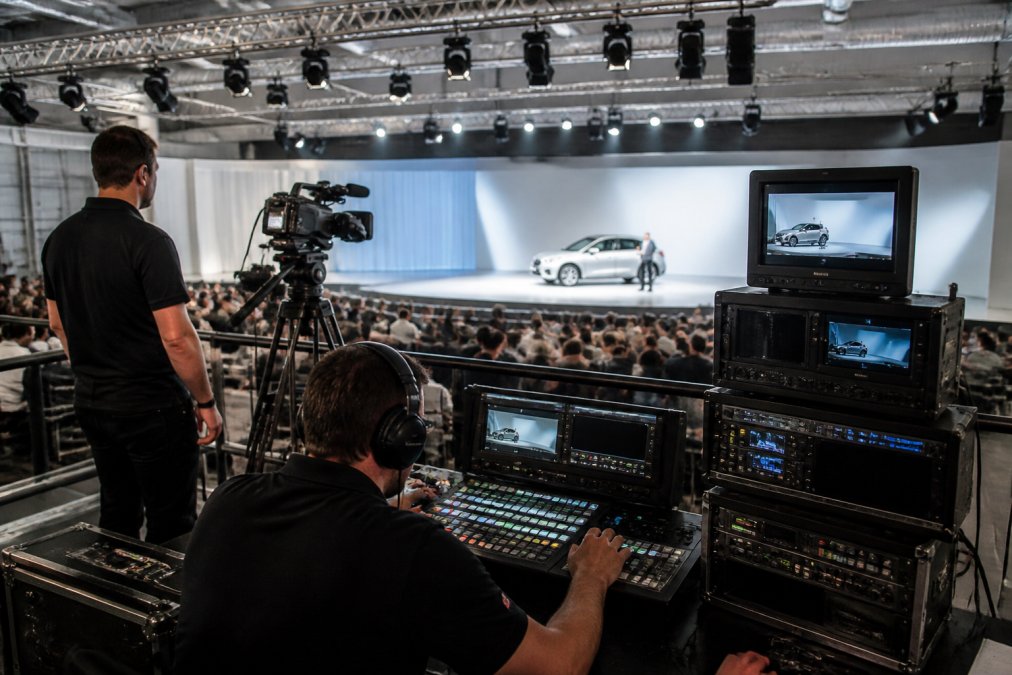
Webcasting Livestream delivers end-to-end live streaming production with fail-safe procedures that prevent stream drops, HD quality across all devices, and full recordings provided at no extra cost. Every broadcast includes redundant technical systems so that a single point of failure does not take the stream offline.
Technical Setup: Equipment, Encoders and Bandwidth
The technical backbone involves three layers: capture, encoding, and delivery.
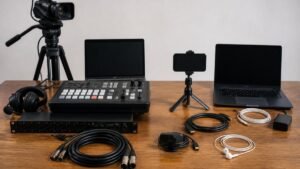
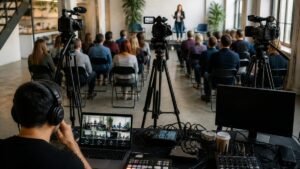
Capture uses broadcast-grade cameras, professional audio equipment, and controlled lighting. Multi-camera setups allow live switching between angles.
Encoding converts the camera feed into a compressed digital stream. Hardware encoders like the Teradek VidiU Go use HEVC and H.264 compression to maintain high-definition quality at lower bandwidths. The VidiU Go bonds cellular, Ethernet, and dual-band Wi-Fi connections, critical for venues with unreliable fixed-line internet. Rental options are available from approximately A$150/day.
Bandwidth and latency are variables most brands underestimate. A high-definition stream at 1080p requires a stable upload bandwidth of at least 6-10 Mbps. Professional setups run bonded connections that combine multiple internet sources. Low latency matters for live commerce: a 30-second delay between a host’s call-to-action and the viewer’s screen kills impulse purchasing behaviour.
Never rely on a venue’s shared Wi-Fi for a critical product launch stream. Always confirm dedicated bandwidth or use bonded cellular as a backup.
Interactive Features, Live Commerce and Legal Compliance
Interactive features separate a live product launch from a pre-recorded video. Real-time purchasing integrations, embedded polls, live Q&A, and countdown timers contribute to conversion optimisation.
Live commerce integrates a purchase mechanism into the live stream itself, so viewers can buy without leaving the stream. This requires careful technical integration between your streaming platform and your e-commerce backend.
From a compliance perspective, live commerce in Australia is subject to the Australian Consumer Law (ACL), administered by the Australian Competition and Consumer Commission. Any pricing claims, limited-time offers, or stock availability statements made during a live broadcast must be accurate and not misleading. If you are running a live giveaway or competition, the relevant state-based trade promotions legislation applies, and permit requirements vary by state and prize value.
Live chat moderation is a compliance consideration. User-generated content in a brand-hosted live chat that contains false claims about competitors could expose the brand to liability. Assign a moderator with clear guidelines.
Live Stream Event Production Cost: DIY vs Managed Services
DIY production using software tools like StreamYard or Restream involves subscription costs starting from A$18-A$58/month plus hardware costs. A functional DIY setup can be assembled for a few thousand dollars in equipment plus ongoing software costs. The real cost is time: someone on your team owns the technical setup, troubleshooting, and monitoring.
Professional managed services involve a production crew, broadcast-grade equipment, redundant connectivity, and dedicated technical support. Pricing varies based on event duration, crew size, location, and technical complexity. Professional packages generally start at several thousand dollars for a single-camera, single-platform broadcast, scaling upward for multi-camera, multi-platform productions.
DIY is cheaper upfront and carries more risk. A managed service costs more and shifts the risk to the production team. For a product launch, where the broadcast is a direct revenue event, the cost of a failed stream almost always exceeds the cost of a professional service.
For current pricing from Webcasting Livestream, request a quote directly through their website, where packages are scoped to your specific event requirements.
How to Book Live Streaming for a Product Launch: Step-by-Step
Booking live streaming for a product launch follows a clear sequence:
Define your event scope. Confirm your expected concurrent viewer count, broadcast duration, number of camera angles, and target platforms.
Set your launch date and lock the venue (if applicable). For hybrid events, confirm the venue’s internet infrastructure. For fully virtual launches, confirm your streaming platform and registration page are live at least three weeks before the event.
Select your production model. Decide between DIY tools and managed production services based on your budget, risk tolerance, and internal technical capability.
Brief your production team. Provide your run-of-show document, branding assets, presenter details, and any integration requirements.
Conduct a full technical rehearsal. Test the complete signal chain: camera to encoder to platform to viewer. Test on mobile devices, tablets, and desktop browsers.
Activate pre-event promotion. Launch your registration page, email sequences, and social media campaign at least three weeks out.
Execute the broadcast with a dedicated technical monitor. One person should watch the viewer-facing output continuously, separate from the production team managing cameras.
Pull analytics and distribute replay content within 24 hours. Close the loop on your sales funnel by sending follow-up communications while the launch is fresh.
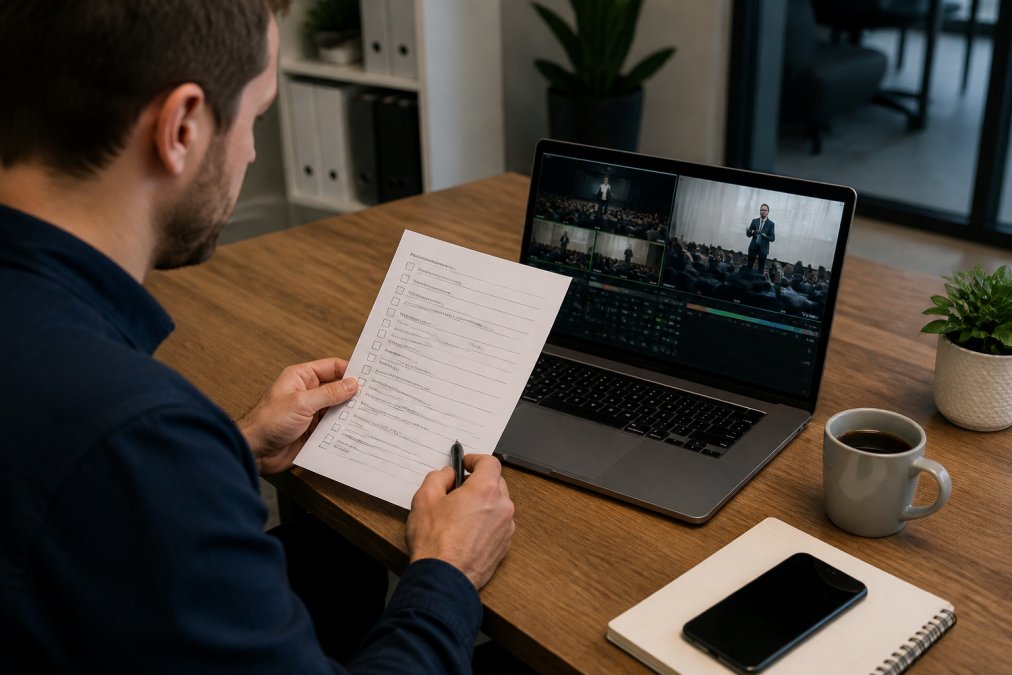
Book your production team at least six weeks before a major product launch. The best-resourced providers fill their calendars quickly, and a rushed brief produces a rushed result.
The step-by-step process applies whether you are running a small product reveal for a few hundred viewers or a large-scale virtual event with thousands of concurrent attendees.
According to Eventbrite’s virtual event planning resources, events with structured run-of-show documents and pre-event technical rehearsals report significantly fewer broadcast issues than those that skip the rehearsal phase.
Frequently Asked Questions
What equipment is required for a professional product launch live stream?
A professional live streaming product launch typically requires broadcast-grade cameras, a hardware encoder (such as a bonded cellular encoder for location reliability), a vision mixer for multi-camera switching, professional audio equipment, stable high-bandwidth internet, and streaming software. Lighting and branded graphics overlays also contribute significantly to broadcast quality. Managed live streaming production services supply all of this, so your team does not need to source or operate any equipment on the day.
How much does it cost to hire a professional live streaming service?
Live stream event production cost varies based on event scale, duration, number of cameras, platform requirements, and whether you need on-site crew. Entry-level managed packages for a product launch start from several thousand dollars, while large-scale multi-camera productions with multi-platform streaming cost considerably more. DIY tools like OBS Studio are free, while subscription platforms such as Restream start from around A$24 per month. Request a quote from your chosen provider for accurate pricing based on your specific event requirements.
Should I hire a production company or manage the live stream in-house?
For high-stakes product launches where broadcast quality, reliability, and audience size matter, hiring a professional live streaming production service removes significant technical risk. In-house management suits smaller, lower-profile events where budget is the primary constraint. A managed service handles encoder configuration, latency monitoring, fail-safe procedures, live chat moderation, and multi-platform streaming simultaneously, freeing your team to focus on the product demonstration and audience engagement rather than the technical setup.
What are the best platforms for hosting a product launch live stream?
The right platform depends on your audience size, budget, and interactive feature requirements. Social platforms such as YouTube and LinkedIn suit broad brand awareness goals. Dedicated tools like Vimeo offer ad-free viewing with privacy controls and built-in Q&A and polling. Restream and StreamYard enable multi-platform streaming to 30-plus destinations simultaneously. For large corporate launches requiring secure access, custom-branded pages, and high concurrent viewer capacity, a managed webcasting service with its own delivery infrastructure is the most reliable option.
How do you ensure high-quality audio and video for a virtual launch?
High-definition broadcast quality depends on several factors working together: broadcast-grade cameras outputting at a minimum of 1080p, a reliable bonded internet connection with sufficient upload bandwidth, a hardware encoder configured for low latency, professional audio with dedicated microphones rather than built-in camera audio, and a managed technical team monitoring the stream in real time. Testing all equipment and the full signal chain at least 48 hours before the event is essential to catch issues before the live streaming product launch goes to air.
Product launches are high-stakes broadcasts where technical failure directly costs revenue. The Webcasting Livestream team delivers end-to-end managed production with a no-drop-off guarantee, HD quality across all devices, fail-safe redundancy systems, and full recordings provided to you at no extra cost. If you are ready to book live streaming for a product launch that performs, get in touch with Webcasting Livestream and get a quote tailored to your event.
This article was written using GrandRanker