Troubleshooting Virtual Shareholder Meeting Issues?
Last Updated: November 21, 2026
Quick Summary
Troubleshooting virtual shareholder meeting issues starts with choosing a purpose-built platform with capacity headroom, voting integration, redundant streaming, recording and access controls. Most problems trace back to a general-purpose video tool, so run pre-meeting tests with shareholders, presenters and administrators, and diagnose voting complaints in order before resetting the system.
- Locked-out shareholders are usually a credentials mismatch, not a platform failure, so send access instructions early.
- Ask for the on-screen confirmation reference to tell a failed submission from a display issue.
- Check quorum before any resolution opens, then unlock the vote.
- Assign one person to declare an incident and one to communicate with shareholders.
- Test accessibility with the assistive technology a shareholder would actually use, not the administrator’s device.
Table of Contents
- Start With the Right Meeting Format and Platform
- Fixing Common virtual AGM technical issues Before They Spread
- Solving online shareholder meeting voting problems
- Where shareholder meeting platform support Fits In
- Building a virtual AGM contingency plan
- Accessibility, Privacy and Identity-Verification Fixes
- Book a Managed Webcast for Your Next Virtual Shareholder Meeting
- Frequently Asked Questions
Start With the Right Meeting Format and Platform
Troubleshooting virtual shareholder meeting issues starts before anyone logs in.
Companies often pick a general-purpose video tool and then spend the meeting firefighting. A purpose-built virtual shareholder meeting platform changes that equation.
Here is what separates a platform that works from one that does not:
- Capacity headroom: it must handle your full register plus guests without strain
- Voting integration: built-in poll and resolution tools, not a workaround
- Redundant streaming: backup paths so one failure does not stop the broadcast
Decide the format first. A fully virtual meeting suits large, dispersed registers; a hybrid works when a core group attends in person.
If you are still weighing platforms, our guide to a reliable webcast platform for investor relations walks through the selection criteria before you commit.
Fixing Common virtual AGM technical issues Before They Spread
Most virtual AGM technical issues start small and get expensive. A frozen feed or a locked-out director can derail a resolution, so catch faults in the first minute, not the tenth.
Run a pre-meeting test with three groups: shareholders, presenters, and administrators. Each has a different failure profile. Our enterprise live streaming platform requirements explain what the platform itself must provide to prevent technical faults.
Shareholder checklist:
- Log in with the credentials from the meeting notice
- Test audio and video on the actual device they will use
- Confirm their internet connection is stable
Presenter checklist:
- Check camera, microphone, and lighting
- Confirm screen-share permissions work
- Have a phone dial-in as backup
Administrator checklist:
- Verify host controls and mute functions
- Confirm the voting system accepts a test resolution
- Check the recording is running
Login and Access Problems
Locked-out shareholders are the most common complaint. Nine times out of ten it is a credentials mismatch, not a platform failure. Send access instructions early, and include a plain-language reset path. Have a moderator verify identity by phone for anyone who cannot get in.
Audio and Video Faults
Choppy audio usually means a weak connection, not a broken microphone. Ask the participant to switch off video and continue on audio only. For presenters, a wired connection beats Wi-Fi every time, a mobile hotspot will drop mid-sentence, so require a fixed line for anyone speaking to the register.
Solving online shareholder meeting voting problems
Online shareholder meeting voting problems undermine confidence faster than any glitch: if a shareholder cannot vote, or doubts their vote counted, the meeting loses legitimacy. The fix is procedural as much as technical. Treat voting as a chain with four links, identity, entitlement, ballot, and record. A failure at any link produces the same symptom, but each needs a different fix.
Diagnose the symptom before you touch the platform
Most voting complaints fall into a few recognisable patterns. Work through them in order rather than resetting the whole system.
- “The vote button is greyed out.” Usually an entitlement problem, not a platform fault. The shareholder’s holding may be registered under a different name, held via a custodian or nominee, or recorded against a different security reference. Check the register before assuming a bug.
- “I voted but it didn’t register.” Ask the shareholder to confirm the on-screen confirmation reference. If they have one, the ballot reached the system and the issue is display or reconciliation, not capture. If they do not, the submission failed at the browser or connection layer.
- “I received a ballot for the wrong meeting.” A stale access link or a cached page. Single-use links tied to the meeting ID prevent this; a generic link does not.
The first three complaints often arrive in the first ten minutes of voting, exactly when the chair is least able to investigate. Brief the moderator on these five patterns before the meeting opens.
Vote integrity and quorum checks
Vote integrity depends on three things: verified identity, a single vote per share, and an auditable record. Each needs a concrete control, not a promise.
- Verified identity: tie each ballot to an authenticated login, not to an email address typed into a form. Where a shareholder cannot authenticate, use a documented phone-verification fallback and record who verified them and when.
- One vote per share: the platform should reconcile the ballot against the register in real time. If a holding is split across multiple accounts, aggregate before the poll opens rather than after it closes.
- Auditable record: every ballot needs a timestamp, a shareholder reference, and a confirmation number that the shareholder also sees. That confirmation number is what turns a dispute into a two-minute check.
Check quorum before any resolution opens. If quorum slips, for example, because dial-in participants are not counted, pause and re-verify attendance.
Watch out: a shareholder who joins by phone but votes online can be counted twice if the two channels are not linked to the same identity. Link them at registration, not on the day.
When a ballot goes missing
If a shareholder insists they voted and no ballot is recorded, do not ask them to vote again immediately, a duplicate is harder to unwind than a missing ballot. Ask for the confirmation reference, search the audit log, and reissue only once the original is confirmed absent. Record the incident, time, and resolution in the meeting file to protect the outcome if the resolution is challenged.
Reconcile before you adjourn
Before the chair declares the result, reconcile the ballots captured, the shareholders marked present, and the register. A mismatch is not necessarily an error, proxies, corporate representatives, and split holdings create legitimate differences, but every difference should be explainable.
Most voting complaints fall into a few recognisable patterns, so work through them in order rather than resetting the whole system.
| Symptom | Likely cause | Fix |
|---|---|---|
| Vote button greyed out | Entitlement problem, not platform fault | Check the register before assuming a bug |
| Voted but did not register | Display or reconciliation issue, or failed submission | Ask for the on-screen confirmation reference |
| Ballot for the wrong meeting | Stale access link or cached page | Use single-use links tied to the meeting ID |
| Cannot change vote | Meeting rules may not permit a change | Confirm rules; expose a revote path if allowed |
| Poll closed while still voting | Timing problem | Publish exact close time and show a countdown |
Where shareholder meeting platform support Fits In
Good shareholder meeting platform support is the difference between a minor blip and a meeting disruption. Support should be live during the whole session, not just at setup.
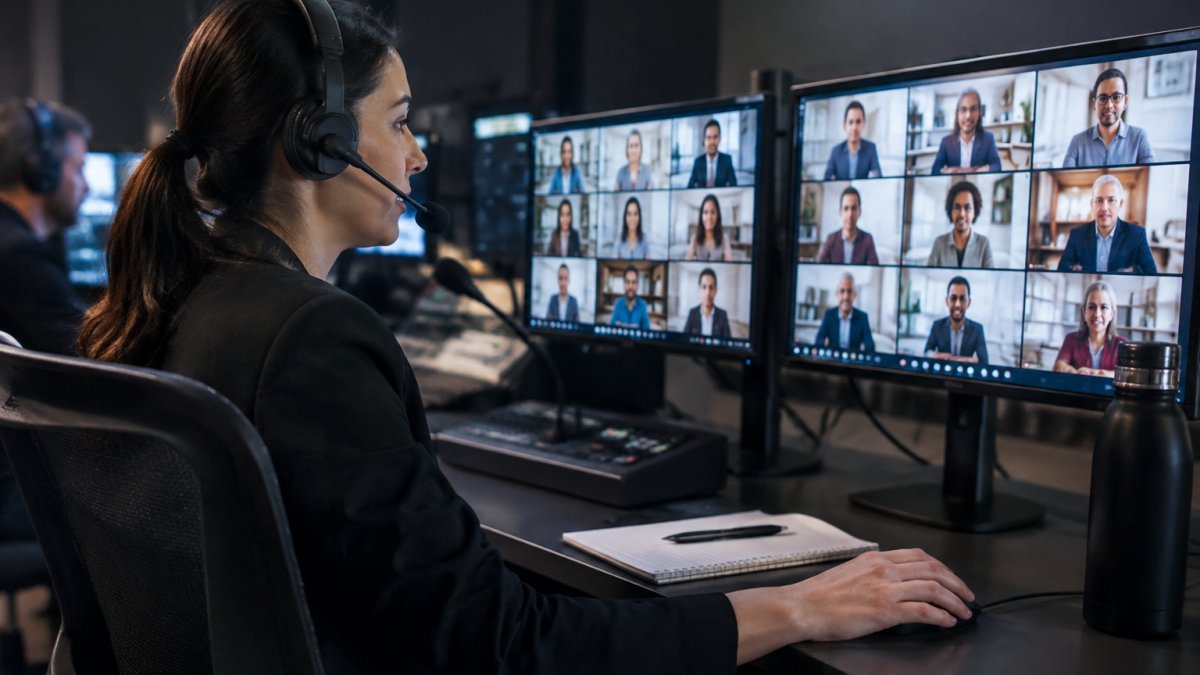
Support is not just reactive. Rehearsals and fallback planning are a sensible part of any well-run meeting. To see attendee-side support in practice, read our guide on live streaming support for virtual attendees.
Building a virtual AGM contingency plan
A virtual AGM contingency plan is a written set of steps for when something fails. Every meeting should have one, and every chair should know it.
Start with the worst case: the platform fails entirely. Your plan needs a fallback, a dial-in bridge, a delayed resumption, or an adjournment with a new notice. Decide the trigger for each and write it down.
Incident Response and Fallback Procedures
Assign one person to declare an incident and one to communicate with shareholders. Keep a script ready so the chair can update the meeting calmly.
- Minor fault: operator fixes it silently, meeting continues
- Presenter drop-out: switch to backup presenter or audio-only
- Platform failure: activate the fallback bridge and notify shareholders
For a deeper walkthrough of planning and running a flawless broadcast, see our guide on how to host professional corporate webcasts.
Accessibility, Privacy and Identity-Verification Fixes
Accessibility and security failures are the quiet ones. They do not crash the stream, but they can invalidate the meeting or exclude a shareholder. Most guides treat both as policy statements; the practical work is in the troubleshooting, because the symptoms are easy to misread.
Accessibility troubleshooting by symptom
Accessibility problems rarely announce themselves. A shareholder who cannot hear the chair may simply leave rather than complain, so build diagnostics into the meeting rather than waiting for a report.
- Captions lag or drop out. Live captions depend on a separate feed from the audio. If captions freeze while audio continues, the caption service has failed, not the stream. Have a fallback: a second caption provider, or a typed summary posted to the meeting portal at each resolution.
- Screen reader cannot reach the vote button. This is usually a focus-order problem in the platform, not the shareholder’s device. Test the voting flow with a screen reader before the meeting, and provide a phone-voting fallback for anyone who cannot complete the flow.
- Keyboard-only navigation fails. Check that every control, mute, vote, question submission, is reachable without a mouse. If it is not, the platform needs a fix before the meeting, not a workaround on the day.
Watch out: testing accessibility with the administrator’s own device proves very little. Test with the assistive technology a shareholder would actually use, or ask a shareholder to test the flow in advance.
Identity verification without excluding legitimate holders
Identity verification must keep the meeting private and let every entitled holder in. Most failures come from over-tightening one at the expense of the other.
- Tie access to the register, not to an email address. A single-use link issued against a verified holding is far harder to forward than a shared meeting URL.
- Use a documented fallback. Some shareholders, particularly those holding through custodians or nominees, will not match the register cleanly. A phone-verification path, with the verifier’s name and time recorded, keeps them in the meeting without weakening the control.
- Watch the participant list. A name on the list that does not match the register is a prompt to verify, not necessarily to remove. Corporate representatives and proxies are legitimate; unverified guests are not.
Privacy failures and how to recover
A shared meeting link sent to the wrong inbox can expose sensitive resolutions. If that happens, do not simply ask people to leave. Revoke the link, issue new single-use links to verified holders, and record the incident.
Watch out: recording the meeting is good practice, but a recording that captures a shareholder’s question and name is personal information. Tell participants at the start what is being recorded and how it will be used, and keep the recording under the same access controls as the meeting itself.
Test with the people who will use it
The most reliable accessibility and identity check is a short pre-meeting session with a handful of real shareholders, including at least one who uses assistive technology and one who holds through a custodian. Their failures will be the ones that matter, and you will have time to fix them.
Book a Managed Webcast for Your Next Virtual Shareholder Meeting
The most reliable way to avoid these problems is to hand the technical side to people who run these meetings for a living.
Troubleshooting virtual shareholder meeting issues is far easier when the platform and support are built for the job.
Get started with Webcasting Livestream and run your next shareholder meeting without the technical worry. Book a managed webcast or request a quote today.
Frequently Asked Questions
What are the most common problems in virtual shareholder meetings?
The recurring problems are login and credential failures, poor audio quality, shareholders being unable to speak or be heard, voting links that time out, and platform overload when large numbers join at once. Most stem from untested access instructions and a lack of pre-meeting checks. Running a rehearsal with presenters, administrators and a sample of shareholders a few days before the virtual shareholder meeting catches the majority of these faults before they affect the live event.
How do you fix audio or video problems during a virtual AGM?
Ask the affected participant to check their microphone is selected in the platform settings, then switch to the dial-in number if the issue continues. For video, dropping the resolution or turning off the camera usually restores stability on a weak internet connection. Have a moderator ready to mute background noise and a technician monitoring audio levels throughout. A managed provider with fail-safe procedures can switch feeds without disrupting the meeting.
What should a chair do if the meeting platform goes down?
Pause proceedings, tell shareholders what is happening, and move to the fallback set out in your virtual AGM contingency plan, such as an alternate platform or a dial-in bridge. The chair should announce the resumption time and how voting will continue. Document the outage, the time it occurred and the steps taken, because regulatory requirements and corporate governance records may need that detail. Rehearsing the fallback beforehand keeps the disruption short.
What should companies do if online voting fails?
Switch to the pre-arranged backup method, such as a poll conducted by the chair or proxy votes already lodged, and confirm quorum requirements are still met. Keep a clear record of when the voting process stopped and restarted so vote integrity can be verified. Test the voting link across devices before the meeting and have the platform provider on standby. Clear procedures and a documented audit trail protect the result if a challenge arises.