Satellite vs 5G for Remote Live Events: Which to Choose

Quick Summary
Satellite internet is generally the better choice for remote live events where mobile coverage is weak or absent, because it works wherever the dish has a clear view of the sky. 5G depends on a nearby mobile tower and signal strength at your exact location, so it suits sites with reliable coverage. Test upload speed at the venue before choosing.
- Check mobile signal at the exact camera position, at the time your event runs.
- Plan sustained upload with headroom, roughly 1.5 to 2 times your encoder bitrates.
- Satellite needs a clear line of sight; trees, buildings and marquees can block the dish.
- Large crowds can overload local 5G masts, slowing your connection at peak audience times.
- Always pair a primary link with a backup on a different network, and test the failover.
Table of Contents
- How Satellite and 5G Internet Differ for Live Streaming
- Coverage and Availability at Remote Event Sites
- Speed, Upload Requirements and Bandwidth Needs
- Latency, Reliability and Performance Under Crowd and Weather Conditions
- Bonded Cellular vs Satellite for Streaming: Cost and Trade-offs
- Building Redundant Internet Solutions for Live Broadcasting
- Booking Reliable Connectivity for Your Next Remote Stream
- Frequently Asked Questions
How Satellite and 5G Internet Differ for Live Streaming
Satellite internet sends data between a dish at your site and satellites in orbit, so it works wherever the dish has a clear view of the sky, which makes it well suited to remote live events. 5G internet relies on nearby mobile towers, which means it only works where a strong mobile signal reaches your location.
For live streaming, the difference matters more than speed on a speed test. Satellite can carry your stream from a site with no mobile coverage. 5G is only as good as the local mobile tower and the signal strength at your location.
Pick the connection your site can support reliably, then plan the backup.
Coverage and Availability at Remote Event Sites
Coverage is the first filter. Check mobile signal at the exact spot where the camera and encoder will sit, at the time of day your event runs. Signal strength often changes with foot traffic, weather and time of day.
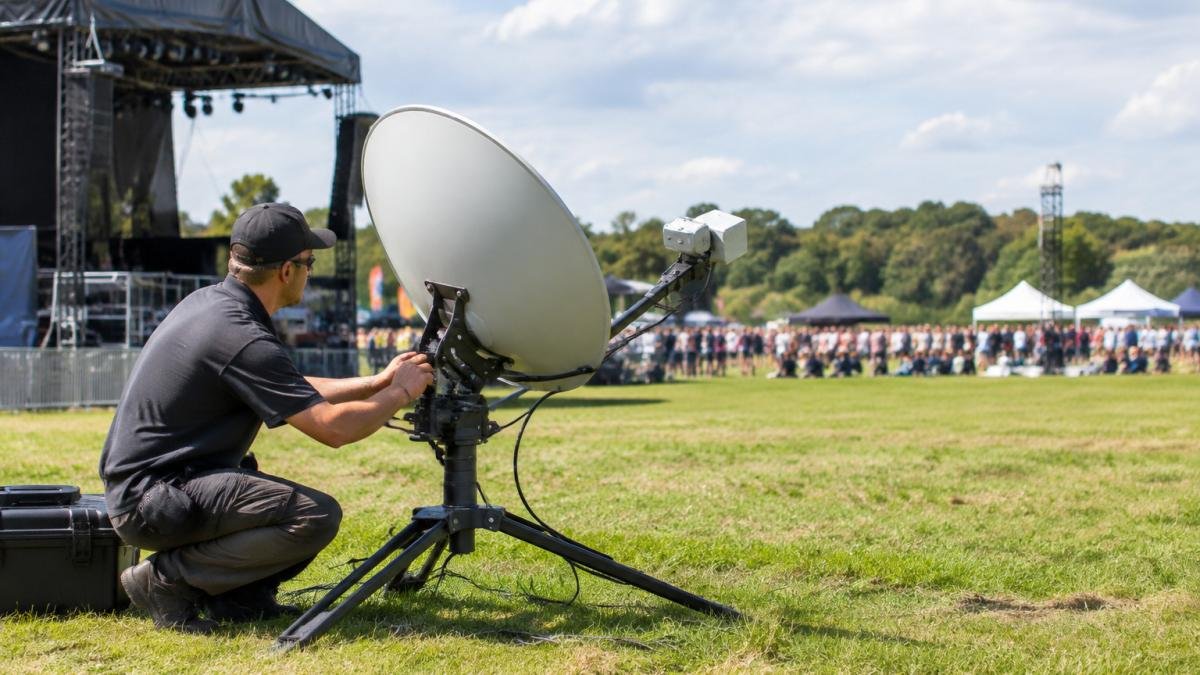
Satellite does not rely on a local tower, so it can be a more dependable choice where mobile coverage is patchy or absent. The catch is line of sight: trees, buildings, marquees or heavy weather can block the dish. Survey the sky from the planned position before you commit.
Ask your provider for a site assessment rather than trusting a coverage map. Maps show general areas, not the specific corner of a field where your stage sits.
Speed, Upload Requirements and Bandwidth Needs
Live streaming depends on upload speed, not download speed. Your viewers download the stream, but your site has to upload it. A connection that advertises high download speeds can still fail to carry a broadcast, and a plan sold on peak download figures tells you almost nothing about whether a contribution feed will hold.
The practical way to size a link is to build a bandwidth budget from the production workload rather than from a generic speed claim. Work through four buckets and add them up:
- Contribution feeds. Each camera or encoder you send to the cloud or to a remote production gallery consumes upload equal to its encoder bitrate plus protocol overhead. A single 1080p50 feed encoded at 6 Mbps with typical RTMP or SRT overhead lands around 7 Mbps of sustained upload; a 4K feed at 20-25 Mbps consumes proportionally more. Multiply by the number of simultaneous feeds you are contributing, not the number of cameras on site.
- Return and monitoring feeds. If the crew watches a programme return, a multiview or a remote speaker, that traffic may be download rather than upload, but it still competes for the same link and must be counted.
- Crew devices. Phones, laptops, intercom apps, file transfers and cloud backups share the link. A small crew might add 2-5 Mbps of bursty traffic; a larger crew with file uploads can add far more.
- Guest and client Wi-Fi. If you provide connectivity for a client, sponsor or press area, budget separately and cap it. Guest Wi-Fi can starve a contribution feed within minutes if it is left uncapped.
Add the buckets, then apply headroom. A common pattern is to target sustained upload at roughly 1.5 to 2 times the sum of your encoder bitrates, so that a momentary dip or a retransmission spike does not force the encoder to drop bitrate mid-event. For a two-camera 1080p contribution with a small crew, that often means planning for something in the order of 20-30 Mbps of reliable sustained upload rather than the 8-12 Mbps the raw encoder figures suggest.
Both satellite and 5G can deliver usable upload speeds, but the figures vary by provider, plan and site, and sustained upload is the number that matters. Ask for the committed upload rate in writing for your specific site and dates, not the peak rate on a brochure, and ask what happens to that rate under contention.
Watch out: encoder bitrate is a ceiling, not a guarantee, if the link cannot sustain it, the encoder will either drop quality or buffer, and both are visible to viewers.
The article breaks down the bandwidth budget into four buckets that add up to the upload a site needs:
| Bandwidth bucket | What drives it | Planning note |
|---|---|---|
| Contribution feeds | Encoder bitrate plus protocol overhead | 1080p50 at 6 Mbps is about 7 Mbps sustained |
| Return and monitoring feeds | Programme return, multiview, remote speaker | Counts against the same link |
| Crew devices | Phones, laptops, intercom, file transfers | Small crew 2-5 Mbps, bursty |
| Guest and client Wi-Fi | Client, sponsor and press connectivity | Cap it, or it can starve feeds |
Latency, Reliability and Performance Under Crowd and Weather Conditions
Latency is the delay between sending data and receiving a response. Satellite connections generally have higher latency than terrestrial links because the signal travels to orbit and back, and the figure depends on the orbit used. For one-way broadcast this is usually acceptable. For interactive segments, such as a live Q&A with a remote speaker, it can make conversations feel delayed, and the effect compounds when both ends are on high-latency links. Because delayed exchanges can disrupt interactive segments, planning for managing offline connectivity can help keep the event moving when a link falters.
Latency alone is only part of the picture. For live contribution, three measures decide whether a feed survives:
- Latency, the base delay. Matters for interactivity and for how much buffer the encoder and platform need.
- Jitter, the variation in delay. High jitter forces larger buffers and can cause audible or visible artefacts even when average latency looks fine.
- Packet loss, dropped data. Even small loss rates can trigger retransmissions that eat into your headroom and, on some protocols, collapse throughput.
Reliability is where events often go wrong, and the mechanisms differ by link. On 5G, large crowds can overload local masts: the cell has a fixed capacity shared among everyone attached to it, so audience density, competing uploads from phones and even nearby outside-broadcast trucks can slow your connection exactly when your audience is watching. A dedicated or bonded connection can help, but it still depends on the same underlying cells. On satellite, heavy rain, snow and thick cloud can degrade signal quality, and line-of-sight obstructions such as trees, buildings, marquees or a stage roof can block the dish.
Because the failure modes are different, the only reliable answer is to test at the actual venue, at the actual event time. A repeatable pre-event test plan should cover:
- Upload throughput, sustained, not peak, measured over at least ten minutes at the position where the encoder will sit.
- Latency, jitter and packet loss, recorded together, because a link with low average latency but high jitter behaves worse than its headline number suggests.
- Congestion at event time, repeat the test during a similar crowd level or at the same time of day, since a quiet morning survey can flatter a cell that saturates in the evening.
- Failover behaviour, confirm the backup path actually carries the feed, not just that it connects.
A walk-through at the venue during a similar crowd level tells you more than any spec sheet, and it is the only way to catch a mast that is fine at 10 a.m. and unusable at 7 p.m.
Bonded Cellular vs Satellite for Streaming: Cost and Trade-offs
Bonded cellular combines several mobile connections into one link, which can improve stability over a single 5G connection. It still depends on mobile coverage, so it does not solve the problem of a site with no signal.
Satellite and 5G are priced differently, and the right choice depends on the event. Pricing depends on quantity, dates and delivery, so ask Webcasting Livestream for a written quote for your specific dates and site. Confirm installation fees and minimum terms with your provider before committing.
Be wary of comparing headline monthly prices alone. A plan with no backup or site support can carry more risk if a stream fails during a paid event.
Building Redundant Internet Solutions for Live Broadcasting
Never rely on a single connection for a live broadcast. A practical setup pairs a primary link with a backup on a different network, since links that depend on different infrastructure are less likely to fail together.
Test the failover before the event. Unplug the primary connection during a rehearsal and confirm the encoder switches or that your team can switch manually within seconds. Document who does what if a connection drops.
Keep your encoder and streaming platform settings ready for the backup link, including bitrate, so the switch does not stall the stream. For guidance on coordinating the crew and speakers once the connection is set, see managing multi-speaker live stream events.
Booking Reliable Connectivity for Your Next Remote Stream
Connectivity is the part of a remote event most likely to fail without warning, so plan it early. Start with a site survey, confirm upload speeds in writing with your provider, and arrange a tested backup. Webcasting Livestream can help you plan your event production, and all video is recorded and provided at no extra cost, so you keep the content whatever happens on the day. You can browse the blog’s event streaming case studies and services before booking.
Contact Webcasting Livestream to discuss your event and receive a quote.
Frequently Asked Questions
Is 5G or satellite internet more reliable for live streaming in remote areas?
It depends on the site. 5G is only an option where a mobile signal is strong enough, and a large crowd can overload nearby mobile masts, which makes it less dependable at busy events. Satellite does not rely on local mobile towers, so it is usually the more dependable choice where coverage is patchy or absent. Weather such as heavy rain can still affect satellite signal, so test the actual site and consider a backup link for critical broadcasts. Webcasting Livestream can discuss your event requirements and location.
What are the latency differences between Starlink and 5G for live events?
Latency varies by provider, location and network load, and the research available here does not provide verified latency figures for Starlink or 5G at specific event sites. In general, 5G at a site with strong signal tends to respond quickly, while satellite links add some delay because data travels to orbit and back. Latency matters most for interactive segments such as live Q&A or video calls with presenters. Test the connection at your venue before the event to measure real figures.
Can 5G provide enough upload speed for high-definition live streaming?
5G can provide sufficient upload speed for HD streaming where the signal is strong and the network is not congested. Upload speed is the figure that matters most for a broadcast, because the stream leaves the venue through it. Crowds can reduce available capacity, so measure upload speed during a test at the site, ideally at the expected attendance level. Where upload capacity is uncertain, bonded or redundant links provide a margin.
Do I need a dedicated bonded cellular setup for remote event streaming?
Not always. A single strong link may be enough for a small, low-risk event. Bonded cellular combines several mobile connections into one, which can add capacity and resilience when no single carrier is reliable enough. It is most useful for high-stakes broadcasts where dropouts are unacceptable. Compare the added equipment and setup cost against the risk of failure for your specific event before committing.