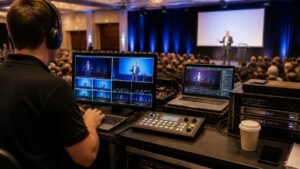


Last Updated: October 24, 2026
Quick Summary
High definition streaming is worth it for executive presentations when the content is information-dense, such as financial tables, product renders or detailed slides, and the audience is senior. It is rarely worth it for a single talking head in a plain office, and a stable standard definition feed beats a stuttering HD one every time.
- High definition streaming delivers live video at 720p or above, with 1080p the common corporate standard.
- A 1080p stream at 30 frames per second typically needs a video bitrate of about 4.5 to 6 Mbps.
- Upload at roughly double your target bitrate, so a 4.5 Mbps stream needs about 9 Mbps dedicated.
- Set the encoder to constant bitrate because variable bitrate spikes cause viewer-side buffering.
- Prioritise redundancy over resolution when the event cannot be repeated.
Table of Contents
- The Case For and Against HD Streaming for Executive Presentations
- 1080p Live Streaming Requirements: What Your Setup Must Handle
- Live Stream Bandwidth Requirements and Network Reliability
- Resolution Trade-Offs by Presentation Content
- Building an Executive Presentation Streaming Setup
- Corporate Live Streaming Best Practices for High-Stakes Meetings
- The Cost-Benefit Verdict: HD Versus SD for Executive Audiences
- Planning Your Next Executive Webcast With Webcasting Livestream
- Frequently Asked Questions
The Case For and Against HD Streaming for Executive Presentations
Whether high definition streaming is worth it for executive presentations depends on one thing: what is on screen. If your presenters share financial tables, product renders or detailed slides, HD earns its bandwidth. If the broadcast is a single talking head in a plain office, it rarely does. At Webcasting Livestream, we run webcasts for boards, investor briefings and town halls, and the honest answer sits between the two extremes.
The argument for HD is simple. Executive audiences are small, senior and impatient. They judge production value the way they judge a printed annual report, and blurry text reads as carelessness. The argument against is equally simple: most perceived quality problems in corporate webcasts come from network instability, not from the camera. A stable standard definition feed beats a stuttering HD one every time.
What High Definition Streaming Actually Changes on Screen
High definition streaming is the delivery of a live video feed at a resolution of 720p or above, with 1080p being the common corporate standard. The visible change is detail: small text on slides, facial expression, and on-screen graphics all survive compression better.
That matters most when information density is high. A presenter reading a headline is legible at any resolution. A presenter walking an audience through a revenue table is not.
Where Standard Definition Still Holds Up
Standard definition remains serviceable for single-camera talking heads, audio-led briefings, and audiences watching on phones over mobile data. In those cases, resolution adds little beyond bandwidth cost.
The trade-off is real, though. Once you mix slides, video content or demos into the broadcast, standard definition starts to show its age. Text softens, and viewers lean in rather than listen.
1080p Live Streaming Requirements: What Your Setup Must Handle
Meeting 1080p live streaming requirements means matching every link in the chain, not just buying a better camera.
Start with the source. Presentation software such as ProPresenter can encode at 1080p60, but the destination platform still governs what actually reaches viewers, as Vimeo’s guidance on streaming resolutions makes clear when comparing 720p, 1080p and 4K settings.
Then check the encoder. A dedicated hardware encoder handles a full HD feed far more reliably than screen-capture software running on the same laptop driving the slides. If you are weighing cameras and encoders, our rundown of live streaming hardware for corporate events covers what each component needs to deliver.
Bitrate is the number most teams get wrong. A 1080p stream at 30 frames per second typically needs a video bitrate in the region of 4.5 to 6 Mbps for clean slide text, with audio adding a small overhead on top.
Finally, confirm the platform accepts what you are sending. Some platforms re-encode every incoming stream and cap the output resolution by plan tier, so a 1080p ingest can still reach viewers at 720p.
Live Stream Bandwidth Requirements and Network Reliability
Live stream bandwidth requirements are where most HD plans quietly fail. The general rule is to upload at roughly double your target bitrate, so a 1080p stream at around 4.5 Mbps needs a dedicated upload path of about 9 Mbps that nothing else is using.
Shared office networks break this. Staff laptops, video calls and backups all compete for the same pipe, and the stream is the first thing to suffer.
Latency and jitter matter as much as raw speed. A connection that tests well but fluctuates will produce buffering regardless of resolution. Wired ethernet to the encoder, a separate connection from general office traffic, and a tested fallback path solve more problems than any camera upgrade. Once bandwidth is stable, the next gains come from audience-facing tactics, which we cover in ways to boost audience engagement without glitches.
Watch out: running the encoder on venue Wi-Fi because cabling is inconvenient is the single most common cause of a dropped executive webcast.
Resolution Trade-Offs by Presentation Content
Resolution should follow content, not habit. The table below is how we would set a stream for each common executive format.
| Presentation content | Recommended resolution | Why it fits | Main risk |
|---|---|---|---|
| Single presenter, audio-led | 720p | Faces and voice carry the message | None significant |
| Slides with financial tables | 1080p | Small text stays legible | Bandwidth spikes |
| Live product demos | 1080p | Fine detail and motion | Frame rate drops |
| Pre-recorded video inserts | 1080p | Matches source footage | Encoding mismatch |
| Hybrid event, wide room shots | 1080p | Detail across a large screen | Camera and lighting cost |
| Mobile-first remote audience | 720p | Smooth playback on mobile data | Perceived softness |
The pattern is consistent. The moment text or product detail enters the frame, HD stops being a luxury.
Building an Executive Presentation Streaming Setup
A reliable executive presentation streaming setup has four parts: a clean video source, a dedicated encoder, an isolated network path, and a platform that can push HD to every device. Get those right and the rest is presentation craft.
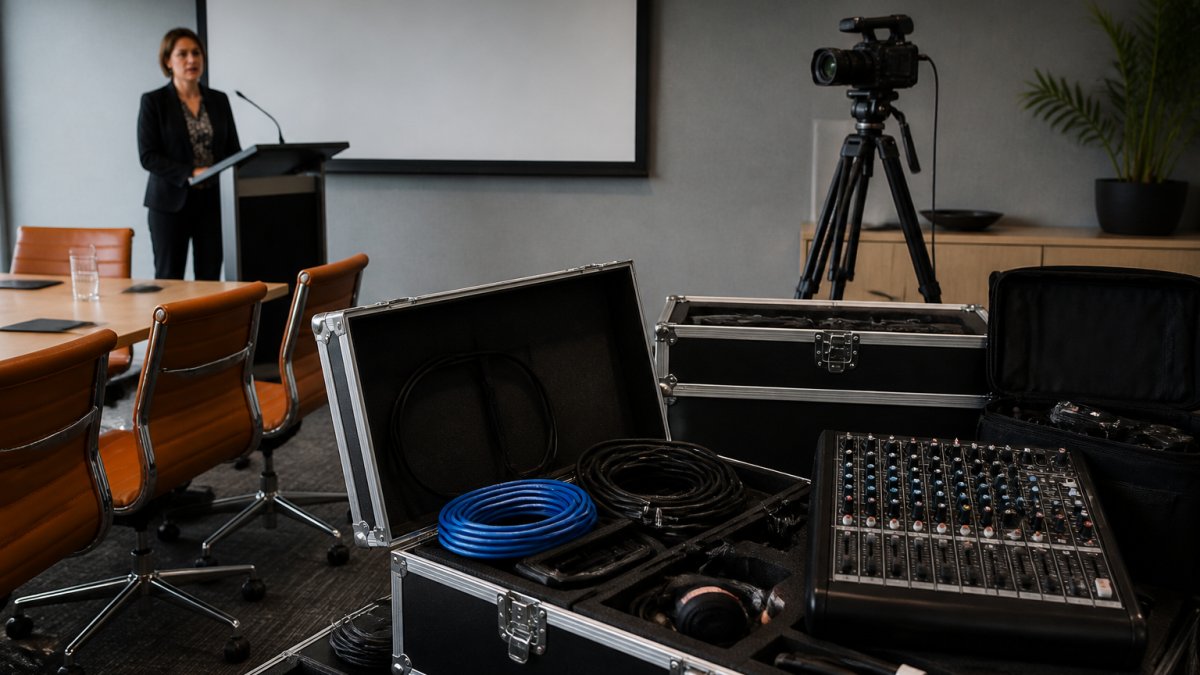
Reliable hardware integration ensures that the signal remains stable, yet the final delivery depends heavily on the bandwidth and encoding standards supported by premium streaming services.
Audio deserves equal weight. A wireless microphone on the presenter and a delegate microphone for questions, both routed through a mixer, prevent the echo and dropouts that make an HD picture feel amateur. Cable management is unglamorous and decisive: taped runs, labelled connections and a pre-built rack remove the last-minute scrambling that causes failures.
For teams that want the production handled end to end, our event webcasting solutions outline what a managed setup covers.
Corporate Live Streaming Best Practices for High-Stakes Meetings
Corporate live streaming best practices for high-stakes meetings come down to rehearsal and redundancy. An AGM, investor briefing or town hall has no second take, so the plan must assume something will fail and route around it.
- Run a full technical rehearsal on the venue network, not a test stream from the office.
- Build a backup encoder and a second connection path, and brief someone to switch between them.
- Keep a pre-recorded opening segment ready in case the live feed stalls.
- Test the stream on a phone, a laptop and a boardroom display before the event.
- Have a producer monitoring the stream as viewers see it, not as the room sees it.
Security and governance belong on that list too. Sensitive internal communications need access controls, and recordings should be stored and handed over under a clear agreement. Our town hall webcast best practices go deeper on running these formats.
The Cost-Benefit Verdict: HD Versus SD for Executive Audiences
HD is worth it when the content is information-dense and the audience is senior. It is not worth it when the broadcast is audio-led or the network cannot support it.
The cost side is not mainly cameras. It is bandwidth, encoding hardware, and the production discipline to keep a stable feed. A dedicated upload path, a hardware encoder, a backup connection and a producer monitoring the viewer-side feed are the line items that separate a reliable HD webcast from an unreliable one.
The benefit side is credibility and decision quality. Legible slides, sharp graphics and an audience that trusts what it is watching are the product.
Where SD still wins is simplicity. Fewer moving parts mean fewer failure modes, and a flawless standard definition stream outclasses a broken HD one. The decision framework below turns that trade-off into a repeatable choice by audience size, screen type, content and network capacity:
| Audience and format | Screen type | Content | Network capacity | Recommended setting |
|---|---|---|---|---|
| Board or investor group, under 50 | Large boardroom display | Financial tables, charts | Dedicated wired upload | 1080p, constant bitrate |
| All-staff town hall, 500+ | Desktop and mobile mix | Slides plus video inserts | Shared corporate network | 1080p ingest, 720p fallback |
| Single presenter briefing | Laptop screens | Talking head, minimal slides | Office Wi-Fi | 720p |
| Live product demo | Large display plus remote | Fine detail and motion | Dedicated wired upload | 1080p at 30fps |
| Audio-led update | Phone and laptop | Voice, static slide | Mobile data | 720p or audio-first |
The honest verdict for most executive programmes is that HD is worth it for the events that carry the organisation’s credibility, results announcements, investor briefings, board updates, and optional for the routine internal briefings where audio and reliability do the work.
Planning Your Next Executive Webcast With Webcasting Livestream
The safest way to get HD without the risk is to hand the production to a team that does it weekly. Webcasting Livestream provides managed webcasting with a no drop off guarantee, fail-safe procedures designed to keep streams running, and HD quality streaming across all devices. Every session is recorded and provided at no extra cost, and the content belongs to you.
If you are preparing an investor-facing event, our investor relations webcast platform guide walks through the platform choice in detail. Otherwise, tell us your date and format and we will scope the setup.
Frequently Asked Questions
Does HD streaming make presentation slides easier to read?
Yes, in most cases. At 1080p, on-screen text, charts and financial tables stay legible on laptops, tablets and large displays, which matters when executives present dense data. Standard definition often blurs small fonts and fine chart lines, especially on mobile. The gain depends on your content: text-heavy slides benefit most, while simple title cards and speaker-only shots look fine in SD. Match the resolution to what is actually on screen.
What internet upload speed is needed for HD live streaming?
A stable 1080p stream typically needs around 5 Mbps of dedicated upload bandwidth, with headroom above that for encoding overhead and network fluctuation. The upload must be reserved for the stream, not shared with staff video calls or cloud backups. Test the venue connection at the same time of day as the event, and keep a bonded or backup connection ready. Bandwidth requirements rise if you stream to multiple platforms at once.
Is 1080p necessary for a corporate presentation?
Not always, but it is the safer default for executive audiences. If the presentation includes detailed slides, live demos or video content, 1080p keeps text sharp and motion smooth. For a short internal update with simple visuals, 720p can be adequate. Consider who is watching: board members and investors viewing on large screens notice compression artefacts far more than a casual internal audience.
What matters more for a live presentation: resolution or stream reliability?
Reliability wins every time. A clean 720p stream that never drops beats a 1080p stream that buffers mid-sentence during an AGM. Executives remember the freeze, not the pixel count. The practical approach is to lock in a stable bitrate and fail-safe procedures first, then raise resolution as far as the network comfortably allows. Managed providers build in redundancy so a single connection failure does not end the broadcast.
How can you test an HD stream before an executive event?
Run a full rehearsal on the venue network at least a week ahead, at the same time of day as the event. Stream the actual slide deck and video content at target resolution, then check playback on a laptop, a phone and a large display. Monitor upload speed, latency and packet loss throughout. Repeat the test on event day before doors open, and confirm your provider has a backup path in place.
Executive presentations carry reputational weight, and a dropped stream or a blurry slide deck undermines the message before the presenter finishes a sentence. Webcasting Livestream handles the technical layer with fail-safe procedures, a no drop off guarantee, HD delivery across all devices, and full recordings supplied at no extra cost. Get started with Webcasting Livestream and broadcast your next executive presentation with confidence.