
Table of Contents
- Why Organisations Are Moving Beyond Zoom for Corporate Streaming
- Corporate Live Streaming Platforms: Key Differences from Standard Video Conferencing
- Enterprise Video Streaming Security: What Corporate Broadcasters Need
- Private Live Streaming for Companies: Deployment and Compliance
- Zoom Alternatives for Business: Platform Comparison
- Webcasting Livestream: Professional Managed Services with No Drop-Off Guarantee
- Webex for Government: Enterprise Security and Scalability
- Google Meet for Government: Compliance-Focused Video Conferencing
- TrueConf: Self-Hosted Control and Cost Efficiency
- Vidyo by Enghouse Video: Secure Government-Grade Streaming
- Feature Comparison: Security, Scalability, and Performance
- Evaluating Total Cost of Ownership for Enterprise Streaming
- Frequently Asked Questions
Last Updated: October 18, 2026
Why Organisations Are Moving Beyond Zoom for Corporate Streaming
When your AGM or product launch reaches thousands of participants across multiple states, Zoom’s meeting-first architecture shows its limits, especially when streaming to 5,000 people or guaranteeing zero drop-off during a critical event.
Organisations are shifting toward secure streaming alternatives to Zoom for corporate because the stakes have changed: a dropped connection in a board meeting affects a handful of people, but one during a live-streamed earnings announcement affects your entire shareholder base.
Corporate Live Streaming Platforms: Key Differences from Standard Video Conferencing
Video conferencing is built for two-way interaction: cameras on, microphones live, real-time conversation. Zoom, Google Meet, and Webex excel at dynamic group discussions.
Corporate live streaming is built for broadcast: speakers stream to hundreds or thousands of mostly watching viewers, prioritising delivery reliability and massive reach without degradation, this is where secure streaming alternatives to Zoom for corporate come in.
The practical differences are substantial:
- Participant scale: Video conferencing typically handles 100-500 active participants comfortably. Corporate streaming platforms handle thousands of concurrent viewers without performance loss.
- Bandwidth efficiency: Streaming platforms use adaptive bitrate technology to serve HD video to viewers on 4G, fibre, and everything in between. Conference tools assume relatively stable connections.
- Failover and redundancy: Streaming platforms include automatic backup systems. If one server fails, the stream continues. Conference tools may experience interruption.
For AGMs, product launches, town halls, and training broadcasts, this distinction directly affects whether your event succeeds or fails.
Enterprise Video Streaming Security: What Corporate Broadcasters Need
Security in corporate streaming isn’t one feature but a stack of controls. What matters is mapping each control to the threat you’re defending against and knowing what evidence to demand from a vendor.
Map controls to your threat model first
Before comparing platforms, write down what you’re protecting against. A common corporate threat model for live streaming includes:
- Content interception in transit, someone capturing the stream between your encoder and the viewer.
- Unauthorised viewing, a link shared outside the intended audience, or a compromised account.
- Insider recording and redistribution, an authorised viewer capturing and leaking sensitive material.
Each threat maps to a different control: encryption in transit stops interception but not an authorised viewer who screen-records; access controls stop unauthorised viewing but not insider redistribution.
Encryption: be precise about what “end-to-end” means
“End-to-end encryption” is used loosely in vendor marketing. Ask:
- Where are keys held? True end-to-end encryption means the platform cannot decrypt the media, keys are held only at endpoints. Many conferencing products offer transport encryption (TLS/SRTP) and encryption at rest, but the platform holds the keys and can technically access content. That’s a legitimate model, but it is not end-to-end, and for regulated content the distinction matters.
- What is encrypted at rest, and for how long? Recordings, transcripts, and chat logs are often stored separately from the live stream. Confirm each is encrypted at rest and know the retention period.
- Who can access recordings administratively? Ask whether support staff can view customer recordings, under what conditions, and whether that access is logged and requires customer approval.
For most corporate broadcasts, transport encryption plus encryption at rest plus strict admin access controls suffices. True end-to-end encryption matters when the content itself is the sensitive asset, board discussions, pre-announcement financials, legal proceedings.
Identity, access, and the audit trail
Strong authentication is table stakes: single sign-on via SAML or OIDC against your corporate directory, multi-factor authentication enforced at the identity provider, and the ability to revoke access centrally when someone leaves. The controls that differentiate platforms are the ones downstream of login:
- Registration and identity binding, requiring viewers to register, or binding access to an authenticated identity, so a shared link doesn’t grant anonymous access.
- Per-event access policies, password protection, domain restriction (only your email domain), IP allow-listing for fixed corporate networks, and time-bound access that expires after the event.
- Role separation, distinct permissions for producers, moderators, presenters, and viewers, so a compromised presenter account can’t take over the broadcast.
Ask vendors for a sample audit log export during evaluation. If they can’t produce one, the audit trail probably isn’t designed for compliance use.
Data residency and retention
Data residency isn’t binary: content sits in different places at different stages, live ingest, transcoding, CDN delivery, recording storage, backups.
Retention is the other half: ask how long recordings are kept by default, whether retention is configurable per event, whether deletion is verifiable, and whether backups are purged on the same schedule.
Compliance: demand evidence, not claims
Vendor pages routinely claim “enterprise-grade security” and list logos. Procurement should ask for the evidence:
- SOC 2 Type II, the report itself, not a badge. Check the audit period, the scope (does it cover the streaming service or only the parent company?), and any exceptions noted.
- ISO/IEC 27001, certification scope and the certifying body.
- IRAP assessment, for Australian government and many regulated workloads, confirm the current assessment level and which services are in scope.
A certification badge on a marketing page is not evidence. Request the current report or certificate, check its scope and date, and confirm it covers the specific service you’re buying.
The control matrix to take into evaluation
Build a matrix with your threat model down one side and each candidate platform across the top, recording the control, mechanism, and evidence for each cell. This forces vendors to answer specifics and gives your security team a defensible record. A secure streaming alternative to Zoom for corporate should welcome that scrutiny, if a vendor can’t answer basic questions about key custody, audit logging, and certification scope, that tells you as much as any feature list.
Private Live Streaming for Companies: Deployment and Compliance
Deployment affects security, cost, and control.
Cloud platforms like Webex and Google Meet handle hosting for you, minimal IT overhead, but your data lives on someone else’s servers.
For most organisations, a managed service sits between these extremes: the provider handles infrastructure and guarantees uptime while you retain control over content, access, and recordings.
Compliance requirements vary by industry: financial services often need SOC 2, government agencies specific data handling protocols, healthcare providers privacy standards.
Zoom Alternatives for Business: Platform Comparison
Webcasting Livestream: Professional Managed Services with No Drop-Off Guarantee
Webcasting Livestream provides end-to-end live streaming for corporate events, government communications, and large-scale broadcasts, built around a core guarantee: your stream will not drop.
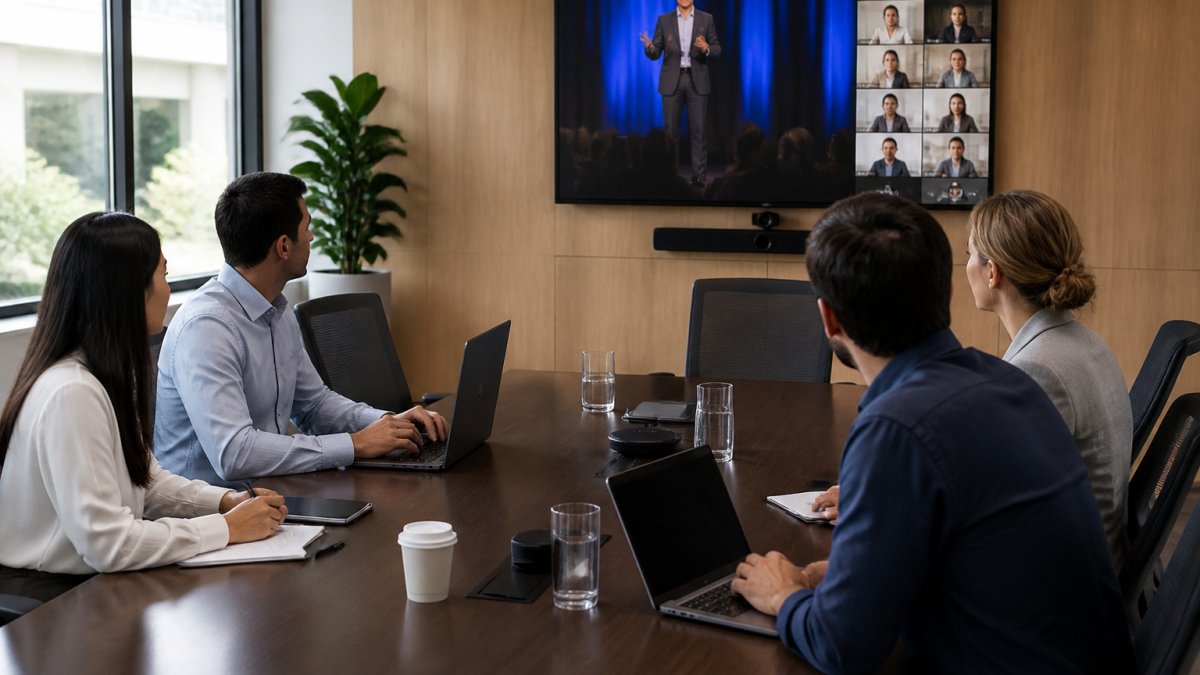
The service includes multi-camera support, multimedia integration, and simultaneous simulcasting.
HD streaming across all devices is standard, and consistency matters: roughly 40% of corporate event viewers now watch on mobile, where poor experience directly correlates with drop-off.
Adaptive bitrate technology ensures reliable delivery even in regional areas with limited bandwidth.
Webex for Government: Enterprise Security and Scalability
Cisco Webex offers a government-focused tier supporting end-to-end encryption, data residency in specific locations, and integration with government authentication systems.
Webex handles both conferencing and streaming, supporting hybrid events where some participants are in the room and thousands more watch the stream, valuable for government town halls and public consultations.
The platform’s scalability is proven, it handles large participant counts without degradation. Support for government compliance frameworks is documented, though specific certifications vary by region and tier.
Google Meet for Government: Compliance-Focused Video Conferencing
Google Meet offers a government tier with enhanced security controls, data residency options, and compliance certifications, integrating with Google Workspace.
Google Meet is primarily a conferencing tool, not a dedicated streaming platform. For large-scale broadcasts with thousands of viewers, it works but isn’t optimised for the streaming use case the way dedicated platforms are.
TrueConf: Self-Hosted Control and Cost Efficiency
TrueConf is a self-hosted video conferencing platform giving complete control over infrastructure and data.
Self-hosting means your IT team manages installation, updates, patches, and failover, technical expertise required, but no ongoing subscription costs.
TrueConf handles conferencing and can support streaming, though it’s not purpose-built for large-scale broadcast scenarios the way dedicated streaming platforms are.
Vidyo by Enghouse Video: Secure Government-Grade Streaming
Vidyo by Enghouse Video is positioned as a secure alternative for government and enterprise use. The platform emphasises encryption, data protection, and compliance with government standards.
Specific features and deployment options vary, but the platform is designed for organisations that prioritise security controls and regulatory compliance over simplicity.
Feature Comparison: Security, Scalability, and Performance
| Platform | Deployment | Concurrent Viewers | Encryption | Data Residency | Best For |
|---|---|---|---|---|---|
| Webcasting Livestream | Managed service | Unlimited | End-to-end | Australia-based | Corporate broadcasts, AGMs, product launches |
| Webex for Government | Cloud / hybrid | 100,000+ | End-to-end available | Configurable | Government agencies, hybrid events |
| Google Meet for Government | Cloud | 100,000+ | Standard TLS | Configurable | Organisations already using Google Workspace |
| TrueConf | Self-hosted | 1,000+ | End-to-end | On-premises | IT-mature organisations, cost-conscious deployments |
| Vidyo by Enghouse Video | Self-hosted / cloud | Configurable | End-to-end | Configurable | Organisations prioritising security compliance |
The table shows that different platforms solve different problems. Webcasting Livestream is purpose-built for managed corporate streaming with guaranteed uptime. Webex and Google Meet work well for hybrid events but aren’t optimised for pure broadcast scenarios. TrueConf and Vidyo give you control but require IT management.
Evaluating Total Cost of Ownership for Enterprise Streaming
The price tag is only part of the total cost. Most roundups list entry-level subscription prices and stop there, which is why organisations are surprised by the real bill twelve months in. A total cost of ownership (TCO) model compares deployment models on the same basis.
The five cost pools
Every streaming deployment draws on the same five pools. The mix changes by model, but none of them disappear.
- Platform licensing or subscription, per-host, per-event, per-viewer, or capacity-based. Understand which unit you’re buying and what happens when you exceed it.
- Infrastructure, compute for encoding and transcoding, egress bandwidth, CDN delivery, and storage for recordings. In a self-hosted model these are your bills; in a managed model they’re bundled but still priced in.
- People, setup, event production, monitoring, troubleshooting, patching, and administration. This is the pool most often underestimated.
- Support and professional services, vendor support tiers, onboarding, training, and any custom integration work.
- Compliance and assurance, audits, penetration tests, evidence collection, and the internal time spent answering security questionnaires.
A worked comparison framework
Rather than quote list prices, which change and vary by negotiation, build a model around your own volumes.
| Cost pool | Self-hosted | Managed service | Cloud conferencing add-on |
|---|---|---|---|
| Licensing | Perpetual or annual licence | Per-event or annual subscription | Per-host subscription |
| Infrastructure | Your servers, bandwidth, storage, CDN | Bundled | Bundled |
| People | High, patching, failover, on-call | Low, event logistics only | Low to moderate |
| Support | Internal or vendor contract | Included in service | Vendor tier |
| Compliance | Internal evidence gathering | Vendor evidence plus your review | Vendor evidence plus your review |
Fill the cells with your own figures. If your IT team estimates 15-20 hours a month on patching, monitoring, and failover testing for a self-hosted platform, multiply by a fully loaded hourly rate, that figure alone often exceeds the licence-fee difference between models.
The cheapest licence is rarely the lowest total cost. The model that wins is the one whose people and infrastructure costs you can actually forecast.
The hidden costs that break budgets
- Overage charges. Per-viewer or per-event pricing can spike sharply for an AGM or a product launch that draws an unexpectedly large audience. Ask for the overage rate and whether it can be capped.
- Recording storage growth. Archives accumulate. A platform that includes generous storage in year one but charges per gigabyte thereafter creates a rising cost that’s easy to miss in procurement.
- Egress and CDN bandwidth. In self-hosted and hybrid models, delivering HD video to thousands of viewers is a bandwidth cost that scales with audience size, not with licence count.
Deployment model economics in practice
Self-hosted platforms can be cost-efficient at steady, predictable volumes with mature IT operations, since marginal cost per event is low once infrastructure exists, but the people cost is fixed and high, and doesn’t shrink in quiet months.
Managed services trade a higher predictable fee for a much lower internal burden.
Cloud conferencing add-ons are cheapest for occasional, small-scale use and become expensive and technically strained as audience size and event frequency grow.
Questions to put to every vendor
- What is the pricing unit, and what is the overage rate?
- What is included in support, and what requires an upgrade?
- How long are recordings retained by default, and what does additional storage cost?
A secure streaming alternative to Zoom for corporate should be transparent about all of these costs. If a vendor can’t clearly explain their pricing model, that’s a warning sign you can act on before signing, not after the first invoice.
Frequently Asked Questions
What makes secure streaming alternatives to Zoom better for corporate events?
Secure streaming alternatives are purpose-built for broadcast-scale audiences and sensitive corporate communications. Unlike Zoom, which prioritises meeting functionality, these platforms offer end-to-end encryption, granular access controls, data residency options, and compliance certifications required by large organisations. They handle thousands of concurrent viewers without degradation, provide automatic recording with ownership guarantees, and include fail-safe procedures to prevent stream interruptions during critical events like AGMs or product launches.
How do enterprise video streaming security features protect private corporate broadcasts?
Enterprise platforms implement multiple security layers: end-to-end encryption ensures content is unreadable in transit, authentication controls restrict access to authorised viewers only, and data residency options keep sensitive communications within specific geographic jurisdictions. Advanced platforms offer role-based permissions, audit logs tracking who accessed the stream, and the ability to restrict viewing by IP address or domain. Some support self-hosted deployment, keeping streams entirely on your own infrastructure rather than cloud servers.
Are corporate live streaming platforms the same as video conferencing software?
No. Video conferencing tools like Zoom prioritise two-way interaction between participants, while corporate live streaming platforms optimise for one-to-many broadcast scenarios with thousands of viewers. Streaming platforms emphasise content ownership, HD quality across all devices, automatic recording, and compliance features. They handle much larger audiences, provide better audience analytics, and support features like live chat moderation and adaptive bitrate streaming for varying internet speeds across regional areas.
What should we compare when choosing a secure streaming platform for our organisation?
Evaluate encryption standards (end-to-end preferred), compliance certifications relevant to your industry, scalability limits for your expected audience size, uptime guarantees and failover procedures, data residency and storage location, recording ownership and archival costs, authentication methods, geographic server locations, support availability during events, and total cost of ownership including setup, per-event fees, and storage. Request references from organisations in your sector and verify performance in regional areas if you host events across multiple states.
Can we restrict a corporate live stream to only invited viewers?
Yes. Secure streaming platforms offer multiple restriction methods: password protection, unique registration links, IP-based access lists, domain restrictions (allowing only your organisation’s email addresses), and role-based permissions. Some platforms support single sign-on integration with your existing corporate directory. These controls ensure sensitive internal communications, financial results announcements, or confidential training sessions remain visible only to intended participants, protecting competitive information and privacy.