Table of Contents
- Event Production Services vs DIY Streaming: Key Differences
- DIY Event Live Streaming Equipment and Setup
- Event Streaming Production Costs: Professional vs DIY
- Live Streaming Event Checklist for Flawless Delivery
- Webcast Recording and Archiving: Ownership and Access
- Reliability, Security, and Compliance
- Decision Framework: When to Hire Professional Services
- Frequently Asked Questions
Last Updated: October 17, 2026
Event Production Services vs DIY Streaming: Key Differences
Deciding between event production services vs DIY streaming means weighing control and cost against reliability and reach, and what happens when something goes wrong mid-broadcast.
Professional event production services handle everything end-to-end: camera operators, audio engineers, technical directors, backup systems, and fail-safe procedures.
This guide breaks down when each approach makes sense, what you’ll actually pay, and the hidden costs most DIY streamers discover too late.
DIY Event Live Streaming Equipment and Setup
Essential cameras and audio gear
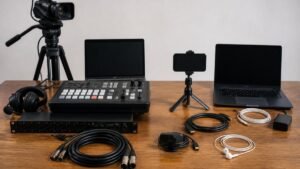
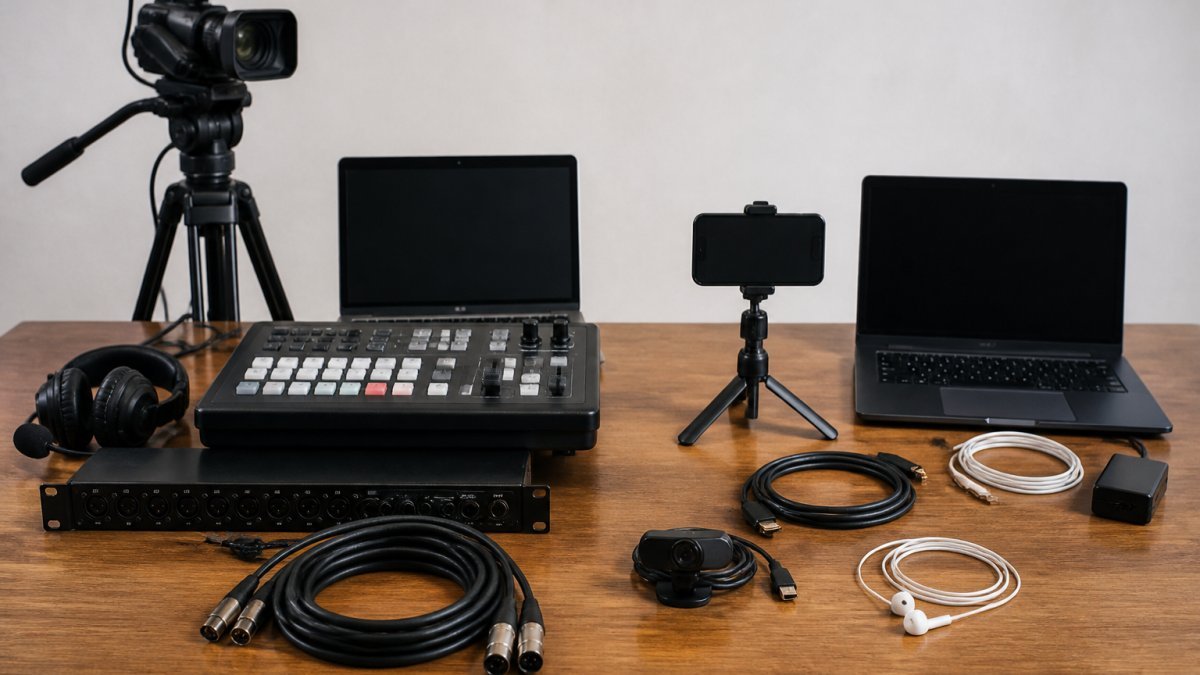
A functional DIY stream needs at least one professional-grade camera (or several for multi-angle production), a quality microphone or lavalier system, and audio mixing capability.
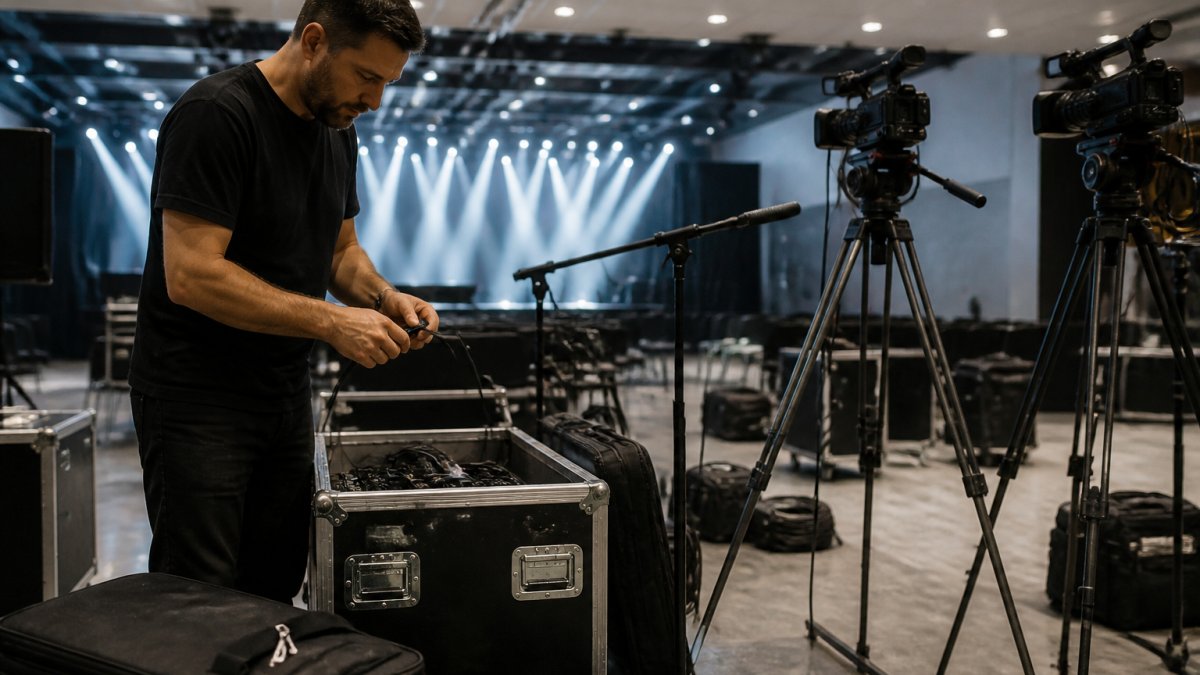
A single 4K camera can be a significant investment. Add a wireless microphone system, audio mixer, and lighting kit, and entry-level gear can be substantial.
But equipment is only part of the equation.
Internet bandwidth and backup connections
Bandwidth is where DIY streaming often fails. A 1080p broadcast at 60 frames per second needs roughly 5-8 Mbps upload; 4K needs 15-25 Mbps.
Professional services use redundant connections across different providers, switching automatically if one fails.
You also need a content delivery network (CDN) to distribute your stream without buffering, adding complexity and cost to DIY production.
Event Streaming Production Costs: Professional vs DIY
Most comparisons of event production services vs DIY streaming stop at the equipment list, the smallest part of the bill. A realistic comparison includes labour, software and platform fees, connectivity, contingency, and post-event deliverables, the lines that decide whether DIY is genuinely cheaper or just cheaper on paper.
Building a like-for-like DIY budget
A DIY stream for a two-hour corporate event with two cameras and 200-500 concurrent viewers typically carries these cost lines:
- Equipment purchase or hire: A two-camera kit with tripods, wireless lavalier and handheld microphones, an audio mixer, a lighting kit, and a hardware encoder can be a significant investment to buy or hire. Entry-level single-camera kits sit lower but limit you to one angle and one operator.
- Software and platform fees: Streaming platforms range from free ad-supported tiers to business plans. Add captioning, recording storage, and analytics as paid add-ons.
- Connectivity: A dedicated business-grade upload link or a bonded cellular backup can incur additional costs for a single event, especially in regional or temporary venues where fixed lines are unreliable.
A realistic all-in DIY figure can be substantial, with most organisations landing at the upper end once labour and contingency are counted honestly.
What professional production pricing actually covers
Professional event production services price on scope, not a menu of parts. The quote bundles multi-camera capture with operators and a technical director, audio engineering, redundant internet and encoder failover, graphics and live switching, platform hosting and viewer support, recording and archiving in multiple formats, and rehearsal time with on-site contingency staff.
For a mid-sized corporate event (200-500 concurrent viewers, two to three hours, multi-camera), a professional quote will vary. Larger events scale upward, but per-viewer cost often falls as fixed production overhead spreads across a bigger audience.
Side-by-side total cost
| Cost line | DIY (two-camera, 200-500 viewers) | Professional (same scope) |
|---|---|---|
| Equipment | AUD 500-1,500 hire, or AUD 3,000-8,000 to buy | Included |
| Software and platform | AUD 50-400 | Included |
| Connectivity and backup | AUD 150-600 | Included |
| Labour (internal or contracted) | AUD 720-2,880 | Included |
| Contingency and rehearsal | Often unbudgeted | Included |
| Recording and post-event deliverables | Extra time and storage cost | Included |
| Realistic total | AUD 2,500-7,000 | AUD 2,500-6,000 |
Once labour and contingency are counted, the two approaches often land in the same range, but only one comes with failover, rehearsal, and a partner accountable if the stream drops.
DIY looks cheaper when you count only equipment. It stops looking cheaper the moment you price the hours your team spends planning, rehearsing, operating, and cleaning up, and the risk you are carrying without backup systems.
Where the cost gap widens
The economics shift decisively toward professional production as events get larger or riskier:
- Multi-day or multi-room events: DIY labour multiplies with each room and day; professional crews and equipment are shared across the programme.
- High-stakes broadcasts: AGMs, earnings calls, and regulated meetings carry reputational and compliance costs that dwarf any production saving.
- Content reuse: Professional deliverables (edited clips, archived masters, captions) save substantial post-event labour.
Conversely, DIY remains cheaper for small internal webinars under about 100 viewers, where a single operator, a laptop, and a business platform tier will do and the cost of failure is low.
Questions to ask before you compare quotes
To make any comparison honest, get answers to these before you decide:
- Does the DIY figure include staff hours at a loaded rate, or is it treating internal time as free?
- Is there a backup internet path, and has it been tested at the venue?
- Who operates the stream during the event, and what are they not doing while they do it?
- What does the recording cost to store, edit, and deliver after the event?
- What is the cost to your organisation if the stream fails for five minutes?
Answer those and the comparison stops being about equipment and starts being about risk.
Live Streaming Event Checklist for Flawless Delivery
Pre-event technical rehearsal
A technical rehearsal is the difference between a smooth broadcast and a disaster. Run through your entire setup at least 48 hours before the event, testing every camera angle, microphone, transition, and your internet connection under realistic load.
Check these specific items:
- All cameras focus properly and frame correctly
- Audio levels are balanced and not distorted
- Graphics, lower-thirds, and transitions display correctly
Most DIY failures happen because this rehearsal was skipped or rushed; professional services build it into their workflow.
Contingency and backup procedures
Professional services have documented contingency procedures: backup cameras ready to deploy, redundant internet that switches automatically, backup audio systems, and technical staff on standby. DIY setups rarely plan this deeply.
Document your own contingency plan before the event:
- Backup camera positioned and ready to take over
- Secondary internet connection available (mobile hotspot, second ISP if possible)
- Backup microphone system configured and tested
Webcast Recording and Archiving: Ownership and Access
One critical difference between professional services and DIY: who owns the recording, and how easily can you access it later?
With DIY software you typically own the recording files but are responsible for storage, backup, and long-term access.
Professional services like Webcasting Livestream provide recorded content as part of the service.
For organisations that reuse event content for training, marketing, or compliance, professional archiving avoids managing files yourself and gives you a partner responsible for keeping recordings accessible.
Reliability, Security, and Compliance
Reliability is where the event production services vs DIY streaming comparison is usually decided. The useful question is not whether professional production is more reliable, but what specifically happens, in each approach, when a defined failure occurs.
Failure scenarios, side by side
| Failure | DIY typical response | Professional typical response |
|---|---|---|
| Internet drops for 30 seconds | Stream stalls; operator restarts encoder; viewers see a frozen frame or error | Automatic failover to a bonded or secondary connection; viewers may see a brief quality dip, not a drop |
| Primary camera fails mid-event | Cut to a static slide or wide shot if a second camera happens to be running; otherwise stream ends | Pre-positioned backup camera and operator cut in within seconds |
| Audio mixer or interface fails | Audio lost until software restarts; no redundancy | Redundant audio path or backup mixer already patched and tested |
| Presenter’s microphone fails | Operator swaps batteries or cables live; gap in audio | Spare microphone and runner on standby; swap rehearsed |
| Encoder or laptop crashes | Stream ends; restart takes minutes and loses the recording segment | Secondary encoder takes over; recording continues on redundant path |
| Platform outage | No fallback; viewers lose access | Alternate ingest or platform path, plus viewer communication plan |
The pattern is consistent: DIY reliability depends on the operator noticing a problem and fixing it under pressure, while professional reliability depends on systems that fail over before the audience notices. Only one is designed for the moment something goes wrong.
A backup plan you have not tested is not a backup plan. If your secondary internet connection, spare camera, or backup encoder has not been switched over in a rehearsal at the actual venue, assume it will not work when you need it.
Uptime commitments and what they mean
Professional providers typically offer service commitments around stream continuity, such as a no-drop guarantee covering infrastructure failures on their side.
For events where the stream cannot fail, annual general meetings, earnings calls, regulatory briefings, product launches, that absence of a counterparty is the real cost. You are not buying equipment; you are buying someone accountable when something breaks.
Access control and content security
If your event carries confidential or regulated content, security is a production requirement, not an afterthought.
- Authentication: Professional platforms support single sign-on, registration lists, and unique viewer links. A public DIY stream on a consumer platform is open to anyone with the URL.
- Geo-blocking and viewer limits: Useful for rights-restricted content or capacity management; rarely configured in DIY setups.
- Encryption and tokenised access: Standard in business streaming tiers, often unavailable or unused in free DIY tools.
Accessibility obligations
Accessibility is the compliance area most DIY guides ignore, and it is increasingly expected for public-facing and workplace events.
- Captions: Live captions are expected for public broadcasts and many internal events. Professional production typically includes captioning or integrates a captioning provider; DIY requires a separate service and workflow.
- Transcripts and accessible recordings: Post-event transcripts and captioned recordings support audiences who cannot attend live and are commonly requested for training and compliance records.
- Player accessibility: Keyboard navigation, screen-reader compatibility, and adjustable contrast are features of business streaming platforms, often missing from consumer tools.
If your organisation has accessibility commitments or public-facing obligations, factor captioning and accessible delivery into both budgets. DIY can meet them, but only with extra services and coordination that erode its cost advantage.
Privacy and data handling
Viewer registration data, chat logs, and recordings are personal information, and handling them carries obligations under Australian privacy law. Professional providers typically document retention, access, and deletion practices; DIY setups often leave this to whoever ran the stream. Before you choose, ask where viewer data is stored, who can access it, how long it is kept, and how it is deleted.
Compare reliability by listing the specific failures you could face and asking, for each one, what happens next under DIY and under professional production. If the DIY answer is “someone will fix it live”, you have found the real difference.
Decision Framework: When to Hire Professional Services
Event size and audience scale
Event size and expected audience determine whether DIY is viable.
DIY works best for: small internal events (under 100 concurrent viewers), training sessions or webinars with a known internal audience, events where technical perfection is nice-to-have, and organisations with in-house expertise and spare capacity.
A product launch with 5,000 expected viewers? Professional services. An internal team meeting with 30 people? DIY is probably fine.
Risk tolerance and content sensitivity
Ask yourself: what’s the cost if something goes wrong?
A dropped stream during internal training is annoying. A dropped stream during your AGM, with shareholders watching, is a PR disaster. A failed product launch broadcast damages your brand.
If the event is high-stakes, regulatory, public-facing, or revenue-critical, hire professionals, the insurance value alone justifies the cost. For routine, low-risk events, DIY is acceptable if your team has the technical skills and capacity.
The real question isn’t whether professional services or DIY streaming is cheaper. At Webcasting Livestream, we guarantee your stream won’t drop, your content belongs entirely to you, and every moment is recorded in HD quality. Learn more about our no drop-off guarantee and fail-safe procedures.
Frequently Asked Questions
What’s the difference between professional event production services and DIY streaming?
Professional event production services include a dedicated team managing cameras, audio, lighting, streaming platform, backup systems, and technical support throughout your event. DIY streaming requires you to source, set up, and operate all equipment yourself, often while managing the event. Professional services offer fail-safe procedures, redundant internet connections, and guaranteed uptime. DIY streaming gives you lower upfront costs but introduces risk of technical failures, stream drops, and requires significant internal staffing or training.
What equipment do you need to stream an event yourself?
DIY event live streaming equipment includes: multiple cameras (broadcast-grade or high-end DSLR), audio mixer and microphones, lighting kits, video encoder or streaming software, backup internet connection, tripods, cables, and a streaming platform subscription. You’ll also need a staging area to manage the technical setup and someone trained to monitor and troubleshoot during the broadcast. Total equipment investment can vary significantly, depending on video quality and venue size.
How much does it cost to hire an event streaming production team?
Professional event production services pricing depends on event scope, duration, expected attendance, and production complexity. Factors include multi-camera setups, graphics integration, recording, archiving, and geographic location. Most professional services offer project-based pricing rather than fixed rates. For accurate costs, contact your chosen provider for a quote based on your specific event requirements. Many providers offer tiered options from webinar-grade production to broadcast studio quality.
What can go wrong when you DIY stream an event?
Common DIY streaming failures include: internet connection drops or insufficient bandwidth causing stream interruption, audio feedback or poor microphone placement creating poor sound quality, camera or lighting failures mid-event, video encoder crashes, streaming platform overload with concurrent viewers, and lack of technical support during the broadcast. Without backup systems, a single failure stops your entire stream. Professional services use redundant connections, backup equipment, and trained operators to prevent these scenarios.
How do you record and archive a live-streamed event?
Professional webcast recording and archiving typically includes automatic capture during the live broadcast, with recordings provided to you at no additional cost. Professional services ensure you own the content and can reuse recordings for training, on-demand viewing, or marketing. DIY streaming requires manual recording setup through your streaming platform or external software, and you’re responsible for storage, format conversion, and access management. Professional services simplify compliance, security, and long-term content management.