Table of Contents
- What Makes a Live Streaming Solution Right for Hybrid Events
- Quick Comparison: Live Streaming Solutions for Virtual and Hybrid Events
- Webcasting Livestream: Professional Managed Streaming with No Drop-Off Guarantee
- Airmeet: Hybrid Event Streaming Platform Built for Audience Engagement
- Live Event Q&A and Polling Features Across Platforms
- Hybrid Event Audience Engagement Tools: Connecting In-Room and Remote Attendees
- How to Choose the Right Solution for Your Event
- Frequently Asked Questions
Last Updated: October 10, 2026
What Makes a Live Streaming Solution Right for Hybrid Events
A hybrid event combines in-person and virtual attendance, requiring live streaming solutions hybrid events that connect both audiences seamlessly. The challenge isn’t just broadcasting, it’s creating genuine interaction between people in the room and those watching remotely.
Most event organisers focus on video quality alone. That’s a mistake. A truly effective live streaming solution for hybrid events must handle real-time audience engagement, reliable stream stability, and the ability to let remote attendees participate meaningfully alongside in-person guests.
At Webcasting Livestream, we’ve managed hundreds of hybrid events, from corporate AGMs to product launches. What separates a successful hybrid experience from a frustrating one comes down to three things: first, whether your streaming infrastructure can handle unexpected technical issues without dropping the broadcast; second, whether your platform gives remote attendees tools to interact (not just watch); and third, whether you actually own your content afterward.
Below, we’ll walk you through the solutions that matter most, the specific features that drive engagement, and how to pick the right platform for your event size and budget.
Quick Comparison: Live Streaming Solutions for Virtual and Hybrid Events
| Solution | Best For | Key Strength | Interaction Features |
|---|---|---|---|
| Webcasting Livestream | Professional hybrid events, corporate communications | No drop-off guarantee, HD quality, full content ownership | Live Q&A, polls, moderated chat |
| Airmeet | Networking-focused events | Virtual tables and matchmaking | Breakout rooms, networking lounges |
| Eventee | Multi-streaming flexibility | Integrates YouTube, Vimeo, Webex, Zoom | Depends on integrated platform |
| RingCentral Events | Multi-room hybrid events | Attendees move between session rooms | Room navigation, session switching |
| Dacast | High-volume remote viewership | Scalable streaming infrastructure | Limited interaction; primarily broadcast-focused |
Webcasting Livestream: Professional Managed Streaming with No Drop-Off Guarantee
Webcasting Livestream stands apart because it’s built specifically for organisations that can’t afford technical failures during critical events. Their no drop-off guarantee means if something goes wrong on their end, you’re protected, not left scrambling during your AGM or product launch.
Here’s what matters: your event content belongs to you. Recordings are delivered at no extra cost, in full HD, ready to repurpose for training, marketing, or internal communications. That’s not standard. Most platforms either charge for downloads or keep your content locked behind their interface.
The service includes professional managed support nationwide, which means your IT team doesn’t carry the load. If you’re streaming to 5,000 people across multiple states with varying internet quality, their fail-safe procedures ensure stream stability regardless of regional connectivity issues. This is critical for organisations where a dropped stream during a sensitive announcement creates real business risk.
Webcasting Livestream handles the full technical stack, camera placement, audio engineering, backup systems, so you can focus on your event content. Their team manages everything from pre-event testing through post-event delivery.
Pros:
- No drop-off guarantee backed by fail-safe procedures
- HD quality across all devices (desktop, tablet, mobile)
- Full content ownership; recordings included at no extra cost
- Professional managed services, not self-service
- Secure end-to-end webcasting for sensitive communications
Cons:
- Pricing requires a quote (not a fixed monthly tier)
- Best suited for organisations that prioritise reliability over budget constraints
Airmeet: Hybrid Event Streaming Platform Built for Audience Engagement
Pros:
- Virtual tables and matchmaking for networking-focused events
- Breakout rooms visible to both in-person and remote attendees
- Built-in audience engagement tools (polls, Q&A, chat)
- Strong focus on attendee interaction, not just streaming
Cons:
- Pricing requires a quote; no published starting price
- Less emphasis on fail-safe streaming guarantees
- Better for engagement-driven events than high-security internal communications
Live Event Q&A and Polling Features Across Platforms
Interactive features separate passive viewership from genuine participation. Remote attendees who can ask questions in real time feel included; those who can only watch feel like second-class participants. However, not all Q&A and polling implementations are equal. The difference between a platform that drives 50% question participation and one that achieves 10% often comes down to UX design, moderation workflow, and how well the platform integrates interaction with the live broadcast.
How Q&A and Polling Differ Across Platforms
Most platforms include basic Q&A and polling, but implementation varies significantly:
- Moderation model: Some platforms require moderator approval for every question before display (slowing response time but reducing moderation risk). Others display questions instantly with post-hoc moderation (faster but riskier). A few allow hybrid moderation, where flagged questions require approval but others appear immediately.
- Question visibility: Some platforms show all submitted questions to all attendees (increasing transparency but creating pressure on moderators to respond to everything). Others allow moderators to hide questions, creating a curated experience but potentially frustrating attendees whose questions disappear.
- Polling mechanics: Basic platforms offer multiple-choice polls only. Advanced platforms support ranked-choice, open-ended text responses, and real-time result visualisation. Some allow attendees to see results as they vote; others hide results until the poll closes.
- Integration with broadcast: The best platforms display Q&A and poll results on the main video stream so in-room attendees see what remote participants are asking and voting. Weaker platforms keep interaction siloed in a sidebar, invisible to in-person guests.
- Attendee experience: Platforms designed for engagement make question submission and poll voting one-click actions. Platforms that bury these features in menus see dramatically lower participation.
Measuring Engagement: Beyond Feature Lists
When evaluating a platform, ask prospective providers for these engagement metrics from similar events they’ve hosted:
Q&A submission rate: What percentage of attendees submit at least one question? Industry benchmarks:
- Passive webinars: 5-10% submission rate
- Moderately engaged events (product launches, training): 15-30%
- Highly engaged events (town halls, expert panels, networking): 40-60%
- If a platform’s typical events show <10% submission, the UX or moderation workflow is likely discouraging participation.
Question response time: How long between question submission and moderator response? Best practice: <2 minutes for live events. If moderators take >5 minutes to respond, attendees lose interest and stop submitting questions.
Poll participation rate: What percentage of attendees vote in live polls? Benchmarks:
- Passive events: 20-35%
- Engaged events: 50-75%
- If participation drops below 20%, the poll interface is likely confusing or attendees don’t see the poll clearly.
Repeat participation: Do the same attendees ask multiple questions, or is participation spread across many attendees? Platforms that encourage diverse participation (rather than a few vocal attendees dominating) create a more inclusive experience.
Cross-audience interaction: For hybrid events, measure whether remote attendees’ questions are read aloud to in-room guests and vice versa. If remote questions never reach the speaker, remote attendees feel excluded.
Moderation Workflows and Security Trade-Offs
The choice between instant-display and moderated Q&A involves real trade-offs:
Instant-Display Q&A (No Pre-Moderation)
- Pros: Feels real-time and unfiltered; attendees see questions immediately; higher submission rates because there’s no approval delay.
- Cons: Inappropriate, off-topic, or confidential information can appear live before moderators react. For sensitive events (board meetings, earnings calls, legal proceedings), this is unacceptable.
- Best for: Informal webinars, training sessions, community events where risk tolerance is high.
Pre-Moderated Q&A (Approval Required)
- Pros: Moderators filter questions before display, preventing inappropriate content from appearing live. Gives you control over narrative and messaging.
- Cons: Slower response time (typically 1-3 minutes between submission and display). Attendees may feel censored if their questions are rejected. Lower submission rates because of approval friction.
- Best for: Sensitive communications (earnings calls, board meetings), public-facing events, regulated industries (financial services, healthcare).
Hybrid Moderation (Flagged Questions Require Approval; Others Display Instantly)
- Pros: Balances speed and safety. Moderators can flag sensitive questions for review while allowing innocuous questions through instantly.
- Cons: Requires clear flagging criteria and trained moderators. More complex to set up and manage.
- Best for: Large hybrid events with high question volume where you need both speed and safety.
For events involving sensitive topics, financial disclosures, legal matters, or public statements, always use pre-moderation or hybrid moderation. Unvetted Q&A can expose your organisation to unintended public commitments or reputational damage. Webcasting Livestream includes moderated Q&A as standard.
::: Maintaining this level of control over digital interactions becomes even more critical when managing the physical environment of flexible event spaces to ensure that both remote and in-person audiences receive a consistent and secure experience.
Polling as an Engagement Driver
Polls serve two purposes: gathering attendee sentiment and maintaining engagement during passive content (e.g., long presentations). Effective polling:
- Appears frequently: Events with polls every 10-15 minutes see higher overall engagement than events with one poll at the end.
- Shows results in real time: Attendees are more likely to vote if they see results update as others vote. This creates a sense of participation and community.
- Influences the event: If poll results are discussed live by speakers or used to shape breakout room assignments, attendees feel heard. If polls are collected but never mentioned, attendees stop voting.
- Works across both audiences: In-person and remote attendees should vote on the same polls and see the same results. Separate polls for each audience fragment the experience.
Platform-Specific Implementation
Webcasting Livestream: Moderated Q&A and live polling are native features. Questions are reviewed by your moderation team before display, maintaining control over sensitive topics. Poll results appear on the main video stream so in-room attendees see what remote participants are voting on. Typical response time: <90 seconds from submission to display.
Airmeet: Built-in Q&A and polls work across breakout rooms and virtual tables. Questions can be set to instant-display or moderated depending on your event settings. Airmeet’s strength is that interaction feels integrated into the event experience rather than bolted on. Typical response time: <60 seconds for instant-display; 2-3 minutes for moderated.
Dacast: Primarily broadcast-focused; Q&A and polling are limited or require third-party integrations. If interaction is a priority, Dacast is not the best choice.
Eventee: Interaction features depend on which platform you integrate (YouTube, Vimeo, Webex, Zoom). If you integrate Zoom, you get Zoom’s native Q&A and polling; if you integrate YouTube, you get YouTube’s chat and limited polling. Consistency across integrations is not guaranteed.
RingCentral Events: Includes Q&A and polling within each session room. Attendees can move between rooms and see different Q&A threads in each. This works well for multi-track events but can fragment interaction if attendees don’t know which room to join.
Practical Recommendations
- For sensitive events: Use pre-moderated Q&A. Brief your moderation team on what constitutes an appropriate question and what should be filtered. Have a backup plan for handling off-topic or hostile questions (e.g., a moderator can respond live saying “We’ll take that offline”).
- For engagement-driven events: Use instant-display Q&A or hybrid moderation. The faster questions appear, the more attendees will submit them.
- For large events (500+ attendees): Use hybrid moderation. Assign one moderator per 200-300 attendees to manage question volume and response time.
- For multi-track events: Ensure Q&A is visible across all tracks so speakers in different rooms can see questions from both in-person and remote attendees.
- For post-event follow-up: Choose a platform that exports Q&A transcripts and unanswered questions. This allows you to respond to questions after the event and improve future events based on what attendees asked.
Hybrid Event Audience Engagement Tools: Connecting In-Room and Remote Attendees
The core challenge of hybrid events is preventing remote attendees from feeling like they’re watching a recording of someone else’s event. True engagement means in-person and remote audiences interact with each other, not just consume the same content separately.
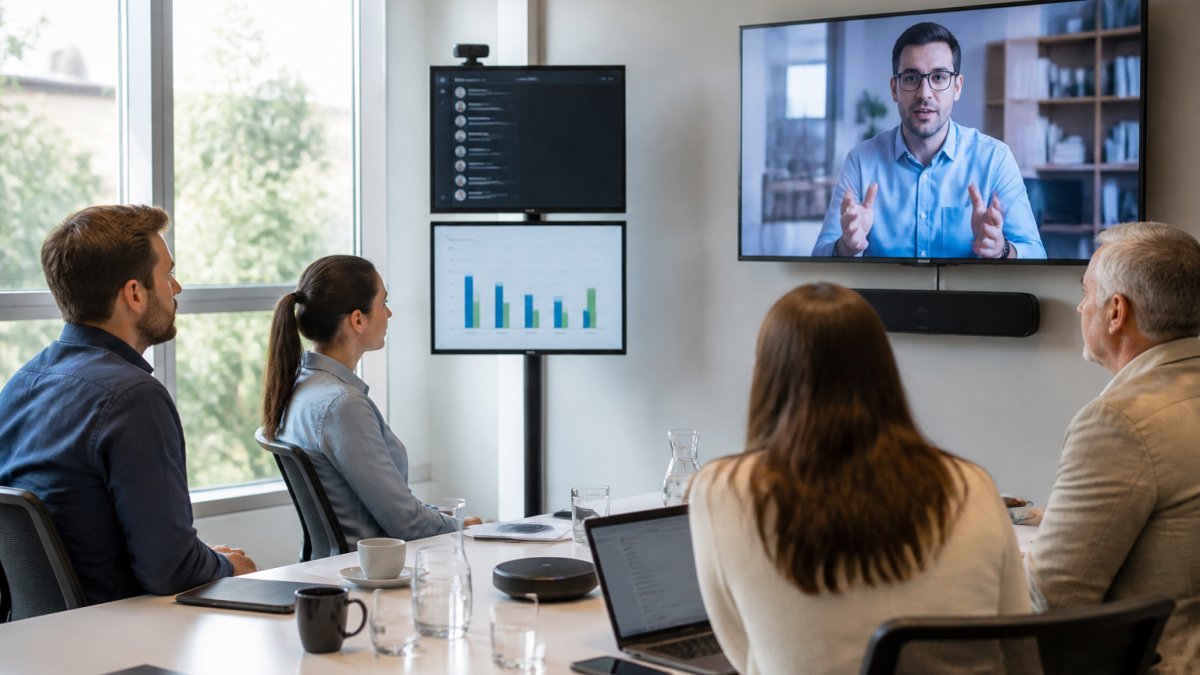
Effective platforms create shared interactive spaces. When in-person attendees vote in a poll, remote participants see results in real time. When a remote attendee asks a question, the moderator reads it aloud to the room. When breakout sessions happen, both groups can join the same virtual room.
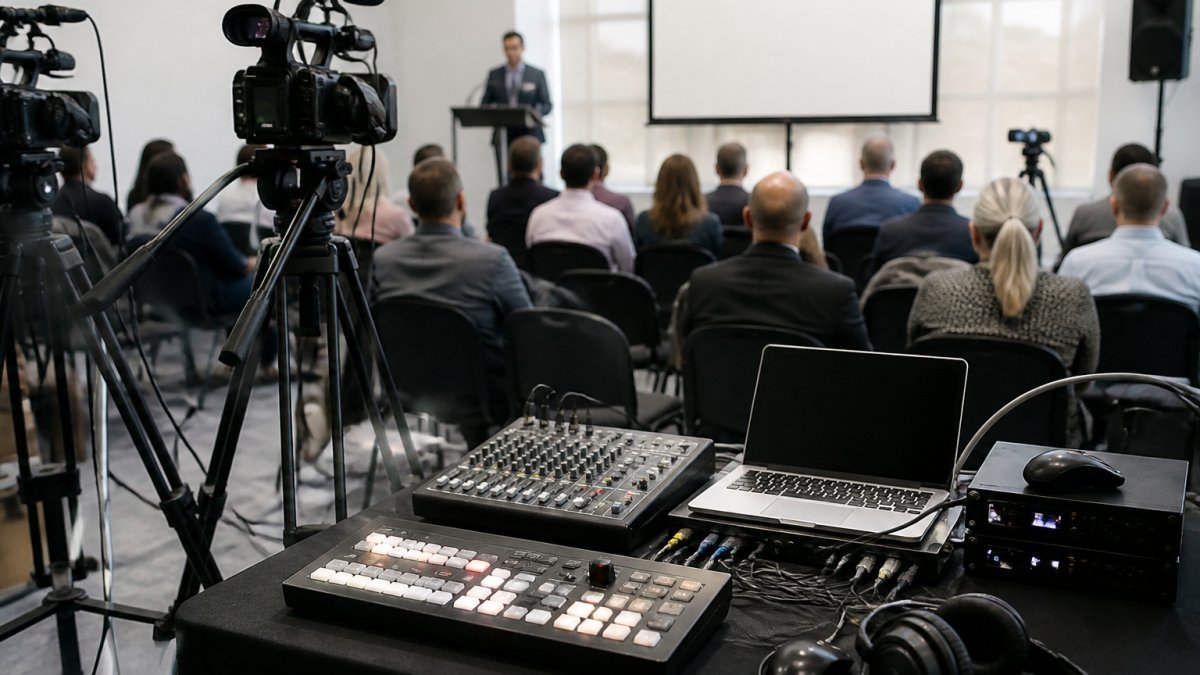
Audio quality and camera coverage matter here. If remote attendees can’t hear the in-room discussion clearly, they can’t participate meaningfully. Poor camera angles that miss half the room leave remote viewers confused about what’s happening. Professional streaming solutions handle multi-camera setups with proper audio mixing, ensuring remote attendees see and hear everything in-room attendees do.
Webcasting Livestream’s professional managed service includes proper AV planning, camera placement, microphone coverage, audio mixing, so remote attendees experience the event the same way in-person guests do.
How to Choose the Right Solution for Your Event
Selecting live streaming solutions hybrid events requires balancing technical capability, engagement quality, and total cost of ownership. Most event organisers underestimate the true cost because they focus only on platform fees and miss the hidden drivers that determine final spend.
Understanding Cost Drivers
Live streaming for hybrid events involves multiple cost components beyond the platform subscription. Professional managed streaming typically includes:
- Production crew and technical support: Professional camera operators, audio engineers, and on-site technical coordinators. For a full-day event with multiple breakout sessions, expect 2-4 crew members. This is often the largest cost component, ranging from $1,500 to $4,000+ depending on event complexity and duration.
- Platform fees: These vary by attendee volume, concurrent viewers, and features. Some platforms charge per attendee (typically $5-$15 per person), others per event ($500-$2,000), and others per month ($200-$1,000). Managed services like Webcasting Livestream quote based on your specific requirements rather than fixed tiers.
- Audio-visual equipment rental: Multi-camera setups, wireless microphones, mixing consoles, and backup systems. For a professional hybrid event, budget $800-$2,500 for equipment.
- Bandwidth and redundancy: High-quality streaming to hundreds or thousands of concurrent viewers requires reliable internet infrastructure. Many venues require upgraded connectivity ($200-$500 for the event day) or backup mobile hotspots ($100-$300).
- Content delivery and storage: Recording storage, editing, and post-event distribution. Some platforms include this; others charge per GB or per month.
- Moderation and support staff: For events with live Q&A, polling, and chat, dedicated moderators manage audience contributions in real time. Budget $300-$800 for a full-day event.
Measuring Engagement Quality
Beyond listing interaction features, evaluate how well a platform actually drives participation. Ask prospective providers for these metrics:
- Q&A response rate: What percentage of attendees submit questions? Industry benchmarks range from 5-15% for passive audiences to 30-50% for highly engaged groups. Platforms with native moderation tools and clear question-submission workflows typically see higher rates.
- Poll participation: What percentage of attendees vote in live polls? Effective platforms see 40-70% participation; poor UX drops this to under 20%.
- Chat activity: For moderated chat, measure message volume per 100 attendees per hour. Active hybrid events typically see 15-30 messages per 100 attendees per hour; lower rates suggest remote attendees feel excluded.
- Breakout session attendance: If your event includes breakout rooms, track how many remote attendees join versus in-person attendees. Significant gaps (e.g., 20% remote vs. 80% in-person) indicate engagement tools aren’t working equally for both audiences.
- Post-event survey feedback: Ask attendees whether they felt included, whether they could interact meaningfully, and whether they would attend virtually again. This qualitative data often reveals platform limitations that metrics alone don’t capture.
Implementation Checklist and Contingency Planning
Technical failures during live events are not rare, they’re inevitable without proper planning. Use this checklist 2-4 weeks before your event:
Pre-Event (4 weeks out)
- Confirm platform capacity for your expected concurrent viewer count. Request a load test from your provider.
- Audit your venue’s internet connectivity. Run a bandwidth test (speedtest.net or similar) during peak hours.
- Arrange backup internet (mobile hotspot, secondary ISP connection, or tethered mobile device) as failover.
- Confirm camera placement and sightlines. Remote attendees must see all speakers and key in-room activity.
- Test all microphones and audio mixing. Poor audio is the #1 complaint from remote attendees and cannot be fixed in post-production.
Pre-Event (1 week out)
- Conduct a full technical rehearsal with all speakers, moderators, and crew. Run through Q&A, polling, and chat workflows.
- Test moderation workflows: who approves questions, how quickly, and what happens if a question is inappropriate or off-topic?
- Confirm recording settings (resolution, bitrate, file format) and storage location. Verify you have access to download recordings post-event.
- Brief all in-room staff on how to read remote questions aloud, acknowledge remote attendees, and include them in discussions.
Day-of-Event
- Arrive 90 minutes early. Run a final connectivity test and camera/audio check.
- Have a backup streaming link ready (e.g., YouTube or Vimeo as a secondary destination) in case your primary platform fails.
- Assign one crew member to monitor stream health (bitrate, viewer count, error logs) throughout the event.
- Assign a moderator to actively manage Q&A, chat, and polls. Passive moderation leads to spam, off-topic questions, and remote attendees feeling ignored.
- Test the failover procedure 30 minutes before the event starts. If your primary stream drops, can you switch to backup within 60 seconds?
Post-Event
- Download and verify recordings within 24 hours. Confirm file integrity and that all interactive elements (polls, Q&A) are captured if applicable.
- Send a post-event survey to both in-person and remote attendees asking about technical quality, engagement, and likelihood to attend virtually again.
- Archive recordings in a secure, accessible location (cloud storage with appropriate access controls) for future reference, training, or repurposing.
Security and Moderation Considerations
For sensitive events (board meetings, earnings calls, internal communications), security and moderation workflows are non-negotiable:
- Access controls: Confirm the platform supports registration approval, password protection, or IP-based access restrictions. Verify that only invited attendees can join.
- Recording permissions: Clarify whether attendees can record the stream independently. For confidential events, choose a platform that disables attendee recording.
- Chat and Q&A moderation: Ensure all questions and chat messages are reviewed before display. This prevents unvetted statements from appearing live and damaging your organisation’s reputation.
- Data retention: Confirm how long the platform retains attendee data (IP addresses, names, participation logs) and whether you can request deletion post-event. This is important for privacy compliance under the Privacy Act 1988 (Cth).
- Attendee privacy: If your event includes networking or breakout rooms, clarify whether attendee contact information is shared with other participants and whether attendees can opt out.
Decision Framework
Use these questions to narrow your choice:
- What’s your primary goal? Content delivery (prioritise reliability and HD quality) vs. networking and interaction (prioritise engagement tools and attendee features).
- How many concurrent viewers? Solutions that scale to 5,000+ viewers handle volume better than platforms designed for smaller events.
- What’s your tolerance for technical risk? If a dropped stream creates real business consequences, choose a provider with guaranteed uptime and fail-safe procedures. If it’s lower-stakes, self-service platforms work fine.
- Do you need content ownership? Check whether recordings are included and whether you own the files outright.
- What’s your total budget? Include production crew, platform fees, equipment, bandwidth, and moderation. Most professional hybrid events cost $3,000-$10,000+ depending on scale and complexity.
- Do you need moderation controls? For sensitive communications, choose a platform with Q&A and chat moderation built in.
- What’s your contingency plan? If your primary stream fails, can you switch to a backup within 60 seconds? Does your provider offer a failover guarantee?
Matching the platform to what your event actually needs, and planning for what can go wrong, is the difference between a seamless hybrid experience and a technical disaster.
Frequently Asked Questions
What features should a live streaming solution for hybrid events include?
A strong hybrid event streaming platform needs reliable live streaming across devices, real-time audience interaction tools (Q&A, polls, chat), HD video quality, professional audio and camera coverage, and the ability to record and retain your content. Look for platforms that connect in-person and remote attendees seamlessly, support multiple concurrent viewers, and offer fail-safe procedures to prevent stream interruptions during critical moments like AGMs or product launches.
How do you ensure good audio and video quality for remote attendees in a hybrid setup?
Audio quality depends on professional microphone coverage of the in-person space, proper speaker placement, and acoustic treatment. Video requires multi-camera coverage from different angles, adequate lighting, and a streaming platform that delivers HD output across all devices, including mobile phones. A managed streaming service handles camera positioning, audio levels, and quality control on your behalf, reducing the technical burden on your internal IT team.
Can hybrid event streaming platforms handle large concurrent audiences?
Yes, professional live streaming solutions are built to scale. Enterprise-grade platforms support thousands of concurrent viewers without crashing. However, capacity depends on your chosen solution and infrastructure. Before committing, confirm the platform’s maximum concurrent viewer limit matches your expected attendance. Many providers offer scalable pricing based on audience size, so your costs align with actual demand.
Do I own the recordings from a hybrid event stream?
Ownership varies by provider. Some platforms retain recordings on their servers and charge download fees; others include all recordings at no extra cost and ensure your organisation owns the content outright. This matters if you plan to reuse event footage for training, marketing, or internal communications. Clarify recording ownership and access before signing up, especially for sensitive corporate communications or AGMs.