
Table of Contents
- What Makes an Enterprise Live Streaming Platform Different
- Core Technical Requirements for Enterprise Platforms
- Security and Compliance Standards
- Scalability and Infrastructure Capacity
- Best Practices for Internal Corporate Communications
- Integration and API-First Architecture
- Total Cost of Ownership and Disaster Recovery
- Choosing the Right Platform for Your Organisation
- Frequently Asked Questions
Last Updated: October 3, 2026
What Makes an Enterprise Live Streaming Platform Different
An enterprise live streaming platform is fundamentally different from consumer-grade streaming tools. It’s built to handle mission-critical broadcasts where failure isn’t an option.
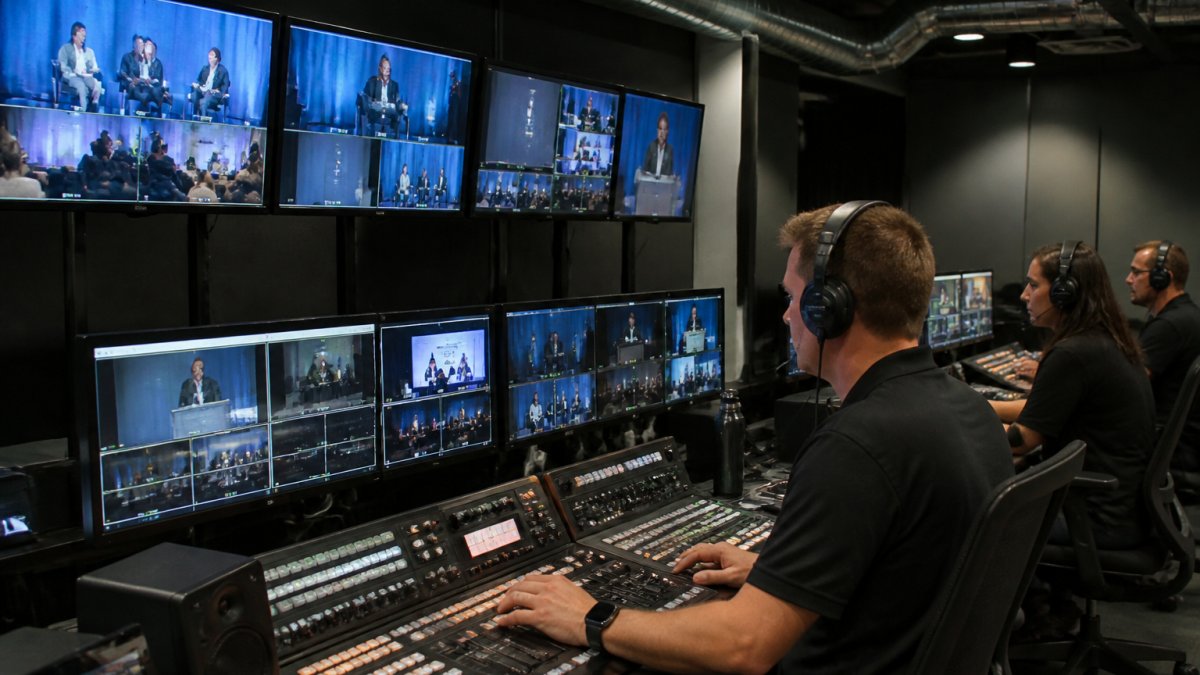
Enterprise platforms prioritize reliability, security, and compliance over simplicity. They’re designed for IT teams managing complex infrastructure, not individual content creators.
At Webcasting Livestream, we’ve built our platform specifically for organisations that can’t afford technical glitches during critical events. The stakes are higher.
What separates enterprise solutions from the rest? It’s not just features, it’s accountability. Enterprise platforms come with dedicated support teams, guaranteed response times, and transparent pricing tied to your actual usage patterns.
Core Technical Requirements for Enterprise Platforms
Enterprise live streaming platforms must meet strict technical specifications that consumer tools simply don’t address. These requirements aren’t optional, they’re the foundation that separates platforms capable of handling critical business events from those that occasionally work.
Sub-second latency and real-time delivery
Sub-second latency means the delay between what’s happening live and what viewers see is under one second. For most corporate broadcasts, this matters less than you’d think.
Real-time delivery requires sophisticated infrastructure. Your platform needs multiple ingest protocols (RTMP for encoder input, HLS and WebRTC for viewer output) working in concert. RTMP handles the incoming feed from your broadcast equipment.
The challenge is that lower latency demands more computing resources. Achieving sub-second delivery across thousands of concurrent viewers requires edge servers distributed geographically. This is why enterprise platforms cost more, they’re building and maintaining that infrastructure specifically for your reliability requirements.
Live streaming bandwidth requirements for business
Bandwidth consumption scales with viewer count and video quality. HD video at 1080p typically requires 5-8 Mbps per viewer. 4K requires 15-25 Mbps. At 5,000 concurrent viewers watching HD, you’re consuming 25-40 Gbps of outbound bandwidth.
Enterprise platforms use content delivery networks (CDNs) to distribute this load across multiple servers in different geographic regions. A viewer in Sydney connects to a local edge server rather than streaming directly from your data centre.
Bandwidth costs are real. They’re often the largest operational expense for enterprise streaming. Platforms that don’t transparently disclose bandwidth pricing hide significant costs in their contracts.
Adaptive bitrate streaming and video transcoding
Adaptive bitrate streaming automatically adjusts video quality based on each viewer’s connection speed. A mobile viewer on 4G gets a lower bitrate stream than someone on fibre.
This requires video transcoding, converting your source feed into multiple quality tiers (720p, 480p, 360p, etc.) simultaneously. Transcoding is computationally expensive. It happens in real time during your broadcast, which means the platform must have sufficient processing capacity reserved for your event.
Enterprise platforms handle this automatically. Consumer tools often don’t offer adaptive bitrate at all, or they transcode poorly, resulting in pixelated video or constant buffering.
Security and Compliance Standards
Corporate broadcasts often contain sensitive information. Earnings calls, strategic planning sessions, and internal training materials need protection from unauthorised access and data breaches.
Secure corporate webcasting solutions
Secure webcasting means encrypting your stream end-to-end and controlling who can access it. This involves multiple layers: encryption during transmission, authentication at the viewer level, and audit logs tracking who watched what.
End-to-end encryption protects your stream while it’s in transit across the internet. Your encoder sends encrypted data to the platform, which decrypts it only for authenticated viewers. No intermediary can intercept and view the unencrypted stream.
Authentication typically works through single sign-on (SSO) integration with your existing identity provider. Viewers authenticate using their corporate credentials before accessing the broadcast. Role-based access control (RBAC) ensures only authorised personnel can view specific streams.
End-to-end encryption and data sovereignty
Data sovereignty means your content stays within a specific geographic jurisdiction. For Australian organisations, this often means your video files and metadata must remain on servers within Australia. This satisfies both compliance requirements and reduces latency for your audience.
End-to-end encryption ensures even the platform provider can’t view your unencrypted content. The encryption keys remain with your organisation. This is particularly important for sensitive communications, the platform operator literally cannot access the stream data, only the encrypted bytes.
Compliance standards vary by industry. Financial services organisations must meet ASIC requirements (Supervising your representatives’ business communications). Healthcare organisations need to comply with privacy legislation. Government agencies have specific data protection mandates.
Scalability and Infrastructure Capacity
Scalability determines whether your platform handles 500 viewers or 500,000 without degrading performance. This isn’t about peak bandwidth, it’s about concurrent connections, server resources, and database performance.
Most platforms claim to be “scalable,” but that word means different things. True scalability means your platform automatically provisions additional resources as demand increases, without manual intervention.
Infrastructure capacity includes several components. Server capacity determines how many concurrent connections the platform can handle. Database capacity determines how quickly the platform can retrieve viewer analytics, access control lists, and stream metadata.
Enterprise platforms publish their concurrency limits transparently. They tell you exactly how many simultaneous viewers they guarantee.
Best Practices for Internal Corporate Communications
Internal broadcasts, town halls, training sessions, strategy updates, require different considerations than external events. Your audience is smaller but often more critical to business operations.
Internal events often need recording and archival. Employees who can’t attend live should be able to watch on-demand. This requires storing video files securely and making them searchable.
Access control for internal events is stricter than external broadcasts.
Internal communications often involve sensitive information. Your platform must support compliance audit trails showing exactly who accessed what content and when. This matters for regulatory requirements and internal governance.
Integration and API-First Architecture
Enterprise platforms must integrate seamlessly with your existing software stack. Your IT team likely uses enterprise tools for identity management, content management, analytics, and business intelligence.
API-first architecture means the platform exposes its functionality through APIs that your developers can integrate with.
Integration with enterprise tools like Microsoft Teams, Zoom, and Slack extends the platform’s reach. Employees can access broadcasts through tools they already use daily. This reduces friction and increases attendance for internal events.
Analytics integration matters too. Your platform should export viewer metrics to your business intelligence tools. Rather than checking a separate analytics dashboard, your team sees streaming performance metrics alongside other business KPIs.
Total Cost of Ownership and Disaster Recovery
Enterprise platforms require investment beyond the subscription fee.
Bandwidth is often the largest variable cost. Platforms that don’t transparently price bandwidth hide significant expenses.
Professional services costs vary. Some platforms require extensive customisation and integration work. Others (like Webcasting Livestream) handle technical setup as part of their managed service, reducing your internal resource requirements.
Disaster recovery and redundancy protocols ensure your broadcast continues even when components fail.
Redundancy costs more than single-point solutions. But for mission-critical events, the cost is justified. A failed broadcast during an AGM costs far more than the premium you pay for redundant infrastructure.
Choosing the Right Platform for Your Organisation
Selecting an enterprise live streaming platform requires evaluating technical capabilities against your specific requirements. Start by defining your non-negotiables: required concurrency limits, compliance standards, integration requirements, and acceptable latency.
Then assess platforms against these criteria. Don’t be swayed by feature lists, focus on whether the platform reliably delivers what you actually need. A platform with 100 features you’ll never use is worse than one with 20 features that work flawlessly.
| Evaluation Criteria | What to Look For | Why It Matters |
|---|---|---|
| Uptime Guarantee | 99.9% or better SLA | Ensures your critical broadcasts don’t fail |
| Concurrency Limit | Supports your peak viewer count + 50% buffer | Prevents degradation during unexpected traffic spikes |
| Latency | Sub-second for interactive, 10-30s for broadcast | Determines viewer experience and interactivity |
| Security | End-to-end encryption, SSO, RBAC | Protects sensitive corporate content |
| Compliance | Supports your industry requirements | Avoids regulatory violations |
| Integration | APIs for your existing tools | Reduces implementation complexity |
| Support | 24/7 availability, documented SLA | Ensures problems get resolved quickly |
| Bandwidth Pricing | Transparent per-GB or per-Mbps pricing | Prevents hidden cost surprises |
Webcasting Livestream excels across these criteria. Our no-drop-off guarantee ensures your broadcasts never fail. Our managed service handles technical complexity, your team doesn’t need to manage infrastructure. We record all broadcasts at no extra cost and ensure HD quality across all devices.
Enterprise live streaming isn’t about having the most features, it’s about having the right reliability, security, and support when it matters most. Whether you’re broadcasting an AGM to thousands of shareholders, streaming training to regional offices, or conducting sensitive internal communications, your platform must deliver flawlessly. According to industry standards for enterprise video, reliability and uptime are the primary differentiators between platforms.
Frequently Asked Questions
What are the minimum bandwidth requirements for an enterprise live streaming platform?
Bandwidth needs depend on resolution, frame rate, and concurrent viewers. HD streaming typically requires 5-10 Mbps upload per stream, whilst 4K can exceed 25 Mbps. For 5,000 concurrent viewers, your platform must handle content delivery network (CDN) distribution rather than direct uploads. Enterprise platforms use adaptive bitrate streaming to automatically adjust quality based on viewer connection speed, reducing bandwidth strain whilst maintaining viewing quality across all devices and network conditions.
What security standards should an enterprise live streaming platform meet?
Enterprise platforms must support end-to-end encryption, role-based access control, and user authentication protocols. Look for compliance with relevant data protection standards and service level agreements (SLAs) guaranteeing uptime. Secure corporate webcasting solutions should include password protection, IP whitelisting, and audit logs tracking who accessed content and when. For sensitive internal communications, verify the platform supports on-premises or hybrid deployment options to maintain data sovereignty and keep streams within your organisation’s infrastructure.
How does latency affect enterprise live streaming, and what’s acceptable?
Latency is the delay between live event occurrence and viewer reception. Sub-second latency (under 1 second) is critical for interactive events like live betting, auctions, or real-time Q&A sessions. For one-way broadcasts like town halls or product launches, 5-10 second latency is typically acceptable. WebRTC protocols enable ultra-low latency streaming, whilst RTMP and HLS protocols introduce higher delays but offer better scalability. Choose based on your event type: interactive scenarios demand sub-second latency, whilst standard corporate events can tolerate moderate delays.
What happens if the live stream fails during a critical corporate event?
Enterprise platforms should offer redundancy protocols and disaster recovery procedures to prevent stream failure. Look for no-drop-off guarantees backed by fail-safe procedures, automated failover to backup infrastructure, and real-time monitoring that alerts technical teams to issues before they affect viewers. Verify the platform records all video automatically so your event is captured even if the live broadcast experiences interruption. Ask providers about their specific recovery procedures and whether they maintain geographically distributed servers to ensure resilience during regional outages.
Do I own the recordings from my live stream, and are there additional fees?
Content ownership is critical for corporate communications. Confirm that your organisation owns all recordings outright with no additional download or reuse fees. Many enterprise platforms include recording as standard, allowing you to repurpose content for training, archiving, or on-demand viewing later. Verify the platform provides recordings in multiple formats and resolutions, and confirm whether storage costs apply if you retain videos long-term. This ensures you can leverage your event investment for ongoing internal communications without surprise licensing restrictions.
How do I know if a platform can handle 5,000+ concurrent viewers without crashing?
Check the platform’s published concurrency limits and infrastructure specifications. Enterprise platforms should clearly state maximum concurrent viewer capacity and provide service level agreements (SLAs) guaranteeing uptime (typically 99.9% or higher). Ask for case studies or references from organisations hosting similar-sized events. Verify the platform uses cloud-native, auto-scaling infrastructure that automatically allocates resources during peak demand. Request a test broadcast or pilot event to confirm performance under your expected load before committing to a critical event.
What’s the difference between internal and external streaming requirements?
Internal corporate communications (town halls, training, confidential briefings) prioritise security, access control, and data sovereignty over public reach. External streaming (product launches, webinars, public events) prioritises content delivery network (CDN) performance, global reach, and viewer analytics. Internal streams require strict authentication, role-based permissions, and often on-premises or hybrid deployment. External streams benefit from multistreaming capabilities (simultaneous broadcast to multiple platforms) and adaptive bitrate streaming for diverse global audiences. Your platform choice should match whether you’re broadcasting to employees only or reaching external audiences.
What role does a content delivery network (CDN) play in enterprise streaming?
A CDN distributes your video content across geographically dispersed servers, ensuring viewers receive streams from locations physically closest to them. This reduces latency, improves buffering performance, and enables reliable delivery to large concurrent audiences across regional areas with varying internet quality. Enterprise platforms typically include CDN integration or operate their own CDN infrastructure. For organisations broadcasting across multiple states, CDN capability is essential to maintain consistent HD quality and prevent stream degradation in regional locations with lower bandwidth availability.