Table of Contents
- What is Professional Adelaide Livestream Broadcasting?
- Corporate Event Webcasting Services: What You Need to Know
- Event Filming and Streaming Costs: Understanding Your Investment
- Multi-Camera Live Streaming Setup for Professional Quality
- Best Practices for Virtual Conferences and Hybrid Events
- Internet and Bandwidth Requirements for Reliable Streaming
- Platform Comparison: YouTube, Zoom, and Custom Solutions
- DIY vs. Professional Streaming: Cost-Benefit Analysis
- Frequently Asked Questions
Last Updated: September 25, 2026
What is Professional Adelaide Livestream Broadcasting?
Professional adelaide livestream broadcasting delivers live video content from events in real time across digital platforms with high-definition production, reliable infrastructure, and audience engagement tools.
Professional adelaide livestream services handle multi-camera production, platform integration, content ownership, and post-event recording delivery, ensuring your audience experiences a seamless, high-definition broadcast.
Professional adelaide livestream providers manage infrastructure reliability, production quality, and technical expertise, allowing you to focus on event content rather than troubleshooting mid-broadcast failures.
The “no drop-off guarantee” that professional providers offer isn’t marketing, it’s the result of redundant internet connections, failsafe encoding systems, and 24/7 technical monitoring. If your current provider has dropped a stream during a critical event, that’s a sign their infrastructure isn’t built for mission-critical broadcasts.
Corporate Event Webcasting Services: What You Need to Know
Corporate event webcasting services provide end-to-end broadcast solutions for AGMs, town halls, product launches, and internal communications where security, reliability, and professional presentation are essential.
Corporate webcasting differs from consumer platforms through fail-safe procedures and content control: your recordings belong to you, not archived on third-party servers, ensuring security and full ownership for future training or compliance use.
Free platforms like Zoom or YouTube work for small meetings but lack uptime guarantees, customisation, and secure recording storage at scale. Corporate webcasting services solve this by offering:
- Dedicated streaming infrastructure with redundant failsafe systems
- HD video quality across desktop, tablet, and mobile devices
- Secure, private broadcasts with optional audience authentication
- All video recorded and provided at no extra cost
- Content ownership, recordings belong to your organisation, not the platform
Professional corporate webcasting ensures your stream works reliably; a failed AGM broadcast damages stakeholder confidence and creates compliance issues.
Event Filming and Streaming Costs: Understanding Your Investment
Event filming and streaming costs vary based on complexity, duration, location, audience size, and production requirements.
A basic adelaide livestream setup costs less than multi-camera production with professional editing and advanced features, but planning often reveals hidden costs: equipment rental, technical staff, bandwidth upgrades, and failsafe systems.
When evaluating pricing, consider what’s included:
- Production setup and technical management – Professional operators, equipment setup, soundcheck, camera positioning
- Streaming infrastructure and encoding – Reliable servers, redundant internet connections, platform integration, failsafe systems
- Video recording and delivery – All footage captured, edited, and provided to you post-event
- Audience support and monitoring – Technical support during the broadcast, real-time issue resolution
- Platform flexibility – Ability to stream to multiple channels simultaneously (YouTube, internal portal, Zoom, etc.)
Reliability requires redundant internet connections, backup encoding systems, and 24/7 monitoring, the difference between a successful broadcast and reputational damage.
For current pricing and a quote tailored to your specific event, contact Webcasting Livestream directly. Costs depend on event duration, location, production complexity, and your specific requirements.
A common mistake is choosing the cheapest option available. The organisations that have experienced stream failures during critical events, AGMs, product launches, earnings calls, almost always chose based on price rather than reliability infrastructure. The cost of a failed broadcast (rescheduling, audience frustration, lost communication opportunity) far exceeds the investment in professional streaming.
Multi-Camera Live Streaming Setup for Professional Quality
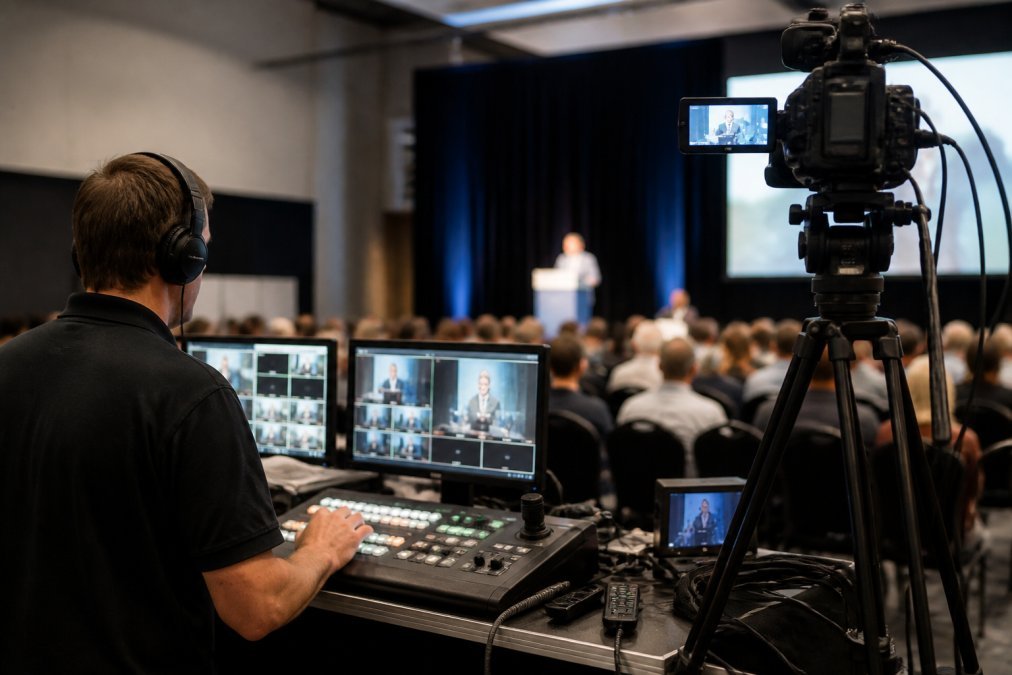
Multi-camera live streaming delivers professional broadcast quality through real-time camera switching and dynamic content, the standard for corporate events, conferences, and product launches.
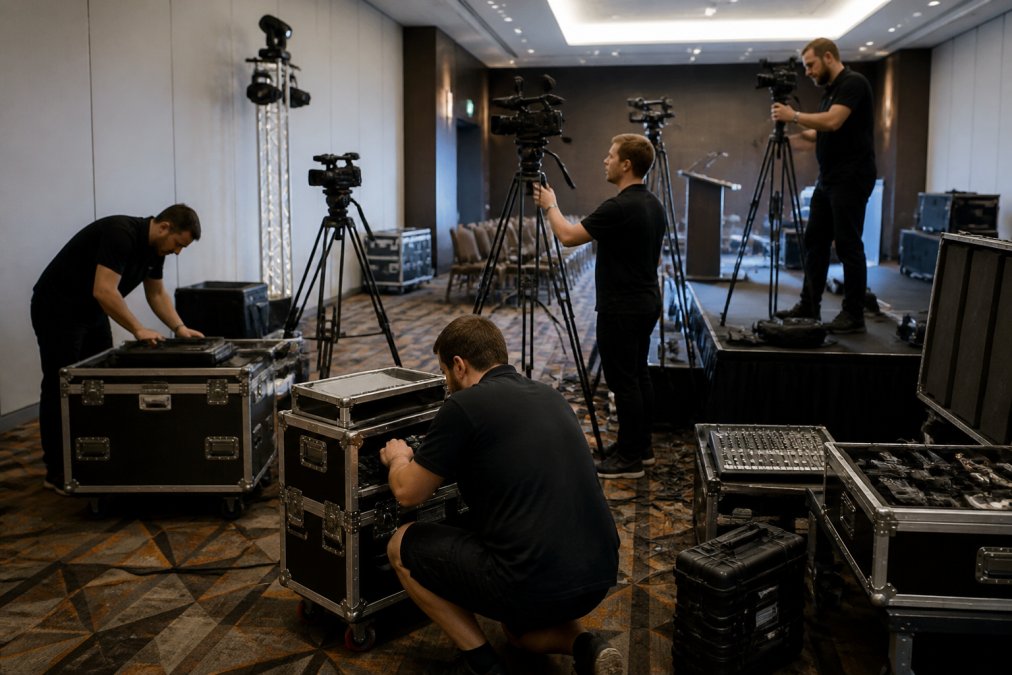
The technical foundation of multi-camera streaming includes:
- Multiple high-definition cameras positioned to capture wide shots, speaker close-ups, audience reactions, and product demonstrations
- Professional audio capture with lavalier microphones, podium audio feeds, and ambient sound management
- Live video switching and mixing to transition between cameras, add graphics, display slides, and manage the overall broadcast flow
- Real-time encoding that converts multiple video and audio feeds into a single, optimised stream
- Platform delivery across YouTube, Zoom, custom portals, or internal networks simultaneously
Multi-camera equipment represents significant investment, but skilled operators who understand broadcast production and failsafe procedures are more critical.
DIY multi-camera streaming often results in poor camera work, audio issues, and platform failures. A professional adelaide livestream provider brings experienced operators, proven equipment, and redundant systems.
Multi-camera production delivers a polished, professional broadcast that elevates perceived event value and maintains audience engagement.
Best Practices for Virtual Conferences and Hybrid Events
Virtual conferences and hybrid events, where some attendees are in-person and others join remotely, require careful coordination between physical event logistics and digital streaming. The streaming must feel seamless to remote participants while not disrupting the in-person experience.
Best practices for hybrid event streaming include:
- Dedicated streaming control room separate from the main event space, allowing technical operators to focus on broadcast quality without distracting from the live event
- Real-time audience engagement tools such as live Q&A, polls, chat moderation, and breakout room functionality for remote participants
- Backup internet connectivity with failsafe systems so that a single connection failure doesn’t drop your broadcast
- Clear communication with presenters about camera positioning, microphone use, and timing to ensure smooth transitions between speakers
- Multi-platform delivery streaming simultaneously to YouTube, Zoom, your website, or internal networks so remote attendees can join via their preferred platform
- Recording and post-production capturing the entire event for on-demand viewing, training archives, or compliance documentation
Remote participants often experience poor video quality and platform glitches. Professional streaming ensures they experience the same quality and engagement as in-person attendees.
The best hybrid events invest equally in in-person and virtual experiences with professional streaming infrastructure.
Internet and Bandwidth Requirements for Reliable Streaming
Internet and bandwidth are the foundation of reliable streaming. Insufficient bandwidth or unstable connections are the most common cause of stream failures, buffering, and video quality degradation.
A professional adelaide livestream requires:
- Upload bandwidth of at least 5-10 Mbps for standard HD quality (1080p at 30fps)
- Redundant internet connections from different providers to ensure failsafe coverage if one connection fails
- Dedicated network infrastructure separate from general office traffic to prevent bandwidth contention
- Quality of Service (QoS) configuration that prioritises streaming traffic over other network activity
- Real-time monitoring to detect bandwidth issues before they affect the broadcast
Many organisations rely on standard office internet connections designed for email and web browsing, not live video streaming.
A failsafe streaming setup includes:
- Primary internet connection from one provider
- Secondary backup connection from a different provider
- Automatic failover systems that switch to the backup if the primary connection fails
- Bandwidth monitoring and throttling to prevent network overload
- Encoder settings optimised for your available bandwidth
If your venue is in a regional area with limited internet quality, professional streaming infrastructure becomes even more critical. Professional providers have experience working with variable bandwidth and can adjust encoding settings in real time to maintain broadcast quality despite connectivity challenges.
Platform Comparison: YouTube, Zoom, and Custom Solutions
Choosing the right streaming platform depends on your audience, content, security requirements, and technical capabilities. Each platform has distinct strengths and limitations.
| Platform | Best For | Key Strengths | Key Limitations |
|---|---|---|---|
| YouTube | Public events, broad reach | Massive audience, free hosting, searchable archive | Limited privacy controls, algorithm-driven visibility |
| Zoom | Internal meetings, interactive events | Built-in Q&A and polls, familiar interface, recording included | Concurrent attendee limits, less polished production feel |
| Custom Solutions | Corporate events, content ownership | Full control, branded experience, private broadcasts, failsafe infrastructure | Higher cost, requires technical setup and management |
DIY vs. Professional Streaming: Cost-Benefit Analysis
The decision between DIY and professional streaming comes down to risk tolerance, event importance, and your organisation’s technical capacity.
Technical expertise gap – Your team may lack experience with live streaming, troubleshooting, or failsafe procedures
Equipment investment – Cameras, audio systems, encoding hardware, and backup systems add up quickly
Internet reliability – Standard office connections often lack the redundancy needed for mission-critical broadcasts
Opportunity cost – Staff time spent managing technical setup is time not spent on event content or attendee experience
Reputational risk – A failed DIY broadcast damages your credibility and creates a poor attendee experience
Guaranteed reliability – Failsafe infrastructure with redundant systems ensures your broadcast won’t fail
Professional quality – Multi-camera production, professional audio, and broadcast-quality output
Content ownership – All recordings belong to you; no third-party platform controls your content
No internal resource drain – Your team focuses on event content while professionals manage streaming
Peace of mind – You know the broadcast will work, allowing you to focus on delivering a great event
Frequently Asked Questions
What makes professional adelaide livestream services different from basic webcam streaming?
Professional livestreaming uses multi-camera production, broadcast-quality encoding, redundant internet connections, and dedicated technical teams to ensure high-definition video, reliable transmission, and no drop-offs. Basic webcam setups lack fail-safe procedures and typically deliver lower resolution across devices. Professional services also include content ownership, full event recording, and post-production support, essential for corporate communications where reliability and content reusability matter.
How much bandwidth do I need for reliable corporate event webcasting services?
Bandwidth requirements depend on video resolution and concurrent viewer count. HD 1080p streaming typically requires 5-8 Mbps upload speed per stream. For 5,000 concurrent viewers, you need robust internet infrastructure with redundancy. Professional providers use content delivery networks (CDNs) to distribute the load, so your venue’s upload speed only needs to support the outbound feed once. Regional areas with variable internet quality benefit from failover systems that switch between multiple connections automatically.
Can I actually own the recordings from my livestream, or are there hidden fees?
Ownership depends on your service provider. Professional livestreaming providers typically include full event recording at no extra cost and grant you complete ownership of the files. This means you can download, archive, and reuse recordings for training, marketing, or compliance purposes without additional charges. Always confirm this in your contract, some cheaper platforms retain ownership or charge per-download fees. Quality providers make content ownership and unlimited reuse central to their service.
What happens if the livestream fails during my event, do you have a backup plan?
Professional providers offer no-drop-off guarantees backed by fail-safe procedures: redundant internet connections (failover systems), backup cameras, secondary streaming servers, and dedicated technical teams monitoring the broadcast in real time. If a primary connection fails, the system automatically switches to a backup within seconds, viewers experience no interruption. Before committing, ask your provider for their specific failover architecture, uptime guarantees, and what happens if both systems fail (most include compensation or rebroadcast options).