Live Streaming Platform Capacity for Thousands: 2026 Guide
Table of Contents
- What You Need Before Streaming to Thousands
- Platform Capacity: What to Check Before You Commit
- Bandwidth Requirements for Large Scale Streaming
- Why a CDN for Live Streaming Events Decides Stability
- Preventing Stream Buffering for Large Audiences
- Encoding and Redundancy: Hardware, Cloud and Failover
- Conclusion
- Frequently Asked Questions
Last Updated: September 11, 2026
What You Need Before Streaming to Thousands
Live streaming platform capacity for thousands of viewers is not a single number you tick off a spec sheet. It is the combination of upload speed, encoder stability and a backup connection that keeps the broadcast alive when one link fails. Get these three wrong and no platform, however large, will save the event.
This guide from Webcasting Livestream covers what to verify before you commit to a platform, how bandwidth and CDN choices decide stability, and how to stop buffering before it reaches your audience.
At its core, live streaming platform capacity for thousands describes how many concurrent viewers a platform can serve without degrading video quality, latency or uptime. That capacity depends on ingest redundancy, transcoding throughput, CDN coverage and failover design, not marketing claims.
Start with the connection itself. A common mistake is testing upload speed once, on a quiet network, hours before the event.
- Upload speed: allow headroom above your target bitrate, not just parity with it
- Encoder: a dedicated hardware unit or a well-specified cloud encoder, not a laptop running other tasks
- Backup connection: a second, independent path (bonded 4G/5G, a second circuit, or a different provider) that fails over automatically
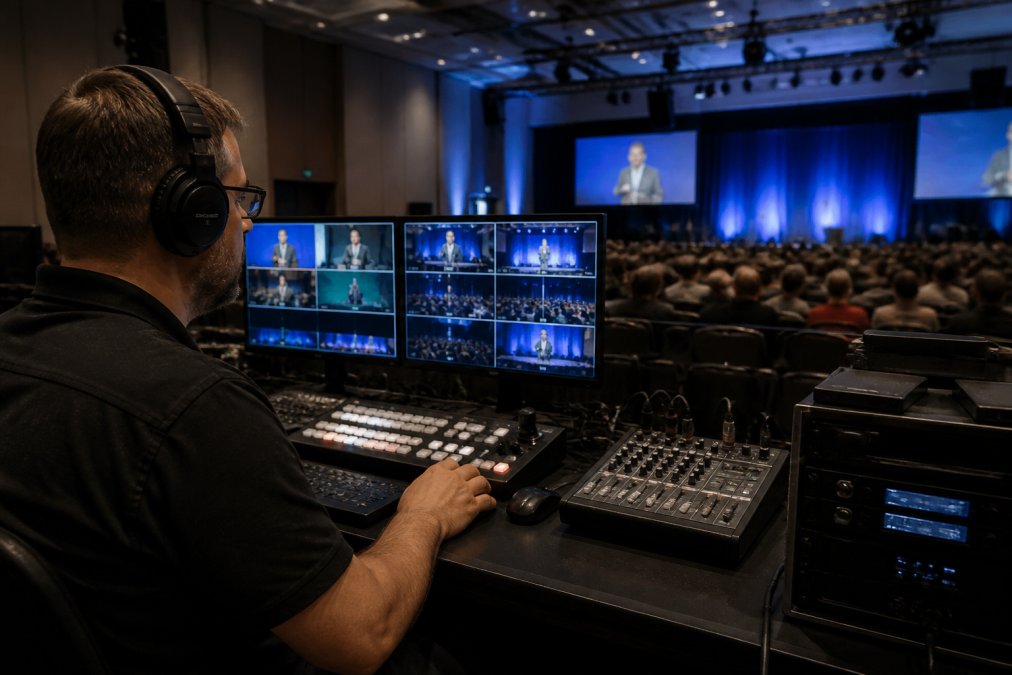
Testing upload speed once, on an empty network, is the most common cause of mid-event failure. Run a sustained test at your target bitrate for at least 30 minutes during peak hours, not at 6am.
Platform Capacity: What to Check Before You Commit
Concurrent viewer limits and ingest redundancy are the two questions that separate platforms built for scale from those that merely advertise it. Ask for both in writing.
Most platforms publish a headline viewer figure, but the number that matters is sustained concurrent viewers at your target resolution and bitrate. A platform that handles 10,000 viewers at 720p may struggle at 1080p with the same load. Ask specifically about your resolution.
Ingest redundancy matters just as much. If your primary ingest point fails, does the stream reroute automatically, or does it drop? Platforms with backup origin servers and multiple ingest regions handle this transparently.
| Check | Why It Matters | What to Ask |
|---|---|---|
| Concurrent viewer limit | Determines if the platform holds at your scale | Sustained viewers at your target bitrate |
| Ingest redundancy | Keeps the stream alive if a primary path fails | Automatic failover, backup origin servers |
| Protocol support | Affects latency and compatibility | RTMP ingest, HLS and DASH delivery |
| Analytics depth | Shows what happened after the event | Concurrent peaks, buffer rates, drop-off |
Dacast, Kaltura and AWS IVS all publish enterprise-scale capacity, though each targets a different buyer. Kaltura suits large organisations needing complex workflows, while AWS IVS is built for teams with development resources.
Ask a platform for a load test at your expected concurrency before signing. A provider confident in its capacity will run one. If they will not, treat that as your answer.
Bandwidth Requirements for Large Scale Streaming
Bandwidth requirements for large scale streaming scale with bitrate, not just viewer count. The maths is straightforward once you separate ingest from delivery.
For ingest, you upload one stream at your chosen bitrate. A 1080p stream at 6 Mbps needs roughly 6 Mbps of stable upload, plus headroom (netflixtechblog.com). For delivery, the load moves to the platform’s CDN, which is why egress costs, not your office connection, become the real budget line at scale.
- 1080p at 6 Mbps: about 2.7 GB per hour per viewer
- 720p at 3 Mbps: about 1.35 GB per hour per viewer
- 5,000 viewers at 1080p for one hour: roughly 13.5 TB of egress
That egress figure is where bandwidth and CDN cost modelling matters. Platforms charge for delivery differently: some bundle it, some meter it, some pass it through. Ask how egress is billed before you commit to a viewer target.
Why a CDN for Live Streaming Events Decides Stability
A CDN for live streaming events is the difference between a stream that holds under load and one that collapses when thousands of viewers connect at once. The CDN distributes delivery across edge servers, so no single origin carries the full audience.
Without a CDN, every viewer pulls from one source. At a few hundred viewers that is fine. At several thousand, the origin becomes the bottleneck and buffering spreads. A CDN pushes the stream to servers geographically close to viewers, reducing latency and packet loss.
Adaptive bitrate streaming is the companion technology here. It lets the player switch quality based on each viewer’s connection, so a viewer on a weak mobile link gets a lower bitrate instead of a stalled stream. Platforms supporting HLS and DASH with adaptive bitrate handle mixed-connection audiences far better than those serving a single fixed stream.
CDN coverage and adaptive bitrate support matter more than raw viewer limits. A platform with modest headline capacity but strong CDN and ABR delivery will outperform a higher-capacity platform without them.
Preventing Stream Buffering for Large Audiences
Preventing stream buffering for large audiences comes down to three levers: bitrate discipline, CDN reach and encoder stability. Fix those and buffering largely disappears.
Start with realistic bitrate. Pushing 1080p at 8 Mbps to viewers on average connections invites buffering. Match your bitrate to your audience’s likely bandwidth, and let adaptive bitrate handle the rest.
Then check encoder stability. A stream that fluctuates in bitrate forces the CDN to work harder and viewers to rebuffer. A stable encoder output, even at a slightly lower bitrate, delivers a smoother experience.
- Monitor buffer rates in real time during the event, not after
- Watch packet loss on the ingest side; it predicts delivery problems
- Keep a lower-bitrate backup rendition ready to switch to if needed
Akamai’s state of online media delivery research has documented how viewer abandonment rises sharply with each additional second of startup delay, which is why buffer management deserves attention before the event, not during it.
Encoding and Redundancy: Hardware, Cloud and Failover
Hardware versus cloud encoding is a genuine trade-off, not a clear winner. Hardware encoders give predictable, low-latency output and do not depend on your internet for compute. Cloud encoding scales instantly and removes hardware cost, but depends on a stable ingest connection.
For events where failure is not an option, the answer is usually both: a primary hardware encoder with a cloud backup, feeding a platform with automatic failover. This is the architecture behind a no-drop-off guarantee.
Failover protocol design covers three layers: ingest, encoding and delivery. Ingest failover reroutes if the primary connection drops. Encoding failover switches to a backup encoder. Delivery failover relies on the CDN’s redundant origins. A platform that covers all three is genuinely resilient; one that covers only delivery is not.
AWS documentation on live streaming architecture outlines how redundant ingest and multi-region delivery are typically structured for high-availability broadcasts.
Relying on a single encoder with no backup is the most expensive mistake at scale. When the encoder fails mid-event, there is no recovery path, and the audience sees a dead stream.
Conclusion
Streaming to thousands reliably is an infrastructure problem, not a platform feature. Upload headroom, ingest redundancy, CDN reach and failover design decide whether your event holds. Most platforms sell capacity; far fewer deliver the resilience behind it.
Webcasting Livestream builds that resilience into every event. Our fail-safe procedures keep streams running, our no-drop-off guarantee covers the moments that matter, and every event is recorded and provided to you at no extra cost, so the content belongs to you. HD quality is delivered across all devices, from desktop to mobile.
Get a quote from Webcasting Livestream and stream your next large event with the infrastructure to match.
Frequently Asked Questions
How much bandwidth do I need to live stream to 5,000 viewers?
Bandwidth depends on your bitrate and delivery method. A 1080p stream at 5 Mbps sent to 5,000 concurrent viewers works out to roughly 25,000 Mbps (25 Gbps) of total delivery if served directly. That is why a CDN for live streaming events matters: the CDN absorbs that load and only your single upload stream, around 5 Mbps, leaves your venue. Always add 20-30% headroom for retries and packet loss.
What causes stream buffering for large audiences and how do I stop it?
Buffering usually comes from three places: an overloaded origin server, insufficient CDN edge capacity, or viewers on slow connections receiving a bitrate they cannot handle. Preventing stream buffering for large audiences means using adaptive bitrate streaming (HLS or DASH), so the player drops to a lower resolution instead of stalling, plus a CDN with enough edge nodes near your viewers. Test the full path with a dress rehearsal at peak load before event day.
What is the difference between RTMP and HLS for a large event?
RTMP is the ingest protocol: your encoder pushes the stream to the platform over RTMP because it is stable and widely supported. HLS and DASH are delivery protocols: they chop the stream into small segments and serve them over standard HTTP, which scales to thousands of viewers through a CDN. For an AGM or product launch with 5,000 people, you ingest via RTMP and deliver via HLS with adaptive bitrate.
How do I keep latency low when broadcasting to thousands of viewers?
Standard HLS latency sits around 15-30 seconds. Low-latency HLS or LL-DASH can cut that to 3-5 seconds by shortening segment lengths, but it demands more from your CDN and player. For interactive events like Q&A sessions, low latency matters; for a one-way broadcast, a 20-second delay is usually fine. Match the latency target to the event type, not the other way around, and confirm your CDN supports the mode you choose.