5 Steps to Archive and Manage Virtual AGM Recordings

Last Updated: November 4, 2026
Quick Summary
To archive and manage virtual AGM recordings, record the meeting under a controlled setup, store the master file in a restricted location, and apply a written retention policy that matches your minutes. Tag each recording with consistent metadata, add accurate captions and transcripts, and give shareholders secure access. Together these steps keep your virtual agm recordings safe, findable and compliant.
- Record in HD, keep an uncompressed master copy, and maintain a local backup.
- Store the master file in a restricted location and log every download.
- Keep recordings at least as long as the minutes’ statutory retention period.
- Apply metadata at upload, including meeting details, resolutions and retention category.
- Provide accurate captions or transcripts so archived recordings remain accessible.
Table of Contents
- Corporations Act 2001 Record Keeping Requirements for AGM Recordings
- Step 1: Record the Meeting Under a Controlled Setup
- Step 2: Secure and Control Access to Recording Files
- Step 3: Set Retention Periods and Automate Lifecycle Management
- Step 4: Tag Recordings with Metadata and Make Archives Accessible
- Shareholder Access to Virtual Meeting Recordings
- Virtual AGM Compliance Checklist and Next Steps with Webcasting Livestream
- Frequently Asked Questions
Recording an annual general meeting is only half the job. Once the webcast ends, the recording becomes a corporate record, and Australian companies have to keep it safe, findable and compliant for years. This guide walks through practical steps to archive and manage virtual AGM recordings, from the initial setup through to shareholder access, so your virtual agm recordings stay safe and compliant.
A virtual AGM recording is a digital file of the meeting proceedings, including audio, video and any shared presentation material. Under the Corporations Act 2001, companies must keep minutes and records of general meetings. Many boards now treat the recording as part of that record. Corporations Act 2001 (Cth) and ASIC guidance on meeting records
Corporations Act 2001 Record Keeping Requirements for AGM Recordings
Companies must keep minutes of general meetings, and records of those meetings should be kept for the period set out in the applicable legislation. A recording that captures the proceedings can support those minutes, so many companies store it alongside them.
Think about who may need the file later. Shareholders, auditors, regulators and the board may all ask for the record. Plan your archive so anyone with a legitimate reason can find it.
- Keep the official minutes and the recording together
- Note the date, time and platform used for each meeting
- Record who had access to the file and when
Step 1: Record the Meeting Under a Controlled Setup
A clean recording starts before the meeting begins. Test the stream, the audio feed and the backup recording at least a day ahead.
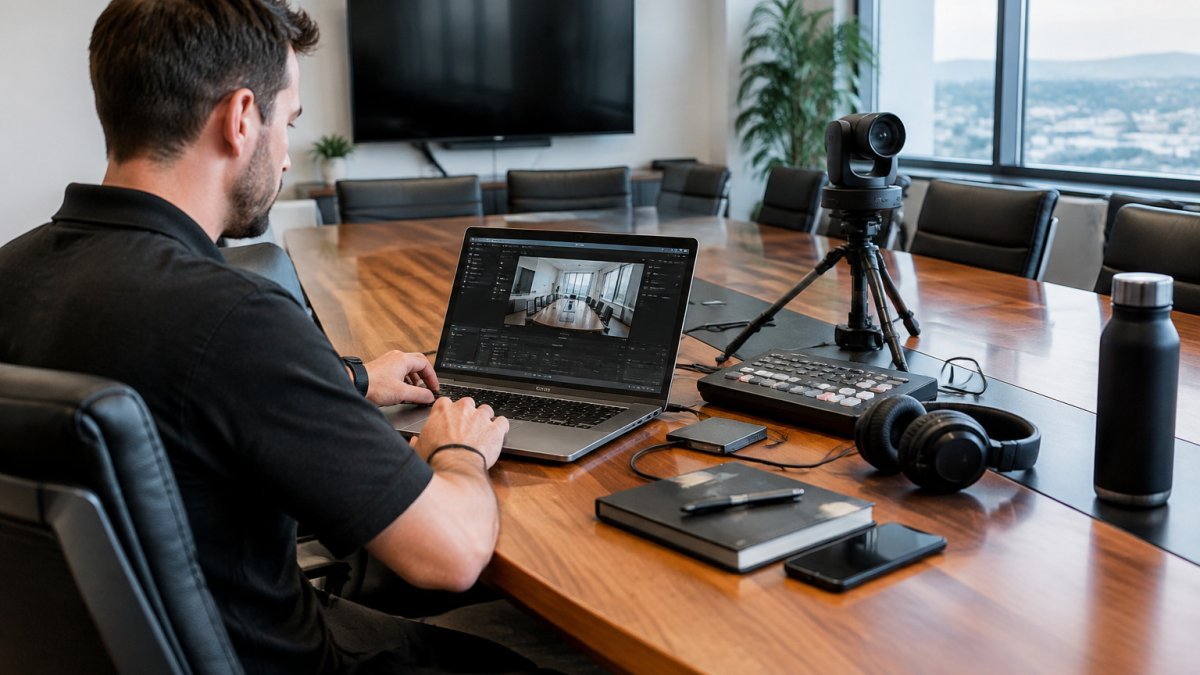
Choosing a Platform and Recording Settings
Pick a platform that records the full session in high definition and saves a copy you control. Confirm that the file format will play on common devices and that the recording includes the chair’s slides.
- Record in HD and keep an uncompressed master copy
- Enable automatic recording plus a local backup
- Check the file size and export format before the meeting
Handling Hybrid Meeting Technology
Hybrid AGMs mix an in-room audience with online shareholders. Give the room its own microphone feed and keep the speaker’s mic separate from the stream. A common mistake is relying on the room’s PA system alone, which often picks up echo and misses questions from the floor.
Step 2: Secure and Control Access to Recording Files
Once recorded, a shareholder meeting file contains information that should not be public. Treat it like any other confidential company record.
Store the master file in a restricted location. Limit editing rights and log every download. Use a unique link for each authorised user instead of sharing one open link.
For a deeper look at protecting virtual meetings, see our guide on cybersecurity for virtual AGMs.
Step 3: Set Retention Periods and Automate Lifecycle Management
A retention policy tells you how long each file stays, where it lives at each stage, and when it moves to cold storage or is deleted. Write the policy down, have the board or audit committee approve it, and apply it the same way every year so the archive is defensible under scrutiny.
Start from the statutory floor. Under the Corporations Act 2001, minutes of general meetings must be kept for the period the Act prescribes, and the recording is usually treated as supporting material for those minutes. That means the recording should not be deleted before the minutes’ retention period expires. Many company secretaries set the recording retention to match the minutes exactly, then add a short buffer for audit and dispute windows. Corporations Act 2001 (Cth) record-keeping obligations
A practical pattern is a three-tier lifecycle:
- Active tier (0-12 months): the master file sits in hot storage with full access logging, so the company secretary, chair and legal counsel can retrieve it quickly after the meeting.
- Archive tier (12 months-7 years): the file moves to lower-cost cold storage, with a read-only copy and a checksum recorded at the point of transfer so you can prove the file has not changed.
- Review tier (at 7 years): the file is flagged for a retention review. The company secretary confirms whether any legal hold, audit, ASIC inquiry or shareholder dispute requires it to be kept longer, then either extends retention or authorises deletion.
Automate the mechanics rather than relying on memory. Most enterprise storage platforms and dedicated meeting-record systems let you attach a retention label at upload and then run scheduled rules that move, lock or delete files. Configure the rules so that:
- Each recording is assigned a retention category the moment it is saved, not months later.
- The move to archive storage happens automatically at the 12-month mark.
- A review task is raised automatically at the seven-year mark and assigned to a named role, not a shared inbox.
- Deletion is blocked while a legal hold flag is active.
Keep an audit trail of every lifecycle event, who changed a retention label, when a file moved tiers, and who approved a deletion. That log is what you produce if a regulator or auditor asks how the record was managed.
Watch out: a common failure is applying retention rules only to the video file while leaving the transcript, voting log and slide deck on a separate, unmanaged drive, so the record is split across systems with different deletion dates.
Review the policy with your company secretary once a year, and whenever the platform, storage provider or applicable guidance changes. Document the review date so the policy itself is auditable.
The three-tier lifecycle below summarises how each recording moves through storage and review.
| Tier | Timing | What happens |
|---|---|---|
| Active | 0-12 months | Master file in hot storage, full access logging |
| Archive | 12 months-7 years | Moved to cold storage, read-only copy with checksum |
| Review | At 7 years | Retention review confirms whether to extend or delete |
Step 4: Tag Recordings with Metadata and Make Archives Accessible
Metadata is what turns a folder of video files into a record you can retrieve on demand. When an auditor, regulator or shareholder asks for the recording of a specific resolution, good metadata lets you find it in minutes rather than trawling through drives.
Build a consistent tagging schema and apply it to every recording. At a minimum, capture:
- Meeting identity: company name and Australian Company Number, meeting type (AGM or other general meeting), date and start time, and the platform used.
- Record links: the minute reference number, so the recording and the official minutes point to each other.
- Content tags: resolutions moved and the outcome of each vote, plus the key agenda items covered.
- Compliance tags: retention category, legal hold status, and the date the retention review is due.
- Access tags: who approved access, and which shareholder groups or roles are permitted to view the file.
Apply the schema at upload, not retrospectively. A short controlled vocabulary, a fixed list of meeting types, resolution outcomes and retention categories, prevents the drift that makes archives unsearchable after a few years. Store the metadata in a system that can be searched independently of the video file, so you can locate a recording by resolution, date or minute reference without opening each file.
Accessibility is part of recordkeeping, not an afterthought. Archived AGM video should be usable by shareholders who are deaf or hard of hearing, and by people using screen readers or keyboard-only navigation. In practice that means:
- Captions: provide accurate closed captions or a synchronised transcript for every archived recording, and keep the caption file stored alongside the video so it survives format changes.
- Transcripts: publish a searchable text transcript, which also doubles as a finding aid for the metadata schema.
- Player and page accessibility: use a video player and archive page that meet the Web Content Accessibility Guidelines (WCAG) 2.2 at Level AA, with keyboard controls, visible focus states and text alternatives for any visual-only content such as charts shown during the meeting. Web Content Accessibility Guidelines (WCAG) 2.2
- Format longevity: keep the master in a widely supported format and retain a lower-bandwidth version for shareholders on slow connections.
Watch out: captions generated automatically and never reviewed often misstate names, motions and vote outcomes, which undermines the recording’s value as evidence, build a review step into the post-meeting workflow.
Test retrieval before you need it. Once a year, pick a past meeting at random and ask a colleague to locate the recording, transcript and related minutes using only the metadata and archive search. If they cannot, the schema needs tightening.
Shareholder Access to Virtual Meeting Recordings
Many shareholders want to review what was said and voted on. Offer them a simple way to watch the recording after the meeting. Use a password-protected page or a secure portal rather than a public video link.
Confirm your policy on access before the meeting. Tell shareholders how long the recording will stay available and how to request a transcript. Clear rules prevent confusion and reduce follow-up questions to the company secretary.
Shareholders who cannot attend can review the recording and the minutes. This supports shareholder communication and builds trust in your governance.
Virtual AGM Compliance Checklist and Next Steps with Webcasting Livestream
Use this checklist after every virtual AGM:
- Recording saved in HD, with a backup copy
- Minutes and recording filed together
- Access restricted and logged
- Retention category and metadata applied
- Transcript or captions added
- Shareholder access link tested
Frequently Asked Questions
Are companies required to record AGMs in Australia?
Under the Corporations Act 2001, a public company must hold an annual general meeting and keep minutes of the proceedings. The Act does not, by itself, require a video or audio recording of every AGM, so the decision to record is largely a governance choice. Where a company does record, the recording should be treated as part of its meeting records and kept accordingly. Check your constitution and the Act’s record keeping provisions, and take advice if you are unsure how they apply to your company.
How long must AGM recordings be kept under the Corporations Act 2001?
The Corporations Act 2001 requires companies to keep financial records and minutes of meetings for set periods, and recordings that form part of those records should follow the same retention approach. A common practice is to keep meeting records for at least seven years, but confirm the exact period that applies to your company with your legal or company secretarial adviser before setting a retention policy.
Can virtual AGM recordings be used as official minutes?
A recording does not replace written minutes. Minutes must be prepared and kept as the formal record of proceedings, while a recording can support them as evidence of what was said. Keep the signed minutes as the official document and store the recording alongside them, with a cross-reference between the two.
What security measures are needed for archived virtual meeting files?
Store recordings in access-controlled repositories with role-based permissions, encryption at rest and in transit, and an audit trail that logs who viewed or downloaded each file. Limit administrator rights, review access regularly, and keep at least one tested backup in a separate location so recordings can be recovered after an outage or disaster.
Managing virtual AGM recordings is easier when the stream itself is reliable from the first minute. Webcasting Livestream provides HD streaming across all devices, a no-drop-off guarantee and fail-safe procedures, and every recording is provided to you at no extra cost. Request a quote from Webcasting Livestream to plan your next AGM.