Table of Contents
- Quick Comparison: Top 7 Live Streaming Hardware for Corporate Events
- 1. Webcasting Livestream: Managed Hardware and Production Services
- 5. Teradek VidiU Go: Portable Encoder with Network Bonding
- 6. Epiphan Pearl Nano: Compact Rack-Mountable Encoder
- 7. YoloBox Pro: All-in-One Touchscreen Production Studio
- Which Live Streaming Hardware Fits Your Event?
- Frequently Asked Questions
Last Updated: September 16, 2026
Quick Comparison: Top 7 Live Streaming Hardware for Corporate Events
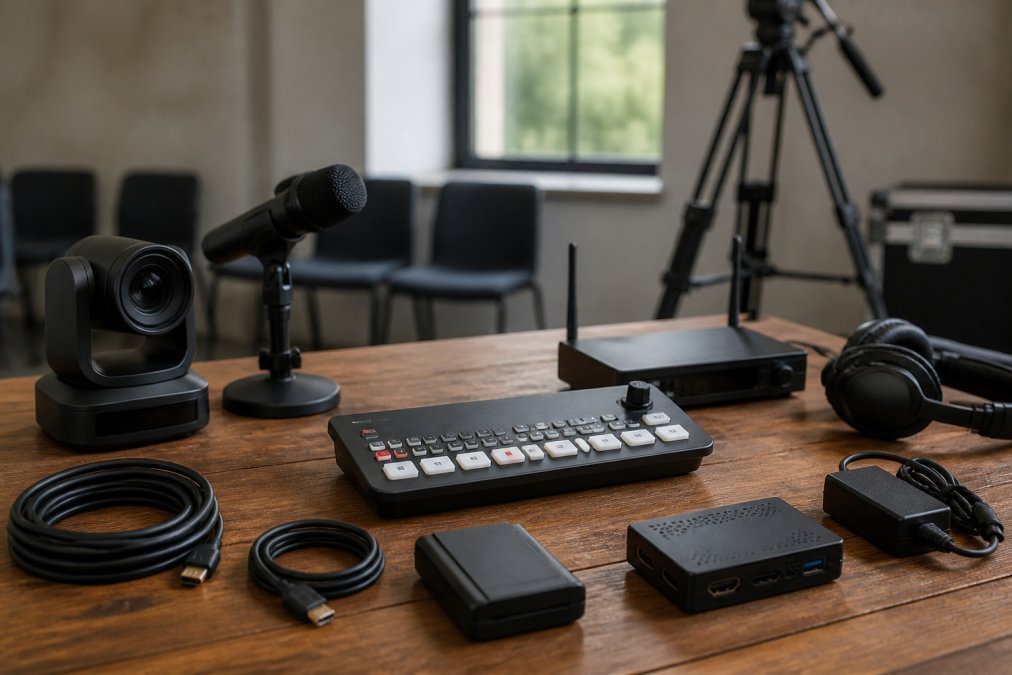
Choosing the right live streaming hardware for corporate events comes down to matching equipment to your production scale, not buying the most expensive kit available. A single-camera town hall and a five-camera product launch have almost nothing in common technically. This guide from Webcasting Livestream breaks down seven options across cameras, encoders, and production hardware.
A common mistake is assuming a better camera solves stream quality. It rarely does. Most corporate stream failures trace back to encoding, bandwidth, or switching, not optics. The Australian Cyber Security Centre’s guidance on securing video conferencing is worth reading before you stream sensitive internal communications.
| Hardware | Type | Best For | Standout Feature |
|---|---|---|---|
| Webcasting Livestream | Managed service | End-to-end corporate events | No drop-off guarantee |
| Sony PXW-Z90 | 4K camcorder | Single-camera corporate video | Fast Hybrid AF |
| Panasonic AG-CX350 | NDI camcorder | Multi-camera setups | NDI|HX support |
| Blackmagic Web Presenter HD | SDI-to-USB encoder | Presenter laptops | 12G-SDI input |
| Teradek VidiU Go | Portable encoder | On-location events | Network bonding |
| Epiphan Pearl Nano | Rack encoder | AV rack installs | SRT and RTMPS support |
| YoloBox Pro | All-in-one studio | Portable production | 3 HDMI inputs |
1. Webcasting Livestream: Managed Hardware and Production Services
Webcasting Livestream is a managed live streaming and virtual event production service, not a piece of equipment you buy and configure yourself. That distinction matters when your IT team is already stretched thin. The service handles cameras, switching, encoding, and redundancy as one package, with fail-safe procedures designed so streams do not fail and a no drop-off guarantee behind them.
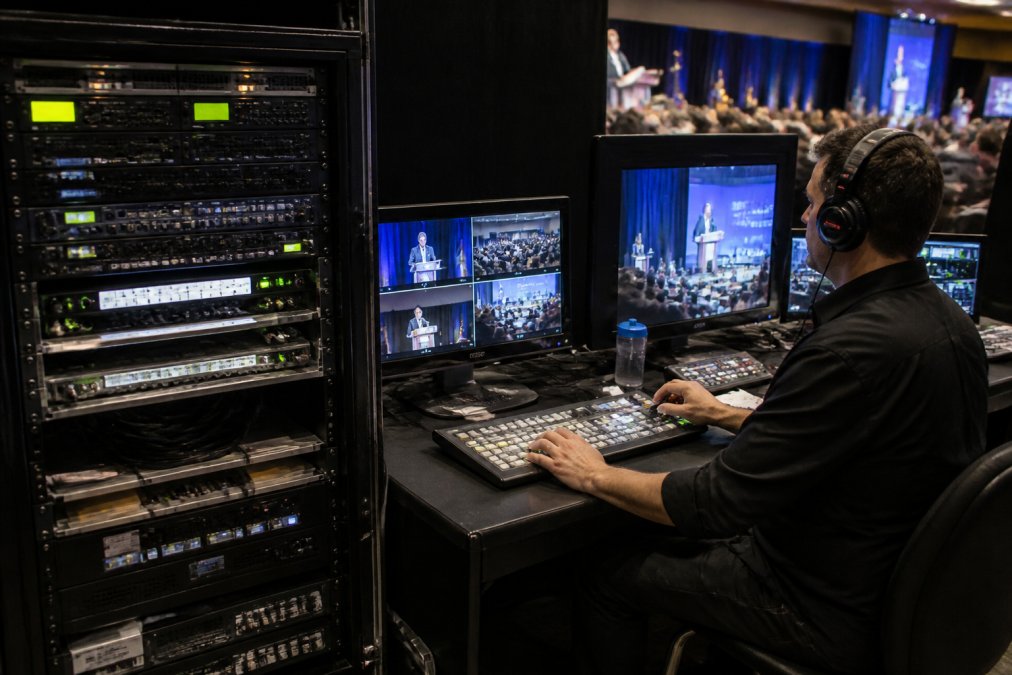
Key hardware and reliability features include multi-camera production, multimedia integration, and social simulcasting, all delivered as HD quality streaming across all devices. Every event is recorded and the footage is provided at no extra cost, and the content belongs to you for reuse in training or internal communications. For organisations that need secure end-to-end webcasting rather than another box to manage, this removes the operational burden entirely.
(/tag/best-practices-for-virtual-town-hall-meetings/) spaces.
Label the USB output in your streaming software before the event. Platforms often default to the laptop’s built-in webcam, and switching sources live is a common cause of a black or mirrored feed at go-live.
5. Teradek VidiU Go: Portable Encoder with Network Bonding
The Teradek VidiU Go is a portable hardware encoder that bonds multiple internet connections together for stable streaming in challenging environments. If you have ever watched a stream stutter because venue Wi-Fi collapsed under load, bonding is the fix. It combines cellular and wired sources so a single weak link does not kill the broadcast.
6. Epiphan Pearl Nano: Compact Rack-Mountable Encoder
The Epiphan Pearl Nano is a compact hardware encoder designed for professional-grade broadcasting, supporting SRT, RTMP, and RTMPS streaming protocols. SRT support is the standout here, since it maintains stream quality over unreliable networks far better than RTMP alone.
A single-input encoder cannot switch between cameras. If your event has more than one camera angle, budget for a video switcher as well, or the encoder becomes a bottleneck.
7. YoloBox Pro: All-in-One Touchscreen Production Studio
The YoloBox Pro combines a monitor, switcher, encoder, and recorder in one touchscreen device, which eliminates the need for a separate computer and monitor on site. It handles up to three HDMI inputs for multi-camera switching, with built-in graphic overlays and picture-in-picture.
Which Live Streaming Hardware Fits Your Event?
Most guides stop at matching a camera to a room. The harder question for corporate producers is how the hardware stack changes as an event scales from an internal town hall to a public hybrid conference, and what happens when a component fails on the day.
Scale the stack, not just the camera
A small internal meeting, one presenter, one room, under 50 remote attendees, needs very little: a single camera or even a good webcam, one USB or HDMI capture path, and a platform that handles the rest. The priority is simplicity, because a non-specialist is usually running it.
Design for failure before you design for quality
A common pattern in corporate production is that the stream fails not because the camera was wrong but because a single link in the chain had no backup. Practical redundancy looks like:
- Dual internet paths: a wired primary plus a bonded cellular or secondary connection, so a venue network outage does not end the broadcast.
- Dual encoders: a primary hardware encoder and a hot spare, or a software encoder on a separate machine, feeding the same platform.
- Independent recording: a local recorder capturing the master feed so the event can be republished even if the live stream drops.
- Backup audio: a second microphone path or a recorder on the mixing desk, because audio failures are more common than video failures and harder to hide.
Security and data handling
Corporate clients increasingly ask where the video goes and who can access it. Hardware-level considerations include running streaming traffic on a segregated network or VLAN, using encrypted protocols such as RTMPS or SRT where the platform supports them, and confirming that any cloud bonding or relay service used by an encoder meets the organisation’s data-handling requirements. For sensitive internal communications, check the Australian Cyber Security Centre’s guidance on securing video conferencing before selecting a path to the platform.
Match the hardware to the event
A hybrid AGM with remote presenters needs reliable encoding and redundancy more than cinematic cameras. A product launch with five camera angles needs switching capacity first. Corporate event streaming best practices start with an honest bandwidth assessment: live streaming connectivity requirements scale with resolution and bitrate, and a 1080p stream at a steady bitrate will always beat a 4K stream that drops frames.
Frequently Asked Questions
What hardware is required for professional corporate live streaming?
A standard corporate setup includes a 4K camcorder or PTZ camera, a hardware encoder or capture card, a video switcher for multi-camera productions, and an audio interface for XLR microphones. You also need reliable lighting, a stable internet connection, and a tripod or mount. Managed services like Webcasting Livestream bundle this hardware with fail-safe procedures, so you don’t need to source or configure each component yourself.
What is the difference between a hardware encoder and software streaming?
A hardware encoder like the Blackmagic Web Presenter HD or Epiphan Pearl Nano converts video to a streaming format using dedicated chips, which reduces latency and frees up your computer’s processing power. Software streaming relies on your computer’s CPU and can introduce dropped frames if the machine is under load. For corporate events where uptime matters, hardware encoding is the more reliable choice.
How do I ensure a stable internet connection for event streaming?
Use a wired Ethernet connection rather than Wi-Fi, and budget for at least double the upload bandwidth your target bitrate requires. For example, a 1080p stream at 6 Mbps needs at least 12 Mbps upload. If you are streaming from a regional venue with variable connectivity, a bonding encoder like the Teradek VidiU Go combines multiple network sources to maintain a stable feed. Always run a speed test at the venue before event day.
Do I need a dedicated video switcher for corporate events?
A video switcher is essential if you plan to cut between multiple cameras, add lower-thirds, or mix in presentation slides during a live broadcast. Some switchers handle two HDMI sources, while others support up to three inputs with built-in graphics. For single-camera webinars, you can skip the switcher and connect your camera directly to an encoder.
How does hardware impact the quality of a live stream?
Hardware determines your maximum resolution, frame rate, and bitrate stability. A 4K camcorder with SDI output paired with a dedicated encoder delivers consistent HD quality across devices. Consumer webcams and software encoding often struggle with lighting changes or motion, producing blurry or buffered streams. Investing in broadcast-level hardware reduces the risk of glitches and ensures your audience sees a professional feed on mobile, desktop, and tablet.
Corporate streaming fails for predictable reasons: thin bandwidth, no redundancy, and hardware nobody tested beforehand. Webcasting Livestream removes those variables with fail-safe procedures, a no drop-off guarantee, and secure end-to-end webcasting backed by professional managed services. Every event is recorded and provided at no extra cost, and the content belongs to you. Get started with Webcasting Livestream and deliver a flawless viewing experience for your next corporate event.